
Unifrost Counter Fridge Prep Counter Saladette Manuals and Installation Support
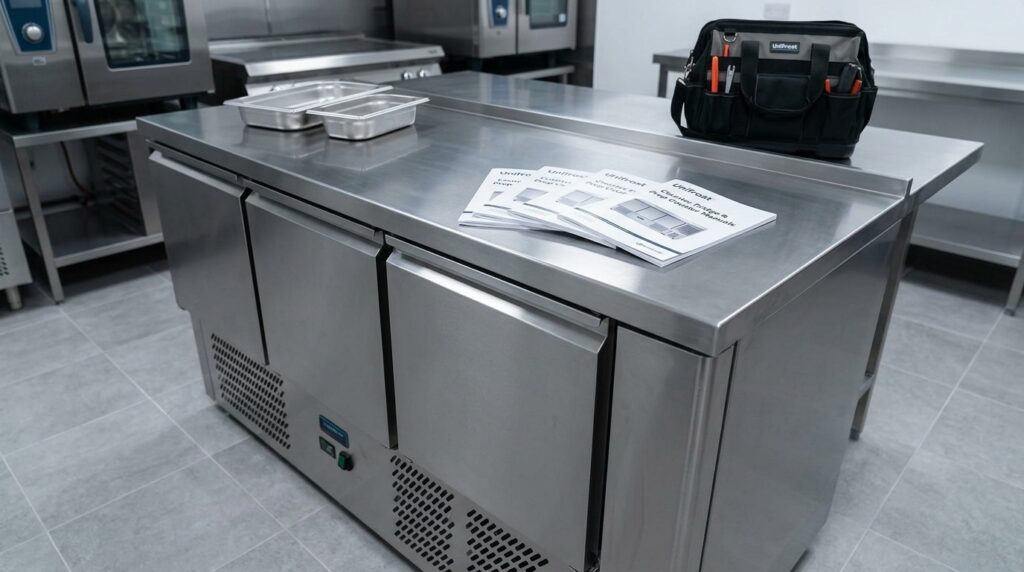
Manuals, controller guidance, setup checks and troubleshooting help for Unifrost counter fridges, prep counters and saladettes.
Unifrost Counter Fridge, Prep Counter and Saladette Manuals, Installation and Support
You rely on your Unifrost counter fridge, prep counter or saladette to hold safe temperatures through busy prep and service. This page helps you find the correct manual for your model and use it to install, set up and maintain the unit properly so you avoid poor cooling, icing and callouts.
You will learn what to check before installation, including positioning, ventilation space, levelling, first switch on and how to load product without pulling temperatures out of range. You will also see the key controller tasks you need day to day, such as setting temperature set points, understanding defrost behaviour, and spotting early warning signs like temperature alarms.
The guidance covers common Unifrost worktop and prep families and models, including CR1360FT, CR1800FT, CRS90G-4D, CR-1365N, PCF910, PR1510G, STV1225, SA136G and SA900GS. It also highlights practical hygiene and food safety checks for GN pans and open top wells, plus a troubleshooting path for the issues operators see most often, from doors not sealing to units not holding temperature.
What This Support Page Helps You Find
This page is a working index for Unifrost counter fridges, prep counters, pizza prep, bakery counters and saladettes. It brings together manuals, installation basics, controller guidance and common fault checks that matter in day-to-day Irish kitchen service.
It’s built around a simple reality: manufacturer instructions plus a repeatable routine make it easier to stay compliant and keep food safe, including cleaning schedules, records and temperature control, as reflected in FSAI guidance. The Unifrost counter range covers several model families and controller variants, so some guidance is shared and some is model-specific. Always match what you’re reading to the data plate model code on your unit.
Manuals and downloads, by model family
Use this page to get to the correct manual or guide for common Unifrost worktop counters and prep counters, including:
CR1360FT (and drawer variants like CR1360FT-2D / CR1360FT-2DOG)
CR1360FTOG
CR1800FT / CR1800FTOG
CRS90G-4D / CRS90G4DOG
It also includes the prep counter, pizza and bakery formats operators typically look for when they need parts references, cleaning instructions or controller help:
CR-1365NOG
PCF910 / PCF910OG
PR1510G / PR1510GOG
STV1225 / STV1225OG
Saladette coverage includes SA136G / SA136GOG and SA900GS / SA900GSOG. These often need different day-to-day habits because the top well is open to the kitchen environment during service.
What you should expect to learn about installation and first start-up
This section is aimed at avoiding the common “it’s new but it won’t pull temperature” callout, where the cause is siting or start-up rather than a failed part.
You’ll find the basics that tend to make or break performance in Irish fit-outs:
Allowing proper ventilation around the refrigeration system
Levelling the unit so doors seal correctly
Letting the unit stand after delivery before switching on (especially if it has been tipped)
Loading in stages so the unit can recover without a long warm spell
If clearances or commissioning steps differ between models, the manual is the final word.
Day-to-day controller use, temperature setting and defrost expectations
If you’re trying to hold a steady operating temperature for HACCP checks, this page points you to the relevant controller instructions and explains what to expect in practice from different cooling set-ups used on counter fridges, prep counters and saladettes.
It also flags common features you’ll see across these units, such as a digital controller and display, and defrost behaviour that can affect icing during busy prep. The key point for operators: the controller set-point is not the same as product temperature, so you still need a simple routine for checking and logging food temperatures.
Troubleshooting that fits service pressure, not workshop theory
The troubleshooting here focuses on the faults that disrupt service: not cooling, temperature alarms, icing, doors not closing cleanly, and problems caused by overloading or blocking airflow in a prep top.
The aim is to help you separate:
Operator-fix issues (cleaning, loading, door seals, airflow)
Call-service issues (persistent alarms, repeated failure to reach temperature after sensible checks)
For many sites, the quickest win is cleaning the condenser area and confirming the unit has breathing space. Poor airflow is a common cause of high running temperatures and higher running costs.
Cleaning, maintenance, and food safety around open GN wells
This page also covers the operational side that affects food safety and reliability, especially for saladettes and pizza prep where the top well is open during busy periods.
Guidance is aligned with Irish expectations for consistent hygiene routines and documentation, including using manufacturer cleaning instructions and keeping records as part of your food safety management, in line with FSAI guidance on cleaning schedules and records. The practical aim is to keep surfaces and seals clean, protect airflow, reduce icing risk, and avoid cross-contamination when you’re handling raw and ready-to-eat ingredients on the same line.
Moving, positioning, and “tight kitchen” realities
If you’re uncrating and positioning a heavy counter unit in a compact kitchen, this page sets expectations for safe handling so you don’t damage castors, door alignment or the refrigeration system while manoeuvring.
It also helps you plan for the issues that cause problems later: access for cleaning and servicing the motor area, and enough clearance for doors to open fully without clashing with walls, bins or prep benches.
This gives you a clear map of what’s on the page before you go into the specific Unifrost counter fridge manuals and model guides.
Unifrost Counter Fridge Manuals and Guides
To download the right manual for a Unifrost counter fridge, prep counter, or saladette, start with the model code on the data plate (not the invoice description). Use that code to match the correct PDF on the Unifrost manuals page for this range, then keep a copy saved somewhere your team can actually access during service.
If your exact suffix is not listed (for example OG vs non-OG, or a drawer variant), use the closest manual in the same product family and confirm controller and parts details from the data plate before changing settings, ordering spares, or booking a call-out.
1. Confirm the exact model code and serial number on the data plate
The quickest way to avoid the wrong manual is to read the plate on the unit itself. Look for the full model code and any suffixes that affect the build, for example:
CR1360FT, CR1360FT-2D / CR1360FT-2DOG, CR1360FTOG, CR1800FT / CR1800FTOG, CRS90G-4D / CRS90G4DOG, CR-1365NOG, PCF910 / PCF910OG, PR1510G / PR1510GOG, STV1225 / STV1225OG, SA136G / SA136GOG, SA900GS / SA900GSOG.
Also note the serial number. For support, controller queries, and correct replacement parts (like door seals), the serial number often matters where there have been revisions within the same model family.
2. Download from the Unifrost counter fridge, prep counter, and saladette support page
Use the Unifrost.ie downloads page for this product family:
Unifrost counter fridge, prep counter and saladette manuals, installation and support
Match your model code to the nearest listed item, download the PDF, and save it to a shared ops folder. A manual that only lives on one person’s phone is rarely there when you need it.
If you cannot see your exact model or suffix, slow down. Download the closest equivalent in the same range (for example SA136G vs SA136GOG) and cross-check the controller type and electrical details on the data plate before you follow any wiring, settings, or spares guidance.
3. Use the manual in the right order: installation basics first, then controller settings
A lot of “not cold on day one” problems are down to installation and airflow, not a refrigeration fault. Before first switch-on, use the manual to check the basics that get overlooked in a tight kitchen line:
ventilation clearances and where the unit pulls and rejects air
levelling (doors and drawers will not seal properly if the unit is out)
not boxing the condenser side in behind kickboards, bins, or tight joinery
Then move to the controller section. Set a working set-point to suit your HACCP routine and confirm product temperature with a probe rather than relying on the display alone. The FSAI guidance for chilled food is 5°C or below.
https://www.fsai.ie/business-advice/food-safety-controls/temperature-control
For prep counters and saladettes, pay attention to the top well instructions. Open pans in a busy service are less forgiving than sealed undercounter storage, particularly with frequent lid opening and warm product being dropped in.
4. Use the cleaning and maintenance pages to prevent breakdowns and control running costs
The manual will usually separate what the operator can do safely from what needs a technician. In real Irish kitchens, these are the habits that prevent nuisance faults:
Keep the condenser area clean on the schedule shown in your manual, especially in flour, crumb, and grease-heavy sites.
Clean and inspect door gaskets and make sure doors close cleanly. Small air leaks often show up as warm spots, condensation, or icing complaints.
Avoid blocking internal air paths by overloading shelves, stuffing the back wall, or overfilling pans and inserts.
If the unit sits in front-of-house or an open prep area, the door-open rate is typically higher, so cleaning and seals matter even more.
5. Use the troubleshooting section to narrow the issue before you call service
When a unit is alarming, icing, or struggling to hold temperature, the manual helps you check the common causes first: warm loading, doors not closing fully, blocked vents, poor airflow around the motor area, or power cycling at the wrong time.
If the controller shows an alarm or error code, write down:
the exact code
the displayed cabinet temperature
what the unit is loaded with and how busy service has been
Record that before you reset anything. It speeds up diagnostics and reduces the chance of the wrong parts being ordered.
If you want to double-check you are using the correct manual, share the exact model code plus a clear photo of the data plate and controller before changing settings or logging a service call.
Installation Requirements and Steps
Install a Unifrost counter fridge, prep counter or saladette the same way you would any busy-line refrigeration: plan the route, protect ventilation, level it properly, and commission it before you put stock at risk. Let it settle after transport, pull down to temperature unloaded, then load in a way that keeps airflow moving and food safe. Confirm performance with a probe thermometer, not the display alone.
1. Plan the location and check access before delivery
These units are heavy and awkward in tight Irish kitchens, so start with the route, not the socket. Check door widths, turns, ramps, thresholds and floor finishes. Decide where you can uncrate it without blocking the pass.
Quick pre-checks that prevent the “it fits on paper” problem:
Confirm the external dimensions from the data plate or the correct model manual (do not guess off a similar unit).
Check height clearance for lids, covers or top well openings on prep and saladette formats.
Keep it away from direct heat sources (ranges, fryers, hot passes) and out of direct sunlight.
Make sure doors and drawers can open fully with staff working the line.
If it’s going in an open kitchen or front-of-house prep area, leave practical access to the condenser area for cleaning. If you cannot clean it, you will pay for it in poor performance, call-outs and avoidable food loss.
2. Uncrate, inspect and move it without stressing the system
Uncrate carefully and keep the packaging until you are satisfied it is undamaged and running correctly. Check the cabinet, doors, drawers, shelves/rails, prep-top well area and controller fascia for knocks, twisting or misalignment.
Avoid aggressive tipping or laying the unit down unless the manual for your model explicitly allows it. Rough handling is a common cause of early faults, and it is difficult to prove once the unit is on site.
3. Let it stand before first power-up
Once it’s in position, give it time to stand before switching on, especially if it was tilted in transit. This reduces risk to the compressor and oil return and is far cheaper than a first-week breakdown.
Use the waiting time to fit shelves, wipe down the interior and organise the GN pans and inserts you plan to run in service.
4. Allow for ventilation and service access (do not box it in)
Most “not holding temperature” complaints on counter fridges and saladettes come down to heat management and blocked airflow, not a refrigerant issue. Keep ventilation paths clear around the motor and condenser area. Do not seal the unit into joinery unless the manual confirms it is designed for that type of install.
Practical checks that make a difference:
Keep a clear air path at the condenser side and/or rear (model dependent). If you are fitting a pizza or bakery prep counter, avoid placing the condenser intake where it will live in flour dust.
Do not store boxes, GN pans, cloths or spare stock against ventilation grilles.
If it sits under a prep run, make sure you can still pull it forward for condenser cleaning and service.
5. Level the cabinet so doors seal and drains work
Levelling is functional, not cosmetic. A cabinet that is slightly out can cause doors to drift open, drawers to bind, and warm air to be pulled in. That often shows up as icing and temperature alarms.
Level side-to-side and front-to-back using the adjustable feet. Then check:
Each door closes cleanly and seals evenly all the way around.
Drawers (if fitted) slide smoothly and close without being forced.
6. Connect to power safely (and keep isolation simple)
Use a dedicated, correctly rated supply where possible. Avoid extension leads and multi-plug adaptors in a commercial kitchen.
If electrical changes are needed, Safe Electric notes most commercial and industrial electrical work falls under “Controlled Electrical Works” and recommends using a Registered Electrical Contractor for these works, even where it may not be a legal requirement in every case (Safe Electric guidance on Controlled Electrical Works).
If the unit is supplied with a standard Irish Type G plug, plug it directly into a suitable wall socket so it can be isolated quickly for cleaning or in an emergency. If it requires hardwiring or a spur, have it done properly and keep the details in your site file.
7. First switch-on and pull-down (before any food goes in)
Switch on and let the unit run unloaded until it stabilises. This is the easiest time to spot issues like a fan obstruction, a poor door seal, or a controller alarm without putting stock at risk.
For chilled storage, set your working target based on food temperature, not air temperature. The FSAI advises setting the thermostat so the temperature of the food is between 0°C and 5°C, and notes that in general setting a fridge at 3°C or 4°C will achieve this (FSAI temperature control guidance). Verify with a calibrated probe in product, or using a suitable test load once the cabinet is stable.
8. Load-in for prep counters and saladettes (airflow first, then speed)
Only load once the cabinet is holding temperature consistently. Load gradually and keep vents and internal airflow paths clear so recovery time stays sensible during service.
For saladette wells and prep-top GN pans, treat the top as a service holding area, not your main cold store. Keep backup product in the undercounter section and top up little and often, especially for higher-risk foods (cooked meats, dairy, cut produce). Keep lids/covers in place whenever service allows. Open pans in warm kitchen air are where temperature control usually slips.
9. Record commissioning details for HACCP and handover
Before you sign off, record:
Model and serial number (from the data plate)
Your chosen set-point
The verified food temperature from a probe
That baseline helps with troubleshooting later and supports your HACCP checks.
For model-specific clearances, controller instructions and parts diagrams (for items like door seals and shelves), use the correct manual for your exact Unifrost model rather than relying on “close enough” guidance.
Setting Temperature and Defrost Cycles
Set your cabinet up for food safety first, then fine-tune for how your kitchen actually runs. Let the unit pull down fully, set a sensible cabinet set-point, and confirm product temperature with a calibrated probe. Make changes in small steps and give the fridge time to settle between adjustments.
For Ireland, the FSAI notes that fridges set at 3°C to 4°C will generally keep food between 0°C and 5°C in normal use, but you still need to validate this in your own conditions with probe checks and your HACCP records: FSAI temperature control guidance.
1. Let the unit stabilise before changing settings
If the counter fridge or saladette has just been delivered, moved, or powered back on after cleaning, give it time to pull down and stabilise. Prep counters take a hammering early in service: frequent door openings, warm load-in, and (on saladettes) constant access to the top pans can make the display look “all over the place” even when the system is working normally.
Avoid tweaking settings while it’s still recovering from a warm load or a rush. You can end up chasing the temperature and making performance worse.
2. Pick a set-point to protect food, not to satisfy the display
A set-point is a control target for cabinet air. It is not a promise that every GN pan and every corner of the cabinet is at the same temperature.
As a practical starting point, set the cabinet so stored product stays at or below 5°C. Many operators land around 3°C to 4°C on the controller because, as the FSAI notes, that generally achieves 0°C to 5°C for food under normal use. If you’re holding higher-risk chilled items, be stricter and verify more often, especially on saladette top sections where ingredients are accessed constantly.
Base decisions on probe readings and HACCP checks, not the controller number alone.
3. Adjust the digital controller, then confirm it holds
Most commercial digital controllers follow the same pattern: enter set/menu, adjust with up/down, then save or allow it to time out.
Make small changes, then wait long enough to see the effect in real operation. When you validate, probe a representative product pack or a container of water inside the cabinet. Avoid judging performance by warm air near the door or by a quick glance straight after a settings change.
4. Know what defrost is doing in day-to-day use
Defrost clears ice that forms as a result of normal refrigeration, door openings, and humid kitchen air. Depending on the model and controller, defrost may be off-cycle (defrost occurs when the compressor cycles off) or managed differently.
If you’re seeing ice build-up, treat it as an operating and maintenance issue first, not a settings issue. Common real-world causes include:
Damaged or dirty door gaskets and doors not closing cleanly
Blocked internal airflow from overpacked shelves or pans
Dirty condenser coils reducing system capacity
Extended door opening during service, especially in humid weather
5. Only change defrost settings to fix a repeatable problem
If you have consistent icing, slow recovery after busy periods, or repeated high-temperature alarms, defrost settings may need review. Do it using the correct manual for your exact unit and controller. Menu layouts and safe adjustment ranges vary by controller, and guessing can create bigger problems than the one you’re trying to solve.
If you do adjust anything:
Change one parameter at a time
Log the change (date, setting, and the reason)
Monitor results over normal service, not a quiet hour
That record makes it easier to undo a change if performance drops, and it gives a service engineer a clear starting point.
6. Validate during service and keep the routine simple
Once the cabinet is holding properly, keep it boring:
Check the display as part of open and close-down
Probe-check a consistent “reference” product at a consistent time
Keep condenser and door seals clean so the unit doesn’t need aggressive settings to cope
For saladettes, treat the top well as a working station, not long-term storage. Keep lids on where fitted, don’t overfill pans, and rotate ingredients so you’re not asking the well to pull down warm product mid-service.
If you’re not sure which controller you have, or you need the exact button sequence for set-point and defrost on your model, work from the correct Unifrost manual rather than trial-and-error.
Routine Cleaning and Maintenance
A simple routine keeps a Unifrost counter fridge, prep counter, or saladette stable in service: clean food-contact surfaces daily, deep-clean shelves, seals and drains weekly, and keep the condenser area dust-free monthly. Add quick checks for door closing, gasket seal, and levelling. When these basics slip, the unit often struggles to recover temperature, especially in a busy kitchen.
Record what you’re doing as part of HACCP. Most “won’t stay cold” problems come back to airflow, hygiene build-up, loading habits, or doors being left ajar, rather than a sudden component failure.
Always isolate the power before any maintenance near fans, electrics, or the refrigeration compartment.
1. Keep food-contact areas genuinely clean (daily, and as you go)
If you use a counter fridge as a worktop, treat the stainless top, boards, handles and controls as high-touch areas. Clean little and often during service.
For saladettes and pizza prep tops, lift out GN pans as needed and clean underneath them. Small spills and shredded garnish build up quickly and can become both a hygiene and temperature issue.
Use a clean-then-disinfect routine rather than a quick spray. Follow the FSAI 6 stages of effective cleaning so you’re not leaving residue on food-contact surfaces. In practice: detergent first, rinse, disinfect at the correct contact time, rinse if the product requires it, then air dry.
2. Protect airflow inside the cabinet (weekly)
Once a week, empty and clean one section at a time so food isn’t left sitting out. Remove shelves and supports if your layout allows, wash and dry fully, then refit.
When you reload, leave space for air to move. Keep product off the back wall and don’t push containers hard against vents. Overpacking is a common cause of poor temperature recovery, and you’ll notice it fastest during busy weekends when doors are opening constantly.
3. Clean door seals, hinges, and closing alignment (weekly)
Wipe door gaskets with warm water and mild detergent, then dry. Check for splits, hardening, or debris caught in the folds. If the seal isn’t seating properly, warm air gets in, the compressor runs longer, moisture increases, and icing becomes more likely.
Check hinges and door alignment too. If you see doors “bouncing” back open, the unit may be out of level or the hinges may need adjustment. On worktop counters that get leaned on all day, levelling feet can creep over time, so it’s worth rechecking.
4. Keep the saladette well and lid area hygienic and cold (weekly)
Clean the well surfaces and lid tracks, not just the pans. Moisture and spills under the pan line turn into odours, sticky lids, and a predictable issue during EHO inspections.
If you’re running ready-to-eat foods beside raw ingredients in the same prep top during service, keep separation tight with clear labelling and changeover cleaning. The unit supports safe holding, but your HACCP controls still do the heavy lifting.
5. Check drains, drip areas, and “hidden” water (monthly)
Once a month, look for standing water or slime around accessible drain points and drip areas. Blocked drains can cause pooling, odours, ice formation, and “leaking” complaints.
If water build-up keeps coming back, don’t just keep mopping. It usually points to a practical cause such as poor levelling, doors not sealing, product going in warm, or debris being pushed into a drain channel during cleaning.
6. Clean the condenser and keep the motor compartment breathable (monthly)
On counter fridges and saladettes with a bottom-mounted motor, the condenser area is a dust magnet, especially near flour, breadcrumbs, or fryer traffic. Monthly, isolate power, open only the access panels you’re meant to, and gently brush or vacuum dust from the intake and coil area. Avoid bending the fins.
Do a quick placement check as well. If boxes, kegs, or bins block the ventilation path, the unit will run hotter and longer, which affects recovery time and electricity use.
7. Verify temperatures and record checks (weekly, then tighten up in peak periods)
Review temperature records and any controller alarms weekly. Look for patterns rather than one-off readings. A steady drift warmer during service usually points to loading, door discipline, or airflow. A sudden change can indicate a seal issue, a blocked condenser, or a fault worth calling in.
If the unit sits on a high-pressure line, increase check frequency in peak season. It’s far easier to correct habits and cleaning gaps early than to deal with food waste, interrupted service, or a difficult inspection.
If you need the model-specific manual for your Unifrost counter fridge, prep counter, or saladette, start with the exact model number from the data plate. It makes finding the right controller instructions and parts layout much quicker.
Troubleshooting Common Issues
Start by protecting food safety and confirming the problem with a probe thermometer, not just the controller display. Then work through the basics that cause most cooling issues in Irish kitchens: power, airflow to the condenser, door sealing, loading practices, and ice build-up. If there’s an alarm or error code, record it and check the manual for your exact model before changing settings. Escalate early if the unit is warming up with high-risk foods, or if you suspect a refrigerant or electrical fault.
1. Protect food safety first and confirm temperature properly
Treat any sustained temperature rise as a food safety issue until you’ve checked product temperature with a clean, calibrated probe thermometer. This matters most on saladette wells and prep tops, where food is exposed and opened constantly.
The controller reading is useful, but it is not the same as the core temperature of food, and it can lag during a busy service.
As a practical target, set your checks so food stays between 0°C and 5°C, in line with the Food Safety Authority of Ireland guidance on temperature control: https://www.fsai.ie/business-advice/running-a-food-business/caterers/temperature-control
If you cannot hold safe temperature, move high-risk items to another working fridge immediately and record the corrective action in your HACCP paperwork.
2. Check power, plug, and controller basics before assuming a refrigeration fault
A lot of “not cooling” call-outs turn out to be simple:
Plug knocked during cleaning, or isolator switched off
Controller in standby (looks “on”, but not calling for cooling)
A high temperature alarm after an extended door-open period
If the unit has a digital controller and is alarming, take a photo of the display before you press anything. It saves time later when you’re checking the correct manual or speaking to support.
3. Fix airflow and heat rejection issues first (especially in a busy kitchen)
Most worktop counters and saladettes struggle when the condenser can’t reject heat. Common causes:
Ventilation grilles blocked by boxes, trays, packaging, or cloths
Unit pushed tight to a wall with no breathing space
Condenser clogged with flour dust, grease, or lint
If performance drops on a busy Friday but “recovers” overnight, suspect airflow and condenser condition before anything else. Clear the intake area, clean any accessible filter if fitted, and make sure staff aren’t storing anything against the ventilation path.
4. Deal with icing, frost, and water issues in a way that matches how the unit is used
Icing is usually a symptom, not the root problem. In prep counters and saladettes it’s commonly driven by:
Frequent door opening during service
Loading in warm product
Moisture getting in through damaged door seals, poor door closure, or misalignment
Light frost can be normal in hard-working units, but heavy ice build-up needs attention.
Avoid sharp tools. Empty the unit, isolate power, allow a controlled defrost, then dry and restart. If ice returns quickly, check door gaskets for splits, check alignment, and look for day-to-day causes like pan handles, labels, or cloths stopping the door from sealing properly.
5. Handle error codes and alarms without making it worse
Unifrost counter fridges, prep counters, and saladettes cover multiple model families, so don’t assume an error code means the same thing across models. Record:
Exact model (from the data plate)
The code as shown on the controller
What was happening at the time (after cleaning, after delivery, after a power cut, during peak service)
Avoid repeated power cycling as a “fix”. One restart can clear a nuisance alarm, but repeated resets can mask an underlying fault and cost you time when you should be protecting stock.
6. Know when to stop troubleshooting and what to capture for faster support
Stop DIY checks and escalate to service support if:
The unit is warm and won’t pull down
There’s a burning smell
The compressor is short-cycling
You suspect a refrigerant leak or electrical fault
Before you call, capture the essentials:
Model and serial number (data plate)
Photo of the controller display and any alarm code
What the fault looks like (not cooling, icing, leaking water)
Whether it’s a saladette well with undercounter storage, or a plain worktop counter fridge
With that logged, you can pull the correct manual and follow model-specific steps rather than guessing.
Safety Tips for Use with GN Pans
GN pans in a saladette well need extra care because you’re working directly over exposed food. The main contamination routes are drips, splashes, hands, utensils, and pan rims. The Food Safety Authority of Ireland is clear that raw and ready-to-eat food must be kept separate to prevent bacteria spreading, including from raw juices dripping onto ready-to-eat items. See FSAI guidance on cross-contamination and separating raw and ready-to-eat food.
Even with good separation, you can undermine your own controls by letting pans run too warm, overfilling them, or leaving them uncovered during quiet periods.
What’s the safest way to run raw and ready-to-eat GN pans in the same well?
If you can avoid it, don’t mix raw proteins and ready-to-eat items in the same top well. In a busy Irish sandwich bar or pizza station, the “bit of everything” approach is common, but it is also when discipline matters most:
Keep the top well ready-to-eat where possible.
Store raw ingredients sealed in the refrigerated base below.
Bring raw ingredients up in small batches during service.
If raw food must be at the counter for speed, treat it as a controlled ingredient, not a display. Use lidded gastro containers, dedicated utensils, and a hard boundary so staff are not switching between raw and ready-to-eat pans mid-rush.
How do you keep GN pan temperatures stable without turning the well into a heat sink?
A saladette well is built to hold chilled food, not to pull down warm product quickly. The most common mistake is loading pans straight after prep while they’re still warm and expecting the well to do the cooling. That can leave the top layer sitting in a higher-risk temperature range for longer than you think.
Keep it simple:
Pre-chill product in the undercounter storage before it goes into the top well.
Use shallower pans for high-turn items, so you’re not holding a deep mass of food at the counter.
Don’t heap food above the pan rim, where it is most exposed to warmer air and service heat.
If your counter sits near grills, toaster belts, or pizza ovens, the top well will work harder. Lids and sensible batch sizes often make more difference than adjusting the controller set-point.
What day-to-day handling rules prevent the usual pan well hygiene failures?
Most problems aren’t “fridge problems”. They come from what happens at the pan edge: messy refills, shared spoons, bottles dripping across multiple pans, and wipe-downs that spread contamination instead of removing it.
Use dedicated utensils for raw, ready-to-eat, and allergen-containing ingredients. Store them so handles don’t sit in food.
Keep pan rims clean and dry. Messy rims stop lids sealing properly and encourage “leave it open” habits.
Swap, don’t top up. Replace with a fresh, pre-chilled pan rather than topping up a half-warm pan during service.
Manage allergens deliberately. If a pan contains a declared allergen (for example, dairy-based dressings), keep it clearly segregated and avoid drips crossing into other pans.
For unit-specific controller settings and handling limits, use the manual for your particular Unifrost saladette or prep counter. It’s the quickest way to confirm what your well is designed to hold and how it should be loaded day to day.
Integration with the Unifrost Ecosystem
In a busy Irish kitchen, a prep counter or saladette stays reliable when you treat the manual, controller settings and cleaning routine as part of HACCP, not “engineering stuff”. The FSAI guidance on temperature control for chilled food is a solid reference point. How you hit those standards in real service depends on your menu, how often doors are opened, and whether you are running open GN pans in a top well during peak.
Here, “integration” is practical. It means you can pull up the right document quickly, set the unit up properly from day one, and troubleshoot common issues without guesswork. It also means your records, spares and service contacts are organised before a Friday-night failure turns into an emergency.
Use Unifrost resources as an ops pack for each unit
You get the most value from counter fridges, prep counters and saladettes when each unit has one consistent set of information that both the kitchen manager and whoever looks after maintenance can access.
This matters in mixed estates, for example a CR1360FT on starters, a SA136G saladette on sandwiches and a PCF910 pizza prep on the line. Units can look similar, but controller behaviour, loading limits and cleaning access points can differ.
Standardise the same pack every time:
The correct manual for the exact model (for example CR1360FT, CR1800FT, CRS90G-4D, CR-1365NOG, PCF910, PR1510G, SA136G, SA900GS, STV1225), plus any controller quick guide you actually use during service
A signed install checklist (ventilation clearance, levelling, first switch-on checks, and a sensible load-in procedure)
A cleaning schedule that includes condenser hygiene, door seal checks and safe cleaning around saladette top wells
A simple fault log: date, symptoms, set-point, actual temperature, and what changed before you call for service
Make controller settings and logs consistent across sites
If you run more than one venue, consistency beats heroics. Agree one internal way to record set-points, actual temperatures and corrective actions, then train it the same way across cafés, pubs serving food, sandwich bars and hotels.
The manuals and controller guidance help you avoid two common operational problems:
Set-points being nudged colder to “solve” loading or airflow issues
Defrost behaviour being mistaken for a fault
Keeping controller instructions beside the unit also reduces the risk of someone changing a parameter mid-service and not knowing how to put it back.
Complete the basic checks before booking a call-out
Most day-to-day faults on prep counters and saladettes usually come back to basics: airflow blocked by overstocking, a dirty condenser, a door not sealing, heat build-up around the unit, or a top well being used outside its intended pattern (open pans, frequent lid opening, warm product loaded in).
Check the obvious causes first, record the model and serial details from the data plate, and book a call-out when the symptoms point to a refrigeration fault.
It also makes support calls faster. If you can quote the model (for example SA136G versus SA900GS) and describe the symptom clearly (temperature alarm, icing, not pulling down after restock), you will generally get a more accurate response than “the saladette is acting up”.
Spares and wear parts work best when you standardise what you stock
If downtime is not an option, treat a small set of parts as consumables. Door seals, shelf supports and commonly damaged internal fittings are usually inexpensive compared with lost prep time and spoiled stock, but only if you can identify and order the right item quickly.
Keeping manuals and model references organised reduces the risk of ordering “close enough” parts that do not fit, and makes planned maintenance more realistic.
Tie installation guidance to the way Irish kitchens actually run
Irish hospitality kitchens often have tight footprints, warm cook lines and limited ventilation behind counters. If a unit is pushed hard against a wall, boxed in under a worktop return, or squeezed into a hot corner, performance and running costs can drift and it can present like a fault.
What you want from installation guidance is what you can apply on the floor: level the unit, give it breathing space, and avoid heat traps. Get that right and you give the unit a fair chance of holding temperature through service pressure, while making the model-specific manuals and guides genuinely useful rather than theoretical.
FAQs: Unifrost counter fridge, prep counter and saladette support
Where can I download Unifrost counter fridge manuals?
For the most reliable version, download the manual from the specific product listing or support download area on Unifrost.ie for your exact model (for example CR1360FT, CR1800FT, CRS90G-4D/CRS90G4DOG, CR-1365N(OG), PCF910(OG), PR1510G(OG), SA136G(OG), SA900GS(OG), STV1225(OG)).
Before downloading, check the data plate inside the unit to confirm the full model code and suffix (such as OG). Using the wrong manual can lead to incorrect controller settings, parts lookup issues, or incorrect installation clearances.
What are the installation requirements for Unifrost saladettes?
For most commercial saladette counters, correct setup is mainly about airflow, levelling, and commissioning:
Position and ventilation: Place the unit so the refrigeration system can breathe. Keep vents and grills unobstructed and avoid boxing the unit in.
Stable, level base: Level the cabinet so doors close cleanly and the well and shelves sit square.
Electrical supply: Use a dedicated, properly rated socket and avoid extension leads. Do not share a circuit with high-start appliances if you can avoid it.
First switch-on: After positioning, allow time for the refrigeration circuit to settle before powering on (especially after transport). Then let the unit pull down to temperature empty.
Load-in procedure: Pre-chill ingredients before service. Do not load warm product into the cabinet or top well and expect rapid pull-down.
Top well best practice: Keep pans correctly seated and avoid leaving large gaps. Use lids or covers where possible during quiet periods to maintain temperature consistency.
Always follow the manual for your exact model, as airflow paths and controller behaviour can vary between saladette families.
How do I set the temperature on a Unifrost prep counter?
Most Unifrost prep counters use a digital controller.
View the set-point: Press SET once to display the current set temperature.
Change the set-point: Hold SET until the value flashes, adjust with the up/down keys, then press SET again (or wait a few seconds) to save.
If your controller uses different buttons or a lock function, use the manual for your model to confirm the exact sequence. After changing settings, give the unit time to stabilise and verify temperature with a calibrated probe in product or a suitable test medium, not just the air display.
What maintenance is required for Unifrost counter fridges?
A simple, consistent routine prevents most breakdowns:
Daily: Wipe spills, clean door handles and high-touch surfaces, and keep door openings short.
Weekly: Clean shelves, runners and interior corners. Check door seals for gaps, splits, or food debris that prevents a tight close.
Every 2 to 4 weeks (or more often in flour/grease-heavy kitchens): Clean the condenser / intake filter and clear dust and grease. Blocked condenser airflow is one of the most common causes of poor cooling and compressor strain.
Monthly: Check the unit is still level, doors are aligning properly, and drains are clear (if your model has a drain arrangement).
Ongoing: Keep airflow clear inside the cabinet. Avoid overfilling and avoid pushing product hard up against the back where it can disrupt circulation.
If you notice frequent icing, temperature swings, or the unit running constantly, treat it as a maintenance red flag and investigate before it becomes a service call.
How to troubleshoot a Unifrost saladette unit not cooling properly?
Work through these checks in order before booking service:
Confirm power and controller status: Unit switched on, controller lit, no obvious alarm condition.
Check airflow: Front grills and vents clear. The unit is not boxed in, and nothing is blocking the condenser intake.
Condenser cleanliness: If dusty or greasy, clean it and re-test. Poor condenser airflow is a leading cause of warm cabinets.
Door and seal check: Make sure doors fully close and seals are clean and intact. A small gap can overwhelm cooling.
Loading and product temperature: Remove warm product and reduce load. Saladettes are designed to hold chilled ingredients, not rapidly chill hot food.
Top well use: Ensure GN pans are seated correctly and not left open with missing pans creating large air gaps. Use covers where possible.
Icing or airflow restriction inside: If you see heavy icing, turn the unit off, allow a safe defrost, and check whether the issue returns quickly.
If the cabinet is still not pulling down after these steps, note the model code, controller messages (any error codes), and the symptoms (runs constantly, short cycles, icing, warm top well only, etc.) before contacting support. That information speeds up diagnosis and parts identification.
Next step: choose the right Unifrost counter for your layout
If you are deciding between a worktop counter fridge, a prep counter, or a saladette, start by matching the unit to how you actually prep: door vs drawer access, how many GN pans you need on top, and whether you want a dedicated prep surface.
Browse the Unifrost range here: Explore Commercial Fridges.
Related Unifrost guides
Compare models, maintenance advice and support information related to this topic.
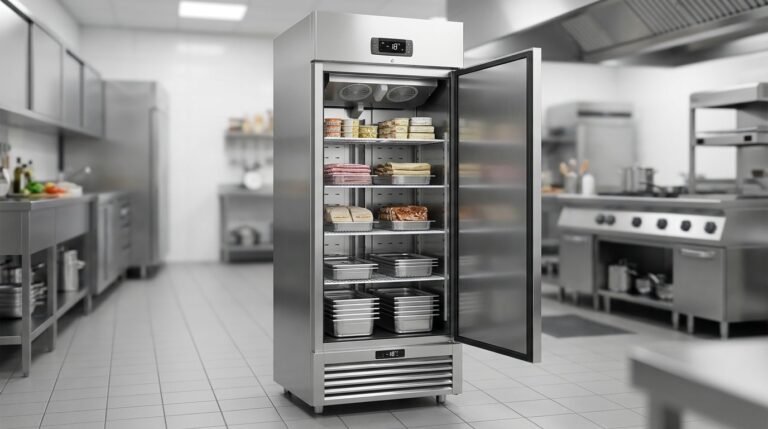
Unifrost F410SS Upright Freezer: Layout, Controller, and Energy Saving Hub
Optimize your Unifrost F410SS for layout, controller use, and energy efficiency in Irish kitchens.
Read guide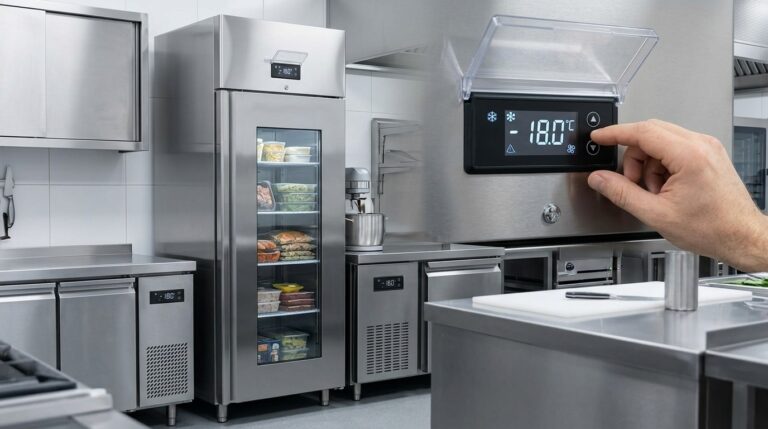
Optimising Unifrost F410SS Upright Freezer Temperature Controller Settings
Learn to adjust Unifrost F410SS freezer settings for optimal use in Ireland's hospitality sector. Improve efficiency and compliance.
Read guide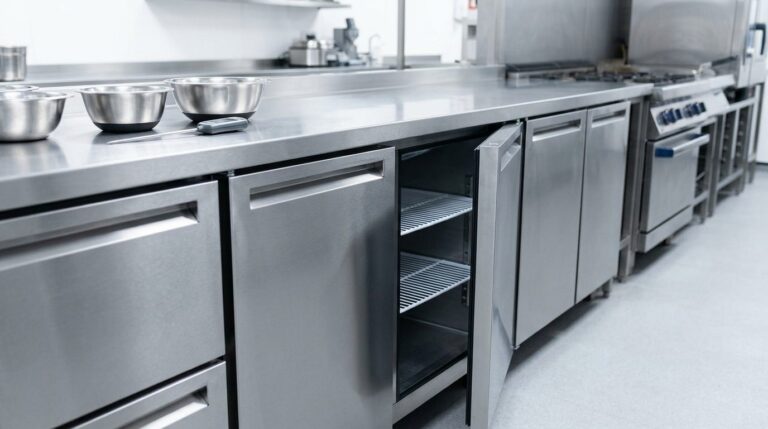
Understanding Ambient Temperature Conditions for Unifrost Undercounter Fridge/Freezer Use in Commercial Kitchens
Learn how to position Unifrost undercounter fridges/freezers for best performance under typical Irish kitchen conditions.
Read guideView Unifrost fridges at Caterboss
For current product options, pricing and availability, continue to Caterboss.