
Guide to Unifrost Commercial Fridge Temperature Settings
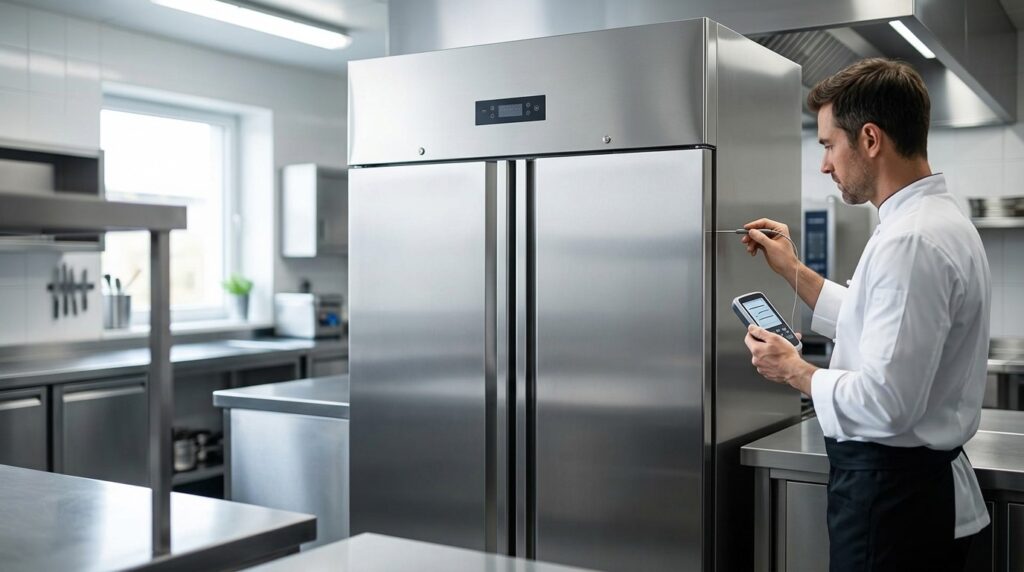
Learn to set and maintain safe temperatures in Unifrost fridges for Irish catering.
Unifrost Commercial Fridge Temperature Settings: Safe Setpoints, Checks and Best Practice
You rely on your Unifrost commercial fridge temperatures to protect food safety, pass HACCP checks, and avoid costly spoilage, but you also want stable performance without wasting energy. This guide shows you how to choose practical setpoints for typical Irish catering use, using FSAI expectations such as keeping ready to eat foods at or below 5°C, and how that translates to common cabinet operating bands depending on cabinet type and workload.
You will learn what to set and what to verify across Unifrost Upright, Counter, Saladette, Prep, Undercounter and Display ranges, all of which use digital controllers with adjustable setpoints. We cover the real tradeoffs buyers and operators deal with, including air temperature versus core product temperature for HACCP records, how to check the controller display against an independent thermometer, when you may need tighter control for higher risk foods versus drinks only storage, and what to review when a cabinet will not pull down to temperature in a hot kitchen or during busy service.
Importance of Correct Temperature Settings in Commercial Use
Correct temperature settings are not just a compliance box. They determine whether food is actually staying in a safe chilled zone through deliveries, prep, and a busy service with constant door openings.
The FSAI temperature control guidance for caterers states fridges should be set so food is held between 0°C and 5°C, and notes that setting a cabinet to 3°C or 4°C will generally achieve this. In practice, the setpoint is only one part of the picture. Loading patterns, door opening frequency, probe location, and hot kitchen ambients can all push real product temperature above target even when the display looks fine.
Why it’s a food safety and inspection issue in Ireland
Day to day, the standard you are working to is chilled food held at 5°C or below, backed up by routine checks and records in your HACCP system. If a cabinet is set too warm, you reduce shelf life and increase the chance of problems during an HSE visit. This shows up quickly in high-turnover areas such as salad, deli and garnish stations, where food is handled frequently and the door is rarely shut for long.
Setting too cold has its own downsides. You can damage sensitive items (for example leafy produce), increase frost on some cabinet types, and trigger more frequent defrost activity that can cause avoidable temperature swings at awkward times.
Across Unifrost’s commercial fridge formats (upright, undercounter, counter, prep and display), you are typically working with a digital controller and an adjustable setpoint. The key is choosing a target that suits the food risk and the reality of your service, rather than relying on a dial position or “what we always used”.
Why temperature settings affect running costs and reliability
Every degree colder than you need usually means more compressor run time, especially in cafés, pubs and bar service where the fridge is opened repeatedly for milk, mixers, garnish and prepped items. Running colder can also hide problems until they turn into downtime. A unit that only holds temperature by running constantly is more likely to struggle when:
the kitchen is warm (or the unit is tight to a wall with poor airflow)
you load a large delivery at once
the condenser starts to clog with dust and grease
On the other side, setting a fridge warmer to “save energy” is often false economy if it nudges food above safe limits or increases waste and re-prep. The commercial goal is stable, recoverable temperatures, not the lowest number on the display.
Why “cabinet temperature” and “food temperature” are not the same thing
Your controller is reading air temperature at or near the probe location. HACCP decisions, however, are about food temperature, particularly at the core of high-risk items and after loading. The gap between air and product temperature gets wider when shelves are packed tight, airflow is blocked, or warm stock is put straight into the fridge.
To keep checks consistent across shifts, build one simple habit: verify the cabinet display against an independent, calibrated probe thermometer, and record the readings that matter for risk. The FSAI guidance on checking temperature recommends using a calibrated probe thermometer as part of your food safety management system and notes the probe should have an accuracy of at least ±0.5°C.
These basics lead into the practical question most operators ask next: what setpoints make sense for different fridge formats in real Irish service conditions.
Understanding Temperature Settings for Unifrost Fridge Families
Across the Unifrost fridge families (upright, counter, saladette/prep, undercounter and display), you’ll typically be working with an adjustable digital controller. In Irish catering, the practical goal is simple: keep chilled food at 5°C or colder. A common way to achieve that is to run a low single-digit setpoint, so normal door opening and busy service doesn’t tip product temperatures over the line. Citizens Information notes your fridge should be 5°C or lower as a general guide, but remember that your controller is showing cabinet air temperature, while HACCP checks are about food temperature. The best setting is the one that keeps product safe during your busiest period, at the warmest point in the cabinet.
Upright fridges: general chilled storage (restaurants, hotels, high-turn kitchens)
Upright cabinets usually carry the bulk of your chilled stock: dairy, prepped ingredients, ready-to-eat items and open packs. For most Irish kitchens, a 2°C to 4°C setpoint is a sensible starting point. It gives you headroom during busy spells without pushing the unit into unnecessary icing or longer compressor run time.
If you’re regularly loading stock that isn’t fully chilled, or the fridge sits in a warm, tight kitchen, you’ll often need to stay at the colder end of that range to keep product reliably at or below 5°C.
Counter fridges: line service with frequent door openings (cafes, delis, takeaways)
Counter fridges live on the service line, so they see more door openings and faster loading patterns than an upright. They’re also more likely to be installed with restricted ventilation. Even when the controller looks steady, real-world swings can be bigger at peak times.
A 2°C to 4°C setpoint is still a good starting point for mixed storage, but judge it by the warmest product temperature during the busiest shift, not by what the display shows at a quiet time.
Saladette and prep fridges: ingredients access without over-chilling (sandwich bars, pizza, quick service)
Prep units are designed for speed. Lids are opened, pans are topped up, and cold air is lost quickly. You want the unit cold enough to hold high-risk ingredients safely through service, without over-chilling delicate produce or encouraging frosting around the pan area.
As a starting point, use a low single-digit setpoint for high-risk items, then verify with an independent probe in a representative pan or container during trading. The top pan section can behave very differently to the base storage, so check both if you rely on the unit for service.
Undercounter fridges: tight spaces, heat exposure and staff behaviour
Undercounter units are often squeezed beside cooklines, under counters, or into bar back areas. They’re more exposed to hot ambient conditions, poor airflow, and simple day-to-day issues like blocked condenser intakes or tired door seals. With a smaller cabinet and tighter airflow, they can have less tolerance for bad siting than a well-placed upright.
If you’re storing high-risk ready-to-eat food, keep the setpoint conservative (low single digits) and prioritise stability. If the unit is only for sealed drinks or low-risk items, you may be able to run slightly warmer, but only if your checks still show food-safe product temperatures where relevant.
Display fridges: merchandising vs temperature stability (front-of-house, deli display, grab-and-go)
Display cabinets make a trade-off: visibility and access versus temperature stability. Customer browsing, frequent door cycling, lighting load and warm shop air all push temperatures up, particularly at the front edge and near the door.
For grab-and-go or ready-to-eat items, set the cabinet so product stays at or below 5°C at the warmest point, then confirm with spot checks during trading. If it’s drinks-only display, you can often run a little warmer than a food fridge, but only if no high-risk food is stored and you’re happy with slower pull-down after restocking.
Typical starting setpoints by Unifrost family (then verify against product temperature)
Upright fridges: setpoint 2°C to 4°C for general food storage.
Counter fridges: setpoint 2°C to 4°C, allowing for wider swings in peak service.
Saladette and prep fridges: setpoint 2°C to 4°C for high-risk ingredients, then verify at pan level during service.
Undercounter fridges: setpoint 2°C to 4°C for high-risk foods, especially in warmer zones.
Display fridges: set to keep product at or below 5°C at the warmest spot, which often means a low single-digit setpoint in busy front-of-house conditions.
Once you’ve got a sensible starting point for the cabinet type, the real control is how you verify it in day-to-day use: where you take readings, what you measure (air versus product), and how consistently you record temperatures so you can stand over them during an inspection.
Common Mistakes and How to Avoid Them
In a busy Irish kitchen, temperature problems often come from day-to-day habits rather than a fridge “breaking”. If the cabinet is set too warm, you rely on the display without checking the food, or you load and work the unit in a way that blocks airflow, you can end up holding food above your HACCP limit while the fridge still looks like it’s running normally.
FSAI guidance is clear that chilled ready-to-eat food should be kept at or below 5°C. Poor setpoints and weak checks can turn into a compliance issue quickly, especially at peak times, after deliveries, or with constant door opening. The first sign is often a failed inspection, spoiled stock, or a customer complaint, not a helpful alarm.
Source: FSAI temperature control guidance
Setting the setpoint to 5°C and assuming the whole cabinet is “at 5°C”
Setting the controller to 5°C is not the same thing as proving every item in the cabinet is at 5°C. The controller reads one probe location. Air temperature varies by shelf, by load, and by how recently the door was opened. The warm spots are usually where you’d expect: top shelves, the door area, and anything that has just been loaded.
Use the setpoint as a control setting, then base HACCP decisions on a consistent checking routine. That means measuring product temperature (or using a product-simulant) in a repeatable “worst case” location, not just trusting the display.
Logging cabinet air temperature instead of the food you’re serving
If your records are only the number on the controller, you can end up with tidy logs that don’t reflect the risk in high-turnover fridges, prep counters, or display units. HACCP is about controlling the hazard in the food, so your records should show how you verified the food was held cold, not just that a screen showed a number.
A practical routine is:
Check the controller display daily for obvious drift.
Verify with a separate thermometer against a consistent item or location.
Record what you checked and what you found (so trends are visible, not just single numbers).
Positioning thermometers in the wrong place and “proving” the wrong thing
A thermometer in the wrong spot can mislead you in either direction. Put it in the warmest microclimate and you’ll be tempted to crank the setpoint down. Put it beside a cold air outlet and you’ll think everything is safe when it isn’t.
For checks you rely on for HACCP:
Avoid door shelves and door pockets.
Avoid placing probes hard against the evaporator outlet or back wall.
Choose a location that reflects where your higher-risk chilled food actually sits in your workflow, and keep that check point consistent.
Overloading and blocking airflow (then calling it a “mystery breakdown”)
When shelves are packed tight, product is pushed against the back wall, or pans sit above the intended load line in prep units, airflow suffers. The unit will struggle to pull down after deliveries and will swing wider during service. What you feel day-to-day is slower recovery after door openings and a higher chance that food sits warm for longer than you realise.
The fix is simple, and it works:
Leave space for air circulation.
Keep higher-risk foods out of the door area.
Plan deliveries so you’re not loading a day’s stock into a warm cabinet in the middle of lunch service.
Adjusting settings to “save energy” without changing what you store
Running warmer can reduce compressor run time in some situations, but if you’re storing ready-to-eat foods you’re trading away safety margin for modest savings. If a unit is genuinely drinks-only, sealed, and low risk, you may have more flexibility, but you should document that choice and keep it separate from food storage so it doesn’t drift under pressure.
Where operators get caught is when a “drinks fridge” quietly becomes overflow for desserts, milk, cooked meats, or garnishes. At that point, your setpoint and your HACCP justification no longer match how the fridge is actually being used.
To make setpoint advice useful in practice, tie it back to the job the fridge is doing: service intensity, how often the door is opened, how you load it, and whether it’s holding sealed drinks or high-risk ready-to-eat food. That is usually what decides whether a setup stays stable during a real shift.
Optimising Temperature Settings for Specific Business Needs
Match your fridge setpoint to the most temperature-sensitive food you store, not the easiest item to keep cold. Then verify what’s really happening with an independent thermometer and a simple HACCP check. In Ireland, chilled foods should be kept at 5°C or below in line with FSAI safe food guidance.
1. Be clear what the cabinet is for (and what the “worst case” product is)
Give each cabinet a primary job. Mixed use is where temperature control, cross-contamination risk, and inspection pressure tend to creep in.
A drinks-only bottle cooler in a bar behaves very differently to a kitchen fridge holding opened dairy, cooked meats, desserts, and prep during a busy service.
If ready-to-eat high-risk foods are in the fridge (cooked meats, sliced meats, dairy, prepared salads, desserts), set your standard around those foods.
If raw and ready-to-eat are sharing the same cabinet, you are relying on perfect segregation and perfect habits. Where possible, separate storage is the cleaner solution. If you cannot, you need tighter routine checks and disciplined shelving.
2. Pick a setpoint that works in service, not one that looks tidy on the display
The setpoint is there to keep product safe through real conditions: frequent door openings, rapid restocks, and the odd warm tray going in when it should not. Air temperature will swing quickly. Product temperature changes more slowly.
As a practical guide, many kitchens set the cabinet so product stays compliant even when the air temperature lifts briefly.
General chilled storage (mixed foods, including ready-to-eat): typically 2°C to 4°C setpoint, with the aim that food remains at or below 5°C in use.
Raw meat and fish (short holding, high handling): typically 0°C to 2°C setpoint. Keep separate from ready-to-eat foods where you can.
Dairy and desserts (opened, ready-to-eat): typically 2°C to 4°C. Store away from the door where temperatures fluctuate most.
Saladettes and prep counters (lids opening, ingredients exposed): typically 2°C to 4°C, but expect bigger swings during peak prep, especially if the top is left open.
Display fridges (front-of-house browsing): you may need a slightly colder setpoint than back-of-house storage to cope with constant openings, but watch for freezing damage where items sit in the cold air path.
Drinks-only cabinets (sealed beverages): these can often be run warmer for customer comfort and reduced compressor run time, but only if the unit is genuinely drinks-only and not used as overflow food storage when you get busy.
3. Check temperature the way an inspector will: product temperature, not just the controller
The controller display is useful, but it is not the same thing as the core temperature of the food.
For HACCP, build a repeatable habit:
Cross-check with an independent thermometer.
Measure in a consistent location that reflects day-to-day use, typically a middle shelf, away from the evaporator air stream and not in the door.
If you need a stable reference, keep a sealed bottle of water in the cabinet and use it as a repeat check item. Track the trend so you learn what “normal” looks like in your operation.
4. Adjust for Irish kitchen reality: hot kitchens, busy doors, and warm loading
A fridge that sits perfectly overnight can struggle at 2pm on a Saturday when the kitchen is warm, the door is opening constantly, and stock is going in too warm.
If you’re seeing borderline temperatures during service, the first fixes are usually operational:
Reduce door-open time.
Avoid loading warm food.
Keep airflow paths clear.
Do not overpack shelves (blocked air circulation is a common cause of warm spots).
If you genuinely need tighter control under pressure, drop the setpoint slightly and re-check with the independent thermometer. Do not “chase” the display during service, and watch for partial freezing at the back of the cabinet.
If staff are accidentally changing settings, use the controller key lock/setpoint lock if available. The exact steps vary by controller and model, so check the manual for the specific unit.
These principles apply across upright, counter, undercounter, saladette, and display formats. The best setpoint, and how much swing you’ll see during service, depends on cabinet style, airflow design, and how hard the fridge is being worked in your kitchen.
Practical Steps to Maintain Temperature Stability
Set your Unifrost cabinet setpoint sensibly, then verify it with an independent thermometer. You are managing real food temperature, not just a number on a controller display. Build two routines into the week: quick shift checks (doors, airflow, loading) and a proper clean of the heat-exchange surfaces and seals. Log temperatures for HACCP and use the same response every time there’s a drift or alarm, so nobody is improvising mid-service. If you’re constantly chasing temperature, fix the cause first rather than turning the setpoint colder and hoping for the best.
1. Set a realistic setpoint, then confirm the cabinet can actually hold it
Unifrost upright, counter, saladette, prep, undercounter and display fridges use digital controllers with adjustable setpoints. The setpoint only helps if the cabinet can recover under your real conditions: busy door openings, warm deliveries, and a hot kitchen.
For typical chilled storage, the aim is to keep food at or below 5°C. The FSAI advises fridges should be set so food is between 0°C and 5°C, noting that “in general, fridges set at 3°C or 4°C will ensure that the food is between 0°C and 5°C”. See the FSAI guidance on temperature control: <https://www.fsai.ie/business-advice/running-a-food-business/caterers/temperature-control>.
If you’re seeing warm spots, treat it as an airflow, loading, or maintenance issue first, not a setpoint issue.
2. Cross-check the controller with an independent thermometer
A controller display reflects a probe location in the cabinet, not the core temperature of the food you serve. For HACCP, you need confidence in the product temperature, so build in a simple verification routine.
Use a calibrated probe thermometer for spot checks of core temperatures and keep it clean. The FSAI advises using a calibrated probe thermometer, sanitising it before and after use, and using a probe with an accuracy of at least ±0.5°C: <https://www.fsai.ie/business-advice/running-a-food-business/caterers/temperature-control>.
If you need to demonstrate your thermometer is reliable, follow the FSAI’s calibration checks (including at least twice yearly, and the ice-water method where it should read between -0.5°C and +0.5°C): <https://www.fsai.ie/business-advice/running-a-food-business/caterers/temperature-control>.
3. Control the big temperature hitters: loading, airflow, and door time
A lot of “it’s running warm” complaints in cafés, pubs, and hotel prep kitchens come down to workflow rather than a failed part. Your goal is simple: minimise heat getting in, and keep cold air moving so the cabinet recovers quickly.
Keep product off the back wall and away from fan outlets. Don’t pack gastronorms, trays, or boxes tight together. Keep door openings short during service. If you’re loading warm stock, split it into smaller batches and cool safely before it becomes “the fridge’s problem”. The FSAI warns against overloading a fridge with warm food because it raises the overall temperature and increases the chance of bacteria growth: <https://www.fsai.ie/business-advice/running-a-food-business/caterers/temperature-control>.
4. Do a weekly stability check: seals, drainage, and heat rejection
If a commercial fridge can’t get rid of heat, temperatures drift, run-time rises, and icing turns up in awkward places. A short weekly check prevents most slow failures that only show themselves when you’re slammed on a Friday evening.
Clean dust and grease from the condenser and air intakes so the unit can reject heat properly, especially near fryers, grills, or coffee stations.
Wipe and inspect door gaskets. Use a sheet-of-paper test: close it in the door and pull. If it slips easily, the seal is likely poor.
Check hinges and self-closers for sagging doors, and make sure doors aren’t being propped during deliveries.
Clear and sanitise drain channels and drip areas to avoid standing water, odours, and icing.
Watch for early icing patterns. Ice build-up is often linked to doors, loading, or defrost habits before it becomes a genuine fault.
5. Log temperatures for HACCP, and use a repeatable response when readings drift
Logging only helps if it triggers the same action every time. In most kitchens, that means a check at opening, a check during peak trading for high-turnover cabinets, and a closing check, plus a clear escalation step if something is off.
If you get a high reading, don’t immediately crank the setpoint down. Recheck with an independent thermometer, confirm the door is sealing, check for blocked airflow, and review what was loaded recently. If the unit can’t recover quickly, move high-risk food to another working cabinet and record it as an equipment incident under your HACCP routine.
Once day-to-day stability is under control, it’s much easier to set sensible targets for each fridge type, depending on whether you’re storing high-risk foods, running a prep line, or holding product on display.
Integration with Unifrost Support and Resources
Start with your Unifrost model manual and controller guide. They show the correct steps for changing the setpoint, adjusting alarm limits, and enabling any keypad lock so temperatures cannot be altered mid-shift.
For food safety, treat the controller display as an operating reference, not your evidence. The Food Safety Authority of Ireland (FSAI) advises that temperature checks form part of your HACCP routine and should be taken using a calibrated probe thermometer, with records kept. In practice, that means you can use the cabinet display day to day, but if there is a query at inspection you need readings you can stand over for actual food temperatures. Source: FSAI Temperature control guidance for caterers (https://www.fsai.ie/business-advice/running-a-food-business/caterers/temperature-control).
Where to find the right Unifrost manual (and why the exact model matters)
Across Unifrost upright, counter, saladette, prep, undercounter and display units, the setpoint is usually adjustable, but the button sequence varies by controller type and model generation. Avoid “having a go” and accidentally leaving a cabinet running warm.
Use the rating plate (typically inside the cabinet or near the compressor housing) to confirm the exact model code and serial number, then match the manual to the controller face on the unit.
If you cannot locate the manual quickly, keep it simple and safe: minimise door openings, avoid heavy loading, and verify food core temperatures with a probe until you have the correct controller steps in front of you.
How Unifrost support ties into Irish HACCP and inspections
A sensible setup for Irish operations is:
the Unifrost controller runs the cabinet temperature, and
your HACCP records are backed up by independent checks of food temperatures using a calibrated probe.
The FSAI guidance notes fridges and chill cabinets should be set so food stays between 0°C and 5°C, with recorded measurements as part of HACCP (see link above).
Most avoidable issues happen where the two drift apart: busy cafés, pubs and takeaways with frequent door openings, warm deliveries arriving during service, or stock pushed hard up against air outlets.
What to gather before you contact support (so it gets solved faster)
Have this ready to reduce back-and-forth and speed up diagnosis:
Model code and serial number from the rating plate
Controller make/type and the exact alarm or error code (a photo helps)
Current setpoint and displayed cabinet temperature
Your independent readings: air temperature and at least one food core temperature, plus where you measured
Location details: near the pass, in a tight alcove, beside a fryer, etc., and typical ambient conditions
What changed recently: deep clean, moved position, power cut, staff changing settings, heavier loading
Using Unifrost resources to standardise settings across staff and shifts
If your controller supports a setpoint lock or keypad lockout, it is worth enabling once you agree a site standard. In real kitchens, settings get changed accidentally when someone is silencing an alarm or pressing keys with wet hands.
The aim is not to block genuine adjustments. It is to make sure changes are deliberate, logged, and checked with a probe afterwards.
When troubleshooting guides beat “turn it colder”
If a cabinet will not hold temperature, forcing a colder setpoint can hide the real issue and increase ice build-up or compressor run time.
Work in this order:
Site and use checks: airflow, loading, door seals/closure, and condenser cleanliness
Controller and probe checks: once you have the correct manual for that exact unit
That split, site conditions first and settings second, is usually the quickest way to get a Unifrost fridge back to stable temperatures in day-to-day Irish service.
FAQs on Unifrost commercial fridge temperature settings
What temperature should a commercial fridge be set at for safe food storage?
For Irish catering, set your commercial fridge so food is held at 5°C or below (common FSAI-style guidance for ready-to-eat foods). In practice, that usually means running the cabinet air temperature a bit colder than 5°C to allow for door openings, loading, and warmer spots.
Typical target: 2°C to 4°C setpoint for general food storage.
Use a colder setpoint if your kitchen is hot or the door is opened frequently, but avoid freezing delicate items (salads, some dairy).
How do I check that the displayed cabinet temperature matches the actual food temperature?
Use a separate, calibrated probe thermometer and compare readings against the controller display.
Stabilise the cabinet: leave the fridge closed and running normally for 20 to 30 minutes.
Check cabinet air: place an independent fridge thermometer in the middle shelf (not against the back wall, not in the door) and compare to the display.
Check product temperature for HACCP: probe a sample product (or a sealed bottle of water used as a test pack) stored in the centre of the cabinet.
Review the difference: a small difference between display, cabinet air, and product core is normal. If the display is consistently more than about 2°C away from your independent reading, treat it as a control issue and investigate (probe position, sensor fault, airflow blockage, icing, dirty condenser, door seal).
Do I need a separate meat fridge with a tighter temperature range than my standard commercial fridge?
Not always, but it is often the most practical way to reduce cross-contamination risk and keep temperatures stable.
A separate meat fridge is worth it if:
You store raw meat or fish alongside ready-to-eat foods and struggle to maintain segregation.
Your main fridge is opened frequently and you need more stable holding temperatures for high-risk raw proteins.
You need clearer HACCP controls (separate storage area, simpler logging, fewer corrective actions).
If you only hold small volumes, you can often manage with a standard commercial fridge by using strict separation (sealed containers, raw-on-bottom), good airflow, and a colder setpoint that still prevents freezing. When in doubt, prioritise separation and consistent food at or below 5°C over chasing an ultra-tight cabinet number.
What Unifrost temperature settings are best for general chilled storage, prep counters, and drinks-only cabinets?
Unifrost commercial fridges across Upright, Counter, Saladette, Prep, Undercounter and Display ranges use digital controllers with adjustable setpoints. Practical starting points:
General chilled storage (uprights, undercounters, counters): setpoint 2°C to 4°C to keep most foods safely at or below 5°C.
Prep counters and saladettes: setpoint 2°C to 4°C, then verify that top pans and frequently accessed sections stay within your HACCP limit during service. If pans warm up during rush periods, you may need a slightly colder setpoint, better loading practice, or shorter lid-open time.
Drinks-only cabinets: setpoint 4°C to 6°C is often acceptable for comfort and energy use, but do not use this warmer setting if the cabinet will ever hold high-risk or ready-to-eat foods.
Always confirm with an independent thermometer in your own kitchen conditions, as usage and ambient heat can change real product temperatures.
How does ambient kitchen temperature affect the fridge’s ability to hold setpoint?
Higher ambient temperatures make it harder for any commercial fridge to pull heat out quickly, so you can see slower pull-down, longer run times, and wider temperature swings, especially during busy service.
To help a Unifrost cabinet hold setpoint in a hot kitchen:
Keep ventilation clear around the unit and avoid boxing it in.
Do not place it beside ovens, fryers, dishwashers, or in direct sun.
Clean the condenser regularly (dust and grease are a common cause of “won’t reach temperature”).
Minimise warm loading and let food cool safely before refrigerating where appropriate.
If the cabinet struggles only in summer, consider setting the setpoint 1°C or so colder and re-check product temperatures to ensure nothing freezes.
If you still can’t maintain food-safe temperatures, it usually indicates an installation, airflow, maintenance, or capacity mismatch rather than a setpoint problem.
Next step: match the right Unifrost cabinet to your service temperature
If you are dialling in unifrost commercial fridge temperature settings but still seeing swings during service, it can help to choose a cabinet designed for your workload, access pattern, and location in the kitchen.
Browse commercial refrigeration on Caterboss and filter by Unifrost to compare uprights, counters, prep units, undercounters and display chillers that suit how you actually store and serve chilled products.
View Unifrost fridges at Caterboss
For current product options, pricing and availability, continue to Caterboss.