
Why Your Unifrost Commercial Fridge Controller is Temperature Locked After a Power Cut
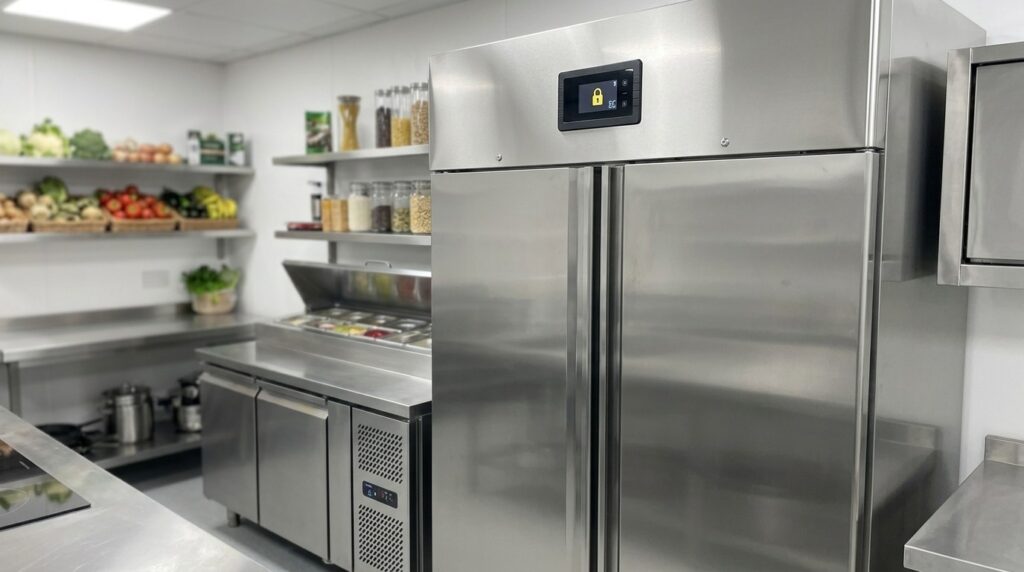
Resolve Unifrost fridge controller lock issues post-power cut. Guide for Irish kitchens on unlocking, checking, and safe operation.
Need more detail? For model comparisons, setup steps and troubleshooting, see the related guides below.
Unifrost Commercial Fridge Controller Temperature Locked After a Power Cut: What to Check and How to Unlock Safely
If your Unifrost commercial fridge controller looks “stuck” or temperature locked after a power cut, you need to make two calls fast: is the cabinet actually back cooling safely, and is the controller locked as a protection feature or because something is wrong.
On this page you check the safe basics first (power supply, alarms, door seals, airflow and probe readings), then confirm food safety and HACCP actions before you change anything. You also learn the practical tradeoffs between unlocking, resetting, and leaving factory settings alone across common Unifrost cabinet types in Irish kitchens, including upright, undercounter, counter and prep units. Finally, you get clear signs that it is time to stop troubleshooting and book a qualified refrigeration engineer, especially if cooling performance or temperature stability does not return after power is restored.
Understanding the Temperature Lock
After a power cut, a Unifrost commercial fridge controller can look “temperature-locked”. In most cases, that is normal behaviour. Many catering controllers stop immediate setpoint changes until the unit has stabilised and/or the keypad lock is cleared. It helps prevent accidental tampering when staff are under pressure.
That cautious approach also fits Irish food safety practice. After an outage, the priority is confirming the cabinet returns to safe temperature, not rushing to change settings. The FSAI guidance on outages is clear on checking time and temperature exposure and acting accordingly: Power outage in a food business (FSAI).
The key point: a “lock” message is often a control feature (keypad lock, restart delay, alarm acknowledgement), not a refrigeration fault. But you still need to confirm the cabinet is actually pulling temperature back down.
What “locked” usually means on catering fridge controllers
In day-to-day Irish kitchens, “locked” usually comes down to one of these:
Keypad lock is on, so the setpoint cannot be changed.
Restart delay is running, so the compressor is protected after the interruption.
An alarm state is active, and the controller wants an acknowledgement before it allows normal adjustments.
Across common commercial cabinet formats, the controller logic tends to be similar even when the cabinet layout differs. In plain terms, it is trying to protect the refrigeration system and reduce unwanted setpoint changes when you are getting back up and running.
Why power cuts trigger lock and delay features
A hard stop and restart is tough on refrigeration components, especially compressors. A short restart delay helps prevent rapid cycling if the power flickers and gives system pressures time to equalise before the compressor starts again.
Keypad locks are also standard in commercial settings. After a power cut, it is common for staff to press buttons to “fix” the display. A lock reduces the risk of someone setting the cabinet warmer than intended while you are also checking stock, recording temperatures for HACCP, and trying to keep service moving.
When it is a safety feature, and when it is a warning sign
It is usually just a feature if:
the cabinet restarts and temperatures trend back towards chilled storage, and
the controller accepts changes once the lock is cleared or the delay completes.
Treat it as a prompt to confirm temperature and recovery, not something to override quickly.
It becomes a warning sign if:
the controller stays in alarm or remains unresponsive after a reasonable wait, or
the cabinet is not pulling down (temperature is flat or rising).
From a HACCP point of view, the display matters less than the actual product and air temperatures. Use the FSAI outage guidance to decide what to do based on time and temperature exposure, not on whether the controller “looks stuck”: Power outage in a food business (FSAI).
Why you should avoid “factory reset” thinking after an outage
A factory reset can wipe settings you will want to keep and adds confusion when you are already trying to document the incident for HACCP. In most cases, you are better to assume the controller is protecting the system until you can confirm the cabinet is back under control.
Start with the basics first: check actual temperatures, confirm doors are sealing, make sure airflow is not blocked, and confirm the unit is properly running. Once you know the cabinet is recovering, you can deal with unlocking or any controller changes without creating extra problems.
Safe First Checks to Make
After a power cut, the safest approach is to confirm the cabinet is genuinely recovering before you touch any settings. Check the real food temperature with a sanitised probe thermometer, log what you find for HACCP, and only look at unlocking or changing a setpoint once you know the unit is cooling normally and stock has stayed within safe limits. If you suspect a surge, burning smell, or repeated cycling, stop and escalate before you risk stock or controller settings.
1. Make the area safe and confirm stable power to the fridge
In Irish sites, the first issue after an outage is often supply stability, a tripped breaker, or a loose connection that makes the cabinet cut in and out.
Work through the basics in order:
Socket on, isolator on (if fitted)
Plug fully seated
No heat, scorching, or smell at the plug or socket
Breaker or RCD not tripped
If other heavy equipment is restarting at the same time (dishwasher, combi, extraction), avoid overloading a circuit while you’re checking the fridge.
If you suspect a surge event or hot electrics, do not keep trying to restart the unit. Isolate it and call an engineer.
2. Give the controller time to complete its restart cycle
Many commercial cabinets build in a short delay on restart to protect the compressor from short-cycling. During that window, some controllers ignore key presses or appear “locked”. That can look like a fault when it’s normal behaviour.
Close the door, keep openings to a minimum for a few minutes, and look for signs of normal recovery:
The display stabilises
Fans resume
The displayed temperature starts trending down over time
Avoid repeated button presses. Some controllers use long-press combinations for resets or parameters, and you do not want to change anything until you’ve confirmed the cabinet is pulling down.
3. Verify actual food temperature with a probe, not just the display
After a power cut, your decision is based on time and product temperature, not the setpoint on screen. The Food Safety Authority of Ireland notes chilled food should be kept at 0°C to 5°C, and if chilled food is likely to have been above 5°C for longer than 4 hours, it must be discarded (FSAI guidance for power outages in food businesses).
Use a calibrated probe thermometer, sanitise it before and after use, and check the warmest-risk spots first (typically top shelves, near the door, and tightly packed areas). The FSAI also advises using a probe thermometer with an accuracy of at least ±0.5°C and recording temperatures as part of HACCP controls (FSAI temperature control guidance).
Take and record at least two readings: one from a high-risk food item (meat, dairy, cooked foods) and one between packs for a cabinet reading.
In uprights, undercounters, counter fridges, and prep units, check both the main storage area and any high-use sections opened repeatedly during the outage.
If you can’t verify temperatures safely, treat the stock as suspect and follow your HACCP procedure rather than guessing.
4. Check the cabinet can physically pull down again
A controller that looks “locked” can be a symptom of the cabinet struggling with airflow or heat load after power returns.
Keep the door closed and check for common recovery blockers:
Product pushed hard against the rear air channel
Vents blocked by boxes or trays
Warm food loaded in during recovery
The FSAI warns against overloading a fridge with warm food as it raises overall cabinet temperature and increases bacterial growth risk (FSAI temperature control guidance).
Also do a quick door and gasket check. If the door isn’t sealing properly, the unit will struggle to stabilise and may keep alarming until conditions settle.
5. Document the incident before changing settings
If you end up needing service support, you’ll get a faster outcome if you can explain what happened, not just that it “stopped”.
Record:
The outage window (as best you know)
Highest temperature observed (display and probe)
The time you took readings
What stock decisions you made (moved, binned, kept)
This supports HACCP, helps justify keep-or-discard decisions later, and keeps the focus on food safety first. Once power is stable, temperatures are verified, and the cabinet is clearly pulling down, you’re in a safe position to deal with the controller lock without accidentally changing critical settings.
When to Get Professional Help
After a power cut, it’s common for a Unifrost cabinet to appear “locked”. Sometimes that’s just a keypad lock or a restart delay protecting the system from short-cycling. The bigger risk is what the lock might be masking, especially if you’re losing temperature.
From a food safety point of view, your first job is to protect stock. The Food Safety Authority of Ireland is clear that chilled food should be kept at 0–5°C, and if it was likely above 5°C for more than 4 hours, it must be discarded. See the FSAI’s guidance on outages for food businesses:
https://www.fsai.ie/business-advice/running-a-food-business/caterers/power-outage-in-a-food-business
Signs the “lock” is hiding a refrigeration fault (not just a setting)
If the cabinet has power and the display is working, but the temperature won’t pull down towards your normal chilled holding range, treat it as a cooling issue first and a controller issue second.
The same applies if it cools briefly and then drifts up again once you’re back in service. That pattern usually points to a practical refrigeration fault (airflow, defrost, fans, probes, or refrigerant-side issues) rather than someone pressing the wrong button.
Signs of electrical damage after the outage (stop and call)
Stop troubleshooting and call for help if you see any of the following:
Repeated tripping at the plug, breaker, or RCD
Burning smell, scorch marks, or unusual heat around the controller area
Buzzing, crackling, or the unit won’t stay powered
Don’t keep cycling resets in these cases. Outages can involve voltage variations and surges, and controllers can be sensitive to that. ESB Networks note that voltage variations can interfere with sensitive equipment and point to surge protection as a control measure:
https://www.esbnetworks.ie/safety/safety-tips/home-safety
Service-call triggers that typically save you time and stock
Call a qualified refrigeration engineer if any of the below apply. At that point you’re beyond safe in-house checks, and time spent guessing usually turns into stock loss:
The display is blank or flickering, buttons don’t respond, or the controller keeps rebooting.
The cabinet alarms constantly, shows an error you can’t clear, or the temperature reading is clearly wrong versus a separate probe.
Fans aren’t running, the compressor is unusually loud, rapidly clicks on and off, or doesn’t start at all.
There’s heavy icing after power returns (common where doors are opened a lot), or there’s water where it shouldn’t be.
The unit powers up but can’t hold safe temperature once doors are closed and normal loading resumes.
You can’t confirm food stayed safe because you don’t have a reliable time and temperature record from the outage window.
Once you’re satisfied it’s safe to keep the unit powered, there are a few operator-level checks you can do in a busy Irish kitchen before you touch any controller settings.
Preventing Future Issues
After a power cut, your goal is simple: confirm the cabinet is back in control before anyone starts changing settings. Most repeat “locks” and nuisance alarms come from rushed restarts, warm loading, poor airflow, or too many people pressing buttons.
1. Standardise a “power back on” routine before anyone touches the controller
Make it a house rule that the first step is verification, not button pressing. The FSAI advises checking fridge and freezer temperatures after a power outage and confirming units are working properly before restocking. Chilled food should be held at 0°C to 5°C. See: FSAI guidance for power outages in food businesses.
A practical restart routine that prevents “panic unlocking”:
Confirm the supply is stable and the cabinet has actually restarted
Check the display is showing a sensible cabinet temperature (not flashing errors)
Verify product temperature with a probe on a high-risk item
If the cabinet has warmed up, give it recovery time before repeated door openings or setpoint changes
2. Keep one calibrated probe thermometer and use it as the tie-breaker
Controller displays can be fine, but after an outage you need an independent check, particularly on uprights and prep counters where doors take a hammering.
The FSAI recommends using a calibrated probe thermometer for HACCP monitoring, with probe accuracy of at least ±0.5°C and calibration checks at least twice a year. See: FSAI temperature control guidance.
A simple habit that saves arguments later: after an outage, record cabinet display and probe reading side by side in your HACCP sheet. If they line up, you are far less likely to chase the setpoint unnecessarily.
3. Control who can change settings and make the correct setpoint obvious
A lot of “controller problems” are really “too many hands on the buttons” after an incident. Put a small label on each cabinet with:
The agreed setpoint
Who is allowed to change it (duty manager, head chef, HACCP lead)
What to do instead (report alarms, don’t adjust)
If your controller supports a keypad lock, use it day to day and only unlock with a clear reason. It reduces setpoint drift, over-correction, and the knock-on effects: icing, slower recovery, and higher running costs.
4. Reduce alarm and lock triggers by protecting airflow, seals, and loading discipline
After a disruption, cabinets struggle when airflow is restricted or they are loaded badly. That is especially true in tight Irish kitchens where ambient temperatures can climb quickly during service.
Keep these basics as a weekly discipline:
Keep condenser and ventilation areas clear of dust and grease so pull-down is not slowed
Keep door gaskets clean and sealing properly
Don’t block internal fans or air channels with stock
Avoid putting warm trays or pots into the cabinet during recovery
If you stop the cabinet being overworked in the first hour after power returns, you usually prevent the “the controller is acting up” call later.
5. Make your electrical setup less dramatic during ESB events
If you see frequent short ESB outages or flickers, treat it as a prompt to tighten up your supply, not something to work around by repeatedly resetting the fridge.
Operationally:
Avoid lightweight extension leads and overloaded shared sockets for refrigeration
Ask your electrician about dedicated circuits and appropriate surge protection, where suitable for your site
If you are restarting multiple cabinets, stagger start-up where possible so everything is not pulling down at once. That reduces nuisance trips and helps each unit recover properly.
6. Keep a simple “power cut evidence pack” for HACCP and insurance
One page of notes can be the difference between “we think it was fine” and “we can show it was controlled”. Record:
Approximate outage time and when power returned
Cabinet display readings on restart
Probe readings on representative high-risk foods
What you did with stock
The FSAI notes that chilled food likely above 5°C for longer than 4 hours should be discarded. See: FSAI power outage guidance.
If you do need an engineer, these notes also help diagnosis. “It happened after a cut” is vague. “It reached X°C and didn’t pull down after Y minutes” is actionable.
Connecting to the Unifrost Support Ecosystem
What you do next depends on what you are actually looking at. A controller can appear locked when it is simply in keypad lock, sitting in an alarm state, or waiting through a compressor restart delay after a power interruption. Your priority, from a food safety point of view, is still time, temperature, and records. The FSAI is clear that temperature control and monitoring is what underpins safe decisions on stock, not the cabinet display on its own (FSAI temperature control and monitoring).
Use Unifrost support to separate normal “protection behaviour” from a genuine cooling fault, without accidentally changing settings you then cannot stand over.
How to use Unifrost support resources without guessing or wiping settings
After a power cut, it is common to start pressing buttons until something changes. The risk is you clear the symptom but create a new problem by altering setpoints or parameters with no record of what they were.
Across Unifrost uprights, counters, saladettes and undercounters, assume the digital controller may have a few different “states” that look like a lock:
Keypad lock (buttons disabled)
Alarm display or acknowledgement mode (alarm still active or recently cleared)
Compressor time delay (unit intentionally waiting before restarting to protect the system)
Work through these checks in order:
Confirm the exact model from the rating plate.
Identify the controller type fitted to that model.
Use the correct manual/instructions for that controller before you attempt an unlock or reset.
If you cannot confirm the controller type, avoid a factory reset. That can wipe parameters that affect how the unit behaves in a working kitchen (for example probe configuration, alarm thresholds, and compressor protection delays).
What to capture before you contact support or a refrigeration engineer
You will get a useful answer faster if you send one clean “snapshot” of what happened, especially if you are mid-service and trying to protect stock. Keep it consistent and tie it back to your HACCP routine.
Capture:
Model and serial number (rating plate)
Controller code/alarm text (photo helps)
Cabinet temperature reading, plus an independent probe reading
When power failed and returned
Whether doors were left open and for roughly how long
What was stored inside (flag higher-risk foods)
What you already tried (including any button holds)
That evidence is usually enough to distinguish a keypad lock or restart delay from a probe issue, a control fault, or a genuine refrigeration problem.
Where Unifrost support fits with your HACCP and insurance reality in Ireland
After an outage, the bigger business risk is rarely the controller itself. It is what happened to food temperatures while the premises were closed, during stock moves, and while the cabinet was pulling back down under load. That is why FSAI guidance focuses on monitoring and corrective action as part of a HACCP-based approach (FSAI HACCP guidance).
A practical way to frame it:
Controller status = evidence of equipment condition
Probe checks and time notes = evidence of food safety control
If you end up discarding stock, a short written record plus photos of the display/alarm is far more defensible than “it looked fine again after we unlocked it”.
When it is a support question versus a call-out job
It is usually a support issue if the unit:
Returns to temperature,
Holds temperature under normal door openings,
And behaves normally after the correct unlock steps for that controller.
Treat it as a call-out job if the unit:
Will not pull down,
Keeps alarming after it should have stabilised,
Trips repeatedly,
Or the display is blank/unstable after power returns.
Power interruptions can expose electrical or component issues. Repeated short cycling is not something you want to ignore during trading if you are relying on the cabinet to protect stock.
Once you have confirmed the model, controller and manual, complete the basic in-house checks that protect food safety and avoid unnecessary resets.
FAQs: Controller lockouts after a power cut
Why is my Unifrost commercial fridge controller ‘stuck’ or temperature-locked after a power cut?
This is often a keypad lock or safety lockout, not a refrigeration fault. After a power interruption the controller can:
Return in “locked” mode to prevent accidental setpoint changes by staff during a restart.
Hold user inputs while the cabinet stabilises, especially if the temperature is still outside normal operating range.
Show an alarm or warning state (for high temperature or power-fail memory) that makes it feel “stuck” until it is acknowledged.
Before changing anything, confirm the cabinet is actually cooling again by checking an independent probe thermometer in product or a glass of water, and record the time and temperatures for HACCP.
How do I safely unlock or reset the temperature controller on common Unifrost cabinets?
Because Unifrost cabinets use digital controllers across upright, counter, saladette and undercounter ranges, the safest approach is controller-agnostic:
Stabilise power first: plug directly into a suitable wall socket, avoid extension leads, and make sure the isolator is firmly on.
Let it restart: after power returns, wait 5 to 10 minutes to allow any built-in compressor delay to pass.
Check for a keypad lock: many controllers unlock by holding a key combination for a few seconds (commonly a Set key or Up + Down). If your display shows a padlock icon or “LOC”, that is the clue.
Acknowledge alarms: if a high-temp or power-fail alarm is present, clear or acknowledge it first, then re-check whether setpoint changes are accepted.
Avoid factory resets unless instructed: do not use any “reset to defaults” function unless you have the exact model instructions. A default reset can change parameters beyond the setpoint.
If you are unsure of the exact key sequence for your controller, use the controller label and cabinet model to get the right steps from Unifrost Support rather than trial-and-error.
When should I call a qualified refrigeration engineer for a Unifrost cabinet?
Call an engineer if any of the below apply after a power cut:
No cooling restart: the cabinet powers on but the temperature continues rising and the compressor does not start even after the usual delay.
Repeated tripping: the plug, breaker, or RCD trips when the cabinet starts.
Persistent alarms: high temperature alarm won’t clear after the cabinet has had time to pull down, or the display shows an error code you cannot identify.
Unusual symptoms: burning smell, buzzing/overheating at the plug, visible damaged cable, or unusual noises.
Stock risk: you cannot verify safe temperatures with an independent probe and need a quick decision for food safety.
If you suspect a surge/brown-out during an ESB event, treat that as an engineer job as well. Electrical surges can damage controllers, relays, or power supplies, and continued use can cause repeat failures.
Next step: get the correct unlock steps for your exact cabinet
If your controller still appears locked after the checks above, use Unifrost’s troubleshooting resources and support to match the right unlock or alarm-clear steps to your specific cabinet and controller.
Visit Unifrost Support to access guidance and contact the team with your model number, a photo of the display, and any alarm code.