
Unifrost F410SS Upright Freezer: New Owner Checks & PDF Download Guide
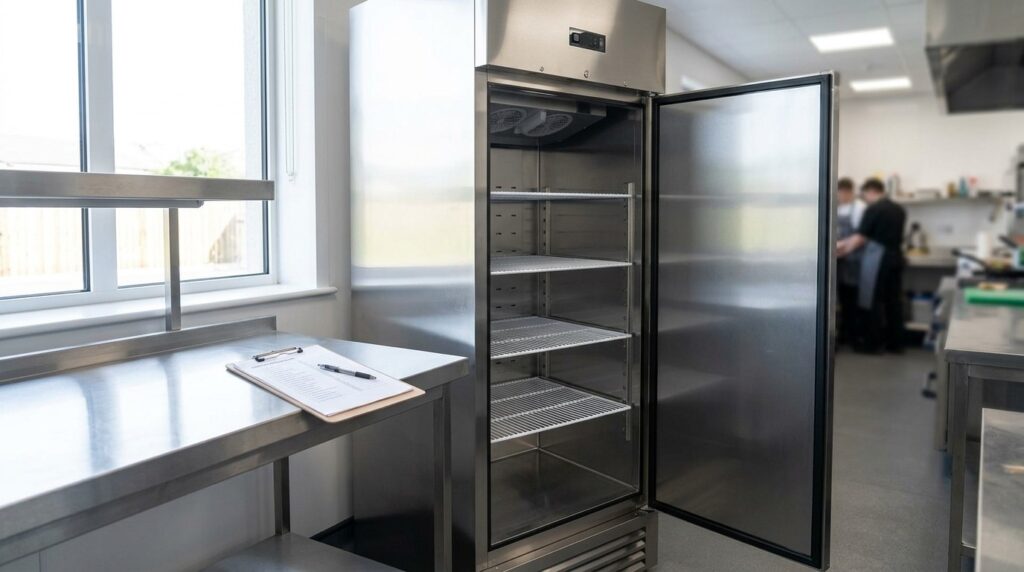
Essential setup checks for Unifrost F410SS upright freezer owners in Ireland. Download the PDF checklist to ensure optimal performance.
Need more detail? For model comparisons, setup steps and troubleshooting, see the related guides below.
Unifrost F410SS Upright Freezer New Owner Checks: One‑Page PDF Download and First‑Day Setup
If you have just taken delivery of a Unifrost F410SS upright freezer, your first few checks decide whether it pulls down to temperature quickly, avoids nuisance alarms, and stays compliant for HACCP from the start. You want a simple, repeatable sign‑off that your team can follow in a busy Irish kitchen, not a long manual hunt.
This page shows you where to download the one‑page New Owner Checks PDF and what it covers: how long to let the unit stand after delivery, what to verify on location, levelling and ventilation, the basic power and plug safety checks, the initial temperature pull‑down and alarm test, and the quick gasket and internal airflow checks before you load stock. You will also see what to record as your “known good” set‑points and alarm thresholds so future shifts know what normal looks like and you reduce avoidable support calls.
Overview of New Owner Responsibilities
Owning a Unifrost F410SS upright freezer in an Irish commercial kitchen mostly comes down to three things: commissioning it properly, documenting what “normal” looks like, and protecting airflow and hygiene when the kitchen is flat out. Food safety responsibility sits with you. The Food Safety Authority of Ireland notes that food can remain frozen in a disruption scenario if the freezer temperature stays below -18°C (FSAI guidance on power outage and freezer temperatures). That makes your day-one checks and your ongoing temperature records more than admin. They are part of your HACCP control.
A lot of early “not cold enough” call-outs aren’t manufacturing faults. They’re site issues: poor ventilation, a weak power supply, or loading stock before the cabinet has finished pulling down.
Your day-one job: commission, confirm performance, then load
Treat the first day as commissioning, not “plug in and fill”. Make sure the F410SS is:
positioned with proper ventilation space
level, stable, and the door closes cleanly
on a suitable, safe electrical supply
Then let it pull down to temperature empty and stabilise before you load product. If you try to pull down warm stock straight away, an upright freezer can look “faulty” when it’s simply being asked to do too much too quickly.
Make the kitchen layout work for the freezer, not against it
With upright freezers, airflow is non-negotiable. After installation, the common problems creep in slowly: the cabinet gets pushed tight to a wall, boxed in by shelving, deliveries get parked in front of vents, or it ends up beside hot equipment where recovery time takes a hammering during service.
If you’re replacing an older unit, you also own the “no surprises” bits:
door widths, corners, thresholds and access routes
enough clearance to open the door fully without it clipping a wall, counter, or the pass
a spot that does not become a dumping ground for boxes during busy periods
Electrical and safety responsibility sits with the operator
Before first start-up, confirm the supply is suitable and safe for a commercial appliance. In practical terms:
the plug, socket and circuit are in good condition
it’s not sharing a circuit with high-load equipment that causes nuisance trips
the freezer can be isolated quickly if there’s an issue
If anything looks improvised, scorched, loose, or trips repeatedly, stop and get a qualified electrician. “Trying it and seeing” is rarely cheaper in the end.
Set points, alarms, and records: capture a baseline your team can follow
Even when a freezer is running correctly, you can still get caught out if nobody knows what it should be doing. Record:
the controller set point
the actual cabinet temperature once stabilised
any alarm behaviour you see in the first 24 hours
Keep the notes where staff will actually find them during a shift. This also helps with HACCP checks and any support conversation later because you can show what was set on day one, what changed, and when.
The habits that prevent early support calls
Most early issues are avoidable if you standardise a few basics across shifts:
Don’t load warm product or big deliveries until the cabinet has pulled down and stabilised.
Don’t block internal airflow by overpacking boxes hard against the back or stacking tight to shelves.
Don’t change advanced controller parameters unless you’re solving a specific, understood problem, and you’ve recorded the original values first.
Wipe down food-contact surfaces and check door seals early. Packaging dust and a gasket that isn’t seated properly can create day-to-day problems that get mistaken for temperature faults.
If you want consistency across staff, a one-page “New Owner Checks” sheet is worth doing. It makes commissioning repeatable and reduces the “it was fine yesterday” guesswork when the kitchen is under pressure.
New Owner One-Page Checks PDF
In most Irish kitchens, a single start-up checklist kept beside the freezer saves hassle. It cuts down on early call-outs and gives you a clear “day one” record for your food safety file, in line with the FSAI’s guidance on temperature control for caterers: https://www.fsai.ie/business-advice/running-a-food-business/caterers/temperature-control
The Unifrost F410SS one-pager is there to keep commissioning simple: siting, ventilation, power safety and the first pull-down. It is not about changing settings during a busy service. If the download button is not obvious on your device or network, the steps below cover the usual workarounds.
How to download the F410SS “New Owner Checks” one-page PDF (Ireland)
Use the hub page as your master link so you can share it with managers across sites.
Open the F410SS download hub page: https://unifrost.ie/unifrost-f410ss-upright-freezer-new-owner-one-page-checks-pdf-download-hub-ireland/
Scroll to “New Owner One-Page Checks” (it may appear alongside other F410SS support items).
Tap or click the PDF title or download button. On iPhone or Android it often opens in a built-in viewer first.
Save a local copy:
Desktop: save to your shared drive (Operations, HACCP, or Maintenance) and print a copy for the kitchen.
Mobile: use Share/Download to save to Files/Drive so it is available offline during deliveries.
If it opens but will not download, try another browser (Chrome or Edge) or allow pop-ups for that page. Some workplace networks allow “view” but restrict “download”.
If you cannot see the PDF link, refresh once and try a normal window (not private/incognito). If it still does not load, try again from an office connection and send the PDF on to the site as a stopgap.
What the one-pager is for (and what it is not)
Treat this as a commissioning control for the first hour, first day and first week. It covers the avoidable issues that cause most early problems:
poor ventilation around the cabinet
not levelling the unit, leading to weak door sealing
powering up too soon after transport
loading stock before temperature stabilises
It is not a replacement for the operating manual or your HACCP procedures. The value is consistency across shifts, especially when a delivery lands mid-service and “just plug it in” becomes the standard approach.
How to file it for HACCP and warranty hygiene in Irish sites
Print it and use it as a sign-off sheet. Record:
date
unit location
installer or duty manager name
initial controller readings once the cabinet has pulled down and stabilised
For food safety records, your target should match accepted practice. The FSAI states freezers should be maintained at -18°C or colder: https://www.fsai.ie/business-advice/running-a-food-business/caterers/temperature-control
Writing down the intended set-point and what you actually observed on day one gives you a baseline. It helps later if you need to investigate temperature alarms, stock quality issues, or performance changes during hot weather or heavy loading.
Common early mistakes the checklist helps you avoid on an F410SS
The repeat offenders are simple, and they waste time:
pushing the freezer tight into a corner so it cannot reject heat properly
leaving packaging or cardboard in place that blocks airflow
loading warm or not-fully-frozen product too early
changing controller parameters because an alarm sounds during pull-down
If you do one thing right on day one, do this: leave the controller on sensible defaults until the cabinet is stable, then only change settings you can justify for your service routine and HACCP checks.
Once the first sheet is signed off, keep a second blank copy near the unit. It makes it easier for new staff to repeat the same “known good” checks after deep cleans, a move, or maintenance work.
First-Day Setup Sequence
Set the freezer in its permanent position, level it, and make sure it has the ventilation space it needs to pull down and hold temperature during service. Then carry out basic electrical checks, power it on, and let it stabilise while you confirm the controller and alarms behave normally. Only load stock once the cabinet temperature is steady and you have the day-one settings recorded for your HACCP file. If pull-down looks wrong, stop and fix the cause before you fill it. A packed cabinet hides issues and slows recovery.
1. Confirm the location works for service and food safety
Put the F410SS where it will actually live, not where it suits delivery day. The usual problem spots are beside the hot line, under a low canopy where heat builds, or wedged into a corner where the condenser cannot breathe. That tends to show up later as longer run times and softer product at busy times.
Before you unwrap fully, check door swing and access. Can the door open fully without clipping a wall, pass, or another appliance, and can staff get product quickly without blocking a walkway? If you are replacing an older unit, measure the route back out too. If a freezer cannot be removed cleanly, it becomes a rushed job when it fails mid-week.
2. Let the cabinet settle after delivery or moving
If the freezer has been tilted, jolted, or transported in a way that could disturb the refrigeration system, leave it standing upright before you power it. The practical reason is to let refrigerant oil and fluids settle where they should be, so the compressor is not starting under poor conditions.
If you do not know how it travelled, treat it as unknown handling and build a settling window into your commissioning plan, especially in hotels and contract catering where a day-one failure causes real disruption.
3. Level the cabinet and confirm the door seals
Level the F410SS front-to-back and side-to-side so the door closes consistently without being forced. A cabinet that is slightly twisted can look fine when empty, then start leaking air once shelves are loaded and the door is opened constantly.
Do a quick gasket check while it is still empty. Close the door on a thin sheet of paper at a few points around the seal and look for steady resistance when you pull. If it fails, it is usually down to levelling, something caught on the gasket, or the cabinet being pulled out of square by an uneven floor.
4. Confirm ventilation and keep the airflow path clear
Make sure the air intake and discharge areas are not blocked by boxes, wall cladding, or other equipment. In a busy kitchen, “temporary” storage beside a freezer becomes permanent. Decide early where staff can park packaging and dry goods, and keep that area away from the ventilation path.
If the unit is going into a warm back-of-house space, plan for more frequent condenser cleaning from the start. Greasy dust build-up is one of the fastest routes to higher running costs and nuisance temperature alarms.
5. Check the power supply before first start
Before plugging in, confirm the socket is sound, the plug and cable are undamaged, and the supply is suitable for commercial use, ideally on a dedicated circuit. If you see scorch marks, loose sockets, or adaptors being used to “make it fit”, stop and get it corrected. The HSA’s electrical safety guidance makes it clear that damaged equipment and unsafe connections are a workplace hazard, not a nuisance fault: https://www.hsa.ie/eng/topics/electricity/
Avoid extension leads and multi-plug adaptors for permanent connection. They are a common cause of intermittent power loss that looks like “random alarms” but is really a preventable electrical issue.
6. Power on, observe pull-down, and do basic controller and alarm checks
Once powered, let the freezer pull down empty with the door closed. Day one is about confirming normal behaviour, not chasing settings. You want to see steady cooling, sensible cycling, and no repeated alarms.
Record a simple commissioning note: when you powered on, when it reached a stable operating temperature suitable for service, and any alarms that appeared and cleared. It supports your HACCP records and handover between shifts, in line with the documentation expectations in the FSAI’s HACCP guidance: https://www.fsai.ie/business-advice/haccp
7. Clean, then load properly to avoid day-one issues
Before loading food, wipe down internal surfaces and shelves so you start with a clean cabinet and do not seal in delivery dust and packing residues. When loading, keep airflow paths clear and avoid pushing product hard against the back or fan area (if fitted). Restricted airflow creates warm spots and slows recovery after door openings.
Only load already-frozen stock on day one. Loading warm or partially chilled product turns an upright freezer into a pull-down unit, which is when you see long run times, ice build-up, and temperature alarms.
If you want a printable version of these checks that staff can sign off and keep beside the unit, use the one-page New Owner Checks PDF.
Temperature and Alarm Initialisations
Set the freezer to a sensible set-point, let it pull down with the door shut, and only load stock once the temperature has settled. Then check the alarm behaviour with a basic door-open test and confirm the door seal is tight all the way around. Finally, write down what you set and what you observed. Those day-one notes are useful for HACCP records and they also cut down on “is it faulty?” queries later.
1. Set an initial set-point that fits food safety practice in Ireland
For most Irish hospitality kitchens, set the working set-point so frozen food is held at -18°C or colder, in line with FSAI HACCP guidance. Avoid setting it “extra cold” on day one unless you have a clear reason (high door traffic, unusually warm location, or known product loads). Running too cold can increase icing and running costs without fixing the real cause, which is usually airflow, loading, or door discipline.
If more than one person will look after the freezer, take a quick photo of the controller home screen and set-point once it’s confirmed. It helps when a different shift flags a normal pull-down or defrost cycle as an “alarm”.
2. Let the cabinet pull down properly before loading food
Run the freezer empty, with the door closed, until the displayed temperature is stable rather than dropping in big steps. This is your simplest commissioning check in a real kitchen, because it quickly shows up the usual culprits: warm ambient conditions, a door not seating correctly, or poor ventilation around the cabinet.
Don’t load warm product to “help it cool down”. It prolongs recovery time, drives up humidity in the cabinet, and often triggers nuisance alarms that staff then ignore when they matter.
3. Check alarms with a simple door-open test (no parameter changes)
Do a controlled test: open the door briefly, then close it and confirm the alarm behaves as expected and clears once conditions return to normal. The point isn’t to fine-tune controller settings on day one. It’s to make sure:
the alarm is audible in your kitchen
staff know how to acknowledge it correctly
nobody is tempted to silence it permanently during a busy service
If you’re getting repeated alarms during an empty pull-down with the door shut, treat it as a commissioning issue first. Check ventilation, door closure and power supply stability before touching advanced controller settings. Changing parameters too early can make later troubleshooting slower.
4. Check the door gasket seal now, and again once cold
Inspect the gasket for twists, shipping deformation, or corners not sitting flat. Then do a quick paper test: close the door on a strip of paper at a few points around the frame and gently pull. Even resistance suggests a decent seal. A section that pulls out easily is a likely leak point.
Re-check the corners once the freezer has been at temperature for a while. Small sealing issues often show up once the cabinet is cold, and catching them early helps prevent frosting, airflow restriction and temperature swings when the freezer is under day-to-day service pressure.
5. Record what “normal” looks like for your site before staff take over
In your kitchen log, note:
the set-point you chose
the stable displayed temperature you observed
the alarm test you carried out
Add any site context that affects performance, such as “beside the pass” or “hot line nearby” or “high door traffic”. It makes later temperature recovery discussions more practical, and stops every slow pull-down being treated as a fault.
Common Mistakes and Prevention Tips
Skipping a structured day-one check on an upright freezer like the Unifrost F410SS usually shows up as temperature swings, nuisance alarms, and stock going in before the cabinet has properly pulled down. That creates food safety risk and avoidable support calls. In an Irish HACCP kitchen, “it feels cold” is not a commissioning check. Time and temperature control needs to be deliberate and recorded, in line with FSAI HACCP guidance (FSAI HACCP guidance).
A simple one-page checklist helps because it forces a sensible order: placement, ventilation, levelling, power, pull-down confirmation, then loading. Most early issues happen in the first service or within 24 hours, particularly in cafés, takeaways, and hotel prep kitchens where the door is opened constantly.
Loading stock too soon (especially warm deliveries)
The common mistake is treating a new commercial freezer like a domestic one: switch it on, wait a while, then start filling. In practice, warm or ambient deliveries go straight in, recovery times stretch, and the warmest spots creep up first. You only notice once you get alarms, soft product, or inconsistent readings.
A checklist makes “empty pull-down” and a recorded temperature check non-negotiable before the first load. That supports cold chain control and the kind of documentation you should already have in your HACCP routine (FSAI HACCP guidance).
Blocking ventilation and internal airflow
Two set-up errors sit behind a lot of “it’s not freezing properly” complaints:
The cabinet is pushed tight to a wall or boxed in with no breathing space.
Product is packed hard against internal air outlets or fan covers.
The result is uneven temperatures, longer recovery after door openings, and unnecessary run time. A one-page check prompts you to confirm clearances and airflow while it’s still easy to reposition the freezer, before it becomes “part of the line” and nobody wants to move it.
Power supply shortcuts (extension leads, shared circuits, loose plugs)
If the freezer ends up on an extension lead, a tired socket, or a circuit shared with high-load equipment, you can see nuisance trips, resets, and controller alarms that look like a refrigeration fault but are actually supply related. This crops up regularly in older Irish premises with patched-together electrics.
Your checklist should include a basic sign-off that the unit is on a suitable socket with a safe cable run, avoiding risky temporary connections in line with HSA electrical safety guidance (HSA electrical safety).
Changing controller settings before you know what “normal” looks like
It’s tempting to start tweaking set-points, alarm thresholds, or defrost settings to quieten alarms or chase faster pull-down. The downside is unpredictable behaviour and confusion across shifts because nobody knows what settings are “correct” versus what was changed in a hurry.
A checklist helps by prompting you to record the as-found settings and the first stable operating behaviour on day one. If you do adjust anything later, it’s an intentional, logged change that can be reviewed as part of your HACCP records.
Skipping the physical checks (levelling, door seal contact, basic clean)
If the unit isn’t level, or the door gasket isn’t sealing cleanly, you’ll see frost build-up, heavier compressor run time, and temperature drift around the door area. You can also end up with a door that doesn’t self-close reliably, which is exactly what gets missed during a busy service.
A commissioning check catches these while the freezer is empty and accessible, not after it’s loaded, surrounded by shelving, and everyone is too busy to strip it back.
What the one-page checklist is designed to stop
Loading before the cabinet has pulled down and stabilised, undermining HACCP temperature control from the start.
Poor placement and airflow restrictions that create hot spots, slow recovery, and higher running hours.
Power supply issues that cause resets, alarms, and “random” faults at the worst possible times.
Uncontrolled controller tweaks that make troubleshooting harder and shift handovers messy.
Missed door seal or levelling issues that lead to frost, condensation, and avoidable wear.
Once those early mistakes are out of the way, a printable one-pager makes commissioning easier to repeat across sites. It also gives you something practical to leave near the unit for duty managers and new staff, so standards don’t slip after the first week.
Recording Initial Set-Points for HACCP
On day one, your job is to capture a clean baseline for HACCP and for future fault-finding. Wait until the freezer is running normally, then record the controller set-point and any alarm limits exactly as shown. Log the date, location, and who commissioned the unit. A quick photo of the controller display and the rating plate saves a lot of back-and-forth later when someone says “it was always set differently”.
1. Stabilise the freezer before you record anything
Don’t write down settings while the cabinet is still pulling down from delivery temperature, straight after a door-left-open incident, or during heavy loading. You want your baseline to reflect normal trading conditions.
If commissioning has to happen during service, do a second check later when the cabinet has recovered and the door has stayed closed for a consistent period.
2. Capture the “as found” controller values (don’t tune on day one)
Your first record is about traceability, not optimisation. Note the values exactly as displayed, even if you plan to adjust anything after a few days of real use.
Record, at minimum (one line each):
Temperature set-point (target)
High and low temperature alarm thresholds (if visible)
Any alarm delay and door-open alarm setting (if shown)
The controller date/time (if applicable) and whether it appears correct
This supports the kind of monitoring and records expected under HACCP-based food safety management. FSAI guidance is here: https://www.fsai.ie/business-advice/haccp
3. Add a simple commissioning entry to your HACCP pack
Use a dedicated “Equipment commissioning” line for this freezer. Keep it readable at a glance so a manager on a different shift can quickly see what “normal” looks like for this specific unit.
Include:
Site name and exact location (for example: “Main kitchen, pastry section”)
Date
Installer/commissioning person
The controller values you recorded
Also note anything that could affect performance or trigger nuisance alarms later, such as a tight alcove, poor ventilation space, or a shared socket. These details matter when you are troubleshooting under pressure.
4. Keep two proofs: photos and a near-unit reference
Take:
A clear photo of the controller display showing the set-point and current cabinet temperature
A clear photo of the rating plate (often inside the cabinet or on the rear/side)
Store them somewhere the business can access them (your digital HACCP system or shared maintenance folder), not just on one person’s phone.
Then keep a printed “baseline settings” slip near the freezer in a laminated sleeve. Don’t tape anything to food-contact surfaces. This reduces accidental parameter changes and speeds up support calls because staff can report what they see versus what it should be.
5. Use basic change control for any setting or alarm changes
If anyone changes a set-point or alarm limit, treat it like a small corrective action:
What changed (old value and new value)
Who changed it
When it changed
Why it changed
A lot of early issues come from well-meaning tweaks after a busy shift, followed by nobody knowing how to get back to the original baseline. If changes are needed for workflow (for example, frequent door openings during prep), record the operational reason and agree who is allowed to adjust settings so performance stays consistent across shifts.
Integrating with Other Unifrost Checklists
If you manage more than one site, it’s worth standardising how you commission uprights. Use the F410SS “New Owner Checks” as your base template, then add a short model appendix for the bits that genuinely differ, like controller layout, shelf or basket setup, and any site-specific ventilation constraints.
That approach also fits the paperwork reality of Irish kitchens. The FSAI’s HACCP principles require documentation and records to be kept and readily available, and a consistent house checklist is simply easier to train, audit, and repeat across sites. Keep the process consistent, but don’t expect identical pull-down times or “normal” alarm behaviour across different models or kitchens. Load, ambient temperature, and airflow around the unit all change what “normal” looks like.
Build a “master upright freezer” process, then add model notes
If you run multiple Unifrost uprights (different sizes, controllers, or ages), aim for one master checklist covering what does not change in a professional kitchen:
Positioning, levelling, and ventilation clearances
Electrical basics and safe power-on
Initial pull-down before loading
Alarm and door checks
Gasket and seal checks
A quick internal clean before food goes in
Keep model-specific detail out of that master page. Put it in a short appendix per model. For the F410SS, that might be the few operational checks your team actually uses, such as the controller navigation notes you rely on in service, and your agreed internal layout rules for GN pans, baskets, and keeping airflow clear.
Make the same sign-off useful for HACCP and for support calls
The operational win is a single sign-off page that leaves a clear trail. When someone reports “freezer not cold” on day two, you want to see what was recorded on day one: where it was positioned, what clearance was left, what the set-point was, and whether it pulled down normally before it was loaded.
Use one naming convention and one storage location for records. At a minimum, record:
Commissioning date
Responsible staff member
The “as-left” controller set-point and alarm thresholds
That helps later shifts distinguish a genuine fault from a setting that has been changed without anyone realising.
Standardise training cues, not just paperwork
Checklists fail when they turn into admin. Add a short “why it matters” note beside the checks that cause the most expensive mistakes in busy Irish kitchens: blocking airflow with boxes, loading warm stock too soon, and changing controller parameters without logging what was changed.
To make it consistent across sites:
Keep the same page order everywhere: Delivery and stand time, Positioning and ventilation, Power-on and pull-down, Alarm and door checks, Clean and load rules, Record and sign-off.
Add one clear “do not change” line for controller settings, and route any changes through a manager or maintenance lead.
Make it a habit to photograph the completed checklist and store it with the site HACCP records so it’s easy to find when staff change over.
If you run mixed Unifrost uprights, label each unit with an asset name that matches the checklist header (site code + location + model). It stops paperwork drifting away from the unit it relates to.
How to combine PDFs for groups without creating confusion
For groups, keep the bundle structure simple: master checklist first, then the F410SS one-page version as the site-friendly printout, followed by any other model appendices you operate. That lets a kitchen manager print the single relevant page for the unit in front of them, while head office keeps one consistent standard.
If it suits how you work, store the commissioning pack in the same folder as your Unifrost upright freezer support notes (planning, controller basics, alarm basics). In reality, day-one checks and day-100 troubleshooting end up being used together, especially when you’re trying to fix issues quickly during service.
Frequently asked questions
Where can I download the Unifrost F410SS checklist PDF?
Download it from this Unifrost.ie guide in the “New Owner One-Page Checks PDF” section. Use the on-page Download PDF button so you get the latest version for Irish site commissioning.
If you cannot access the button (for example on a locked-down network), open the page on a mobile connection or request the PDF via your installer or Caterboss support with your model (F410SS) and serial number.
How long should a new F410SS stand before use?
As a safe rule for commercial kitchens in Ireland, let a newly delivered F410SS stand upright for at least 4 to 6 hours before switching it on.
If the unit was tilted heavily or transported on its side, leave it upright for 24 hours to allow compressor oil to settle. This helps avoid nuisance alarms and start-up issues.
What are the initial power safety checks for the F410SS?
Before first start-up, do these quick checks to prevent early faults and callouts:
Confirm a dedicated socket is available and accessible, and the plug can be removed quickly in an emergency.
Avoid extension leads and multi-adapters. They can overheat under continuous freezer load.
Inspect the plug and cable for damage, crushing, or tight bends behind the cabinet.
Check the circuit protection: the socket should be protected by an RCD and the breaker should not be shared with high-draw equipment that can cause nuisance trips.
Power on and observe for 10 to 15 minutes: confirm the controller powers correctly and there are no burning smells, buzzing from the plug, or repeated resets.
If anything looks unsafe, stop and have a qualified electrician verify the supply before commissioning.
Next step: explore the wider Unifrost range
If you are comparing options for different kitchen footprints, service styles, or storage volumes, it can help to review the wider Unifrost upright range alongside the F410SS.
Browse Unifrost Upright Freezers to shortlist models, then match clearances, loading workflow, and commissioning checks to your site before ordering or replacing an older unit.