
New Owner Quick Checks for Unifrost Upright Freezer Temperature Controllers
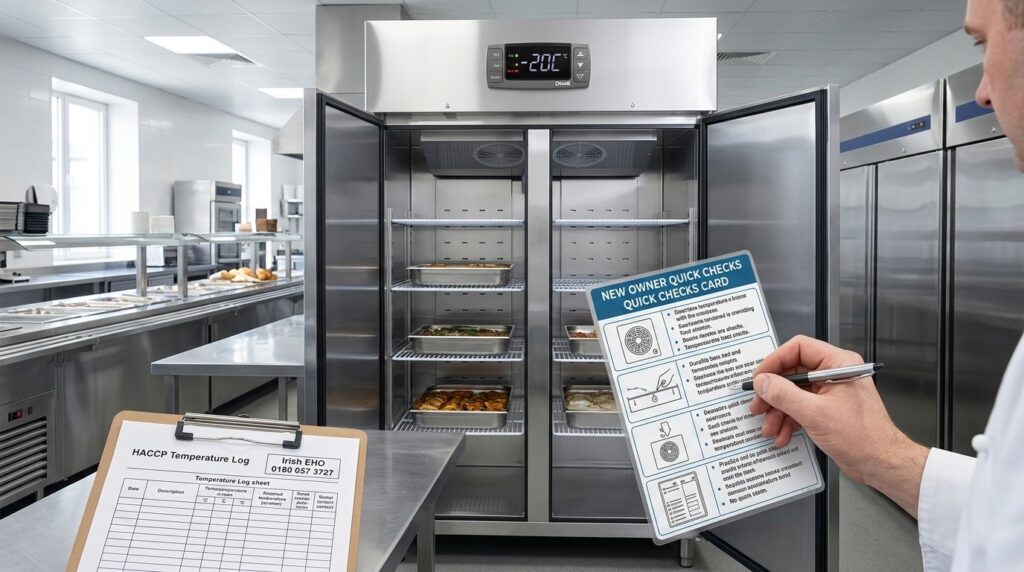
Quick reference for setting and checking Unifrost upright freezer controllers in Irish hotel service lines.
New Owner Quick Checks Card for Unifrost Upright Freezer Temperature Controllers (Irish Hotel Banqueting)
You run a hotel banqueting service line, so your upright freezer controller needs to be simple to check, hard to mis-set, and easy to prove in your HACCP records. This page gives you a practical quick checks card for Unifrost upright freezers in the F1000SV, F1300SV, F1310SV, F410SS, and F620SV family, focused on the realities of busy Irish hotel service.
You will learn what to check on the display before service, what setpoint and alarm band decisions to agree with your kitchen and maintenance team, and which readings or error states mean you should move stock to a back-up freezer immediately. It also covers how to adjust settings without creating icing, over-freezing, or door seal problems, how to document checks for EHO inspections, and when the issue is likely a probe or refrigeration fault that needs professional support rather than more button presses.
What this support page helps you find
If you’re taking over a Unifrost upright freezer on a hotel banqueting service line, this page helps you get to safe storage quickly. It focuses on what to check on the temperature controller before you load stock and go into service.
As a baseline, food can be kept frozen when the freezer is holding below -18°C, as set out in FSAI guidance on freezer temperature during disruption. The key point for service lines is that the controller setpoint is not the same as product temperature. Your quick checks need to cover alarms, door openings, icing and recovery time, not just the number on the screen.
Why this guide is written for Irish hotel banqueting service lines
A service-line freezer in a hotel takes more punishment than a back-of-house store freezer. Doors open constantly, you’re often working near a hot pass, trays are in and out, and not everyone on shift knows that controller.
That’s where the familiar problems show up and become awkward fast: alarms during service, product softening at the front, and ice building up around doors and shelves. Left unchecked, those issues drive waste and turn into questions during routine food safety checks.
This page is written as “quick checks” that chefs, porters and maintenance can follow under time pressure, without tools, and without accidentally changing settings that were working fine.
Which Unifrost upright freezers this applies to
This guidance is for Unifrost upright freezers used in Irish commercial kitchens, including models in the current family such as F1000SV/F1000SVOG, F1300SV/F1300SVNOG, F1310SV, F410SS/F410SSOG and F620SV, plus related upright models with similar digital controllers.
Controller layouts and button sequences can vary by unit, but the aim stays the same: confirm the controller reading looks sensible, alarms are set responsibly, and the cabinet recovers properly after door openings.
If you’re not sure of the exact model, you can still use this page for the safe, non-invasive checks before you go looking for the correct manual.
What you can do quickly, without tools, before service
You can confirm the controller is powered, the displayed temperature is stable, and the unit is not sitting in an alarm state that staff are clearing without fixing the cause.
You can also spot early signs that the problem is operational rather than “the controller being wrong”, including:
a door not closing cleanly
heavy frost build-up
loading patterns that block airflow and slow recovery after openings
Once those basics are right, it’s easier to decide whether you should leave settings alone and monitor, log the issue for maintenance, or move stock and call a refrigeration engineer.
How this page fits with Unifrost manuals and support resources
Think of this page as a practical handover for a new owner or a new team. When you need exact button sequences, parameter names or controller-specific reset steps, you’ll need the correct Unifrost manual and support file for the model in front of you.
Manuals, guides, or support resources available here
You will get more reliable results from any freezer controller if you treat it as a documented HACCP control point, not a “set-and-forget” dial. In practice, Irish inspections focus on how you manage temperature: checks, records, and what you do when readings are out of range. How you set up your routine depends on the controller type (digital or dial), your kitchen heat load, and how hard the unit is worked, for example on a banqueting line with constant door openings.
What Unifrost upright freezer models this applies to
This controller workflow is for Unifrost upright (vertical) freezers, including F1000SV/F1000SVOG, F1300SV/F1300SVNOG, F1310SV, F410SS/F410SSOG, F620SV, and related upright/vertical models.
If your cabinet has a different controller fascia to the one shown in the quick-check materials, use the same approach but follow the correct button sequence from the manual for your controller rather than guessing.
Resources you can use straight away (and keep in the kitchen office)
Unifrost.ie quick-check guide: “Quick Checks for Unifrost Upright Freezer Temperature Controllers in Ireland”
Use this for day-to-day reading, basic checks, and training.
Controller user manual (for the controller fitted to your unit)
Use this for exact steps for setpoint, alarm limits, probe display, defrost settings, and reset procedures.
Upright freezer user manual (for your cabinet family)
Use this for loading and airflow rules, cleaning access, defrost and condensate handling (where applicable), and door seal care.
One-page quick checks card for service areas (laminated, kept beside the freezer)
What to check before service, what counts as “stop and escalate”, and who to call internally.
HACCP temperature check record template (paper or digital)
Keep it simple and inspection-friendly: time, displayed temperature, separate probe check, initials, and corrective action.
Where to find the right manual fast (without playing guessing games)
Match the document to the unit in front of you:
Take the cabinet model code from the rating plate.
Identify the controller by brand and button layout on the front fascia.
Two cabinets in the same size “family” can ship with different controller variants over time, so the controller manual must match the controller actually fitted.
For onboarding new staff, print the quick-check guide and keep the full manuals in the office. During service, you want people checking the display correctly and escalating early, not scrolling through parameters mid-shift.
Support resources that help when temperature readings look wrong
When the display does not match product temperature, your first job is to separate controller/probe readings from airflow and loading issues.
Use the controller manual to find the probe temperature (if your controller shows it).
Compare that with a known-good reference thermometer reading, taken in a consistent location inside the cabinet.
If you see a pattern (only during peak door openings, only after loading warm stock, only near the door), that points to workflow or loading rather than a controller fault.
On busy hotel banqueting lines, agree an internal “safe operating band” and an escalation threshold, and keep it beside the manual. That stops well-meaning staff pushing setpoints colder to “fix” a reading and creating secondary problems like icing and doors not closing cleanly during service.
If you need help identifying your controller or the correct document
To get the right answer quickly, send:
the cabinet model code
a clear photo of the controller fascia
a photo of any internal label showing controller brand or code
That lets support match you to the correct manual and the relevant quick checks, especially where controller versions have changed since the unit was first supplied.
When you need self-service versus direct support
As a new Irish hotel banqueting service-line owner, your team can handle basic upright freezer controller checks in-house. They should not be diagnosing refrigeration faults during service.
If the cabinet is not holding safe frozen storage temperatures, treat it as a stock-protection issue. The FSAI notes that food can only remain frozen while it stays at or below -18°C (FSAI guidance). In banqueting, the “right” call is usually the one that protects food and keeps service moving, even if that means escalating earlier than you’d like.
Self-service checks your banqueting team can do safely (no tools)
Keep checks simple, repeatable, and suitable for a busy line. You are trying to confirm two things:
Is the controller reading and set correctly?
Is there an obvious operational reason the temperature is drifting?
On the controller
Check the displayed cabinet temperature makes sense for frozen storage.
Confirm the setpoint has not been changed during cleaning, shift change, or a rushed stock move.
If there’s an alarm, make sure staff acknowledge it properly. A muted alarm that’s ignored is worse than an alarm that’s acted on.
On the cabinet and how it’s being used
Confirm the door is closing cleanly, especially when the unit is fully loaded.
Check nothing is preventing the door seal from seating.
Make sure internal air vents are not blocked by boxes or trays.
If the freezer is being opened constantly during plate-up, accept that recovery will suffer. A freezer is for storage, not “quick hold” during peak service.
This approach applies across Unifrost upright freezer models because it’s about controller basics and day-to-day operating discipline, not model-specific performance.
When to stop self-service and call a refrigeration engineer
Move from “kitchen checks” to “professional support” when it no longer looks like settings or usage.
Escalate if:
The cabinet will not pull down towards frozen temperatures even when door openings are reduced.
Temperature alarms keep returning after you’ve checked loading, vents, and door closure.
There’s heavy ice build-up affecting airflow and recovery.
The controller shows persistent fault behaviour that doesn’t clear with normal operation.
There are electrical symptoms such as repeated tripping, burning smells, or the unit cutting in and out unpredictably.
In a hotel, don’t wait until after the next function. Call it while you still have time to protect stock and switch to your back-up freezer plan.
Why this split matters in Irish hotels (HACCP, audits, and service pressure)
Banqueting lines get hit by a mix of warm kitchen conditions, frequent door openings, and high-value stock moving fast. The controller is a useful “at a glance” part of your HACCP routine, but it does not replace good loading, disciplined door use, and clear escalation when temperatures drift.
In practical EHO terms, what matters is that you can show consistent monitoring and sensible corrective actions when readings are off, not that someone can navigate every controller menu. Build that into your handover: clearly separate “what we check and record” from “what we escalate immediately”, and keep it consistent across your upright freezers so relief staff are not improvising under pressure.
If you’re issuing units to a new team, point them to the correct Unifrost manuals and support resources for the specific controller fitted, so checks are consistent from shift to shift.
Related checks, guides, or troubleshooting routes
Temperature-controller quick checks are only part of the picture on a busy Irish hotel banqueting line. The controller can look “right” while the cabinet is still struggling to hold temperature.
Controller checks focus on the setpoint, alarms, probe behaviour and what the display is reporting. They are quick to train and are usually safe for porters or front-of-house to run through without tools.
Freezer performance checks look at airflow, defrost, door sealing, loading and the heat load around the unit. They take a bit more discipline, but they catch the common operational causes of drift that the controller will not flag.
In practice, you need both. HACCP is about control and records, not just “the screen looks fine”, and freezers working in warm pass areas often need tighter routines.
How do temperature-controller checks and freezer performance checks compare overall?
If you are taking over a kitchen or inheriting equipment in a hotel, pair the Unifrost.ie controller basics guide with a simple cabinet walkaround. That way you are not chasing settings when the real issue is doors, loading or ventilation.
This approach applies across the Unifrost upright freezer range, including F1000SV/F1000SVOG, F1300SV/F1300SVNOG, F1310SV, F410SS/F410SSOG and F620SV, plus related vertical models. The day-to-day risks are similar even when controller layouts differ.
Use these routes when the display reading and the real cabinet performance do not match, or when you need to document what you checked:
Controller quick checks (display, setpoint, alarms, probe symptoms): Quick Checks for Unifrost Upright Freezer Temperature Controllers in Ireland
Food safety targets in Ireland: the FSAI temperature control guidance states freezers should be maintained at -18°C or colder in food businesses and also highlights probe thermometer accuracy and calibration checks.
If the displayed temperature looks fine but the product is telling a different story, treat it as a probe or airflow investigation first, not a “turn it colder” moment, especially during repeated door openings on banqueting service.
Temperature-controller quick checks (what your team can do safely)
Controller checks are the fastest pre-service control point:
confirm the unit is running
confirm setpoint and alarm limits match your HACCP expectations
confirm the displayed temperature behaves sensibly with door-open and door-closed conditions
You are looking for stability and consistency, not the coldest number you can dial in.
If you see “temperature looks fine but product is soft”, big swings after a door-open rush, or an alarm that returns after acknowledgement, move to performance checks before changing parameters. Changing settings mid-service can make fault-finding harder later and can increase icing, which then reduces airflow and performance.
Freezer performance checks (what usually causes service-line drift)
On a banqueting service line, the most common causes of poor temperature holding are operational:
frequent door openings
warm kitchen air and high ambient temperatures
overloading shelves so air cannot circulate
doors not closing cleanly because a gasket is split or packaging is fouling the seal
These issues usually show up as slow recovery after service bursts, heavier frosting near the door, or uneven temperatures from top to bottom.
If the freezer is located near ovens, dishwash, or under hot lights, treat it as a higher heat-load zone. The fix is often tighter loading and door discipline, not controller changes. In warm areas, icing can build faster. Once the evaporator area or fan guards start icing up, temperature control becomes an airflow problem first and a setpoint problem second.
Which route is best for you (and when to escalate)
Use controller quick checks for a fast, repeatable pre-service routine that junior staff can follow, and for clean HACCP records showing you were in control before trading.
Use freezer performance checks when the cabinet sits on a service line, alarms repeat, or product quality and the controller reading do not match.
Escalate to a refrigeration engineer if you have repeated alarms that return after basic checks, rapid ice build-up that comes back quickly after defrosting, or you suspect a sensor or control fault rather than an operational issue. If the immediate question is “do we protect stock now”, prioritise moving stock if you cannot hold safe temperatures consistently. It is easier to document a sensible stock move than to explain avoidable spoilage to an EHO.
From here, it helps to have the correct manual, controller notes and any Unifrost support files to hand, so your team is checking the right functions for the controller actually fitted.
Daily temperature-controller checks for banquet service
Do a quick controller scan before prep, again at the busiest pinch-point, and once more at close. You’re checking three things: the freezer is holding below your frozen critical limit, there are no active alarms, and the cabinet is sealing and recovering after door openings. Log the reading and any action taken. In Ireland, your HACCP records are often what an EHO will look at first.
If anything looks unstable, treat it as a stock-protection issue first. You can worry about setpoints and settings once the product is safe.
1. Do a 30-second controller read and agree your “safe band” for the service line
On a banqueting line, upright freezers take plenty of abuse: frequent openings, warm air around the door during plating, and the odd door left slightly ajar in a rush. Your first daily check is simple: what does the controller say right now, and does it make sense for frozen storage in your kitchen today?
Set a clear HACCP critical limit for frozen storage and align your controller alarms to that limit. A common reference point is keeping food at or below -18°C for frozen storage. The FSAI notes that food “can continue to be frozen as long as the temperature is still below -18°C” in guidance for businesses after a power outage (FSAI flooding guidance for food businesses). In practice, most kitchens set alarms to warn early, so you have time to act before stock is at risk.
If you run multiple Unifrost upright freezer models on the line, keep the same “safe band” and action triggers across the team. Consistency beats perfection during service.
2. Check for alarms, odd readings, or obvious probe issues (no tools)
Before service, look for anything that suggests the controller reading is unreliable, or that the cabinet is being pushed beyond normal use. You are not diagnosing refrigeration here. You’re deciding whether the unit is fit to protect stock during a high-pressure window.
Watch for:
An active alarm that does not clear once the door has been shut.
A reading that jumps around quickly with no obvious reason.
A temperature that does not start trending colder after the door has been closed for a while.
Heavy, uniform icing while the controller claims everything is normal.
If the display looks questionable, verify with a calibrated reference thermometer as part of your routine. HACCP relies on both monitoring and verification, not blind trust in a display (FSAI HACCP principles on monitoring and verification/principles-of-haccp)).
3. Do a door-open recovery check that matches banqueting reality
Most service-line freezer issues are predictable: doors open too long, warm air pulled in repeatedly, and airflow blocked by over-stacked product.
Pick a quiet moment before the rush:
Open the door briefly.
Close it properly.
Watch whether the controller starts trending back towards normal running temperature.
You’re looking for recovery behaviour, not instant perfection. If recovery is slow, check the simplest causes the team can fix without tools:
Product pushed hard against internal air outlets.
Shelves overloaded so air cannot circulate.
The door not closing cleanly because packaging is catching the frame.
Visible damage or dirt on the door seal that stops it seating properly.
4. Agree, in advance, what readings mean “move stock now”
During banqueting, hesitation costs stock. Set your “move stock now” triggers in advance and put them on the handover sheet so porters, commis, and duty managers can act without chasing permission.
Typical triggers:
If the controller temperature is at or above your frozen critical limit, move high-risk and high-value stock to a backup freezer immediately and start a corrective action record. Corrective action is a core HACCP requirement when control is lost (FSAI HACCP corrective action principle/principles-of-haccp)).
If you have a persistent high-temperature alarm during service (not a brief door-open spike), treat it as a storage failure until proven otherwise.
If the controller shows a sensor/probe fault, assume the displayed temperature may be wrong and protect stock first.
Once stock is protected, then you can work through likely causes: door discipline, loading/airflow, or a refrigeration fault that needs an engineer.
5. Record checks in a way that stands up to an Irish HACCP inspection
The best log is the one your team will actually complete mid-shift. Keep it tight and repeatable. Record:
Time
Controller reading
Any action taken (only if outside your agreed band)
Write corrective actions in plain, factual language, for example: “Door found ajar, closed and rechecked after 20 minutes” or “High-temp alarm during service, moved ice cream to backup freezer, notified maintenance.” That’s what HACCP monitoring is meant to show: simple checks, and clear action when limits are not met (FSAI guidance on HACCP monitoring/principles-of-haccp)).
Where you have model-specific controller instructions, keep them with the unit or in your kitchen compliance folder so the team are not guessing during service.
Ideal setpoint and safe band for hotel banqueting service
The setpoint is the target air temperature you programme on the freezer controller. The safe band is the alarm window around that setpoint, so you get an early warning before frozen stock drifts into a food safety or quality problem.
On a banqueting service line, you want alarms that are wide enough to avoid nuisance beeps during busy picks, but tight enough to flag a real issue like a door left ajar, poor airflow, or a unit that cannot recover.
Setpoints and alarm limits by banqueting use (practical Irish defaults)
For most operations, a sensible baseline is -18°C for frozen storage as a HACCP control point, in line with common practice referenced in FSAI HACCP guidance (you still need to follow your own HACCP plan and monitoring routine):
https://www.fsai.ie/business-advice/haccp
From there, adjust based on what you store and how the freezer is being worked during service.
These are controller targets and alarm trip points, not a substitute for product checks. If you routinely hit the high alarm during service, it is usually a workflow or load issue (long door-open time, poor stock layout, warm air ingress, warm product loaded) rather than the “wrong” setpoint.
What “safe band” means in real banqueting workflow
The controller probe is measuring air temperature, which moves quickly when the door opens. Product temperature moves more slowly, so a high alarm that is too tight can become noise even when stock is still fine.
Treat the high alarm as an early warning that control is slipping, not a punishment for normal service. One-off spikes during a rush are one thing. Repeated or sustained high alarms are different, especially for ice cream and high-value desserts where quality drops fast after repeated warm-ups.
When to tighten or widen alarms (without guessing)
Tighten alarms when the freezer is low-traffic, lightly loaded, or used as backup. With fewer door openings, the cabinet should be stable, so an alarm is more likely to mean a real fault such as:
Door not sealing or being left ajar
Blocked airflow from poor loading
Fan or defrost issue
Probe misreading
Widen alarms when the freezer is on a busy banqueting line, but only after you have dealt with the basics:
Stock organised for fast picks (so the door is open for seconds, not minutes)
Warm prep and steam kept away from the door area
Clear air paths inside the cabinet (avoid packing tight against vents)
Widening alarms should not be used to mask a freezer that cannot pull down or recover.
A note on compliance and what inspectors look for in Ireland
EHOs generally want to see that you have:
A defined control point and limits in your HACCP plan
Clear corrective actions when you are out of limits
Records that reflect real trading conditions, not only quiet periods
That approach aligns with the FSAI expectation that food businesses implement and maintain procedures based on HACCP principles:
https://www.fsai.ie/food-businesses/haccp
Commercial uprights are built to cope better with frequent access than domestic units, but alarm settings still need to match how the freezer is actually used on your line.
If you need the button sequence, alarm icons, or controller-specific behaviour, use the manual for the exact unit on site. Controller menus and alarm logic vary, even when the freezer size and layout look similar.
Understanding controller readings or error codes
If your Unifrost upright freezer controller shows a persistent high-temperature alarm, a probe/sensor fault, or the display is blank or unstable, treat it as a potential loss of temperature control. Protect the stock first: move high-risk items to a back-up freezer and verify temperatures with an independent thermometer.
That approach aligns with HACCP practice. You’re expected to monitor critical limits and take corrective action when control is lost, as set out by the Food Safety Authority of Ireland (FSAI) HACCP principles/principles-of-haccp). Controller codes vary by manufacturer and even by controller version, so don’t assume a code means the same thing as it did on another unit.
In a hotel banqueting line, the right response often comes down to one question: is this a short-term door-opening event, or a genuine fault that is not recovering?
High temperature alarms: when to move stock immediately
High-temperature alarms catch people out because they can look like “just a warning” until the cabinet fails to pull back down.
Alarm stays on after you close the door and stop opening the unit (often shown as HI, HA, Ht, AL, or a flashing temperature): move vulnerable stock to a back-up freezer and verify with a separate thermometer.
Temperature keeps rising while the unit appears to be running continuously: treat it as a loss of cooling capacity, not “a warm delivery”.
Alarm repeats at the same time each day (common on service lines): check for heat-load and airflow issues first (overloading, blocked internal air paths, hot product going in, poor clearance around the unit). Still protect stock until you’ve confirmed recovery.
Door alarm during service (often dO, dr, or a door icon): close the door, confirm it’s latching and the gasket is sealing. If you then get a high-temperature alarm, act as above.
Sensor or probe fault codes: don’t trust the number on screen
If the controller reports a probe fault, the displayed temperature may be wrong even if the freezer is actually cold. You’ll often see “probe open/short” type faults (commonly E1, P1, EP, or a thermometer icon with an error, depending on the controller).
Treat a probe fault as “stop and verify”:
keep the door shut
check cabinet temperature using an independent thermometer
decide on stock movement only once you have a verified reading
If you can’t verify quickly during service pressure, the operationally safe move is to relocate critical stock and record what you did for your HACCP file.
Display faults, reset loops, and “strange behaviour”
If the display is blank, flickering, resetting, or showing nonsense characters, assume the controller is unreliable until proven otherwise. It could be as simple as a power supply issue, but either way you should not run a service line based on an unverified reading.
This is also where team roles matter. It’s reasonable for staff to report “alarm on”, “display blank”, “temperature climbing”, or “door not closing”. Parameter changes, resets beyond acknowledging an alarm, or any controller adjustments should be left to someone trained, using the correct Unifrost controller guide for that model.
To decode any specific Unifrost controller message, match it to the exact controller and model family you’re running (including vertical models like F1000SV/F1000SVOG, F1300SV/F1300SVNOG, F1310SV, F410SS/F410SSOG, F620SV), using the manuals, quick-check guides, and support resources available here.
Documenting temperature checks for inspections
To satisfy HACCP and EHO expectations in Ireland, your freezer records need to show three things clearly: monitoring, limits, and corrective action. Keep it simple enough to complete during service, but consistent enough that you can prove control later. This approach matches the FSAI’s HACCP principles on monitoring and record keeping: <https://www.fsai.ie/business-advice/running-a-food-business/food-safety-management-system-(haccp)/principles-of-haccp>.
1. Set up a freezer log that works on a banqueting line
A log fails when it reads like an office form but has to be used at the pass. Use one page per day (or per shift if you have handovers), and make the fields obvious so it is done the same way every time.
Give each freezer a clear, physical ID. Put a label on the unit itself and use the same wording on the log. Avoid “Freezer 1” if you have more than one on site.
Keep the ID consistent across your Unifrost upright freezer estate, including vertical models such as F1000SV, F1300SV, F1310SV, F410SS and F620SV.
2. Write your limits on the log (so “good” and “not good” are obvious)
Don’t rely on “it looked fine”. Put your target and site limits on the page so a junior porter can tell at a glance when a reading needs action.
FSAI guidance for caterers is that freezers should be kept at -18°C or colder: <https://www.fsai.ie/business-advice/running-a-food-business/caterers/temperature-control>.
If you store ice cream on the line, note it clearly on the log (or use a separate log) so staff do not mix setpoints or storage rules across different products.
3. Record readings at times that reflect service pressure
A controller display reading is useful, but it is still a cabinet reading. Your log should show you checked the unit at times when problems are most likely to show up.
For a hotel banqueting service line, a practical minimum is:
Before service (once the line is set and doors have been opened for loading)
After peak service (when the unit has been worked hard)
Add extra checks when it matters operationally, for example:
large deliveries being loaded
frequent door openings during a function
unusually hot kitchen conditions
If you use a probe thermometer as a cross-check, record it as verification and write where you measured (for example, between packs, in a test block, or a designated item). FSAI also highlights using a calibrated probe thermometer with appropriate hygiene controls as part of temperature checking and recording: <https://www.fsai.ie/business-advice/running-a-food-business/caterers/temperature-control>.
4. Make corrective actions readable and defensible the next day
A single out-of-limit number is not the risk. The risk is what happened next, and whether food was protected. EHOs will expect to see a clear corrective action trail when monitoring shows a limit is not met, in line with FSAI HACCP principles: <https://www.fsai.ie/business-advice/running-a-food-business/food-safety-management-system-(haccp)/principles-of-haccp>.
Keep entries short and factual, using the same structure every time:
What you found (reading and issue)
Immediate action (closed door, reduced loading, moved stock)
What happened to the food (moved, held, discarded if required by your plan)
Follow-up (maintenance call, defrost, recheck time and result)
Examples that make sense on a banqueting line include: moving high-risk stock to a back-up freezer, checking door closure and seals, stopping warm loading, escalating to maintenance, and recording a recheck after a defined time.
5. Use an Ireland-recognised template and store it so it is inspection-ready
If you want a “known good” format, base your log on the Safe Catering Pack refrigeration records. FSAI provides downloadable record forms including Recording Form 2 (Refrigeration): <https://www.fsai.ie/publications/safe-catering-pack-record-books>.
From an inspection point of view, the practical standard is:
keep the most recent logs together (typically the last few weeks)
keep them legible and complete
be able to retrieve them quickly
note gaps clearly (for example, “unit out of service, stock moved, engineer called”)
If you are training new starters, pair the log with a short site “how to check” note and the correct controller instructions from your unit’s documentation, so staff use the right button sequence and understand what the display is showing.
Simple daily freezer temperature check log (copy and use)
Site/Area: _ Date: / / _ Shift: AM / PM
Unit ID (label on cabinet): _ Location: _
Target: -18°C or colder Site limit: __°C (set by your HACCP plan)
Notes (optional): unusually busy service, warm loading, door left ajar, maintenance notified, etc.
______
Adapting controller settings for various banqueting needs
Start with the outcome you need on the day: safe holding for bulk frozen stock, better recovery after repeated door openings, or tighter stability for products like ice cream. Make small, controlled controller changes, then verify with an independent thermometer reading inside the cabinet and in a product pack before you rely on it for service. Keep settings consistent across shifts. Pushing the setpoint colder to “fix” service-line issues often creates icing and airflow problems that look like temperature faults.
1. Set a food-safety target first, then choose a realistic operating setpoint
Your non-negotiable is keeping frozen food properly frozen. In practice, the common benchmark is -18°C or colder for frozen storage. The FSAI notes frozen food can continue to be kept frozen as long as temperature is still below -18°C (FSAI guidance).
Banqueting lines are tough on uprights: frequent door openings, warm kitchen air, and fast picking. To give yourself recovery headroom, you may choose a controller setpoint a bit colder than the minimum product temperature you need to maintain. What matters is what the product is seeing, not just the number on the display.
2. Match control to the product and service pattern
Different items react differently to temperature swings:
Bulk meats and boxed frozen goods: usually cope with normal, short door-open cycles.
Ice cream: softens quickly and repeated warm-up/refreeze cycles can damage texture.
Plated desserts: a brief warm-up can cause condensation, presentation issues, and messy service, even if food safety is still technically in range.
If you need tighter stability, start with the basics before you touch the setpoint: organise stock at shelf level, minimise door-open time, and keep high-pick items accessible. If you try to solve poor door discipline by driving the setpoint much colder, you can trigger heavier ice build-up, fan icing, and sealing issues.
3. Adjust in small steps, then validate with a product check
Change one setting at a time and allow the cabinet to stabilise before deciding whether it helped. Uprights can show different temperatures depending on probe position, airflow, loading, and how recently the door was opened.
A practical handover routine for banqueting is:
Check the controller reading at start-up.
Take an independent, calibrated probe check inside the cabinet, and a check between packs (use the same method every time).
Record both readings in your HACCP log.
If the controller and independent readings repeatedly don’t broadly agree, stop “tuning” and treat it as an accuracy, airflow, loading, or maintenance issue.
4. Use alarm limits as an early warning, not a constant nuisance
Alarms should catch the real problems: a door left ajar, a failing gasket, or a cabinet that cannot pull temperature back after loading. Set alarms so staff have time to react, but not so sensitive that they trigger on every legitimate pick.
If alarms are being silenced all the time, they stop working as a control. When you’re unsure what alarm values suit your controller, keep changes conservative and focus on operational fixes first:
Shorter door-open times.
Don’t block internal air paths with trays or cartons.
Avoid loading warm product into an upright that’s already under service pressure.
5. Know when “colder” is making things worse (and what to do instead)
Heavy ice around the door frame, rapid frosting on shelves, or icing near the fan is usually a moisture and airflow problem. Lowering the setpoint can accelerate icing, which then reduces airflow and makes temperature control less stable.
The quickest wins on a banqueting line are often behavioural and layout-led:
Open the door with a plan, take what you need, close it fully.
Keep high-pick items at the front and at workable height.
Check the door is sealing cleanly after busy picks.
If you need consistent stability for ice cream during repeated picks, it often works better to split stock: one unit for “active” service and another holding reserve stock with minimal door openings.
This guidance is general across Unifrost upright freezers, but the exact button sequence and available parameters depend on the controller fitted. For model-specific steps, use the correct manual for the unit on site during staff training and handover.
Risks of incorrect controller settings
Setting the controller too low on an upright freezer often causes heavy frost build-up, icing around fans or air ducts, and doors that do not seal cleanly. In practice, that can lead to the exact problem you were trying to avoid: warmer product temperatures once the door is opened repeatedly during service, because airflow is restricted and the unit struggles to recover.
For most Irish HACCP systems, -18°C is the practical benchmark for frozen storage. Chasing a much colder air display rarely improves food safety, but it can make temperature stability and recovery worse in a busy kitchen (FSAI frozen storage guidance).
Over a few days, incorrect settings can also create avoidable costs and hassle:
Higher energy use as the freezer runs harder than it needs to
More frequent and longer defrosts, with thicker ice to clear
More strain on door gaskets and hinges, especially on high-traffic lines
Extra labour dealing with icing, cleaning, and product reshuffling
To keep things under control, aim for a sensible setpoint, use realistic alarm limits for a busy operation, and verify product temperature with a calibrated probe rather than relying on the cabinet air display alone. It is particularly worth checking after delivery days and big pulls for banqueting or event service.
Verifying temperature controller accuracy
A good check is simple: confirm what the controller is showing, cross-check it against a calibrated thermometer reading taken in the cabinet, and log both. If there’s a consistent offset, record it and investigate the cause before you start changing setpoints or alarm limits. If the freezer struggles during banqueting peaks, assume load, airflow, or door discipline first, not a “faulty controller”, and escalate early if there’s any food safety risk.
1. Make sure you’re measuring under sensible conditions
A controller display can look “wrong” when the cabinet conditions are wrong.
For an upright freezer on a hotel service line:
Let it run in normal conditions for 30 to 60 minutes: door closed, fans running, not in a defrost cycle.
Avoid checking straight after a busy pick. You’ll mostly be measuring recovery, not steady control.
Note the controller’s displayed temperature and any alarm icon or code before you intervene.
If you see heavy ice build-up around the fan cover, obvious door gaps, or stock packed tight against air vents, deal with those first. They commonly cause swings that get blamed on the controller.
2. Cross-check the display with a calibrated reference thermometer (and write it down)
For HACCP verification in Ireland, use a calibrated probe thermometer and keep records as part of your food safety management system, in line with the FSAI guidance on temperature control:
https://www.fsai.ie/business-advice/running-a-food-business/caterers/temperature-control
A practical method that holds up in real kitchens:
Use a calibrated probe thermometer with at least ±0.5°C accuracy (as referenced in the FSAI guidance).
Don’t rely on “air temperature at the door”. Measure between packs of frozen, sealed items, or probe a sacrificial product where your HACCP system allows it. Product temperature is what matters.
Take at least two readings in different parts of the cabinet (for example, upper and lower shelves) and compare them to the controller display.
Log the date/time, controller reading, reference reading(s), and operating conditions (recent door activity, unusually heavy load, defrost just completed, etc.).
You’re looking for repeatable results. If the controller is steady but readings vary widely shelf-to-shelf, you’re usually dealing with airflow, loading, fan performance, or icing rather than a controller accuracy issue.
3. Check that your “reference” thermometer is actually reliable
This verification is only as good as the thermometer you’re using. A probe that hasn’t been checked in years can send you in the wrong direction.
The FSAI advises checking thermometers at least twice a year using ice-point and boiling-water checks (see the thermometer calibration notes within their temperature control guidance):
https://www.fsai.ie/business-advice/running-a-food-business/caterers/temperature-control
If your reference probe fails, replace it or send it for calibration, then repeat the controller verification with a known-good instrument.
4. Decide actions based on food safety risk, not irritation
Freezers in Irish food businesses should be maintained at -18°C or colder, per FSAI guidance:
https://www.fsai.ie/business-advice/running-a-food-business/caterers/temperature-control
If your logged verification shows the cabinet is not achieving that in normal operation, treat it as a food safety non-conformance, not a “keep an eye on it”.
Practical escalation triggers in hotels and banqueting are usually:
Verified cabinet temperatures trending warmer over multiple checks (not a single post-door-opening spike).
A growing gap between controller display and verified readings that persists after correcting loading, door closing discipline, and icing.
Any situation where you cannot confidently demonstrate control for HACCP records during service pressure.
This approach applies across Unifrost upright freezers because you’re validating the outcome in the cabinet, not relying on a specific controller make or button sequence. Keep manuals and internal support notes alongside the maintenance log so checks are done consistently across shifts, and so any call-out starts with clear evidence.
Handover briefing for new staff
New banqueting and service-line staff need a controller-focused handover because most “temperature issues” in a busy hotel are operational. Doors left ajar, long pick times, blocking the fan area, or misreading the controller will trip alarms and push product temperatures up at the worst possible time, even when the freezer itself is fine.
In Ireland, frozen storage is typically managed to -18°C or colder, with checks recorded as part of your food safety routines. See the FSAI guidance on temperature control for the benchmark and expectations around monitoring: <https://www.fsai.ie/business-advice/food-safety-management/haccp/temperature-control>. Your handover should focus on what staff can verify quickly on the controller and what actions are allowed without tools.
What your “quick checks card” should cover for banqueting staff (no tools)
This applies to Unifrost upright freezers in the Upright Freezers range (for example F1000SV/F1000SVOG, F1300SV/F1300SVNOG, F1310SV, F410SS/F410SSOG, F620SV and related upright models) where a digital controller handles setpoint, alarms and basic status. If you have mixed controller types on site, keep the checks consistent but note that button sequences vary and the unit manual takes priority.
Before service: read the controller temperature, confirm it is stable for frozen holding, and check there is no active alarm.
Door discipline: confirm the door closes cleanly and the gasket seals all the way around. Keep openings short during pick-heavy periods.
Airflow: keep vents and the fan area clear. Trays, gastro pans and cardboard pushed against the back panel are a common cause of slow recovery and “mystery” temperature swings.
If it is clearly warming or alarming: move high-risk stock to back-up frozen storage first, then investigate.
If icing is building at the door or shelves: don’t force the door. Reduce door-open time and log it for maintenance before it becomes a service failure.
Log properly: record the displayed temperature and time. Note anything that explains a short-term rise (heavy loading, prolonged door opening, decanting during a banqueting push).
What settings to standardise for a hotel service line (setpoint and safe band)
For a banqueting service line, the aim is stable frozen holding, not “as cold as possible”. Setting the freezer colder than you need can increase ice build-up, lead to nuisance alarms during busy access, and create avoidable wear on doors and seals over time.
Standardise one sensible setpoint and agree a simple “safe band” your staff can follow:
what is acceptable during heavy door activity,
what needs a recheck after 15 to 30 minutes with the door kept closed,
what triggers moving stock.
Make sure alarm limits and staff actions match your own food safety management system. In practice, you are expected to have procedures based on HACCP principles under EU hygiene rules (Regulation (EC) No 852/2004): <https://eur-lex.europa.eu/eli/reg/2004/852/oj>.
When to escalate: controller signs that mean “move stock now” vs “monitor and recheck”
You need a clear line between in-house checks and an engineer call-out, especially where banqueting volume can turn a small issue into a large stock loss.
Move stock first if you see:
a persistent high temperature that does not recover after the door is closed and left shut,
repeated alarms that return immediately after being acknowledged,
any error indication suggesting the unit is not controlling normally.
Monitor and recheck (with the door kept closed) when it is likely operational:
a short-lived rise straight after loading or heavy door opening,
light, localised icing around the door area,
a one-off alarm that clears and stays clear once the cabinet is left alone.
Whatever the outcome, staff should log what they saw and what they did. Those notes help maintenance spot patterns such as poor door discipline on the service line, overfilling that blocks airflow, or an emerging fault like a drifting probe.
Keep the handover card with the freezer temperature log so it is used in the moment, and point staff to the controller manual rather than guessing button sequences under pressure.
FAQs: upright freezer temperature controllers (Ireland)
What temperature should my commercial upright freezer be set to for safe food storage?
For frozen food safety, aim for a product temperature of -18°C or colder. In day-to-day operation, many Irish kitchens run the cabinet setpoint around -18°C to -22°C to allow for normal door openings on a hotel service line.
Practical tip: don’t rely on “air temperature” alone. Verify with a calibrated probe thermometer between packs (not against the wall or in front of the fan) and adjust your setpoint only if the product is trending warmer than target.
How do I adjust or check the temperature controller on a commercial upright freezer?
On most digital controllers the safe, low-risk checks are:
Read the current cabinet temperature on the display and confirm it matches what you expect for the time of day.
Check the setpoint (SP) without changing it if possible (many controllers show SP via a short press of a set key or by entering a menu).
Confirm any active alarms (high temp, probe fault, door open) and note the time and reading for your HACCP record.
If you are changing a setpoint, do it in small steps (1°C at a time) and allow the freezer time to stabilise before changing again. If you are unsure which controller type your Unifrost upright has, use the model details to match the correct instructions via Unifrost Support.
Why is my upright freezer not holding the set temperature properly?
The most common causes in Irish hotel and banqueting kitchens are operational rather than “controller failure”:
Door discipline and gasket seal: frequent opening during service, damaged gaskets, or doors not fully closing will lift temperatures.
Airflow and loading: overfilling shelves, blocking the evaporator cover, or loading warm product too quickly will prevent recovery.
Condenser blockage: grease and dust on the condenser reduces cooling capacity and causes longer run times.
Ice build-up: icing around the evaporator/fan area restricts airflow and can create temperature swings.
Probe/location issues: a displaced or faulty temperature probe can make the controller “think” it is colder or warmer than it really is.
Immediate actions that protect stock: minimise door openings, move high-risk items to a back-up freezer if temperatures trend above safe limits, and record what you observed. If temperatures won’t recover after basic checks, use Unifrost Support to get the right troubleshooting route for your exact model and controller type.
Need model-specific help or a quick-checks card for your team?
If you want a second opinion on setpoints, alarm limits, or the best daily routine for a busy Irish hotel service line, Unifrost can help you match the right guidance to your exact upright freezer model and how you use it.
For manuals, controller instructions, and next-step troubleshooting, go to Unifrost Support.
Related Unifrost guides
Compare models, maintenance advice and support information related to this topic.
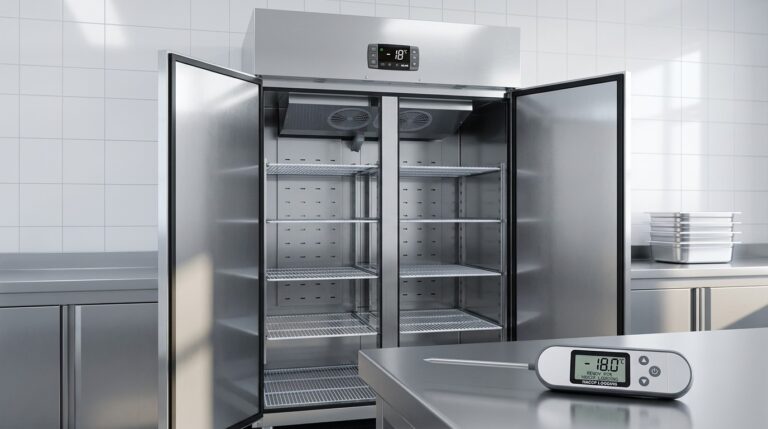
Unifrost Upright Freezer Temperature Controller: New Owner Core Overview Guide for Irish Kitchens
Learn to set up and manage Unifrost upright freezer controllers for Irish kitchens. Essential guide for safety and efficiency.
Read guide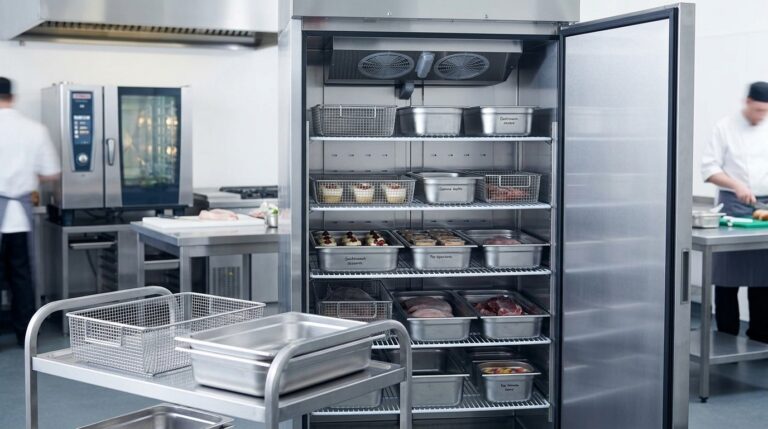
Optimizing GN Basket Plans for Unifrost F410SS Upright Freezer in Hotel Banqueting
Explore GN basket planning in the Unifrost F410SS for Irish hotels. Optimize layouts for efficiency in banqueting.
Read guide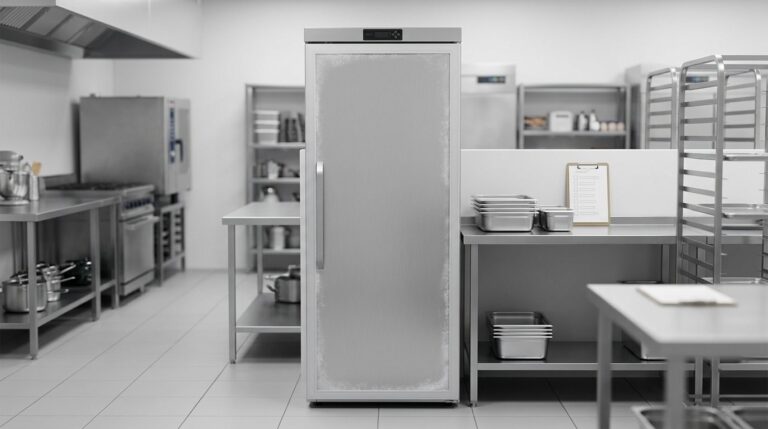
Unifrost F410SS Upright Freezer Use Cases in Irish Kitchen Settings
Explore ideal Unifrost F410SS freezer use cases in Irish kitchens. Boost reliability, reduce waste, fit menu needs. Compliant with HACCP.
Read guideCompare Unifrost freezer options on Caterboss
For current product options, pricing and availability, continue to Caterboss.