
Understanding Unifrost Upright Fridge & Freezer Temperature Controller Defrost Messages

Learn about Unifrost upright fridge freezer controller messages for efficient, error-free kitchen operations.
Unifrost Upright Fridge and Freezer Controller Defrost Messages: What “dEF” and Alarms Mean
If your Unifrost upright fridge or freezer is flashing dEF, beeping, or showing a high or low temperature alarm, you need to know whether you are looking at a normal cycle, a warm pull down after start up, or an issue that risks food safety and downtime. On Unifrost uprights such as CR1800G, CR2230G, R1000SV, R1300SV, F1000SV, F1300SV, F1310SV, F410SS and F620SV, the cabinet behaviour is broadly similar, but the exact code wording and button sequence depend on the controller type (commonly Dixell, Elitech, or Carel).
This page helps you interpret the most common defrost and alarm messages in plain language, decide what to check first, and avoid masking a real fault by simply muting alarms. You will learn what “normal” defrost looks like on freezers, how long a defrost message typically stays on screen, what prolonged or repeated defrost indicators suggest, and when it is appropriate to force a manual defrost. You will also see how to record these events in your HACCP checks and what details to capture before you escalate to Caterboss support or a refrigeration engineer.
Why Defrost Messages Matter in Commercial Kitchens
Defrost messages like “dEF” matter because they help you separate normal operation from a genuine temperature-control issue.
A cabinet will regularly stop cooling for a short period to clear frost from the evaporator. That’s how it keeps airflow moving and recovery times sensible. The risk is when staff see a code on the display, assume the unit is failing, and either ignore it or start changing settings mid-service.
For food safety in Ireland, you still need to keep chilled high-risk food between 0°C and 5°C, and keep freezers at -18°C or colder, in line with FSAI temperature control guidance for food businesses.
One practical wrinkle with uprights is that the same cabinet can arrive with different controller brands (for example Dixell, Elitech, or Carel). That means messages and alarms can look different even when nothing is wrong. Always match what you’re seeing on the fascia to the right controller instructions before you treat it as a fault.
Defrost is normal, but it can still disrupt your temperature routine
On upright freezers, “dEF” is commonly just the unit running a defrost cycle. During defrost, the air temperature in the cabinet can rise temporarily because refrigeration pauses and fan logic may change. A quick glance at the display can look alarming, especially during a busy shift.
The operational risk is usually not the defrost itself, but what’s happening around it:
frequent door openings during service
loading warm deliveries
stock packed too tightly against the back, restricting airflow
Any of those can slow recovery and turn a normal cycle into nuisance alarms or longer warm periods that deserve a closer look.
Compliance and inspections run on evidence, not “it was only defrosting”
If an EHO or your own auditor looks at HACCP records, “the freezer said dEF” is not a control measure by itself. You need a repeatable response that shows you noticed the event, checked temperatures properly, and took corrective action if needed, consistent with the FSAI’s approach to monitoring and recording temperatures: FSAI guidance on checking and recording temperatures.
A simple site rule that works in practice:
If the scheduled check lands during defrost, record the message shown (for example “dEF”).
Then re-check once the unit returns to normal control and log a confirmed product temperature using a calibrated probe, rather than relying on the display alone.
Clear handling reduces downtime and stops “setpoint chasing”
A lot of “the freezer is flashing” call-outs turn out to be normal pull-down after a restart, a door left ajar, or a defrost cycle landing at the worst possible time. When every message is treated as a breakdown, people start changing setpoints or muting alarms without understanding the controller type. That’s how you end up with repeat warm alarms, inconsistent training across shifts, and poor handovers to service.
Because Unifrost uprights can ship with different controller fascias, it’s worth training staff on the common messages, then confirming your exact controller so everyone follows the same response under service pressure.
Common Defrost and Alarm Messages on Unifrost Controllers
Most Unifrost upright fridges and freezers display plain-language status and alarm messages on the digital controller. Your safest first move is to confirm whether the cabinet is in a normal cycle (like defrost) or genuinely running out of temperature, then check the basics: door seal, airflow, loading and room conditions.
Temperature targets matter because the FSAI advises refrigerated food be maintained at 0–5°C and frozen food at -18°C. An alarm is a food-safety signal as well as an equipment one.
One practical complication: Unifrost uprights can ship with different controller brands (for example Dixell, Elitech or Carel). The message may be similar, but codes and button sequences can vary by controller, even on the same cabinet model.
What “dEF” (or a defrost icon/message) means on a Unifrost freezer
On most upright freezers, “dEF” means a defrost cycle is running. That’s normal. During defrost, the display may stop showing the live air temperature, and the cabinet temperature can rise slightly before it pulls back down.
What to do
Let the cycle finish.
Keep door openings to a minimum.
Avoid changing setpoints or forcing extra defrosts just because the display looks odd. You’ll often create bigger temperature swings than the defrost would.
When it’s not normal
If “dEF” seems constant, keeps dropping in and out, you see heavy ice build-up, or stock is softening, treat it as a fault-finding job. Common causes are restricted airflow, door/seal problems, or an issue in the defrost system, not “wrong settings”.
“HI” / high temperature alarm and flashing temperature: what it’s really telling you
A high-temperature alarm (or a flashing temperature) means the cabinet has been above its alarm threshold for long enough to trigger a warning. In day-to-day Irish service, this is often caused by normal disruption:
first start-up pull-down
a power cut
long door-open time during deliveries
loading a lot of warm product at once
Treat it like an investigation, not a settings change.
Check in this order
Door closure and seal: is it fully shut, not riding on a box or shelf edge?
Airflow: are shelves, liners or packs blocking the internal air path?
Ventilation/heat rejection: is the unit pushed tight to a wall or boxed in so it can’t get rid of heat?
Room conditions: has anything changed, such as a hot pass beside it, a combi venting steam, or unusually high ambient temperatures?
If the alarm clears and the unit returns to normal temperatures within a reasonable recovery period after the disruption stops, that points to a real temperature event but not necessarily a refrigeration fault.
“LO” / low temperature alarm on fridges (and why it matters)
On an upright fridge, a low-temperature alarm usually means the cabinet air has dropped below the low alarm threshold for long enough.
Likely causes include:
the setpoint has been pushed too low
the temperature probe is reading incorrectly
the fridge is lightly loaded and running in a cold prep area
Low temperature is not automatically “safer”. It can freeze delicate foods, burst sealed drinks, split sauces and create waste. If you’re seeing repeated low-temp alarms, aim for stable operation in the correct range rather than manual tweaks that cause bigger swings.
Probe error icons/messages (sensor fault): what to do without guessing codes
Probe errors might show as “error”, a probe icon, or a short code depending on the controller. The practical meaning is consistent: the controller is not getting a reliable temperature reading, so it may run on fallback logic and the displayed temperature may be misleading.
Safe operator response
Don’t start “calibrating” or applying probe offsets as your first step.
Protect stock first. If you can’t confirm temperatures with a calibrated probe thermometer, move high-risk food to another working unit.
Log what you’re seeing and escalate for service.
If you spot obvious damage, icing around the probe area, or a loose lead after cleaning, note it. Avoid dismantling panels unless you’re trained and authorised.
Muting or acknowledging beeping alarms without masking a real issue
You need the kitchen to function, but the alarm still needs to stay visible. On most controllers, a short press of the alarm/mute button silences the buzzer while leaving the alarm on screen. That’s usually the right approach mid-service.
Avoid clearing alarms repeatedly without checks, or changing alarm thresholds/delays just to stop nuisance beeps. If the same alarm gets muted every day, you’re looking at a workflow issue (loading/doors) or an equipment issue that needs fixing.
Plain-language “what it means” and the safe response (quick operator cheat-sheet)
dEF / defrost message: Normal freezer cycle. Minimise door openings. Don’t chase setpoints. Investigate only if it’s constant or stock is softening.
HI / high-temp alarm or flashing temperature: The cabinet has been warm for long enough to alarm. Check door closure, loading and airflow, confirm food temps with a probe thermometer, then monitor recovery.
LO / low-temp alarm (usually on fridges): Cabinet air is too cold. Check whether the setpoint has been altered, avoid over-correcting, and watch for product freezing.
Probe/sensor error message or icon: Temperature may not be reading correctly. Verify with a calibrated probe thermometer, protect stock, and escalate for repair rather than adjusting parameters.
Power failure/restart alarm: Treat it like a high-temp event until proven otherwise. Keep doors shut, confirm recovery, and check product temperatures before you assume all is fine.
What to capture before calling Caterboss or a refrigeration engineer
A good service call starts with useful information. Before you ring, take:
Photo 1: the full controller display showing the message
Photo 2: the cabinet model code plate (usually inside the unit)
This matters because models like CR1800G, CR2230G, R1000SV, R1300SV, F1000SV, F1300SV, F1310SV, F410SS and F620SV can follow the same general controller logic, but may ship with different controller fascias and code sets.
Then note:
when the alarm started
what was happening at the time (delivery, power cut, deep clean, busy service)
the current displayed air temperature
one independent product temperature taken with a calibrated probe thermometer
That usually lets support quickly judge whether you’re dealing with normal recovery, a door/airflow problem, or a genuine control/defrost fault, and it helps match the unit to the correct controller manual without trial-and-error.
Typical Durations and Fault Indicators
When your Unifrost upright freezer shows dEF, the controller has started a defrost cycle. During this time the temperature display may pause, rise slightly, or switch to a message while the system clears ice from the evaporator. In a working Irish kitchen, seeing dEF from time to time is normal. The concern is when it lasts too long or keeps coming back, because product temperatures can drift before anyone clocks it.
What “normal” defrost looks like (and why it varies)
On upright freezers, dEF usually appears during scheduled defrosts. You can also see it after heavy door opening or a power cut, when the cabinet is trying to recover.
How long it stays on screen depends on what the unit is dealing with:
Door traffic: constant opening during service pulls in warm, damp air.
Loading: warm stock, overfilling, or blocking internal airflow slows recovery.
Placement and ventilation: units pushed tight into a corner or against a wall often struggle to reject heat.
On upright fridges, you may not see dEF at all even when defrost is happening. Some controllers keep showing air temperature and run defrost “in the background”. That’s why you judge the situation by recovery and product temperatures, not the message alone.
When a prolonged `dEF` points to ice build-up or a fault
If dEF sits there for an unusually long time, or repeats during service, the cabinet is often struggling to finish the defrost or pull temperature back down afterwards. The usual real-world causes are:
heavy ice build-up restricting airflow
door gaskets not sealing properly
doors being propped during prep
blocked or frozen drainage
a defrost system issue that needs an engineer, not more button-pressing
If you’ve had a prolonged warm period during or after defrost, treat it as a food safety check. Confirm product temperatures with a calibrated probe thermometer, in line with FSAI temperature control guidance.
A simple “how long is too long” rule for busy kitchens
If dEF is still showing after a reasonable chunk of service time, or it’s still there when you come back from a quick prep job, don’t ignore it. Start checking.
Watch for these common patterns:
dEF stays on for a long time, then the cabinet struggles to pull down and a high temperature alarm follows
dEF clears, but returns repeatedly within a short window, often with beeping or a flashing temperature
the display looks “not terrible”, but products feel soft or wet, or you see melt and refreeze on packs
That leads into the practical bit staff need in the moment: what common defrost and alarm messages mean on Unifrost controllers, and what response is safe during service.
Integrating Controller Messages into Daily HACCP Checks
You can fold controller messages like dEF, flashing temperature, and HI/LO into HACCP checks with one simple rule: when the display is in defrost or alarm, don’t rely on the display alone. Take a probe reading, and log both the probe temperature and the controller message. That keeps your paperwork defensible and stops “nuisance alarms” becoming ignored warnings.
1. Set your HACCP limits and decide what you’re measuring (display vs probe)
Start with the limits you use on site. A log only works if it leads to a clear pass/fail decision.
For Irish catering operations, the FSAI notes that chilled storage should keep food between 0°C and 5°C (many sites run fridges at 3°C to 4°C to achieve this in practice), and freezers should be maintained at -18°C or colder in food businesses. Source: FSAI temperature control guidance for caterers.
Then decide, per cabinet, what counts as the “official” daily check:
Use the controller display only when it’s stable and not in alarm or defrost.
Use a calibrated probe when the display is flashing, beeping, alarming, or showing dEF. Probe a representative product (or measure between packs for frozen stock).
The point is practical: the controller shows what its sensor sees at that moment, not necessarily what’s happening in the food you’re responsible for.
2. Use a consistent logging rule for **dEF** (defrost)
On many commercial uprights, dEF is a normal scheduled defrost, not a fault. In HACCP terms, it’s a status that changes how you verify temperature.
A workable rule in a busy kitchen:
If the display shows dEF at the time of the check, record “dEF showing” and take a probe reading instead of logging the display temperature as your check.
If the probe result is within your limit, log it as compliant and keep the note.
If the probe result is out of limit, treat it as a temperature incident, even if it might be defrost-related.
That gives you a clean audit trail: you observed a defrost condition, verified food temperature, and recorded your decision.
3. Deal with beeping, flashing temperatures, and **HI/LO** alarms without training staff to ignore them
An alarm should trigger a quick, repeatable response staff can do during service.
Log what you found after these checks:
Door and gasket contact: a door left ajar is still the most common cause of nuisance alarms.
What just happened: start-up, restock, heavy door openings, or a power cut can temporarily drive the reading up until the cabinet pulls down again.
Probe temperature if you’re anywhere near your limit: HACCP monitoring is about measuring and recording key parameters like temperature, then taking corrective action if a CCP is not under control. Source: FSAI HACCP principles guidance/principles-of-haccp).
You can mute an alarm to get through service, but do it after you’ve captured what you need for HACCP and for a service call:
message on screen (dEF / HI / LO / flashing)
displayed temperature (if shown)
probe temperature
time
4. Write corrective actions that stand up to inspection and help maintenance
A log that only records numbers is weak when something goes wrong. The corrective action note is what shows you stayed in control and helps an engineer troubleshoot later.
For any breach, record:
controller message (for example dEF, HI, flashing temperature)
probe temperature
immediate action (move high-risk food, reduce loading, check door closure, quarantine suspect stock)
follow-up (increase monitoring frequency, arrange cleaning where safe/accessible, raise a service call)
That matches the HACCP expectation to take corrective action and keep records when monitoring indicates loss of control. Source: FSAI HACCP principles/principles-of-haccp).
5. Standardise across your Unifrost uprights so staff training stays simple
Unifrost uprights can arrive with different digital controllers (commonly Dixell, Elitech, or Carel). For HACCP, staff don’t need to learn controller settings. They need consistent behaviours.
Standardise these across site:
one rule for “dEF showing” (probe and note it)
one rule for “beeping/flashing/HI/LO” (basic checks, probe, log, escalate if needed)
one escalation trigger when alarms repeat, defrost seems prolonged, or the unit can’t recover to within limit in a reasonable time for your operation
Once everyone follows the same routine, controller messages stop being a mystery and start being useful information in your daily HACCP checks.
When and How to Manually Force Defrost Safely
Only force a manual defrost when you have a clear reason, such as ice restricting airflow, a door left open causing heavy frosting, or the unit struggling to pull back down after normal use. Protect stock first, then use the controller’s manual defrost function. The exact button or menu path depends on the controller fitted, not the cabinet model, so avoid guessing. Stay with the unit until it returns to normal running.
After defrost, confirm the cabinet temperature recovers steadily and the drain is running clear. If you’re forcing defrost regularly, it usually points to an underlying issue such as door seals, loading blocking airflow, poor door discipline, or a drain problem.
1. Decide if a manual defrost is appropriate (and when it isn’t)
A manual defrost can be useful when ice build-up is clearly affecting airflow, shelves or the back panel are frosting up, or you’ve had an abnormal event such as:
a prolonged door-open incident
a power cut
a busy delivery where warm product and constant openings overwhelm the normal defrost cycle
Avoid forcing a defrost if the cabinet is already running warm and you’re trying to keep food safe, or if you suspect a fault (for example, a probe error, failed fan, or repeated alarms with no obvious icing). In those cases, a forced defrost can waste time and hide the real cause.
2. Stabilise food safety and service flow before you touch the controller
Decide where the food is going and who is responsible for it. If chilled food is at risk, treat this like a short maintenance interruption and keep temperatures under control. Most Irish operators base their HACCP checks around FSAI temperature guidance, including keeping chilled food at 5°C or colder where required. See FSAI guidance on temperature control: https://www.fsai.ie/business-advice/food-safety-and-hygiene/temperature-control
For freezers, minimise door-open time and keep product covered. Avoid packing product tight against the back wall or blocking air paths. Meltwater can refreeze into an ice sheet and you’ll be back to the same problem in a day or two.
3. Trigger manual defrost using the controller method (without changing parameters)
Most uprights will either have a dedicated defrost key (often a snowflake/defrost icon) or a menu option for manual defrost. Because Unifrost cabinets may be fitted with different controller makes (for example Dixell, Elitech, Carel), the safest approach is to match what you see on the controller fascia to the correct manual for that controller.
When you trigger the defrost, avoid changing “advanced” settings like defrost intervals, termination temperature, probe offsets, or alarm delays unless you have a site standard and you’re confident you can put everything back. A small parameter change can create nuisance alarms or poor temperature control that only shows up under real service pressure.
4. Stay with the unit during defrost and confirm recovery afterwards
During a forced defrost, you’re checking for two things:
Defrost actually starts (often shown as “dEF” or a defrost icon).
The unit exits defrost and returns to cooling, then pulls down at a sensible pace for the load and kitchen ambient.
Once it switches back, confirm the door is closing properly, fans resume (where fitted), and the drain is not backing up. A blocked drain often looks like a “defrost problem” because it causes repeat icing.
If defrost runs on unusually long, the cabinet doesn’t restart cooling, or alarms return quickly, don’t keep repeating manual defrost. At that point, you’re better off capturing the symptoms and moving to support.
5. Record what happened for HACCP and for quicker support if it repeats
Log the cabinet model code, the controller message you saw, the start and finish time of the manual defrost, and temperatures before and after. If you need to escalate to your service support or refrigeration engineer, a photo of the controller display during the event, plus a quick photo of how the cabinet was loaded, often speeds up diagnosis and avoids guesswork.
If this is becoming routine, the next step is usually to troubleshoot the cause (door seals, airflow, loading habits, drainage), rather than relying on manual defrost as a workaround.
Troubleshooting Persistent Defrost Alarms
How do you troubleshoot repeated defrost alarms or an unstable “dEF” display on a Unifrost upright fridge or freezer in a busy Irish kitchen?
Start by protecting stock and confirming whether you’re seeing a normal defrost cycle or a repeat alarm pattern driven by heat load, door opening, or ice build-up. Then work methodically through airflow, door sealing, condenser cleanliness, drainage, and any recent power cut or restart. Those are the usual causes of nuisance defrost behaviour on working sites. Only after the basic checks should you look at controller settings or a manual defrost. If temperatures aren’t recovering to safe storage conditions, stop chasing the setpoint and escalate with clear evidence instead of repeatedly changing parameters.
1. Protect food safety first, then define the symptom
If the unit is a fridge holding high-risk foods, treat any sustained warm reading as a food safety issue and control time and temperature straight away. HACCP monitoring expects chilled food to be maintained below 5°C as a common control limit (see FSAI HACCP guidance/principles-of-haccp)). Check a product temperature with a cleaned probe, not just the controller display, and reduce door openings while you assess.
Before you touch any settings, describe what “persistent” means on your site:
Normal: “dEF” shows for a period, then clears and temperatures recover.
Unstable display: “dEF” flickers in and out frequently.
Repeat alarm: beeping returns across service even when the cabinet seems cold.
Unifrost uprights can be supplied with different controller makes (for example Dixell, Elitech, Carel). The on-screen behaviour and button actions depend on the controller, not just the cabinet.
2. Check the common causes first (no tools, just good habits)
Work through these in order. Stop once you find something clearly wrong, because defrost issues are often a few small problems stacking together.
Door closing and seals: door fully shutting, gasket clean, no splits, no one propping it open during prep or service.
Loading and airflow: don’t pack trays or boxes hard against the back wall or air outlets. Leave space for air circulation.
Visible ice build-up (especially freezers): ice around the evaporator cover area or along air ducts can restrict airflow and force longer or repeated defrosts.
Drain and base: standing water where it should be draining away points to a blockage. In freezers, that can refreeze and keep triggering problems.
Condenser/ventilation: dust build-up or a unit boxed in tight struggles to reject heat. Recovery after defrost slows and alarms become more likely.
Ambient heat and workflow: units beside cooklines, dishwashers, or in direct sun will alarm more often and recover more slowly.
Recent power events: after a power cut or restart, alarms during pull-down can be normal. Repeating cycles hours later usually points to an operational or airflow issue.
3. Watch it for 10 to 15 minutes before changing anything
Take a short, controlled observation window. You’re looking to separate a scheduled defrost from a fault loop.
Watch for:
“dEF” appearing and clearing normally, with temperatures trending back down once the door stays shut.
Frequent switching between temperature and “dEF”.
Repeated beeping after door openings.
Temperatures rising and not recovering.
If you can, take two readings during the window: controller display temperature and a product probe temperature. The gap between those often highlights airflow or icing issues versus a display timing issue.
4. If you suspect ice build-up, fix the cause, not the alarm
Repeated defrost alarms are often a symptom of moisture getting in and freezing where it shouldn’t. On real kitchen shifts, the usual culprits are frequent door openings, loading warm product, or a door that isn’t sealing properly under pressure.
If you see icing that’s restricting airflow, the immediate operational fix is to reduce moisture and heat load:
tighten door discipline
avoid putting uncovered warm trays into the cabinet
keep product wrapped or lidded
If ice is significant or you’d need to remove panels to get at it, don’t start scraping or forcing parts. That’s where damage and downtime tend to follow, and a service call is usually the better value option.
5. Be careful with controller actions: acknowledge first, manual defrost only when it makes sense
Muting or acknowledging an alarm is fine if you’ve confirmed the cabinet is recovering and you’re not masking an ongoing temperature breach.
Common operator mistake: repeatedly lowering the setpoint to “fight” a warm cabinet. That can increase run time and icing without fixing the underlying door, airflow, or heat-load problem.
A manual defrost can make sense on a freezer if there are clear signs of icing and you can protect stock and monitor temperatures. It’s a poor option if the cabinet is already struggling to pull down.
Because controller types vary, the forced defrost button sequence depends on the controller fascia. Match the controller to the correct manual before using advanced functions.
6. If it keeps happening, capture evidence and escalate properly
If defrost-related alarms repeat across shifts, treat it as a repeatable fault and gather what a service team will actually need:
model code
controller make and a clear photo of the fascia
exact message shown (“dEF”, flashing temperature, alarm icon)
time pattern (for example, always during lunch service)
one product probe temperature at the time of the alarm
anything that changed recently (layout, cleaning routine, loading patterns, power events)
Keep the on-shift response simple and consistent: one agreed approach for “dEF” during checks (record and re-check after it clears), one for beeping (acknowledge, close the door, confirm recovery), and a clear trigger to escalate if the cabinet doesn’t return to normal storage temperatures. That way you’re solving the cause, not just silencing the symptom.
Differences Between Fridge and Freezer Controllers
Fridge and freezer controllers on Unifrost uprights can look similar on the fascia, but they manage different realities: moisture in a fridge, ice in a freezer.
The headline difference is defrost. Freezers need regular, obvious defrost cycles to clear ice from the evaporator. Fridges usually defrost in the background, and you might only spot it as a brief pause or a small temperature lift. Day to day, a fridge controller spends most of its time managing cut-in and cut-out after door openings and loading. A freezer controller has to allow for defrost and recovery as part of “normal”.
Across Unifrost upright families the logic is broadly similar, but alarm codes and button sequences depend on the controller fitted (for example Dixell, Elitech, Carel), not the cabinet name on the invoice.
What “normal” looks like during the day (Irish kitchens)
In an Irish café, pub kitchen or hotel prep area, a fridge is opened little and often. “Normal” is a steady reading that bumps up briefly during service, deliveries, or when someone stands with the door open deciding what they want.
If you’re logging temperatures for HACCP, the practical focus is whether chilled food is being held safely, not whether the display line is perfectly flat. The FSAI’s HACCP guidance is a useful reference point for monitoring and records: <https://www.fsai.ie/business-advice/running-a-food-business/food-safety-management-system-(haccp)/principles-of-haccp>.
A freezer runs to a different rhythm. It can sit closed for long stretches, then take a hit during prep, banqueting build, or a busy takeaway rush. On top of that, it will run scheduled defrosts that temporarily change what the probe “sees”. That is why a freezer controller can look more active even when everything is working as designed.
Defrost behaviour: fridge vs freezer
Upright fridges: defrost is mainly about managing condensate so airflow stays clear and you do not end up with a wet coil that performs poorly. You might notice a short compressor pause or a slightly higher cabinet reading. In normal trading, you typically would not expect to see a persistent defrost message.
Upright freezers: defrost is core operation. Moisture in the air becomes ice on the evaporator, and ice acts as insulation. It blocks airflow and slows recovery. Seeing dEF (or similar) during a defrost event is commonly routine, and some temperature drift during defrost and pull-down is expected.
What is not normal is a freezer that appears to be stuck in defrost, defrosting repeatedly without settling, or failing to pull back down afterwards with the door shut.
Alarm behaviour: why freezers “complain” more
Fridge alarms are often caused by warm loading, frequent door openings, start-up pull-down, or a door not fully shut. In practice, fridges usually recover quickly from short openings, so nuisance alarms are often a workflow issue before they are a refrigeration fault.
Freezers alarm more readily because recovery is slower and defrost creates a built-in warm window. After a power cut, long door-open, or heavy loading, it is easier to cross a high temperature threshold. It can still be “normal for now” during pull-down after start-up, but if it keeps alarming during steady operation with the door closed, think airflow first (ice, blocked vents, over-stacked product) before you blame the controller.
Practical operator responses that differ (without changing parameters)
Use this simple distinction in on-site training so staff react consistently across multiple Unifrost uprights, even when the controller model differs:
If it’s a fridge alarming: close the door properly, check stock isn’t packed tight against vents, and give it time to recover after loading. If the display stays high, verify with a probe as part of your routine checks.
If it’s a freezer showing dEF: treat it as “defrost in progress” unless it is stuck, repeating too often, or not pulling back down afterwards.
After a power cut or first start-up: give the unit 10 to 15 minutes with the door shut before chasing setpoints or assuming a fault. Watch whether it is actually recovering or stalling.
If alarms happen at the same time every day: look at service patterns, loading, and door habits before you assume a controller problem.
If you must mute an alarm to keep service moving: note what the display showed and what you did. It makes your HACCP notes clearer and helps an engineer if the issue comes back.
Once you know what “normal” looks like for a fridge versus a freezer, messages like dEF, HI/LO, and probe errors are much easier to judge in the moment.
Unifrost Ecosystem Support Connection
What you can do on the controller depends on what controller is fitted. Unifrost uprights often come with different controller makes (commonly Dixell, Elitech or Carel), even when the cabinet itself behaves much the same. That is why your day-to-day routine needs to be based on food safety checks and records, not just whatever the display happens to show. The FSAI guidance on temperature control is clear that you should monitor and record temperatures as part of HACCP.
In practice, good troubleshooting is less about memorising codes and more about matching the unit to the right manual, then gathering basic evidence before anyone starts changing settings.
Why the Unifrost “ecosystem” matters more than the cabinet model name
In Irish kitchens, the same Unifrost upright model code can show up with different controller fascias over time, particularly if you have a mixed fleet or units bought in different batches (for example CR1800G, CR2230G, R1000SV, R1300SV, F1000SV, F1300SV, F1310SV, F410SS, F620SV). The button sequence to change a setpoint, mute an alarm, or interpret a defrost message can vary by controller type rather than by cabinet family.
The practical “ecosystem” habit is simple: identify the controller first (what you can physically see on the fascia), then use the matching controller PDF alongside the cabinet model code. It reduces setpoint chasing and helps you avoid a common headache, where someone changes an advanced parameter because the menu looks familiar from a different controller.
Keeping day-to-day operations consistent across multiple uprights on one site
If you are running several uprights in a café kitchen, hotel prep area, or a busy pub food operation, consistency is a labour issue as much as a technical one. Under pressure, staff will do whatever stops the beeping quickest, so you want a simple, repeatable response that does not depend on who is on shift.
A workable approach is to standardise three things across all Unifrost uprights on site:
Setpoint targets you expect (fridge vs freezer).
Alarm response you allow (acknowledge, then verify with an independent probe).
What you record before you escalate (so the next person is not starting from scratch).
That way, even if one unit shows “dEF” and another uses a different defrost indicator, the workflow stays the same.
What to capture before you call Caterboss or a refrigeration engineer
You will get a faster, more accurate response if you treat controller issues like an incident report, not a guessing game. Keep it simple, but capture it once and capture it clearly.
Photo the display and the full fascia so any message (for example dEF, HI, LO, probe icons, flashing temperature) and the controller make and button layout are visible.
Record the cabinet model code from the rating label, the time the alarm started, and whether it followed first start-up or a power cut.
Take one independent probe reading (sanitised, food-safe method) and note where you measured, plus whether you had warm loading or heavy door opening.
Check the basics that trigger alarms without being a “fault”: door sealing and closure, obvious ice build-up, blocked airflow from overpacking, and whether the unit has adequate ventilation space around it.
Write down any changes you made (what you changed and why), so nobody is reverse-engineering settings during service.
This links controller behaviour back to HACCP reality, and it also helps avoid repeat call-outs that turn out to be operational patterns like warm loading, high door traffic, or nuisance alarms after a restart.
How this support approach prevents risky parameter changes
Advanced parameters (defrost schedule, alarm delays, probe offsets) can be useful in the right hands, but they are also the quickest way to create inconsistent temperatures across a fleet. The risk is not just that “the fridge runs warm”. It is that your records stop matching real product temperatures, alarms become background noise, and people learn to ignore them.
A better baseline is to treat advanced changes as controlled changes:
Change one setting at a time.
Record what you changed and why.
Confirm the result with an independent probe during normal service conditions.
If you cannot explain the change clearly to an EHO, or to the next engineer who visits, it is usually safer to revert to the site baseline and escalate with good notes.
This approach also makes it easier to interpret common on-screen messages calmly, including when “dEF” is normal and when it suggests a defrost or airflow issue.
FAQs: Unifrost upright controller alarms and defrost messages
What does a high-temperature alarm mean on my Unifrost fridge controller?
A high-temperature alarm (often shown as HI, a flashing temperature, or a bell icon with beeping) means the cabinet probe is reading above the alarm threshold for long enough to trigger an alert.
Practical checks that solve most callouts:
If it’s just been switched on, restocked, or after a power cut, a HI alarm can be normal during pull-down. Let the unit stabilise and check again.
Check the door and loading first: ensure the door is fully shut, the gasket is sealing, and don’t block internal air vents with trays or boxes.
Confirm airflow and heat rejection: keep the condenser area clear of dust and ensure the unit has ventilation space.
If the alarm returns repeatedly with a light load and closed door, treat it as a real issue and log it for service.
To safely acknowledge or mute the beeping without masking the problem, use the controller’s alarm mute/acknowledge function (commonly a bell key, or pressing and holding SET). Muting should stop the sound but the visual alarm or flashing temperature may remain until the cabinet returns to a safe temperature.
What does “dEF” indicate and is it a fault?
On many Unifrost upright freezers, dEF simply means the unit is in a defrost cycle. That is normal operation and not automatically a fault.
When dEF is normal:
It appears periodically and clears when the defrost finishes.
The cabinet temperature may rise slightly during defrost and then recover.
When to treat dEF as a problem:
It stays on for an unusually long time or the unit seems stuck repeatedly going in and out of defrost.
You see heavy ice build-up, poor airflow, or repeated high-temperature alarms after defrost.
Can you force a manual defrost? Often yes, but the exact button sequence depends on the controller brand (Dixell, Elitech, Carel). Common approaches are pressing and holding a DEF/defrost key, or a key combination shown in the controller manual.
Operator-safe approach:
Only force defrost when stock is protected (move sensitive product, minimise door openings).
Start the manual defrost using the correct controller sequence from the manual.
Do not change advanced parameters (defrost intervals, probe offsets, alarm delays) unless instructed by support or an engineer.
If manual defrost doesn’t clear icing or the alarm returns, document the display code and conditions and escalate to service.
How do I match my Unifrost unit to the correct PDF manual?
Because different Unifrost uprights can ship with different controller models, the fastest way to get the right PDF is to match both the cabinet model code and the controller fascia.
Use this checklist:
Step 1: Record the cabinet model from the rating plate (examples in the range include CR1800G, CR2230G, R1000SV, R1300SV, F1000SV, F1300SV, F1310SV, F410SS, F620SV).
Step 2: Identify the controller brand/model by a clear photo of the display and keys (look for Dixell, Elitech, or Carel styling and key icons).
Step 3: Pull the manual that matches the controller, not just the cabinet family, because alarm codes and button holds differ by controller.
Step 4: If you’re unsure, send support the model code plus a photo of the controller so you don’t follow the wrong key sequence.
If you’re building a site SOP, save the correct PDF alongside the unit’s asset ID so staff always reference the right controller instructions.
Next step: choose the right Unifrost upright and get controller-friendly support
If you’re comparing uprights or replacing an older cabinet, it helps to pick a model that suits your service pattern and a controller your team can use confidently.
Browse Unifrost Commercial Fridges and share your site details (kitchen volume, door-opening frequency, and whether you need chilled or frozen storage) for advice on the best-fit upright fridge or freezer.
Related Unifrost guides
Compare models, maintenance advice and support information related to this topic.
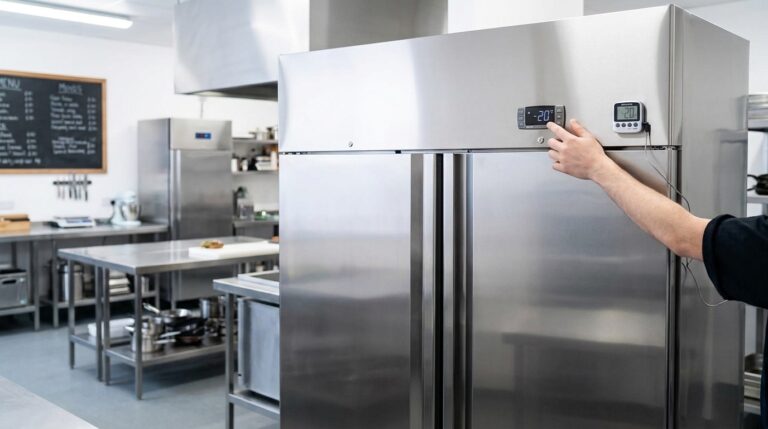
Unifrost Upright Freezer Temperature Controller: Energy Optimisation for Irish Kitchens
Learn to optimise Unifrost upright freezer temp settings for energy efficiency and HACCP compliance in Irish kitchens.
Read guide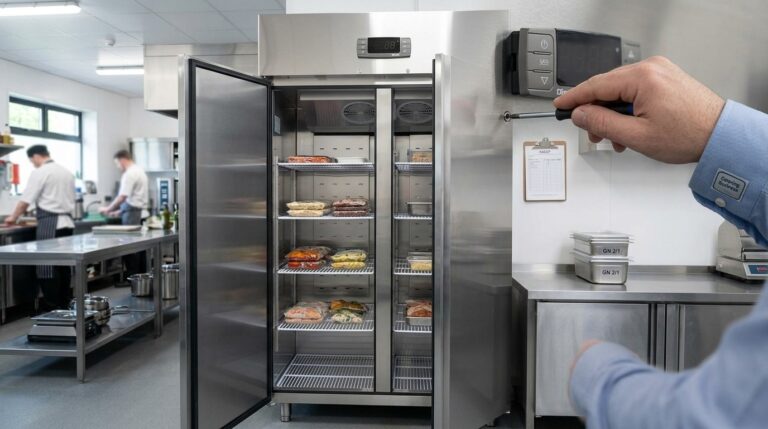
Customising Advanced Settings on Unifrost Upright Freezer Controllers for Irish Kitchens
Guide to customising Unifrost upright freezer controllers for optimal Irish kitchen use, covering temperature settings and advanced configurations.
Read guide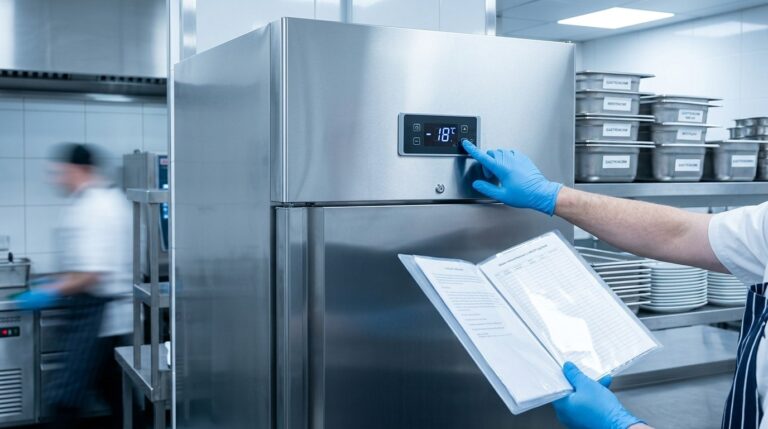
Customising Advanced Settings on the Unifrost F410SS Upright Freezer Controller
Learn to adjust the Unifrost F410SS freezer controller for Irish commercial use, balancing food safety and efficiency.
Read guideCompare Unifrost freezer options on Caterboss
For current product options, pricing and availability, continue to Caterboss.