
Unifrost Upright Fridge Manuals & Installation Support
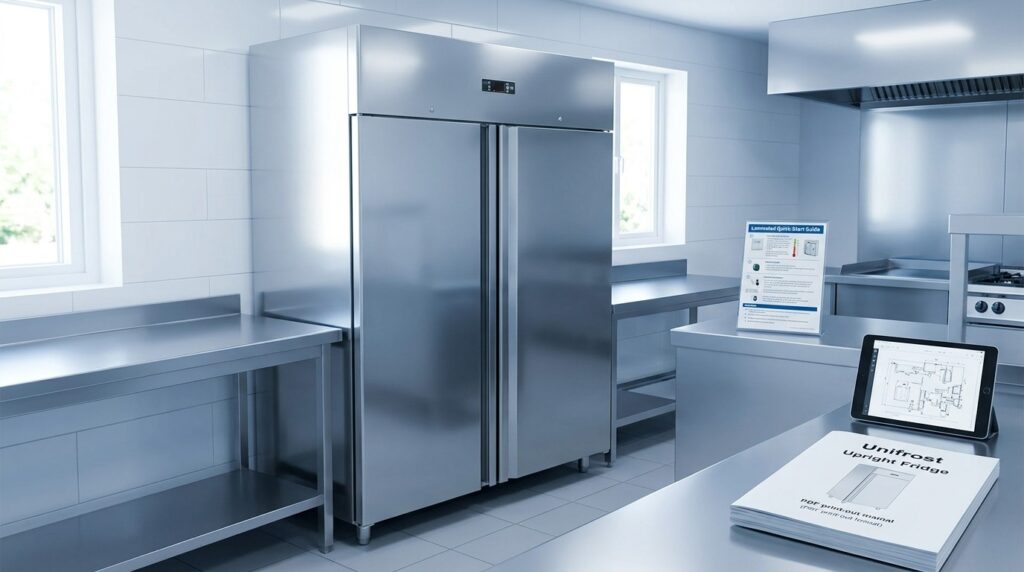
Unlock Unifrost upright fridge manuals and support in one place. Find installation and troubleshooting tips for Irish hospitality needs.
Unifrost Upright Fridge Manual Downloads and Installation Support
You need the right Unifrost upright fridge manual fast, whether you are commissioning a new cabinet, training staff on the controller, or trying to stop downtime during service. This page brings the key support resources together and shows you how to match the correct PDF to your model, including CR1800G, CR2230G, R1000SV, and R1300SVN.
You will also get the practical checks that prevent most callouts: what to confirm on delivery, how to position and level the fridge so airflow is not restricted, what to do on first power up before loading stock, and how to read the digital controller icons and error codes. Finally, you will see the tradeoff between quick self service fixes and when it is more cost effective to stop and contact support with the right model and serial details.
What this support page helps you find
Use this page to download manuals for Unifrost upright fridges and to sanity-check the basics of installation and troubleshooting in typical Irish hospitality setups. The food safety temperature targets referenced align with Food Safety Authority of Ireland guidance on refrigeration temperature control, but the right steps still depend on your site. Ventilation, kitchen heat load during service, and door-opening frequency all affect how an upright fridge performs.
Manuals and support resources you can expect here
You will find model-matched downloads and operator checks for Unifrost upright fridge models in this range, including CR-1800GOG (CR1800G Refrigerator), CR1800G, CR2230G, CR2230GOG, R1000SV, R1000SVOG, R1300SV, and R1300SVNOG, plus practical notes that apply across the range:
Manuals and datasheets (where available) so you can match the correct PDF to the cabinet rating plate
Installation and positioning checks: clearances and airflow, levelling, safe power-up, and first temperature verification
Day-to-day use in a working kitchen: loading discipline, avoiding warm stock overload, and what to record for HACCP
Cleaning and routine maintenance your team can do safely, and what should be left to a refrigeration engineer
Basic controller guidance and common-fault checks to run through before you log a service call
Food safety context for Irish operators
For chilled storage in restaurants, cafés, pubs and hotels, the goal is to keep food between 0°C and +5°C, not just to have the cabinet “feel cold”. The FSAI notes that setting fridges at 3°C to 4°C typically helps keep food in that 0°C to 5°C range in practice (FSAI refrigeration temperature guidance).
That is why the notes here keep coming back to siting, airflow and loading. A cabinet can look fine on the display while product temperatures drift if it is wedged into a tight space, pulling in hot air, or being loaded faster than it can recover.
What this page does not replace
A manual will not cover every real-world issue, like a hot kitchen line, an alcove with poor airflow, or constant door openings during a busy lunch rush. If you are seeing repeated high temperatures, icing, or a unit that runs constantly after you have followed the basic checks, it usually points to installation, airflow, loading, or a fault that needs an engineer, rather than “a better setting”.
This should give you enough context to choose the correct download and use it properly, before moving on to the list of Unifrost upright fridge manuals by model.
Unifrost Upright Fridge Manuals Available
To find the right Unifrost upright fridge manual or datasheet (CR1800G, CR2230G, R1000SV, R1300SVN), start with the exact model code on the cabinet rating plate. Then match that code to the manual or datasheet listed for the same series, including any suffix letters. In practice, you will usually want both the user manual (controls, alarms, day-to-day use) and the datasheet (installation clearances, electrical details, access for service).
1. Confirm your model code from the rating plate (before downloading anything)
Use the rating-plate model code, not the name from a supplier listing or invoice. In busy Irish kitchens, units get moved and labels get worn, so it is worth checking properly:
Open the door and check the inner side wall and door frame area for a rating plate or printed label.
If it is not inside, check the rear exterior panel. On some uprights it can be near the compressor housing or service panel.
Record the full model code and serial number. Keep any extra letters (for example OG, NOG, N). Those suffixes often indicate a variant, and that can affect which PDF applies.
2. Match your model to the correct manual and datasheet set
Once you have the code, match it to the closest manual that names your exact suffix where possible. Do not assume “close enough” if the letters differ.
A quick sense-check helps (door count, stainless upright format, digital controller), but the rating-plate code is the deciding factor.
3. Download the right files and store them where the team can use them
For day-to-day operation and routine checks, the two documents you will reach for are:
User manual: controller use, alarms, basic operation
Datasheet: install clearances, electrical information, access for servicing
A practical approach in a café, restaurant, hotel kitchen or bar:
Save PDFs to a shared folder supervisors can access on a phone, not just one office PC.
Rename files with a site reference, for example: “Main Kitchen Upright R1000SV Manual”.
Print the controller instructions page and keep it with your temperature logs so staff are not guessing at setpoints or alarm resets.
4. Check the PDF matches your cabinet before changing settings
Before you follow instructions or adjust parameters, confirm three things in the document:
Your exact model code is listed (including suffix letters).
The controller image matches your control panel and button icons.
The cabinet format matches what is on site (for example single vs double door).
On temperature control, align operation with your own HACCP plan. Many operators aim to keep chilled food at 5°C or below, consistent with FSAI guidance on temperature control, but your manual and HACCP procedures should set the working limits and alarm response for your site:
https://www.fsai.ie/business-advice/food-safety-guidance/temperature-control
5. If you cannot find an exact match, capture what support will need
If your exact suffix is not listed, avoid changing settings based on the “nearest” manual. Instead, gather the information a service desk or parts team will ask for:
Model code and serial number (from the rating plate)
A clear photo of the rating plate
A photo of the controller panel (showing all icons)
A short symptom note (for example: not pulling down to temperature, icing, running continuously, door not sealing)
That usually speeds up identification of the correct documentation and keeps you away from trial-and-error adjustments that can cause temperature drift or nuisance alarms.
Installation and Positioning Guide
Check the unit on delivery, move it into position safely, and only power it up once it has been sited correctly. Most early issues with new uprights come down to rushed commissioning, poor airflow, or a cabinet that is not level, not the fridge itself.
1. Confirm the model, paperwork, and delivery condition before you sign
Before the pallet disappears, match the paperwork to the rating plate. You will need the correct model details later for the right manual and for support.
Then do a quick, practical inspection:
Check for dents, crushed corners, or damage around the door frame.
Make sure shelves, runners and accessories are present and secure.
Open and close the doors to confirm nothing is binding.
If anything looks off, photograph it and note it on the delivery docket. Damage around doors is not just cosmetic. It can affect the seal and, in turn, temperature performance.
2. Move it into place without damaging the cabinet
Plan the route first. Upright fridges are top-heavy, and most damage happens at thresholds, tight turns, or when the base catches.
Good practice on site:
Use a proper trolley and enough people to control the cabinet safely.
Keep it as upright as possible and avoid jolting the cabinet on door sills.
Do not grab or lift by the door or handle.
If the unit has been tilted to get through a doorway, allow it to stand in its final position before switching on. That gives the refrigeration oil time to settle, reducing the risk of a rough start-up.
3. Choose a site that supports ventilation and service flow
Site the cabinet where staff can access it quickly without holding doors open during service. The common mistake in busy Irish kitchens is pushing an upright hard against a wall or boxing it in beside heat sources.
Avoid placing the fridge:
Next to fryers, ovens, hot pass areas, or under a heat lamp
Beside a dishwasher where warm, wet air is constantly venting
In a tight recess where the condenser cannot breathe or be cleaned
Follow the clearances and service access stated in your specific Unifrost manual. You should also be able to remove shelves for cleaning and access the condenser area for routine maintenance without having to drag the unit out during trading.
4. Level the cabinet so doors seal properly
Level the fridge front-to-back and side-to-side using the adjustable feet. This is not a cosmetic step. It affects door alignment, gasket compression, and whether doors self-close consistently.
A simple check: close the door on a strip of paper and tug gently. If it slips out easily at a corner, sort the alignment or seal issue before you start blaming temperature performance.
5. Commission: power-up, pull-down, and temperature verification
Connect the unit to a suitable electrical supply and switch on. Set an appropriate temperature for chilled food storage and allow the cabinet to pull down before loading stock.
For food safety, the Food Safety Authority of Ireland advises fridges and chill cabinets should hold food between 0°C and 5°C, and that setting fridges at 3°C to 4°C generally achieves this in use (see the FSAI guidance on temperature control: https://www.fsai.ie/business-advice/running-a-food-business/caterers/temperature-control).
When you start loading:
Avoid putting in large volumes of warm product immediately after start-up.
Do not block internal air paths with boxes pushed hard against the back or air outlets.
Spread stock to allow airflow and faster recovery after door openings.
6. Final handover checks to prevent week-one call-outs
Before it goes into full service:
Confirm door seals are clean and making full contact all the way around.
Check the cabinet is stable, not rocking, and doors are not drifting open.
Make sure ventilation grilles and service panels are not obstructed by walls, shelving, or stored boxes.
Record the model and serial number from the rating plate for your HACCP records and any support query.
Use the exact PDF manual for your model when commissioning. Control layouts and set-up steps can vary across ranges, and using the wrong instructions is an easy way to create avoidable problems on day one.
Using Unifrost Digital Controllers
Start by checking what the display is showing (current cabinet air temperature versus the setpoint), and whether any alarm icon is active. Use the SET key to view or change the setpoint, then give the cabinet time to recover before you judge performance. For food safety, always verify with a calibrated probe as part of your HACCP checks. The controller measures air temperature, not the warmest product in the cabinet.
1. Check what the display is telling you (before pressing anything)
On many Unifrost upright fridges, the controller shows the current cabinet air temperature by default. If the number is flashing or an alarm light is on, treat it as an active warning, not a normal reading.
In Irish kitchens, the practical aim is to keep chilled food at or below +5°C. Your setpoint needs to be low enough to achieve that during real service, not just overnight. The Food Safety Authority of Ireland guidance for caterers is a useful reference point: food should be kept between 0°C and 5°C.
2. Common buttons and icons (plain-English meaning)
Controller layouts vary by the controller brand and version, so treat this as a working translation rather than an exact legend for every unit.
SET: View the setpoint. Hold to enter setpoint change mode.
Up / Down: Adjust the setpoint (or values) while in settings mode.
Cooling / snowflake icon: The controller is calling for cooling. The compressor may cycle on and off rather than running constantly.
Fan icon: Evaporator fan running (typical on ventilated uprights). Some units pause the fan when the door opens to reduce warm air draw and moisture.
Defrost icon (droplet/heater/“DEF”): Defrost is active. A brief rise in cabinet temperature can be normal if it pulls back down promptly afterwards.
Alarm triangle / bell: The controller has detected something outside limits (for example high temperature or a probe issue), depending on how the alarm is configured.
Light icon: Internal light on, if your model has light control at the keypad.
3. Change the set temperature safely (and avoid chasing the display)
Press SET to view the current setpoint first. If you need to change it, hold SET until the setpoint value is shown, adjust with Up/Down, then press SET again (or allow the controller to time out) to save.
The common operational mistake in busy cafés, pubs and hotel kitchens is over-correcting. After a delivery, restock, or heavy service, don’t keep stepping the setpoint down every few minutes. Let the cabinet stabilise, then check product temperature with a calibrated probe, especially on the warmest shelf and for higher-risk items.
4. Alarms and error codes: interpret them without guessing
Error codes are controller-specific. The safest way to use them is as a pointer to the type of issue, not a DIY repair instruction. In practice, most alarms fall into a few categories:
Probe/sensor faults (open circuit or short)
High temperature alarms (cabinet not recovering quickly enough)
Defrost/ice-up issues (ice build-up, drain problems)
Door-related alarms (door not sealing, or frequent opening)
Before you call an engineer, do the checks that genuinely change outcomes on site: make sure the door is closing properly and the gasket is clean, confirm the unit has adequate ventilation and is not boxed in, check product is not blocking internal air paths, and ensure the condenser area is not clogged with dust. If the alarm returns after a reset, take a photo of the code and note the model and serial details so support can match you to the correct controller documentation and parts.
5. Use reset and manual functions with care
Some controllers allow an alarm mute/reset, and some allow manual defrost. Use alarm mute to stop nuisance beeping during service, but don’t treat it as a fix. If you find yourself repeatedly forcing a defrost to “solve” icing, it usually points to an underlying issue such as door use, airflow restrictions, or cleaning and maintenance.
If you need the exact meaning of your icons and error codes, you will get the fastest answer by matching the correct manual to the controller fitted in your specific unit.
Self-Service vs. Direct Support
For basics like siting, cleaning and controller checks, self-service is often the quickest route back to stable temperature and it avoids unnecessary call-outs. But if the cabinet is not holding safe temperature, there is a point where you stop experimenting. In Ireland, food safety guidance expects chilled foods to be kept at 5°C or below (FSAI). If you cannot get back to setpoint in a sensible time for your operation, move to support before you lose stock or create a HACCP headache.
The same applies if you suspect an electrical or refrigeration-system fault. Continuing to run the unit can turn a small problem into a bigger one, and downtime is always more expensive during a busy service.
Use self-service for day-to-day fixes (fast, low-risk)
Self-service makes sense when the symptoms point to setup, loading or cleaning rather than a failed component. Common examples in Irish kitchens include:
Doors being held open during prep, or frequent “in and out” during service.
Shelves over-packed so air cannot circulate properly.
A condenser clogged with flour, lint or grease, especially in bakeries and busy prep areas.
The controller settings being changed accidentally.
A unit being moved and pushed tight to a wall so it cannot breathe.
This is also where having the correct manual for your exact model matters. Controller layouts and alarm behaviour can vary across ranges, so you save time by matching the manual to the model you are standing in front of.
Contact support early when the risk is high (food safety, downtime, repeat faults)
Escalate to direct support when any of the following is true:
The fridge will not pull down to set temperature, or temperature drifts during service even after door, loading and ventilation checks.
Heavy icing, unexplained leaking (beyond obvious drainage/cleaning issues), unusual noise, burning smell, or repeated alarms you cannot clear.
A breaker trips, the unit cuts out, or you suspect a fan, defrost, sensor, control or sealed-system issue.
The problem returns after you have cleaned the condenser, confirmed airflow/clearances, and verified the controller settings.
What to have ready so support can help quickly
Before you call, have this to hand:
Model name and serial number
Current cabinet temperature and setpoint
What changed recently (delivery, relocation, deep clean, power cut, unusually hot kitchen day)
If it is safe to do so, take a clear photo of the controller display and any alarm code/icons. Also confirm the unit has reasonable ventilation and service access around it. With that information, support can quickly narrow it down to a user-level reset, a parts query, or an engineer visit.
Complementary Checks and Resources
What you do next depends on whether the issue is a food safety risk, a gradual performance drift, or a simple setup problem. In Irish kitchens, chilled food should be held at 5°C or below in line with FSAI guidance on chilled food storage temperatures. If you are seeing temperatures above that, treat it as an operational priority as well as a maintenance one.
A cabinet can be powered on and “running” while still being installed or used in a way that prevents it holding temperature. Hot servery lines, tight back kitchens, poor ventilation, and heavy loading will expose those issues quickly. Use the checks below to decide whether you need the manual, a housekeeping fix, or an engineer call-out.
Quick checks before you call service (and what they tell you)
A lot of upright fridge call-outs in restaurants, cafés, hotels and deli kitchens come down to airflow, heat load, or door discipline rather than a failed part. These checks are safe for staff to do and will help you describe the fault clearly if you do need support.
Confirm the cabinet is level and the doors self-close and seal properly. A slight twist can stop gaskets seating and lead to long run times and temperature creep.
Check airflow inside the cabinet. Avoid overpacking shelves, pushing trays hard against the back, or stacking stock on the base panel where it can block circulation and create warm spots.
Check ventilation around the unit. If it’s boxed into a tight alcove, beside cooking equipment, or under a low canopy, heat rejection suffers and temperatures rise.
Look for icing patterns. Ice around the evaporator area often points to frequent door opening, high moisture load, or a seal issue. It is not automatically a refrigerant problem.
Check the controller display and probe position. A knocked probe or an accidentally changed setpoint can look like a refrigeration fault during service.
Match the right support file to the right model
Start by identifying the exact model variant so you are not using the wrong controller instructions or parts layout. This page covers manuals for models in the range including CR-1800GOG (CR1800G Refrigerator), CR1800G, CR2230G, CR2230GOG, R1000SV, R1000SVOG, R1300SV, and R1300SVNOG.
Use the rating plate details rather than the sales listing name. In multi-site Irish operations it’s common to have similar-looking cabinets bought in different years with different controllers or door configurations, so “double-door stainless” is not specific enough for troubleshooting or parts.
What to have ready when requesting technical support or spare parts
If you need help quickly, having the basics ready avoids back-and-forth and reduces the risk of the wrong parts being ordered:
Model and serial number (from the rating plate)
Current displayed temperature and whether it is pulling down
Where it’s installed (tight alcove, hot line, cold store room, etc.)
When the issue started and what changed (heavy delivery, refurb works, unusually hot kitchen day, door left open)
If high-risk food may be affected, treat it as a HACCP issue as well as a maintenance issue. Quarantine stock, move it to verified cold storage if needed, and record what happened as part of your routine checks.
Cleaning and maintenance resources worth using alongside the manual
The manual tells you what the manufacturer expects. Day-to-day reliability is usually won or lost on cleaning access and keeping heat-exchange surfaces clear.
Keep a clear line between:
Staff-safe tasks: internal wipe-downs, gasket cleaning, keeping vents clear, and not blocking internal air paths.
Engineer tasks: electrical checks, refrigerant system work, and controller parameter changes beyond normal setpoint adjustments.
If the unit sits near frying, grilling, or a bakery pass, plan for more frequent cleaning around the condenser area. Grease and dust build-up causes gradual performance drop-off, which you often only notice when the kitchen is under pressure.
Relocation, shutdown, and disposal checks (common Irish pitfalls)
Moves between sites, or even across a kitchen during a refurb, are where damage tends to happen. The risk is not just cosmetic. Doors can go out of alignment, castors and feet can be forced, and the unit can be plugged back in without checking it is level and has enough ventilation.
For seasonal shutdown:
Deep-clean and dry the cabinet
Leave doors ajar to prevent odours
Avoid compressing door gaskets for long periods
For disposal and environmental handling, use a compliant WEEE route rather than informal scrap removal, particularly where your site is audited.
Use this page as a hub, then go to the exact manual
Once you have done the basic checks and confirmed the exact model, you are in the best position to use the correct Unifrost upright fridge manual for installation steps, controller operation and fault guidance. That is where you will find the diagrams and maintenance instructions that match your cabinet, rather than generic advice.
Unifrost upright fridge manual FAQs
Where can I download Unifrost upright fridge manuals?
Start by matching the manual to the exact model code on your rating plate (for example CR1800G/CR1800GOG, CR2230G/CR2230GOG, R1000SV/R1000SVOG, R1300SV/R1300SVNOG). Once you have the code:
Check the downloads/manuals link on the product listing where you bought the unit, as Irish dealer pages often host the PDF (manual or datasheet).
If you cannot find it, use the Unifrost Support page and request the correct PDF by model + serial number so you receive the right controller/variant document.
If you are unsure which file you need, share a photo of the rating plate and controller with support and ask for the matching Unifrost upright fridge manual.
What are the steps to install a Unifrost upright fridge?
A practical commissioning checklist:
Inspect on delivery: check for transit damage and confirm the model code matches your order.
Move into position safely: keep the cabinet upright, protect door seals and hinges, and avoid putting strain on the top section.
Site it correctly: place on a firm, level floor and leave ventilation space around the cabinet so heat can escape (do not box it into tight joinery).
Keep away from heat sources: ovens, dishwashers, direct sun and tight corners can cause poor temperature performance.
Let it stand before powering on: if it has been tilted during handling, allow time for the refrigeration system to settle before switching on (follow your model manual’s guidance).
Power supply: plug directly into a suitable socket (avoid extension leads) and ensure the supply is stable.
First start and pull-down: switch on, set the target temperature, and allow the cabinet to reach temperature before loading food.
Load correctly: don’t block air vents, don’t overpack shelves, and avoid putting warm food straight in.
Verify temperature: confirm with an independent thermometer after stabilisation and record it for your HACCP checks.
If you need site-specific clearances or electrical requirements, always follow the instructions in the manual for your exact model/variant.
How do I use the digital temperature controls?
Most Unifrost upright fridges in this family use a digital controller for setpoint and defrost management. Because controller layouts can differ by model/variant, use this safe, no-regret approach:
Check the current temperature on the display (this is typically the cabinet probe reading).
Find the setpoint menu (often a long press on a “SET” key). Adjust in small steps and allow the cabinet time to stabilise.
Avoid frequent changes: constant setpoint tweaking can lead to temperature swings.
If an alarm shows (beep or flashing icon), first check door closure, loading, airflow and whether the unit has just been stocked.
For the exact button sequence, icons and any error codes, use the controller section in your specific Unifrost upright fridge manual (matched by model code and controller type).
When should I call support for my fridge?
Call support (or a qualified refrigeration engineer) when any of the following apply:
The fridge will not power on after basic checks (socket, plug, breaker) and you have tried a known-good outlet.
It won’t pull down to temperature after adequate running time, especially when empty and with good ventilation.
You see a persistent alarm or error code that returns after a restart.
The compressor runs continuously and the cabinet still stays warm.
There’s water leaking, heavy icing, a burning smell, unusual loud mechanical noise, or damaged door seals/hinges.
You suspect a refrigerant or sealed-system issue (do not attempt DIY repairs).
Before you contact support, have ready: model code, serial number, controller display message, a brief fault description, and photos of the rating plate and installation position. This speeds up diagnosis and parts matching.
What additional resources are available for troubleshooting?
Use these resources in order to get to an answer quickly:
Your model’s manual/datasheet PDF for controller functions, alarms and basic checks.
Installation and positioning guidance: clearance, levelling, ambient conditions, and avoiding heat sources are the most common causes of “not reaching temperature”.
Maintenance checks your team can do: keep door seals clean, avoid blocking internal airflow, and keep the area around the unit free of dust and grease.
Unifrost Support for model-matched documentation, controller guidance, and escalation when you have an error code or suspected component failure.
If you are troubleshooting for compliance, also keep temperature logs and note any recent changes (new location, heavy loading, hot kitchen conditions), as these often explain performance issues.
Next step: choose the right Unifrost upright fridge
If you are comparing sizes or door formats, it helps to shortlist by your storage volume, kitchen layout and how intensively the fridge will be opened during service.
You can browse the Unifrost upright fridge range to review current options and then match the right manual and setup guidance to the exact model you choose.
Use the full Unifrost Commercial Fridges Guide next
This article answers a narrower question. The family guide is the best next step when the visitor needs the full Unifrost context around comparison, use case, and support routes.
Keep comparing inside the same Unifrost topic
These articles are the best next reads if the visitor wants a deeper product choice, maintenance, or support route from here.
Choosing the Right Unifrost Under Counter Fridge for Your Business
Explore Unifrost under counter fridges, ideal for busy Irish kitchens where space and efficiency are vital.
Read guide
Essential Commercial Fridge Maintenance Checklist for Unifrost Models
Practical Unifrost fridge maintenance for Irish businesses: daily, weekly, monthly checks to ensure efficiency and longevity.
Read guide
Choosing the Right Unifrost Undercounter Fridge for Irish Businesses
Discover the best Unifrost undercounter fridges for your Irish business. Learn about sizing, cooling types, and energy efficiency.
Read guideView Unifrost fridges at Caterboss
The article stays useful on its own, but when the reader is ready to compare real products or move into a commercial conversation, this is the clean next step.