
Unifrost Upright Freezer Manuals & Installation Support
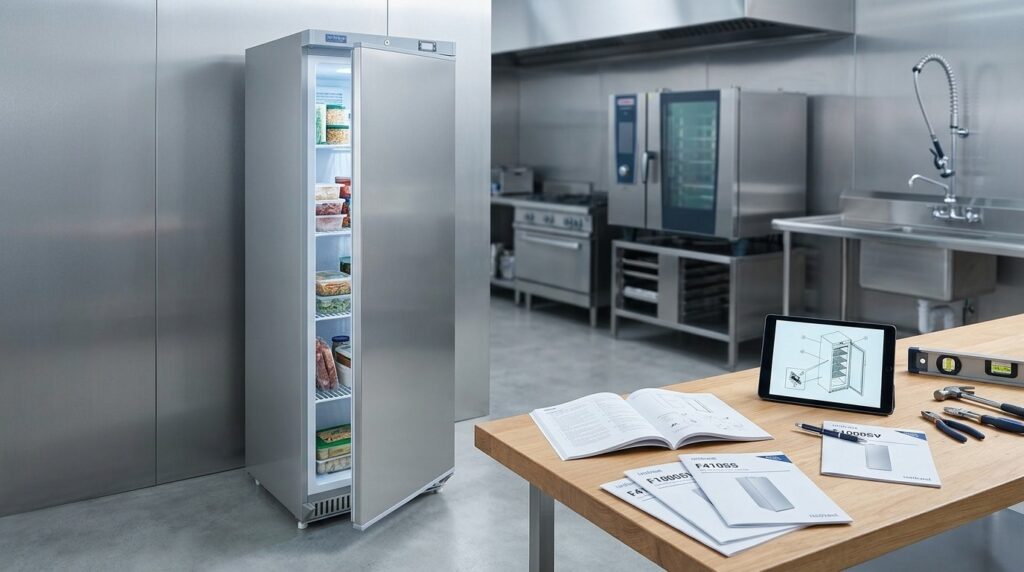
Task-first manual downloads, controller help, startup checks, and troubleshooting routes for Unifrost upright freezers.
Unifrost Upright Freezer Manuals and Installation Support
If you are buying, installing, or running a Unifrost upright freezer, the manual is where you confirm the non negotiables that affect food safety, uptime, and call out costs. This page brings the key resources and start up checks together so you can identify your exact model, download the correct guide, and set the unit up in a way that avoids temperature issues and premature icing.
You will use this page to:
Find the correct Unifrost upright freezer manual for F1000SV and F1000SVOG, F1300SV and F1300SVNOG, F1310SV, F410SS and F410SSOG, and F620SV.
Locate the model and serial label so you can register the unit or request support with the right details.
Check the practical installation tradeoffs in real kitchens, including sit time after delivery, electrical supply expectations, leveling, and clearance and ventilation.
Set and adjust temperature correctly for frozen storage, and understand what to check first if the unit is not holding temperature.
Follow routine cleaning, gasket care, and defrost guidance so staff can maintain performance without damaging the cabinet or finish.
Where model specific steps differ, you are guided back to the relevant Unifrost documentation rather than relying on generic advice.
What this support page helps you find
Use this page to download the correct Unifrost upright freezer manual and follow the key steps for safe installation, day-to-day use, and basic user-level fault checks. For food safety context in Ireland, the Food Safety Authority of Ireland notes that frozen food can remain frozen as long as the freezer is below -18°C in its guidance on freezer temperatures during a power outage.
Controls, clearances and defrost routines can vary by model and by site conditions, so this page also highlights what to confirm on the rating label before you log a service call.
Which Unifrost upright freezer models this covers
This support page covers the Unifrost upright freezer models currently listed in the range:
F1000SV / F1000SVOG
F1300SV / F1300SVNOG
F1310SV
F410SS / F410SSOG
F620SV
Manuals and PDFs are model-specific. Match the model code on your cabinet to the download, especially where controller types, alarms or door configurations differ between variants (including “OG” versions).
What you can do on this page in a few minutes
Download the correct Unifrost upright freezer manual for your model (including variants).
Confirm delivery-day start-up basics, including how long to leave the unit standing after transport before switching on.
Check the practical items that affect performance in busy Irish kitchens: placement, ventilation clearance, levelling, loading for airflow, and temperature setpoint.
Follow a safe defrosting and cleaning routine that protects door seals and keeps water away from electrics.
Run quick “before you call” checks if the freezer is warm, noisy, icing up, or showing an alarm or error code.
Find the model and serial number label so you can request the right support and parts first time.
What’s different between models, and what stays broadly the same
Across upright freezers, the fundamentals are the same: stable power, enough space to reject heat, a level cabinet so the door seals properly, and loading that does not block internal airflow.
The common mistake is assuming the controller, alarms, defrost method (manual vs automatic) or ambient suitability is identical across the range. Where it matters, this page points you back to the exact manual for your model code and variant.
Who this page is written for in Ireland
This is for working kitchens and bars where downtime quickly becomes a cost: cafés relying on a single back-of-house freezer, restaurants doing high-volume prep, hotels handling deliveries outside normal hours, and takeaways with constant door openings during service.
The focus is practical compliance and reliability: holding frozen storage temperatures, cleaning that fits HACCP routines, and avoiding the loading and ventilation issues that often cause temperature drift in tight kitchen layouts.
When to stop troubleshooting and call for service
This page covers safe, user-level checks only: power supply, setpoint, blocked condenser airflow, doors not sealing, and basic defrosting and cleaning.
Stop and escalate if you have repeated alarms, suspected refrigerant issues, electrical smells, a breaker that keeps tripping, or poor temperature recovery that does not improve after the basics. Have your model and serial number ready, note the symptoms and any error code, and keep the relevant manual to hand.
The manual downloads below are organised by model so you can go straight to the right PDF without guessing.
Available Manuals and Guides for Unifrost Upright Freezers
For Irish operators, the manufacturer manual is the best starting point for installation checks, controller settings, cleaning routines and basic fault-finding. It keeps you out of the “we always did it this way” trap, especially when you are dealing with different controller types, defrost methods, or a freezer that is squeezed into a warm back-of-house corner.
The manual is also where you will find the correct start-up sequence after delivery, along with the alarm messages or error codes for that specific controller. If you run more than one site, it is worth standardising on the right PDF per model so staff are not guessing under service pressure.
Manuals and downloads (by Unifrost upright freezer model)
Use the links below to access the Unifrost.ie downloads page where manuals and supporting PDFs are organised by upright freezer model (including OG and NOG variants where applicable).
F1000SV / F1000SVOG manual downloads
F1300SV / F1300SVNOG manual downloads
F410SS / F410SSOG manual downloads
What each manual is usually used for in a busy Irish kitchen
In practice, you tend to open the manual for three jobs:
Commissioning on day one: siting, ventilation clearances, initial controller setup, and the right way to bring the unit down to temperature.
Keeping temperature stable during trading: correct loading, door use, cleaning points, and what to check when recovery feels slow.
Reducing wasted call-outs: understanding alarms, safe resets, and the quick checks you can do before you book a service visit.
That approach supports day-to-day cold chain control as part of your food safety management system and prerequisite programmes under HACCP-style controls, as outlined by the Food Safety Authority of Ireland prerequisite programmes guidance/prerequisite-programmes).
Are the installation and operating steps the same across the Unifrost upright freezer range?
The broad steps are similar, but the details that catch people out can vary by model. Controller layout, alarm behaviour and defrost handling are the usual culprits.
Treat anything related to electrical supply, ventilation, controller parameters, defrost settings, and error codes as model-specific unless the PDF explicitly says otherwise. In a tight back-of-house area, those “small differences” are often what decides whether a freezer holds temperature through a busy Friday night or starts throwing alarms.
If you cannot find your exact PDF in two minutes
If the downloads on the page do not match the rating label exactly, avoid using a “close enough” manual for temperature issues or alarm troubleshooting. Note the full model code (including OG/NOG) and the serial number from the unit label, then request the correct document set through Unifrost support.
It is a simple step, but it keeps your checks consistent and avoids wasted call-outs caused by following the wrong reset, defrost, or controller procedure.
How to Install Unifrost Upright Freezers
Install is mostly about getting the basics right: safe handling, the right location, a suitable electrical supply, and a level cabinet so the door seals properly. Let the freezer settle after transport if the manual requires it, set the controller correctly, and allow it to pull down to temperature before you load stock. If something seems “wrong” in the first day or two, it is often down to airflow, levelling, power supply, or loading rather than a faulty unit.
1. Plan delivery, access, and safe handling
Upright freezers are tall and awkward in tight kitchen corridors, so check access before the driver arrives. Measure door widths, corners, and the final position so you are not forced to over-tilt the cabinet, remove doors last minute, or block an escape route during service.
Keep the unit upright in transit and while moving it into place. If it has been tilted, follow the standing-time guidance in your specific model manual before switching on. If you cannot find it, do not guess. Use the manuals section on Unifrost.ie and match the document to your exact model code.
2. Choose a location that supports airflow and hygiene
Place the freezer away from direct heat and steam. In practice, avoid tight gaps beside cooklines, dishwashers, combi ovens, hot passes, or sunny front-of-house glazing. High ambient temperatures and greasy air make any freezer work harder and tend to accelerate icing and maintenance.
Allow clearance for ventilation and cleaning. Clearances are model-specific, so use the manual rather than rules of thumb. The principle is simple: if the condenser cannot get rid of heat, temperature control suffers and running costs climb, especially in smaller kitchens where the air is already warm.
3. Confirm the electrical supply before you plug in
Before installation day, make sure you have a suitable socket and circuit where the freezer will actually sit, not where it would be handy. If you are unsure about circuit capacity or whether the unit needs a dedicated supply, get a qualified electrician to confirm. It is a lot cheaper than nuisance trips mid-service or a cooked plug top.
Avoid extension leads and multi-plug adapters, even “temporarily”. Poor connections can cause voltage drop, heat build-up, and intermittent faults that look like refrigeration problems.
4. Position and level the cabinet properly
Move the unit into place without trapping or crushing the power cable, and keep it away from hot surfaces. Level it left-to-right and front-to-back using the adjustable feet.
Levelling is not cosmetic. It helps the door align correctly, keeps the gasket sealing evenly, reduces warm-air leaks that drive frost around the frame, and stops the door drifting open when staff are moving fast.
5. Clean, check components, and note the model details
Before first use, wipe the interior with a food-safe cleaner and a soft cloth to remove delivery dust and packaging residue. Avoid abrasive pads on stainless finishes and harsh chemicals on door gaskets. That is how seals get damaged and start leaking air.
While the cabinet is empty and easy to access, locate the model and serial label and note the details. You will need them for support queries, ordering shelves or gaskets, and downloading the correct manual for the controller fitted to your unit.
6. Start up, set temperature, and allow pull-down time
Switch the freezer on and set the controller in line with your model manual. For frozen storage, you are generally aiming to hold product at -18°C, which aligns with common food safety practice and FSAI guidance for freezer temperature (FSAI: -18°C).
Let the cabinet pull down to temperature before loading. Loading warm product too early is a common reason a new install “won’t get cold”, and it also increases frosting because the system is trying to pull down the cabinet and the product at the same time.
7. Load for airflow, not just for maximum capacity
Load shelves so air can circulate, particularly around vents and along the back. Avoid pushing boxes hard against airflow points or stacking in a way that blocks circulation. The usual symptoms are warm spots, slower recovery after door openings, and longer compressor run time.
In a busy café, takeaway, or hotel kitchen, agree a simple operating rule: keep high-turnover items at reachable heights, keep door openings short, and do not leave the door ajar during prep. That habit alone causes a lot of ice build-up, temperature alarms, and gasket wear.
8. Do the final checks before you sign off
With the freezer running, check the door closes cleanly, the gasket seals all the way around, and the cabinet does not rock. Confirm the controller display and any alarms behave as described in the manual, and make sure staff know where the isolator or plug is for safe shutdown.
If the freezer is going into a hotter prep kitchen rather than a cool storeroom, treat the manual as the deciding document for suitability. That is where you will find the model-specific limits, clearances, and controller behaviour that affect performance in real Irish kitchen conditions.
Optimal Clearance and Ventilation Tips
Proper clearance matters because your upright freezer can only stay cold by getting rid of heat. The condenser has to reject that heat into the room. If you starve it of airflow, the system runs longer, runs hotter, and takes longer to recover after door openings. SEAI explains this basic principle in its overview of the condenser’s role in the refrigeration cycle: <https://www.seai.ie/sites/default/files/publications/Heat-Pump-Technology-Guide.pdf>.
The right clearance is not one-size-fits-all. It depends on where the unit “breathes” (rear, sides, top), the room’s ambient temperature, and how hard the freezer is worked during service.
What “good clearance” looks like in a working Irish kitchen
Aim for a clear path for air to move in and out of the condenser area. In practice:
Don’t box the freezer into a tight alcove or push it hard against a wall.
Avoid building it into joinery unless the manufacturer’s installation notes explicitly allow it for that model.
If space is tight, a consistent gap where the airflow actually is tends to work better than leaving space up top but wedging the back tight.
The real costs of poor ventilation (beyond the ESB bill)
Restricted airflow usually shows up quickly in day-to-day operation:
Slower pull-down after deliveries, especially if warm product is loaded in.
More temperature drift during busy periods with frequent door openings.
More icing and moisture around the door area, because the system is under strain and running longer.
It can also increase nuisance call-outs. Components that run hotter and longer are more likely to fail at the wrong time, typically when you are heading into a bank holiday weekend with a full freezer.
Practical placement checks before you blame the freezer
Before you start changing controller settings or booking an engineer, rule out the basics:
Check there’s clear space at the air intake and exhaust, and nothing is blocking it (boxes, cleaning gear, dust build-up, or a “temporary” stack of stock that became permanent).
Keep the unit away from heat sources where you can: ovens, fryers, dishwashers, hot pass areas, and direct sun through front windows in cafés and convenience stores.
Don’t use the top of the cabinet for light packaging that can slide and block vents.
After cleaning, make sure the freezer hasn’t been pushed back tighter than before, or jammed against trunking, pipework, or a skirting detail.
Once you know the unit can breathe, check the installation notes for your exact model for any model-specific clearance and ventilation requirements before making changes.
Temperature Settings and Adjustment Guidelines
Set your target first, then verify the actual cabinet temperature with an independent probe before you adjust anything. Make small setpoint changes, give the freezer time to stabilise, and measure in a way that reflects product temperature rather than cold air. If you’re seeing swings, fix loading, door use and airflow first. Driving the setpoint colder is often a short-term patch that increases frost and running cost.
1. Confirm the temperature you actually need (not the coldest possible)
For most Irish hospitality operations, your practical aim is to keep food at or below -18°C for frozen storage and HACCP records. The Food Safety Authority of Ireland notes that food can continue to be kept frozen as long as the temperature is still below -18°C (FSAI guidance).
General frozen storage (most kitchens): aim for -18°C at product level, allowing for normal door openings during service.
High-turnover sections (busy takeaway, hotel banqueting): prioritise recovery and airflow over an aggressively low setpoint.
Challenging locations (hot kitchens, tight stores): you might need a slightly lower setpoint to protect product temperature during peak openings, but only after you’ve sorted ventilation and stock layout.
2. Check the real temperature before touching the controller
The display is useful for day-to-day monitoring, but it is not HACCP verification on its own. Use a calibrated probe thermometer and measure in a way that reflects product temperature.
A practical method in a working kitchen is to place the probe between two packs in the centre of the cabinet (or in a glycol bottle if you use one) and leave it long enough to settle. If the centre is holding temperature but items near the door are softening, that’s usually airflow or loading, not the setpoint.
3. Make small setpoint changes (controller steps vary by model)
Controller button sequences, lock settings and parameters can vary across the Unifrost upright freezer range, so use your specific model manual rather than guessing.
Operationally, keep changes small. Dropping the setpoint by several degrees in one go can mean longer run-times, more frost, heavier doors and more frequent defrosting, all of which looks like a “freezer problem” but often starts with the setpoint being pushed too far.
4. Allow time to stabilise before you judge the result
Upright freezers don’t respond instantly, especially if the cabinet has been recently delivered, heavily loaded, or opened repeatedly during service. After any adjustment, allow a sensible settling period and re-check in the same measurement spot, ideally at a similar point in the trading day.
If you’re testing after a stock-in, remember that loading warmer product will pull temperatures up regardless of the setpoint. The cabinet needs time and clear airflow around stock to recover.
5. If temperatures still drift, fix the usual causes before going colder
If you’re not holding temperature consistently, the common operator-side causes are door discipline, blocked internal airflow, and poor ventilation around the cabinet, especially in tight Irish kitchens.
Check that:
Stock isn’t packed hard against the back wall or air outlets
Shelves and baskets allow air circulation
The door closes cleanly and the gasket seals properly, with no packaging or ice preventing a full seal
If those basics are right and performance still isn’t stable, go back to your Unifrost manual for controller alarms and model-specific settings so you know what “normal” looks like on your unit.
Maintenance and Cleaning Recommendations
Maintain an upright freezer by sticking to a simple routine: check temperatures and door closure daily, deal with spills as they happen, and schedule proper cleans of the cabinet and condenser area. Defrost before ice build-up starts affecting door closure or airflow, and dry the interior fully before restarting. Use food-safe cleaning products that won’t damage door seals or stainless finishes, and record the work as part of your HACCP checks. If a clean, level, correctly loaded freezer still won’t hold temperature, stop guessing. Check the correct Unifrost manual for your model before booking a call-out.
1. Set a routine you’ll actually keep (daily, weekly, quarterly)
In most Irish kitchens, the best “maintenance” is consistency. A freezer that’s kept tidy, loaded properly and checked little-and-often will recover temperature faster during service and is less likely to give nuisance alarms.
Start with one routine across your Unifrost upright freezers, then increase the frequency if your site is hard on equipment. High door openings in pubs, prep lines beside fryers, and flour or grease in the air all build up dirt and strain faster than a quiet storeroom.
Daily: wipe spills, confirm the door closes and seals cleanly, make sure boxes aren’t blocking internal air vents
Weekly: wash and dry shelves and runners, clean and dry door gaskets, check for ice around the frame, confirm the controller setpoint hasn’t been changed
Quarterly (or more often in busy kitchens): clean the condenser area and ventilation path, check hinges and door alignment, inspect the power lead and plug for damage
2. Clean the interior properly (and keep it dry)
Pick a quiet window and move stock to another freezer or insulated tubs so food isn’t sitting out while you work. Remove shelves and accessories so you can reach corners and the door frame. Wash with warm water and a mild, food-safe detergent, rinse, then dry everything thoroughly before restarting and reloading.
Avoid abrasive pads and strong solvents. They can scratch liners, cloud plastics and shorten gasket life. Treat this as part of your food safety cleaning programme, in line with FSAI guidance on cleaning and disinfection.
3. Look after door gaskets and stop ice around the frame
Many temperature issues start at the door. A dirty or damaged gasket, or a door that’s slightly out of line, pulls in warm moist air. That leads to ice around the frame and longer run times.
Clean gaskets with warm water, mild detergent and a soft cloth, then dry fully. If ice keeps forming at one corner, treat it as a door or loading issue first:
nothing on shelves forcing the door out
no product protruding into the seal
cabinet level so the door naturally swings shut and seals evenly
4. Clean stainless and exterior surfaces without creating a hazard
For stainless, wipe with the grain using a non-abrasive cloth and mild detergent, then rinse and dry to avoid streaks that attract grime. Keep chemicals away from the controller area, door edges and hinges, and avoid flooding the floor, especially in tight back-of-house routes.
If the freezer sits beside a grill, fryer or combi, expect more greasy film on the handle and door. Increase wipe-downs there. Sticky residue makes doors harder to grip, encourages staff to yank the handle, and that’s rough on hinges and seals over time.
5. Defrost safely, before it becomes downtime
Defrost when ice starts to interfere with drawers or shelves, stops the door sealing properly, or blocks airflow paths. Move food to suitable frozen storage, switch the unit off in line with your model instructions, and let ice melt naturally.
Don’t chip ice with knives or metal tools. It’s an easy way to puncture the liner or damage internal pipework. Once defrosted, clean up water, dry the cabinet completely, restart, and wait for a stable temperature before reloading with space for air to circulate.
6. Do the no-tools checks that prevent repeat problems
After cleaning or defrosting, confirm the basics before blaming the unit:
cabinet is level
door self-closes and seals
vents aren’t blocked by boxes
setpoint matches your HACCP frozen storage standard
If performance still isn’t right, refer to the correct Unifrost upright freezer manual for your model. Controller behaviour and alarm meanings can vary, and the manual is also where you’ll find approved cleaning cautions and model-specific notes worth following in a busy Irish kitchen.
Common Troubleshooting Tips Before Service
If your Unifrost upright freezer isn’t holding temperature, start with checks you can do safely: power, controller settings, door sealing, airflow, and ventilation around the condenser. These are the things that most often trip units up after a busy service, a delivery, or a deep clean.
If you suspect a food safety risk or an electrical fault, stop and escalate rather than trying to coax it through.
1. Confirm power and rule out a “false off”
If the cabinet is dead, check the basics you can verify quickly in a commercial kitchen: is the isolator on, is the plug properly seated, and has a breaker tripped.
Where possible, keep an upright freezer on a dedicated socket. Shared extension leads that also run kettles, toasters, dishwashers or hot-hold kit are a common cause of nuisance trips and intermittent cut-outs.
If the display is on but cooling hasn’t kicked in, check it hasn’t been left in standby, or that an upstream timer hasn’t shut the supply off overnight.
2. Check the controller setpoint and any active alarms
Check the actual setpoint on the controller, not what you assume it is. Setpoints get nudged during cleaning or stock rotation, and a freezer can sit “warm” without being faulty.
If there’s an alarm or error showing, note the exact code and what was happening at the time (after a delivery, door left ajar, power cut, etc.). That detail is what makes the manual and support call useful, especially when different staff cover different shifts.
3. Check the door seal and what’s stopping it closing
A door that’s “nearly closed” behaves like an open door in practice. Make sure it’s closing cleanly and not catching on a shelf lip, a protruding gastronorm, or packaging at the hinge side.
A quick gasket check helps: close the door on a strip of paper at a few points around the frame. If it slides out easily at a corner, warm air is getting in. Moisture follows, and ice build-up tends to accelerate around the frame and evaporator area.
4. Fix airflow issues caused by loading and organisation
After deliveries, it’s easy to overload or block airflow. Avoid packing stock tight to the back panel, and don’t block internal air outlets with boxes, bags or oversized containers.
Also watch for hot loading. Upright freezers are designed to hold frozen stock, not pull down large amounts of warm food. If you load warm product, cabinet temperature will rise and recovery can look like a fault when it’s simply being asked to do the wrong job.
5. Check ventilation and nearby heat sources
If the freezer is tight into a corner, hard up against a wall, or wedged beside hot equipment, it may struggle to reject heat. In smaller Irish kitchens, this often shows up during warmer spells or when extraction isn’t doing its job.
If it’s safe to do so, pull the cabinet forward slightly and see whether pull-down and recovery improve over the next few hours. If they do, you’re likely dealing with placement and ventilation rather than a refrigeration failure.
6. Deal with frost and ice properly (and do not chip it)
Heavy ice build-up is not just cosmetic. It restricts airflow, insulates the cooling surfaces, and can prevent the door sealing properly.
If you can see thick ice or repeated icing around the frame, plan a controlled defrost: move stock to another freezer, switch off, leave the door open, and let it melt naturally.
Don’t use blades or scrapers. Apart from damaging liners and drains, it’s an easy way to puncture a refrigerant line, turning a routine call-out into a major repair.
7. Make a food safety call before you “wait and see”
If you’re not holding safe frozen temperatures, treat it as a food safety issue first and an engineering issue second. The Food Safety Authority of Ireland notes that food that is still frozen can continue to be frozen as long as the temperature remains below −18ºC.
Use this as your stop point before service if any of the following apply:
Product is softening, sweating, or you cannot confirm temperatures reliably.
The plug, socket, or cable is hot, damaged, or there is a burning smell.
The unit trips the breaker repeatedly.
The controller shows a persistent alarm you can’t clear after a restart.
You have icing around the door frame that returns quickly after a defrost.
Once you’ve done these checks, the manual becomes genuinely useful because you’ll know what to look up, what to record, and what to tell support before you pick up the phone.
Integrate with the Unifrost Support Ecosystem
You will get better results from a Unifrost upright freezer if you treat the manual, the rating label and your HACCP checks as one joined-up routine. In Ireland, the Food Safety Authority of Ireland is clear that temperature control and monitoring form part of your food safety management system, so your controller settings, records and day-to-day habits need to match how you actually trade.
It is also worth being realistic about what “support” means in practice. Many common issues are not component failures. They come from installation, airflow, loading, defrosting and cleaning, and those tasks often sit across different people in the business.
Start with identification, then use the right document
Before you change setpoints or chase error codes, confirm the exact model and serial number from the cabinet data plate. That is what lets you pull the correct Unifrost manual, and it avoids the classic mistake of following instructions for a similar-looking variant.
Across the Unifrost upright freezer range, manuals and support files commonly reference models such as F1000SV / F1000SVOG, F1300SV / F1300SVNOG, F1310SV, F410SS / F410SSOG, and F620SV. Day-to-day operation is broadly similar, but controller type, alarm behaviour, defrost routine and door hardware can vary. Treat the model number as your starting point, not an afterthought.
Connect the manual to how you run the kitchen in Ireland
A manual tells you how the cabinet is designed to operate. Your layout and service pressure decide whether it stays within sensible limits. In many Irish kitchens, recurring problems come from the basics: the freezer is tight to walls so it cannot dump heat properly, it is loaded with warm stock, or it is used like a service freezer with constant door openings.
If you want your practice to line up with your food safety paperwork, keep it simple: set a clear target temperature, decide who checks it and how often, and agree what staff do when the unit alarms or temperatures drift. Keep that consistent with FSAI guidance on temperature control and monitoring within a food safety management system (HACCP). It makes audits easier and it speeds up troubleshooting when something keeps recurring.
Use support to reduce downtime, not just to react to faults
Support works best when you use it early. A practical approach is to separate operator tasks from engineer tasks, and keep the operator list realistic for a busy café, pub kitchen, hotel prep area or takeaway.
Use manuals for: any stand time after delivery (if specified), commissioning steps, controller setpoints and alarms, user-cleanable parts, loading guidance, and basic checks.
Use support resources for: model-specific error code meanings, parts identification (for example shelves and door gaskets), and confirming whether your ventilation and location suit the cabinet.
When calling for service, have ready: model and serial number, a short symptom timeline, the current cabinet temperature, any alarm codes, and what changed recently (deep clean, relocation, higher delivery volume, door left open incident).
If a site repeatedly struggles with ambient heat, lack of space around the unit, or heavy door-opening during service, it can be a sign you need a different format or capacity, rather than another round of call-outs.
Keep selection and support joined up
When you compare upright freezers, it is easy to focus on storage volume and miss what drives most support tickets: where the heat is meant to go, who cleans around the condenser area, how often shelves get overloaded, and whether the freezer is expected to recover quickly during busy periods.
Keep your selection notes alongside the manual. It helps you sense-check whether the cabinet is being used as intended and spot a mismatch early. From here, the next step is having the correct Unifrost upright freezer manuals and guides to hand, so you can match the right PDF to your exact model and move quickly when an issue crops up.
Unifrost Upright Freezer Manual & Installation FAQs
Where can I download Unifrost upright freezer manuals?
The quickest place to find the correct Unifrost upright freezer manual is the Unifrost manuals and downloads hub: Download Unifrost Manuals.
Use the model code to match the right PDF. Common upright freezer models include F1000SV / F1000SVOG, F1300SV / F1300SVNOG, F1310SV, F410SS / F410SSOG, and F620SV. If you cannot locate your exact variant, download the closest matching manual and confirm details from the rating plate before installation or parts ordering.
How do I find the model number on my Unifrost upright freezer?
Check the rating plate (data label) on the cabinet. On most commercial upright freezers, it is:
Inside the cabinet, usually on a side wall near the top or behind/near the shelving rails, or
At the rear of the unit near the service area.
Record both the model number and serial number exactly as shown, including any suffixes such as OG or NOG (for example, F1000SVOG vs F1000SV). Those suffixes can affect the correct manual, parts, and service guidance. If the label is damaged, take a clear photo of the cabinet and controller and reference your purchase paperwork when requesting support.
What are the differences in installation for different Unifrost models?
The core installation steps are broadly similar across the Unifrost upright freezer range, but the details that can differ by model or variant include:
Clearance and ventilation requirements: Some cabinets need more space around the condenser air path than others. Always use the clearances stated in your model’s manual rather than a generic rule.
Electrical connection: Plug type, load, and whether a dedicated circuit is recommended can vary. Confirm the rating plate details and follow the manual.
Condensate management and drainage: Depending on the design, set-up around defrost water handling may differ.
Controller type and start-up procedure: Control panels and button sequences can vary between families and revisions, which affects how you set temperatures, alarms, and standby.
Door handing and fitting details: Some models/versions may support different hinge arrangements or require specific checks after positioning.
If you are installing in a tight plant area or hot kitchen, the safest approach is to identify the exact model (for example F1300SV vs F1300SVNOG) and then follow the manual’s siting, airflow, and commissioning steps line-by-line.
Need model-specific advice before you buy or book a service call?
If you tell us your Unifrost model code (for example F1000SV, F1310SV, or F410SSOG) and where it will be installed, we can help you sanity-check clearances, power requirements, and the right manual to use.
To compare options for capacity and layout before committing, browse Caterboss’s Frozen Storage category and then come back to Unifrost.ie for model-specific setup and support.
Related Unifrost guides
Compare models, maintenance advice and support information related to this topic.
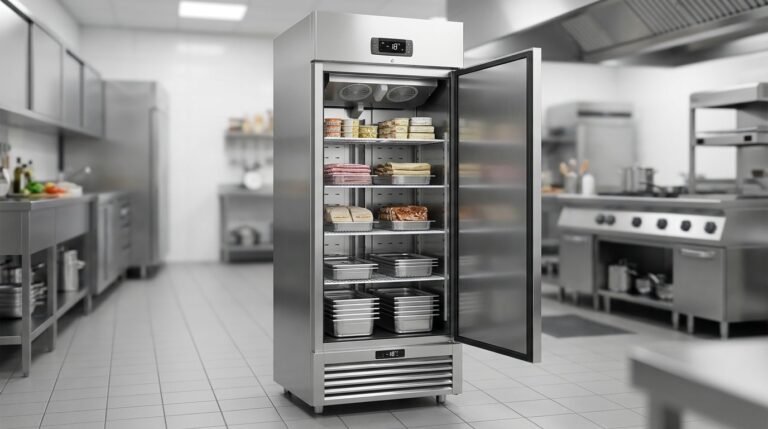
Unifrost F410SS Upright Freezer: Layout, Controller, and Energy Saving Hub
Optimize your Unifrost F410SS for layout, controller use, and energy efficiency in Irish kitchens.
Read guide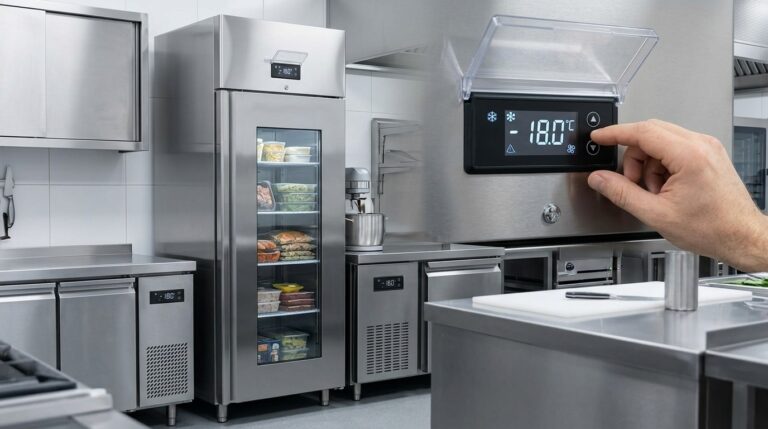
Optimising Unifrost F410SS Upright Freezer Temperature Controller Settings
Learn to adjust Unifrost F410SS freezer settings for optimal use in Ireland's hospitality sector. Improve efficiency and compliance.
Read guide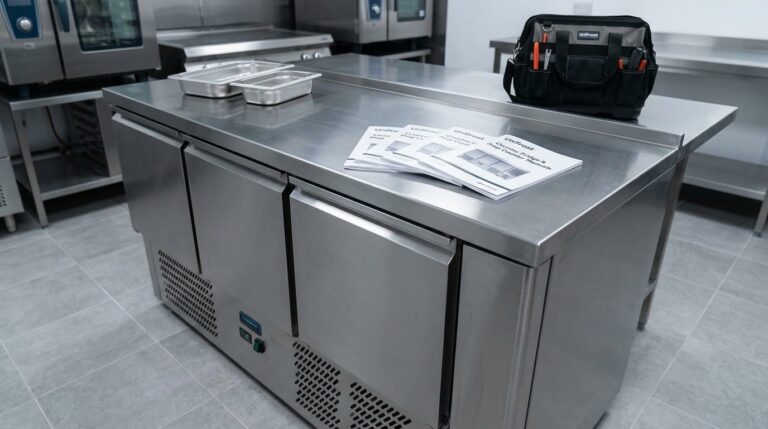
Unifrost Counter Fridge Prep Counter Saladette Manuals and Installation Support
Manuals, controller guidance, setup checks and troubleshooting help for Unifrost counter fridges, prep counters and saladettes.
Read guideCompare Unifrost freezer options on Caterboss
For current product options, pricing and availability, continue to Caterboss.