
Customising Advanced Settings on Unifrost Upright Freezer Controllers for Irish Kitchens
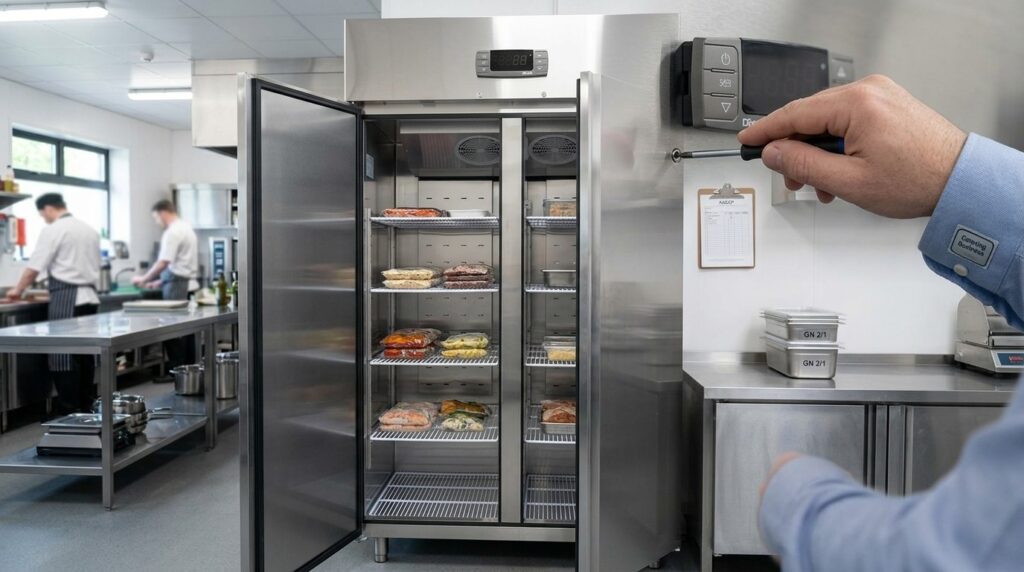
Guide to customising Unifrost upright freezer controllers for optimal Irish kitchen use, covering temperature settings and advanced configurations.
Customising Advanced Settings on Unifrost Upright Freezer Temperature Controllers in Ireland
You use your Unifrost upright freezer controller every day, but the advanced menu is where you decide how the cabinet actually behaves in a busy Irish kitchen. Small changes to setpoint, differential, defrost timing, probe calibration, or fan delays can tighten food safety control and reduce nuisance alarms, but they can also create icing, temperature swings, and unnecessary compressor run time if you go too far.
This guide shows you what to check before you change anything, which advanced settings are worth tuning for real-world service, and which are usually best left at factory defaults. You will also see how to tailor adjustments for different Irish use cases such as high-turnover takeaways, hotel banqueting, and low-use backup storage, and how to document changes for HACCP while staying within the boundaries of Unifrost guidance for models such as the F410SS and the wider upright freezer range.
Importance of Advanced Settings in Commercial Kitchens
Advanced settings matter because an upright commercial freezer rarely runs in ideal conditions. Factory defaults cannot account for how often your team opens the door, how you load stock, or the warm ambient temperatures you can get in a busy back-of-house. If you understand what the controller is doing, you can keep product properly frozen while avoiding nuisance alarms, unnecessary ice build-up, and extra compressor run time.
From a practical compliance angle, Irish kitchens are expected to monitor and record refrigeration temperatures as part of HACCP routines. The FSAI Safe Catering Pack includes a dedicated refrigeration temperature recording form for that reason, so you have evidence you were in control if an issue arises (FSAI Safe Catering Pack record books).
Not every parameter is a “tweak for the better”, though. Some changes create hidden problems, like wider temperature swings or heavier icing. Treat adjustments as a controlled change: change one thing, verify the outcome, and keep a note of what you did.
Why advanced settings affect food safety, not just the number on the display
The controller reacts to sensor readings and timing rules. It does not “know” the true core temperature of a dense product load. Settings like setpoint, differential (how far temperature is allowed to drift before cooling kicks in), defrost schedule, and probe calibration all influence whether the cabinet holds a stable storage temperature through:
busy service (frequent openings)
deliveries (warm product coming in)
overnight recovery (longer closed-door periods)
If you adjust advanced parameters, document it as part of your HACCP. It keeps the decision defensible, and it stops well-meaning button presses becoming a mystery fault later.
Why the same freezer needs different tuning in different Irish venues
Usage patterns drive what “good” looks like:
Hotel kitchens and banqueting often see bulk loading and longer door-open periods around prep.
Takeaways tend to have constant short openings through service.
Pubs and small rural sites can be dealing with tight stores, dust, and limited airflow behind the cabinet.
The wrong settings can lead to short cycling, slow pull-down after deliveries, or frequent alarms that staff start ignoring. Once alarms become background noise, they stop being a safety net.
Why customisation can lower running costs and call-outs (when done carefully)
A lot of day-to-day freezer trouble is avoidable: defrost schedules that do not suit the way the unit is used, alarm limits set unrealistically tight for a high-traffic kitchen, or probe readings that are out compared with a trusted reference thermometer.
Careful, justified adjustments can reduce icing, minimise disruption from unnecessary defrosts, and cut down false alarms. The line to hold is simple: beyond basic setpoint and sensible alarm thresholds, you should be able to explain why you changed a setting, record what you changed, and verify the result with an independent probe or temperature logger. That’s the difference between optimisation and guesswork.
Core Settings to Consider for Optimisation
Optimising a Unifrost upright freezer controller in an Irish commercial kitchen is mostly about changing fewer things, more deliberately. Focus on the settings that affect product temperature stability and icing: setpoint, differential, defrost timing, and alarms. Check performance with a reliable probe and record changes in your HACCP file. A nicer number on the display is no use if stock temperature or recovery suffers during service.
1. Confirm the problem before you change anything
Start with the symptom, not the parameter list. These point to different causes:
Ice build-up or blocked airflow: often defrost frequency, door discipline, or gasket issues
High-temp alarms during busy periods: door openings, warm loads, poor recovery, or alarm delay too tight
Struggling in warm weather: condenser cleanliness, ventilation clearance, ambient heat load
Display doesn’t match your probe: probe placement, airflow, or genuine sensor offset
In practice, the two biggest causes of “settings drift” are simple: overloading (blocking the evaporator air path) and doors held open during prep. Tweaking the controller can mask those issues and make pull-down worse.
2. Set the temperature setpoint for real use, not a perfect lab number
Most operators work around -18°C or colder as a practical frozen storage benchmark, but the right setpoint depends on:
what you store (high-value ice cream vs boxed frozen veg)
how often the door is opened
whether it is a working freezer beside the line or backup storage that stays shut
If you have multiple uprights, don’t force the same setpoint across all of them. A lightly used overflow freezer can run steadier. A high-turnover freezer usually needs more conservative settings to cope with door openings and warm loads without nuisance alarms.
3. Adjust the differential (hysteresis) to avoid short cycling
Differential is the gap between cut-in and cut-out. It is one of the few settings that can improve day-to-day stability when used properly.
Tighter differential: steadier air temperature, but can drive more compressor starts in a busy kitchen
Wider differential: fewer starts and sometimes better tolerance of door openings, but you must confirm product stays safely frozen
Make small changes only, then check actual product temperature over a normal trading day. The cabinet air reading will move faster than the stock.
4. Review defrost interval and duration to manage icing without warming stock
Defrost settings are where uprights typically get messy:
Too little defrost: ice restricts airflow, recovery slows, energy use climbs
Too much defrost: temperatures lift, alarms trigger, and sensitive stock can soften at the surface
Treat defrost changes like commissioning work, not trial-and-error. Change one value at a time and watch a full day’s pattern. You’re looking for:
no heavy ice sheet around the evaporator area
steady airflow and even cabinet performance
reasonable recovery after defrost
no repeat high-temp alarms during peak use
5. Be cautious with fan settings unless you have the correct manual
Fan behaviour affects pull-down after door openings and after defrost, and it also influences frosting.
Fan settings can help, but they can also create problems quickly if you guess. If you don’t have the exact Unifrost model manual to hand, treat fan parameters as engineer-level settings and leave them at factory defaults. It’s safer than chasing instability caused by warm, moist air being pushed around the cabinet at the wrong time.
6. Calibrate the temperature probe only after you verify properly
Probe calibration is useful when the display is consistently off, but it can also create a false sense of compliance.
Use a known-good probe or data logger
Measure in a sensible location: not beside the door and not against a wall or shelf that’s acting as a cold sink
Look for a consistent offset over time before applying any correction
If readings vary widely, calibration won’t fix it. Check airflow, icing, door seals, loading pattern, and whether the probe has moved out of position.
7. Set alarms and keypad lock so staff can’t “fix” it by guessing
Alarms should be actionable. If they trigger too easily, they’ll be muted and ignored. If they’re too lax, you find out late.
Set alarm thresholds and delays so they reflect real risk, not every door opening
Use keypad lock on any unit used by multiple staff, especially for closes and weekend shifts
If the controller is locked, treat it as a control measure, not a fault. Only unlock it when you’re making a planned change and recording it.
8. Record changes for HACCP, and keep a rollback option
Any change to setpoint, defrost schedule, alarms, or calibration should go into your HACCP records the same day:
what was changed
who changed it
what was checked afterwards (probe check, product check, alarm history)
Practically, a photo of the parameter screens before and after works well. Keep the old values written down so you can roll back quickly if a new setting causes trouble during a busy service.
9. Know when settings aren’t the answer
If you’re seeing repeat alarms, rapid return of heavy ice, constant running, slow pull-down after deliveries, or failure to hold temperature, controller optimisation is rarely the fix.
At that point, the best “optimisation” is usually physical or mechanical:
ventilation clearance and room conditions
condenser cleanliness
door seals and hinges
loading discipline and airflow gaps
a fault that needs proper diagnosis
Once the core settings are sensible, the real win is a simple verification routine you can trust week to week. If you’re choosing or replacing a unit, it’s worth matching the freezer format and capacity to how you actually trade. Browse the Unifrost commercial refrigeration range on unifrost.ie or ask for practical guidance based on your kitchen layout and service volume.
Common Mistakes and How to Avoid Them
On an upright freezer, “advanced” controller settings affect how hard the cabinet has to work to hold temperature during real service, not just what the display says. Change the wrong thing and you can end up with wider swings, nuisance alarms, icing, or longer pull-down times. You will notice it quickly in a busy Irish kitchen where the door is opening all day.
This is not just about convenience. The Food Safety Authority of Ireland notes that freezers in food businesses should be maintained at -18°C or colder. A small change to setpoint or differential that lets product creep warmer can become a HACCP issue. Problems are often gradual, so you tend to spot them first as soft product, frosty shelving, or compressor run time that no longer matches the workload.
If you are not sure whether a setting is part of normal commissioning or an engineering-level parameter, stick with factory defaults as your baseline. Change one thing at a time, and write down what you changed.
Changing too many settings at once (then not knowing what fixed or broke it)
This is the quickest way to lose control of the cabinet. When alarms, icing and recovery time all shift together, you cannot confidently get back to a known-good setup during service.
Do it the boring way:
Record the original values first.
Change one parameter only.
Give it enough trading hours to show how it behaves under your actual door-opening and loading pattern.
Setting the freezer “warmer to save electricity”
In practice, this usually shows up as higher product temperature, softening around the edges of cartons, and reduced shelf life. More importantly, you risk no longer holding the -18°C or colder that the FSAI sets out for freezers in food businesses.
This is the kind of tweak that can look fine on the controller for days, then fail on a spot probe or data logger check when the kitchen is warm or the door is being hammered at peak.
Over-tightening the differential (short cycling) or over-widening it (big swings)
The differential is the “gap” the controller allows before it calls for cooling again.
Too tight: the compressor can short-cycle. That increases wear and often triggers “is it broken?” call-outs because the unit never seems to settle.
Too wide: you can get larger air temperature swings. That is harder on product, and it can create nuisance alarms when the cabinet is heavily loaded or packed unevenly.
Misusing probe calibration to “make the number look right”
A calibration offset does not cool food. It only changes what the controller thinks is happening. Used wrongly, you can end up recording compliant-looking readings while product is actually drifting.
If the displayed temperature looks wrong, verify with a calibrated probe thermometer and record the measured temperature as part of HACCP checks, as the FSAI advises. Fix the underlying cause first (airflow, loading gaps, door seals, dirty condenser, hot ambient conditions) before you touch offsets.
Adjusting defrost behaviour without watching the cabinet for icing patterns
Defrost changes need observation, not guesswork. Get it wrong and you will either:
build frost that steals space and blocks airflow, or
run aggressive defrosts that cause temperature spikes and dripping.
Before you decide the controller needs a different defrost pattern, check the basics that usually drive icing in the real world: door gasket condition, staff leaving the door ajar, and stock pushed hard against the back wall with no airflow gap.
Unlocking the controller and leaving it that way on a multi-shift site
On hotels, late bars and takeaways, an unlocked controller invites well-meaning “tweaks” that undo commissioning and make performance inconsistent week to week.
If your unit supports key lock, use it. Keep responsibility with one nominated person, and update your temperature records when changes are made, for example using the FSAI Safe Catering Pack Recording Form 2 for refrigeration temperatures.
These mistakes all come back to one rule: protect stable product temperature first. Once you are holding temperature reliably through peak service, you can look at fine-tuning convenience and running costs.
Adapting Settings for Different Irish Kitchen Environments
Tailoring an upright freezer controller is mostly about matching the unit’s behaviour to your kitchen reality: heat load, door openings, loading pattern, and who is on shift to respond to alarms. Start by confirming your target product temperature, recording the current controller parameters, and checking the actual cabinet and product temperature with a separate probe or data logger. Then adjust only the settings that genuinely suit your environment, typically defrost behaviour, alarm delays, and differential. Let the unit run through normal trading long enough to prove stability before changing anything else.
When you do change anything, document it in your HACCP records. Cold chain control is part of your legal food safety duties in Ireland, and you should be able to show what was changed, when, and why.
1. Map your environment and workload before you touch parameters
Controller tweaks will not fix a poor location, a dirty condenser, blocked ventilation, or a door seal that is past its best. Before you go near the settings, write down what is actually happening day-to-day:
Where the freezer sits (beside a cookline, pass, dishwasher, or in a warm store)
Door-open frequency during peaks
Typical loading pattern (small top-ups all day vs heavy loads after delivery/prep)
Whether there is proper airflow around the unit and the condenser is kept clear
Irish sites vary in very practical ways. A city-centre takeaway with a tight back-of-house and constant access will expose slow recovery and drive more icing. A hotel prep or banqueting kitchen often has steadier ambient conditions, but can stress the freezer after deliveries and bulk prep.
2. Confirm your food safety target and setpoint approach
For most hospitality operations, the goal is straightforward: keep product reliably frozen and avoid changes that introduce bigger temperature swings than you can justify during an inspection. Use your controller guidance as the baseline, then decide what matters most on your site:
Frequent access: you may prioritise tighter control and sensible alarm delays so staff respond rather than ignore beeps.
Low-use storage: you may accept slightly slower cycling and fewer interventions, as long as storage stays safely frozen.
If you run both upright fridges and freezers with similar controllers, standardise how your team uses them. Fewer “mystery tweaks”, fewer mistakes, and a better habit of verifying with an independent thermometer instead of trusting a single display.
3. Pick an “environment profile” and change only what matches it
Avoid guessing. Change one thing at a time, watch it through normal trading (including peak door openings), and roll back if you create worse icing, longer run time, or nuisance alarms.
High-turnover takeaway (hot kitchen, constant openings): prioritise stability and sensible nuisance-alarm control. Keep changes conservative. If short-cycling is clearly happening, a slightly wider differential may help, but don’t use it to mask poor ventilation or bad door habits. Use alarm delays so staff are not conditioned to ignore alarms during a rush.
Hotel banqueting and prep (bulk loading after delivery, long closed-door periods): prioritise recovery after loading and predictable defrost. If icing accelerates after heavy loading, review defrost scheduling and, just as importantly, check loading practice. Warm product should be chilled or blast-chilled first where required, rather than using the freezer as a pull-down unit.
Low-use backup freezer (store room, rarely opened): prioritise low maintenance and steady storage. Avoid over-aggressive defrost behaviour. Set alarms so a genuine fault is still flagged even when nobody is opening the door for hours.
Cold ambient or outbuilding store (seasonal swings): prioritise reliability and verification. When ambient drops, a freezer may run less, and that can confuse expectations around cycling and temperatures. In these spaces, an independent probe or logger matters more, and any commissioning changes should be clearly recorded for the next engineer or manager.
4. Adjust, verify, and document like a working kitchen
Make changes in small steps and give the freezer time to settle. After each change, verify two things:
Cabinet air behaviour (what the controller is reacting to)
Product temperature (what actually matters for storage), ideally using a calibrated probe or a logger placed in a representative product pack
From a compliance point of view, your HACCP records should reflect the updated setpoint or defrost schedule and the verification result. Cold chain control sits within PRPs and is a legal requirement under EU hygiene law as applied in Ireland. The FSAI summarises this in its guidance on the maintenance of the cold chain and Regulation (EC) No 852/2004/prerequisite-programmes).
If you manage multiple Unifrost uprights on one site, take photos of each parameter screen before and after and keep them in the equipment file with the correct controller notes from the Unifrost Manuals & Downloads area. It speeds up fault-finding, and it makes it easier to keep units consistent after a call-out or a staff change.
In most real Irish kitchens, the settings that tend to matter are the ones that affect day-to-day stability: setpoint, differential, defrost behaviour, fan-related delays, probe calibration, and alarm logic.
Ensuring Changes Align with HACCP and Warranty Guidelines
Changing settings on a Unifrost upright freezer controller is not just a convenience tweak. Treat it as a controlled food safety decision and a controlled equipment change. In practice, you keep frozen storage within your agreed limits (commonly -18°C or colder), monitor and record performance, and be clear on what happens if you miss that limit.
The key point is that “advanced” parameters can affect defrost performance, alarm behaviour, and temperature stability. So any changes should be documented, checked against an independent thermometer, and kept within what the manufacturer’s instructions actually support.
HACCP: what to record when you change controller settings
If you change the setpoint, differential, defrost schedule, or alarm thresholds, your HACCP paperwork should show that you still control the hazard and that the change was intentional. That ties back to the FSAI’s HACCP principles: critical limits, monitoring, corrective actions, verification, and record keeping as evidence of control (FSAI Principles of HACCP/principles-of-haccp)).
A practical way to look at it in an Irish kitchen: an inspector is unlikely to care what controller you have, but they will care that you can show the freezer stayed under control and that you acted properly when it didn’t.
If you tighten settings for better protection, fine, but watch for knock-on issues that create risk in real service conditions, such as:
Nuisance alarms that staff start ignoring
Heavier icing (often linked to defrost or door-use patterns) that reduces performance
Wider temperature swings, especially higher up in the cabinet during busy periods
Warranty and service: change settings without creating avoidable risk
Warranty and call-outs usually come down to whether the unit was used, configured, and maintained as intended, and whether a fault was made worse by unsuitable settings.
Use Unifrost documentation as your boundary. If a parameter isn’t explained in the manufacturer guidance, or you’re changing settings to compensate for a problem (warm cabinet, heavy ice, constant alarming), stop and deal with the underlying issue rather than “tuning around” it. That’s the point to involve a competent refrigeration engineer.
A simple internal change-control routine keeps things defensible:
Record what changed, when, why, and who approved it (kitchen manager, owner, or maintenance lead).
Verify cabinet temperature with a separate calibrated probe or data logger after the change, and again during a busy service window.
Note what you’re watching for: icing patterns, pull-down time, door opening frequency, and alarm events.
The compliance sweet spot: temperature first, then stability, then efficiency
For most Irish hospitality sites, the sensible order is:
Hit the storage target consistently
Prove it with records
Then optimise
Be wary of “efficiency” tweaks that reduce compressor run time but increase temperature swing, soften product near the top of the cabinet, or trigger more corrective actions. That’s rarely a saving once you factor in wasted stock, call-outs, and staff time.
Once your HACCP records and change notes are in place, you can focus on the controller settings that genuinely improve day-to-day freezer performance in a working kitchen.
Integrating Unifrost Upright Freezer Settings into Overall Kitchen Management
Treat your Unifrost upright freezer controller settings as part of your HACCP controls, not a standalone “engineering” task. Setpoint, alarm limits and defrost behaviour all affect whether stock stays safely frozen and whether you can show evidence if you’re questioned later.
As a practical reference point, the FSAI notes that food can remain frozen as long as the temperature is still below -18ºC (Food Safety Authority of Ireland guidance). Use that to sanity-check your targets and alarms. Also note the common catch: the controller is typically reading cabinet air temperature, not the core temperature of product. You still need a routine for spot-checking product temperature and responding to alarms without guessing mid-service.
Make freezer controller changes traceable in your HACCP system
If you change a setpoint, differential, defrost interval, probe offset or alarm thresholds, treat it as a controlled change. The value in doing this properly is consistency: the same targets, the same alarm response, and the same logging across all frozen storage on site.
A simple rule that works in multi-shift Irish kitchens: any controller change gets recorded, verified, and signed off. If you do not, you will struggle to explain a temperature trend to an EHO or to your own team after a stock incident.
Record what you changed and why. Be specific. “Reduced nuisance alarms during deliveries” is not the same as “raised setpoint”.
Verify independently. Check with a separate probe or calibrated thermometer and note the result in your HACCP records.
Review the next 24 to 48 hours. Look for alarm frequency, icing, and recovery time. Keep the change only if it improves operation without compromising safe frozen storage.
Coordinate freezer settings with service pressure and stock flow
In busy sites (takeaways, pubs serving food, hotel banqueting), door openings and fast stock movement can trigger alarms or create temperature swings even when the freezer is working as it should. Your settings need to match how the cabinet is used.
A high-turnover freezer near the pass benefits from clear alarm handling and a simple staff response.
A low-use backup freezer can prioritise stable long holds and minimal intervention.
The link here is labour. If your settings generate frequent nuisance alarms, staff will eventually ignore them, and that is when a real fault gets missed. In most cases, keep factory defaults unless you have a defined issue to fix and you can validate that any adjustment improves stability rather than just quietening alarms.
Use controller behaviour as a maintenance signal, not just a temperature display
Controller trends often show problems early, especially in tight back-of-house areas where ventilation gets compromised. Watch for:
long pull-down times
repeated high-temperature alarms after peak service
icing that keeps coming back
These patterns can point to airflow restrictions, blocked condensers, door seal issues, or defrost problems before you get a full breakdown.
Use what the cabinet is telling you to plan maintenance. Condenser cleaning, door seal checks and defrost housekeeping are best scheduled based on performance, not just a calendar reminder. If a freezer only behaves when you loosen alarm limits or widen differentials, that is usually a sign to fix the underlying cause rather than “tuning around” it.
Standardise across multiple Unifrost uprights to reduce operator error
If you run several uprights (for allergens, raw proteins, desserts, or overflow), standardising controller configuration reduces training time and avoids accidental changes. The goal is that any supervisor can walk up to any unit, understand the display and alarms, and take the right action quickly.
Use Unifrost’s controller guidance and the Manuals and Downloads area to agree what “normal” looks like on your site, especially if you use features such as keypad locking to prevent casual setpoint changes during service. Once you have a baseline, it’s clearer which settings are worth adjusting and which are best left alone.
FAQs: Unifrost upright freezer controller advanced settings in Ireland
How do I adjust the temperature setpoint on a commercial upright freezer controller?
In most Unifrost upright freezer controllers, setpoint changes follow the same safe workflow:
Confirm the target: for frozen storage, aim for -18°C or colder (then validate with a separate probe in product, not just the display).
Check for a keypad lock: if buttons do nothing or you see a lock indicator, the controller may be locked. Use your model’s owner guide to unlock it before changing settings.
Enter setpoint mode: press and hold the SET key (or the setpoint key) until the setpoint value appears.
Adjust using ▲/▼, then press SET again to save.
Let the cabinet stabilise: avoid judging performance in the first hour after changes. Recheck temperatures over a normal service period and confirm with your HACCP checks.
If your controller menu labels differ, use the Unifrost “Owner Basics Guide” and the model-specific notes in Unifrost Manuals & Downloads rather than guessing menu items.
What are safe example advanced configurations for Unifrost upright freezers in different Irish use cases?
If you need to customise advanced parameters (beyond the setpoint), start from factory defaults and make one change at a time, logging results for at least a day of normal use. Safe, practical examples by use case:
High-turnover takeaway (door opened constantly)
Keep the setpoint at food-safety level (typically -18°C or colder) and focus on operational fixes first: loading discipline, limiting door-open time, ensuring airflow is not blocked.
If nuisance alarms happen during rush periods, consider adjusting alarm delay (not the target temperature) so brief door openings do not trigger call-outs.
Hotel banqueting or prep kitchens (large batch loading)
Avoid compensating with an aggressively cold setpoint. Instead, review defrost scheduling so it does not collide with peak loading windows.
If you see frost build-up after heavy loading, check door seals and loading practices first, then discuss defrost parameter tweaks with your service partner.
Low-use backup storage (opened rarely)
Defaults are usually best. If you are trying to reduce temperature swings, the first step is verifying probe accuracy and placement and confirming the door is sealing properly.
For the Unifrost F410SS, follow the dedicated Unifrost guide on customising advanced settings and only change parameters you can verify with measurement and logs. If you manage multiple models on site, keep a written “known-good” settings record so units can be returned to baseline after maintenance.
How do ambient conditions in Irish kitchens affect optimal controller parameters on Unifrost uprights?
Ambient conditions in Irish back-of-house spaces often drive the symptoms people try to “fix” in the controller. Before changing advanced settings, check these common Irish scenarios:
Summer heatwaves and hot pass areas: higher room temperatures increase compressor run time and can cause slow pull-down after door openings. The best first actions are improving ventilation, keeping grills clear, and cleaning the condenser on schedule. Pushing the setpoint colder to compensate can increase ice build-up and energy use.
Tight plant rooms or units boxed-in under extraction: restricted airflow can lead to high-temperature alarms and inconsistent cabinet performance. Treat this as an installation/airflow issue first, not a controller issue.
Humid kitchens (dishwash areas nearby): moisture ingress increases frost and can make defrost performance look “wrong”. If frost is recurring, you may need to review door discipline and gaskets, and only then consider adjusting defrost timing in line with Unifrost documentation.
Rule of thumb: if performance improves when the door stays shut or when the kitchen is cooler, prioritise maintenance and airflow checks first, then fine-tune alarms and defrost only if you can document the improvement.
Next step: match the right Unifrost setup to your kitchen
If you want to go deeper on controller menus, alarm handling, and model-specific setup notes, start with Unifrost Manuals & Downloads and keep a record of any changes you trial on site.
When you are comparing cabinet formats or planning additional frozen capacity, you can browse Caterboss’s Frozen Storage category to see current options and request advice for a setup that suits your business.
Related Unifrost guides
Compare models, maintenance advice and support information related to this topic.
Unifrost Upright Freezer Temperature Controller: Energy Optimisation for Irish Kitchens
Learn to optimise Unifrost upright freezer temp settings for energy efficiency and HACCP compliance in Irish kitchens.
Read guide
Understanding Unifrost Upright Fridge & Freezer Temperature Controller Defrost Messages
Learn about Unifrost upright fridge freezer controller messages for efficient, error-free kitchen operations.
Read guide
Customising Advanced Settings on the Unifrost F410SS Upright Freezer Controller
Learn to adjust the Unifrost F410SS freezer controller for Irish commercial use, balancing food safety and efficiency.
Read guideCompare Unifrost freezer options on Caterboss
For current product options, pricing and availability, continue to Caterboss.