
Troubleshooting Unifrost Commercial Fridge Controller Beeping & Flashing
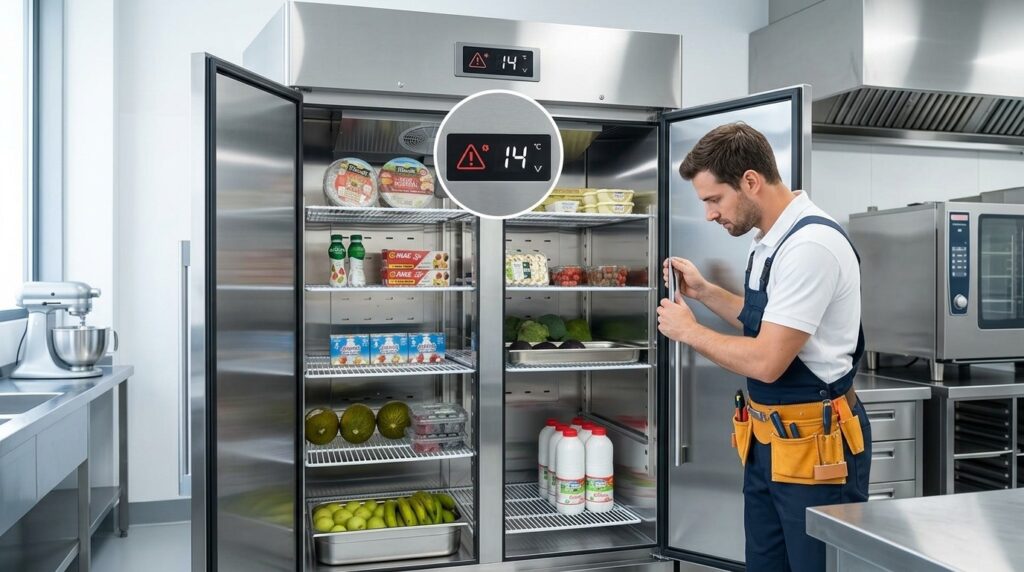
Quick guide to fixing Unifrost fridge beeping/flashing issues for Irish caterers.
Troubleshooting Unifrost Fridge Controller Beeping or Flashing After Start-Up
If your Unifrost upright commercial fridge starts beeping or the controller display flashes after power-up, you need to know whether it’s a normal start-up alarm (warm cabinet or recovery after a power cut) or a fault that risks stock and service. On Unifrost upright ranges like CR1800G, CR2230G, R1000SV and R1300SVN, the digital controller shows cabinet air temperature and alarm icons, but the exact alarms and codes vary by controller type.
This guide walks you through the practical checks you can do in the first 10 to 15 minutes: power and restart conditions, door closure and seals, airflow and loading, defrost and ice-up signs, and what a high-temperature or probe alarm usually points to. You will also see when it’s sensible to wait for pull-down versus when to stop and call for help, plus what details to record (model and serial, display icons or codes, photos, and site conditions) so you avoid unnecessary call-outs and keep your HACCP records straight if temperatures are out of range.
Likely Causes of Beeping and Flashing
If your Unifrost commercial fridge controller is beeping and flashing after start-up, it is usually one of three things:
The cabinet is still pulling down from a warm start.
The controller thinks the door is open or not sealing properly.
The controller has detected a probe, defrost, or related fault during pull-down.
A brief alarm just after power-up can be normal, particularly if the unit has been delivered, moved, loaded warm, or restarted after a power cut. Persistent beeping or flashing is more often a setup, airflow, door, or sensor issue that will not resolve on its own. From a food safety point of view, you still need chilled food held at 0 to 5°C in Irish operations, as set out in the Food Safety Authority of Ireland guidance on maintaining food temperatures.
Why a high-temperature alarm is common after start-up
After start-up, the controller is reacting to the cabinet air temperature at the probe. That can stay above setpoint for a while, especially if:
the fridge has just arrived and is starting from ambient,
the door is being opened repeatedly during setup,
stock has been loaded before the unit is pre-chilled.
In a busy kitchen, commissioning during service makes this worse. Door openings bring in warm air and slow recovery. If the temperature is steadily trending down and performance feels normal, a flashing display can simply mean the alarm threshold has been reached during pull-down, not that the fridge has “failed”.
How door and closing problems create nuisance beeps
Door alarms are common around start-up because shelves are being adjusted, packaging is being removed, and stock is going in and out. If the door is not fully seated, warm and humid air keeps entering the cabinet. That can trigger a door alarm on its own, or push the air temperature high enough to set off a high-temp alarm as well.
In day-to-day Irish kitchens, the causes are usually practical:
the door was not pulled fully shut,
a tray or GN corner is catching on the seal,
the unit is not level and the door drifts open,
the magnetic gasket is dirty or damaged and not gripping cleanly.
If the controller is beeping and nothing else looks obviously wrong, treat the door and seal as the first thing to rule out.
Could a power cut or restart cause the controller to beep and flash?
Yes. After a power cut, isolator switch-off, or plug-out restart, the cabinet temperature will often be above the alarm limit. The controller can alarm quickly because the unit is effectively restarting “warm”.
In some premises, repeated restarts are the real issue, particularly with older circuits, shared sockets, timers, or shutdown routines. If the alarms keep appearing, think about what happened just before it started: recent tripping, electrical work, cleaning staff unplugging the unit, or a policy of switching off with stock still inside.
If the fridge is losing power intermittently, addressing the supply problem matters as much as anything happening in the cabinet.
How to tell if it’s door, temperature, or a sensor/fault situation
Controllers vary, but the logic is usually consistent: you are looking at a temperature alarm, a door-time alarm, or an error condition (probe/sensor, defrost, or similar). These checks help you quickly narrow it down:
Flashing temperature and the cabinet is clearly warm: likely a high-temp alarm during pull-down.
Beeping during loading that stops when the door is firmly closed: likely a door-open issue or poor sealing.
Alarm icon plus an unusual code, or temperature readings that look impossible/unstable: more likely a probe/sensor or control fault than normal pull-down.
Alarms returning at the same time each day or after heavy use: think defrost timing, ice build-up, or airflow restriction, not a one-off start-up event.
From here, the sensible next step is a few quick, safe on-site checks around power, door closure, airflow, and basic setup before you start changing settings or relying on the mute button.
Safe Initial Checks
How do you run safe initial checks in the first 10 to 15 minutes after start-up when a Unifrost commercial fridge controller is beeping or flashing?
Start with the basics that cause most start-up alarms: stable power, doors fully shut, and clear airflow. Then allow a realistic pull-down period. A warm cabinet or a slow-to-update probe can trigger a temporary high-temperature alarm straight after power-up. If you need to keep service moving, use the controller’s alarm mute or acknowledge function while you confirm the temperature is actually trending down.
If the alarm returns repeatedly, the display shows a probe/fault icon, or the controller keeps restarting, stop resetting it and move to evidence gathering for support.
1. Confirm stable power at the socket (no brownouts, no daisy chains)
Nuisance alarms after start-up are often power related, especially after a power cut, a cleaning shutdown, or when the plug has been moved for floor washing.
Plug the fridge directly into a suitable wall socket.
Avoid extension leads and multiway adaptors.
Check the isolator switch is fully on.
If the controller flickers, reboots, or resets when the compressor tries to start, treat that as a power quality issue first. A fridge that cannot get a clean start will beep and flash even if the refrigeration system itself is fine.
2. Check if it’s a normal “warm cabinet” start-up alarm
If the unit has been off, recently delivered, left open during stocking, or loaded with warm product, many digital controllers will show a high-temperature alarm until the probe temperature drops.
For the first 10 to 15 minutes, focus on direction of travel:
Is the displayed temperature trending down?
Is the compressor running consistently (not cutting in and out every few seconds)?
Don’t judge performance off the first couple of minutes. The controller only reports what the probe is sensing, not that you are mid-delivery or trying to load quickly before service.
3. Do a proper door check (not just “it looks closed”)
A door sitting slightly open can trigger door and high-temperature alarms surprisingly fast.
Open the door and check nothing is fouling the gasket.
Close it firmly and do a quick pull test on the seal at the corners.
Check trays, GN pans, and boxes are not protruding past the shelf line.
On upright cabinets, one carton corner is enough to hold the door off by a few millimetres.
4. Check airflow and loading (inside and around the cabinet)
After a restart, the cabinet needs clear airflow so the evaporator can remove heat and the probe sees improving conditions.
Inside:
Don’t pack stock tight to the back wall.
Keep vents clear.
Avoid loading a full cabinet of warm product in one go if you are trying to clear an alarm.
Outside:
Make sure ventilation space is not blocked by cardboard, cling film rolls, or the unit pushed tight to a wall.
Poor ventilation is a common cause of “beeping but not actually broken” in tight prep areas.
5. Mute or acknowledge the alarm without masking the issue
If the beeping is disrupting service, mute or acknowledge the alarm rather than powering the fridge off and on.
Repeated hard resets:
slow recovery,
can trigger more alarms,
and make fault-finding harder because you lose the sequence of what happened.
If the display is flashing but temperature is falling steadily, keep monitoring instead of chasing the setpoint. Changing setpoints during pull-down can create confusing behaviour, especially if someone sets it colder than needed in a rush.
6. Watch for signs the alarm will not clear: probe faults, defrost issues, icing
Treat these differently to a normal warm start:
An alarm icon that returns immediately after acknowledging it
A probe/sensor fault indication
Heavy frost or icing that suggests a defrost or door-seal issue
Pause and observe for a few minutes with the door closed. Is the temperature stuck, rising, or dropping very slowly despite the compressor running? The trend tells you more than any single beep.
7. Protect food safety while you troubleshoot (and know when to escalate)
If you are not confident the cabinet is pulling down, move high-risk chilled food to another compliant cold-holding option and log the action as part of your HACCP routine. The Food Safety Authority of Ireland notes chilled food should be kept at 5°C or below: https://www.fsai.ie/business-advice/running-a-food-business/chilling-food-safely
Before you ring for support, capture the basics once so you are not repeating checks on the phone:
Model code and serial number (from the rating plate)
A clear photo of the controller display showing any icons/codes
What happened before start-up (power cut, moved for cleaning, delivery loading, door left open)
Current displayed temperature and whether it is trending down
Any visible icing, unusual noise, or repeated resets
That usually separates a normal start-up alarm from a door, airflow, probe, or control issue quickly, and helps you deal with the cause rather than just silencing the symptom.
Recognising a Serious Issue
If your Unifrost upright fridge controller keeps beeping or the temperature display keeps flashing after the initial pull-down on first start-up, treat it as more than a nuisance. You may be sitting in an alarm condition where the cabinet is not reliably holding safe chilled temperatures. That puts stock at risk and makes service planning difficult very quickly.
Irish food businesses are expected to control and record chilled storage temperatures as part of HACCP. A persistent high-temperature or fault alarm is usually a sign you have lost control, not just “start-up noise”, in line with FSAI guidance on temperature control and HACCP-based food safety management.
Move from “mute and hope” to getting the issue checked when any of the following are true:
The alarm returns shortly after you acknowledge it.
The cabinet does not pull down to set temperature within a reasonable period.
You see probe or sensor fault indications.
Defrost-related alarms repeat.
The unit is running but product is still warm, or you notice unusual cycling that suggests refrigeration stress.
In a busy Irish kitchen, some brief nuisance alarms can happen with frequent door openings or warm ambient conditions. The key is duration. If alarms continue beyond the settling period, it usually points to something practical like installation and ventilation, airflow blocking, door seal issues, defrost problems, or a component fault. Next, work through the safe on-site checks your staff can do before calling it in.
Preventing Future Alarms
Keep nuisance alarms down by using a sensible setpoint, protecting airflow, and sticking to a basic cleaning routine that prevents heat build-up and ice-up. Treat the controller as a warning system, not something to mute and forget. If alarms keep returning after routine checks and correct loading, gather the right information for support before it turns into a food safety or service issue.
1. Use a realistic setpoint and let the cabinet stabilise after start-up
A common self-inflicted problem is chasing temperature straight after switch-on. Set a steady operating target and give the cabinet time to pull down, rather than stepping the setpoint down repeatedly because the display is still high.
For chilled storage, keep your routine aligned with HACCP expectations. The benchmark you will be working back from in checks and audits is the FSAI guidance on chilled food storage at 5°C or below: https://www.fsai.ie/business-advice/food-safety-and-hygiene/temperature-control. If you are regularly loading warm stock, expect more high-temperature alarms. The controller is reacting to real heat load.
2. Reduce door alarms by fixing the cause, not the controller
Door alarms are rarely a controller fault. They usually come down to:
The door not fully closing (busy workflow, uneven floors, an obstructed shelf or liner)
A gasket that is dirty, torn, or not seating properly
Doors being propped during prep or decanting
The habit that makes the biggest difference is simple: stop leaving doors open “just for a minute”. If speed matters, do fewer, better-organised trips. Keep high-turnover items at hand height so nobody is rummaging with the door open mid-service.
3. Keep airflow clear inside the cabinet and around the unit
High-temperature alarms after start-up are often caused by loading, not a fault.
Inside the cabinet:
Don’t pack product tight to the back wall or air outlets.
Don’t block internal fans where fitted.
Avoid loading hot trays, stock pots, or freshly delivered warm product straight in where you can.
Around the unit:
Don’t wedge the fridge into a tight void with poor ventilation.
If the condenser cannot reject heat properly, recovery slows and alarms become more likely during busy periods.
4. Clean the condenser and the hygiene points that quietly trigger alarms
A dusty condenser is a classic cause of repeat high-temperature alarms and hard, noisy running. Put condenser cleaning on a schedule that suits real kitchen life, for example the first Monday of the month or after a deep clean.
Also keep an eye on the easy-to-miss bits that create knock-on problems:
Drains and drain pans (blockages lead to water pooling and humidity)
Door rails and thresholds (debris stops doors sealing properly)
The base area (dust and packaging can restrict airflow)
If you are seeing ice build-up, water pooling, or stale smells alongside alarms, treat cleaning as fault prevention, not cosmetics.
5. Avoid creating defrost and ice-up problems through settings and habits
Controller alarms can relate to defrost cycles and probe readings, depending on the controller type. Don’t change defrost-related settings unless you are following the correct manual for your exact unit and controller variant.
Operationally, your best prevention is reducing the conditions that cause ice-up:
Minimise long door openings
Keep door seals clean and intact
Avoid overloading in a way that blocks air circulation
If you suspect ice-up, don’t attack it with tools. Empty the cabinet, defrost safely, restart, and monitor. Damaging liners or evaporator areas turns a nuisance issue into a call-out.
6. Protect against power interruptions and risky restart routines
Short power cuts, isolators being knocked, or plugs being pulled during cleaning can trigger alarms on restart because the cabinet warms and the controller sees an out-of-range temperature.
Where you can:
Keep refrigeration on a protected circuit
Make “fridges on and doors closed” part of end-of-night checks
If you must power down for cleaning or moving, plan it. Clear stock, keep doors shut, restart with doors closed, and avoid loading until the cabinet is recovering properly.
7. Standardise what staff do when they hear a beep, before anyone hits mute
Alarms help only if everyone responds the same way. A simple, repeatable routine works best:
Check the door is fully closed and sealing.
Check loading and airflow (nothing blocking vents or fans).
Confirm the setpoint has not been changed.
Monitor briefly to see if it clears as the cabinet recovers.
If the alarm returns after the basics are corrected, capture what support will actually need: model code and serial number, a clear photo of the controller display (including any icons or codes), and what changed recently (delivery, deep clean, relocation, power cut, unusually heavy service).
These habits make the first 10 to 15 minutes after start-up far calmer, and they speed up fault-finding if a beep or flashing display becomes a repeat issue.
Integrating Checks with the Unifrost Ecosystem
What you do next depends on what the controller is actually telling you. A beep after a restart is often just temperature recovery. A door alarm is usually a seal, hinge, or workflow issue. A probe or sensor alarm is more likely a genuine fault that needs support.
In Irish kitchens, it’s worth anchoring your response to food safety basics as well as the controller behaviour. The FSAI notes chilled food should be kept so the food itself stays between 0°C and 5°C, and that temperature monitoring and recording is part of normal HACCP routine (FSAI temperature control guidance). So even if an upright is beeping for a perfectly normal reason, you still need a consistent way to confirm stock stayed safe while you investigate.
Use the controller as an operations tool, not just an alarm
On Unifrost upright fridge ranges, the digital controller earns its keep in three everyday ways: it shows cabinet air temperature, flags alarm conditions, and lets you manage setpoint and defrost.
Operationally, the key point is this: the display is cabinet air temperature, which can change quickly after a restart, heavy loading, or repeated door openings. Product temperature moves more slowly. For HACCP, treat an early alarm as a prompt to verify with a calibrated probe (and record what you found and what you did), rather than relying on the flashing display alone.
If you’re getting nuisance alarms during busy service, it’s often down to conditions rather than “a bad fridge”. Common triggers include:
frequent door openings during peak periods
loading warm stock straight from delivery or prep
blocking internal airflow with overfilled shelves or poorly placed гастро pans
setpoints pushed colder than the kitchen conditions realistically allow
The practical fix is consistency: agree what the team is allowed to change (usually mute only), what needs a manager decision (setpoint/defrost), and what triggers a service call. Otherwise one person mutes alarms, another changes settings, and you end up chasing symptoms.
Match your model and controller to the right manual before you change settings
Unifrost uprights can be supplied with different controller types depending on the model and variant. Alarm icons and fault codes are not universal, so don’t assume the same symbols mean the same thing across cabinets.
Before you change anything beyond muting an alarm, identify the exact unit and controller so you’re working from the correct documentation for that cabinet.
A simple capture routine makes support faster and avoids guesswork:
model code and serial number from the rating plate
a clear photo of the controller display while it’s beeping or flashing (including any icons)
when it started (first power-up, after a power cut, after moving the cabinet, after cleaning)
what’s stored right now, and whether any warm stock was loaded
door status and any obvious gasket/seal issues
where it sits (tight alcove, beside hot line, in sun through a window)
whether the condenser area is clean and has breathing space
any recent changes (setpoint, alarm limits, defrost settings)
This is the difference between “the controller is acting up” and a supportable case with clear facts. It also helps you avoid the common mistake of dropping the setpoint to stop the beep, which can increase run time, increase icing risk, and create more alarms.
When to contact Caterboss
If the beeping returns immediately after muting, or the controller indicates a probe/sensor-related alarm, treat it as a support job rather than repeating operator resets. Likewise, if the cabinet won’t pull down after a reasonable stabilisation period for your load and ambient conditions, it needs a proper check of installation, airflow, and refrigeration health before stock is put at risk.
The “ecosystem” part is straightforward: if you have the unit ID and clear controller photos, your service partner can pull the right documentation for that controller type, confirm the correct reset steps, and quickly decide whether it’s a settings correction, an installation issue, or an engineer call-out. That makes your on-site checks faster and more consistent, especially when different staff are dealing with alarms across shifts.
FAQs: Unifrost commercial fridge controller beeping or flashing after start up
Why is my commercial fridge/controller beeping or flashing?
On Unifrost upright fridges (for example CR1800G/CR2230G/R1000SV/R1300SVN families), the digital controller will beep or flash when it detects an active alarm condition rather than a simple “notification”. The most common causes straight after start-up are:
Cabinet temperature is still high because the unit has just been powered on, recently moved, or loaded with warm product.
Door-related alarm (door left ajar, door not closing cleanly, or a damaged/dirty gasket).
Defrost/ice-up related alarm if airflow is restricted (ice build-up, blocked internal vents), or the unit is in/coming out of a defrost cycle.
Probe/sensor fault (temperature probe reading missing/implausible), which typically needs a proper fault check rather than repeated resets.
Because controller types and alarm icons/codes vary by model variant, the quickest way to avoid guesswork is to note the icon/code shown and match it to the correct manual for your exact model and controller.
What does a high-temperature alarm or flashing temperature display mean?
A high-temperature alarm or a flashing temperature display usually means the controller is reading cabinet air temperature above its alarm threshold for long enough to trigger an alert. After start-up, this can be normal for a short period, but it should trend down steadily.
Practical checks that often explain a genuine high-temp alarm:
Wait and watch the trend: if the displayed temperature is dropping consistently over 10 to 30 minutes, it is often just “catching up” after power-on.
Confirm the door is sealing: check the door is fully closing, nothing is preventing closure, and the gasket is clean and seated.
Airflow and loading: don’t block internal air vents, avoid overpacking shelves, and avoid putting hot pans straight into the cabinet.
Ventilation around the unit: ensure there is breathing space around the cabinet and it is not pushed tight against walls or surrounded by hot equipment.
If the temperature does not reduce or it climbs, treat it as a real cooling issue and move to escalation checks (see next FAQ).
How do I stop or mute the alarm sound without damaging the fridge?
You can usually mute the sound without harming the fridge, as long as you still address the cause of the alarm.
Acknowledge/mute at the controller: most digital controllers have an alarm key or a key combination that silences the buzzer while keeping the alarm visible. If you are unsure, do not start changing setpoints or parameters. Instead, identify your controller type from the display and use the correct manual.
Do not power-cycle repeatedly: switching the fridge off and on to stop beeping can delay pull-down, mask an underlying fault, and can be hard on components.
Do not disable alarms permanently: muting is fine temporarily, but leaving alarms disabled can create a food-safety risk.
If you need to contact support, take a photo of the display showing the icon/code, plus a photo of the model/serial label inside the cabinet, and note what changed recently (power cut, relocation, heavy loading, door left open).
Next step: reduce repeat alarms and speed up troubleshooting
If your Unifrost commercial fridge controller is beeping or flashing after start-up, the fastest way to prevent repeat callouts is to match your exact model and controller to the right guidance, then build a simple check routine for staff.
Visit our Unifrost support section for troubleshooting help and maintenance best practices, or contact Caterboss with your model and a photo of the controller display for personalised advice.
Related Unifrost guides
Compare models, maintenance advice and support information related to this topic.
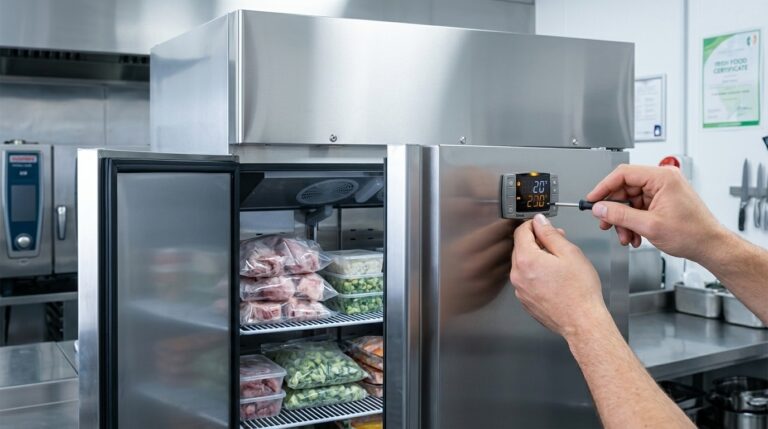
Understanding the Unifrost F410SS Upright Freezer: Temperature Alarm Basics for New Owners
Discover the essentials of managing temperature alarms on your Unifrost F410SS upright freezer for optimal performance in Irish kitchens.
Read guideView Unifrost fridges at Caterboss
For current product options, pricing and availability, continue to Caterboss.