
Unifrost F410SS Upright Freezer: Door Controller Locking Troubleshooting Guide
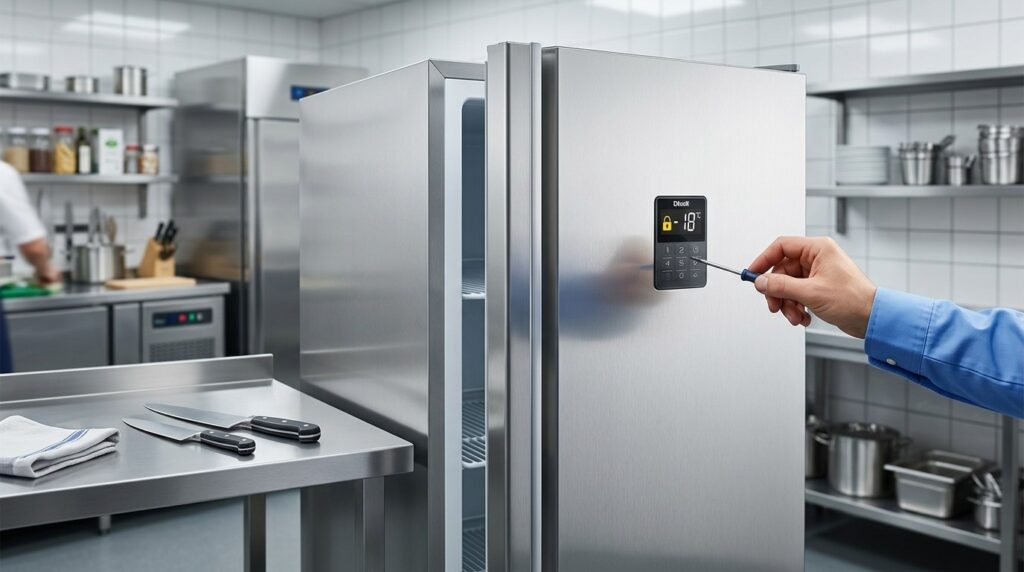
Find solutions for Unifrost F410SS freezer door controller lock issues in busy Irish kitchens. Unlock guidance, common safety checks, and service tips.
Unifrost F410SS Upright Freezer: Controller Lock and Door “Sticking” Troubleshooting (During Service)
When your Unifrost F410SS upright freezer controller shows a lock or key symbol, or the door suddenly feels “locked” mid service, you need a fast, safe way to tell what is actually happening before you lose time or temperature.
This guide helps you work through the real-world checks that matter in a busy Irish kitchen, including how to distinguish keypad lockout from a power-cut lock state and from normal negative pressure after closing or after defrost that can make the door feel stuck. You will run through the quick do-not-force checks, the practical reset and unlock decisions to try on site, and the clear signs that you should stop self-service and call Caterboss or your service agent because it is becoming a food-safety or equipment-risk issue.
What This Support Page Helps You Find
This page helps you quickly work out what’s actually happening if your Unifrost F410SS upright freezer appears “locked”. In practice, it’s usually one of three things:
a keypad/controller lockout (buttons ignored, padlock/key icon)
a controller that’s not responding properly after a power interruption
a door that feels locked because the cabinet has pulled a temporary vacuum after closing
It also sets out what you can safely check during a busy Irish service before you call an engineer, without losing sight of food safety. Frozen storage is expected to be held at or below -18°C in day-to-day operation, as reflected in FSAI guidance on chilling and cold storage. If you’re seeing repeat lockouts, alarms, or product warming, the priority is containment and good information for support, not just “getting it going again”.
Separate “controller locked” from “door feels locked”
You’ll get a plain-English way to tell the difference between a true keypad lock (padlock/key icon, controls don’t respond) and a door that’s temporarily tight because pressure hasn’t equalised yet after closing.
That distinction matters in service. Forcing the door or hammering random button combinations can damage hinges or gaskets, and it can also muddy the picture if there’s a real temperature-control issue you need to report accurately.
Fast, safe checks you can do mid-service (without tools)
These checks are designed for real kitchen pressure and routine HACCP discipline:
Check the display: is it showing a padlock/key icon, an alarm, or an error code/message?
Confirm stable power: plug seated, isolator on, and avoid relying on an overloaded extension lead.
If the door has just been closed firmly, give it a moment to equalise before trying again. Don’t force it.
If stock temperature is rising, or you can’t confirm safe holding, stop relying on the cabinet and follow your site’s HACCP escalation and documentation, in line with the approach set out in FSAI food safety management guidance.
When not to “reset it” and when to call for service
This page flags the situations where repeatedly resetting is more likely to waste time (and risk stock) than solve the problem, including:
lockouts that return after power cuts
compressor not running and no meaningful temperature recovery
persistent alarms
signs the door isn’t sealing properly
The aim is to help you decide when to keep troubleshooting versus when to take the F410SS out of service early, protect product, and reduce engineer time on site.
What details to capture so support is quicker
A good service call starts with good information. You’ll be prompted to note:
exactly what the controller shows (icons, alarms, messages)
what changed in the kitchen recently (heat load, ventilation, cleaning routine)
whether the issue follows a power interruption
whether the door “sticking” only happens straight after closing
With that context, it’s much easier to narrow down whether you’re dealing with a normal pressure effect, a settings lock, or a control fault that needs attention.
Understanding F410SS Door Controller Locking Issues
“Controller locking” on a Unifrost F410SS upright freezer usually refers to the temperature controller keypad being in a lockout state. The display stays on and the freezer may keep running, but button presses are ignored. It’s there to stop accidental setting changes during a busy shift, cleaning, or after an interruption like a power cut.
What trips people up is that a locked controller is not the same thing as a door that feels locked. Upright freezer doors can also “stick” briefly due to normal negative pressure after closing, even when there’s no mechanical lock involved.
Door “locked” vs controller “locked”: the two faults that get blended into one
In a working kitchen, these can happen close together and get reported as the same issue.
Controller lockout (control panel issue): Buttons don’t respond, and you may see a lock or key symbol on the display. You can’t change the setpoint or acknowledge alarms from the keypad.
Door sticking (physical effect): You close the door, the air inside cools and contracts, and a short-lived vacuum holds the door shut. It can feel like a lock, especially if you try to reopen it immediately with wet hands or a rushed grip.
What “locking” changes during service
If the controller is locked, the day-to-day impact is loss of control when you actually need it. That includes checking the setpoint during HACCP routines, acknowledging alarms, or making legitimate adjustments after a delivery or a prolonged door-open period. The risk isn’t that the freezer instantly becomes unsafe, it’s that staff start improvising: unplugging the unit, hammering buttons, or blaming the door when the real issue is on the keypad.
If the door is sticking, the main cost is workflow and wear. Repeated yanking at a vacuum-stuck door can stress hinges and gaskets. Over time that can lead to poorer sealing, icing, and longer temperature recovery during peak trading.
How to tell which issue you have in under a minute
Lock symbol on the display + buttons do nothing: treat it as a controller lockout.
Display works normally + door won’t reopen straight after closing: treat it as negative pressure sticking.
Door won’t stay shut or pops open: more likely alignment/hinges/gasket than vacuum.
Temperatures drifting during busy periods: assume door sealing and usage first unless you have clear evidence of a control fault. In real kitchens, air leaks and door habits create most of the day-to-day instability.
Why it shows up at Irish service times
Peak periods bring the perfect mix: frequent openings, warm ambient air, and staff trying to close the door quickly “to be safe”. A firm close increases the chance of short-term vacuum sticking. Power disturbances (a plug knocked in a prep area, a brief interruption) can also leave controllers in an odd state, including keypad lockouts.
Separately, repeated short openings can drive frost build-up around the gasket line. That doesn’t mechanically lock the door, but it adds drag and makes the door feel harder to open over time.
When it becomes a food-safety issue (not just an annoyance)
A locked controller becomes a compliance problem if it stops you checking settings or responding properly to alarms when product temperatures are at risk. A door that’s being forced, not sealing, or being left ajar becomes a risk when it causes sustained temperature rise, heavy frosting, or repeated alarms.
As a practical benchmark, frozen food should be stored at -18°C or colder. If you’re unsure what temperature the food has actually reached, don’t rely on “it feels cold”. Check with a calibrated probe where appropriate, isolate suspect stock, and act based on your HACCP procedure.
Common Causes of Controller and Door “Locking”
Why does the Unifrost F410SS upright freezer seem to “lock up” on the controller, or feel like the door is locked during service?
In practice, most “locking” reports come down to one of two things:
The controller keypad is in a lock state (often shown by a padlock or key icon).
The door is momentarily held shut by negative pressure after you close it.
A third possibility is a genuine fault that looks similar at first, so the job is separating locked controls from normal door behaviour, and from real refrigeration issues like rising temperature, repeated alarms, or stock softening. After brief interruptions, it’s also worth doing the basic checks once supply is restored, as ESB Networks notes in its guidance on what to do after outages: https://www.esbnetworks.ie/existing-connection/power-outages
Keypad lockout on the controller (padlock or key icon behaviour)
Many commercial controllers have a keypad lock to stop accidental setpoint changes during a busy shift. In real kitchens it’s commonly triggered by:
Someone leaning on the panel carrying trays
Wiping the fascia and holding a button down
Long-pressing while trying to silence an alarm
It can feel like the freezer has frozen (no pun intended), even though the cabinet may still be running normally.
Power cuts, voltage dips, and odd controller states after power returns
Brief supply drops, nuisance trips and overloaded sockets are common enough in older buildings and busy kitchens. If the freezer loses power mid-cycle and restarts, the controller may:
Boot into a default display
Show stored alarm history
Look unresponsive while protective delays time out
That’s often reported as “it locked itself”, when it’s actually a normal restart delay, an alarm state, or a keypad lockout.
Demo/standby modes and alarm acknowledgement mistaken for a lock
Some controllers support standby or demo-type modes for commissioning, and some won’t accept certain button presses until an alarm is acknowledged properly. On the floor the outcome is the same: staff press up/down and nothing appears to change.
If the cabinet temperature is holding and you’re only seeing a display symptom, treat it as a controls state first, not a refrigeration system failure.
Moisture, grease, and cleaning habits causing phantom inputs
In Irish service conditions the controller area often gets steam, fryer residue and sanitiser overspray. On membrane-style keypads this can register as repeated or long presses, triggering lockout or making the controller feel erratic. Quick wipe-downs during service can also leave the panel behaving oddly for a few minutes.
The door is not locked, it is vacuum-sealed after closing
An upright freezer door can feel stuck for 5 to 30 seconds after a firm close. You’ve let warm air in, it cools and contracts quickly, pressure drops, and the gasket pulls tight to the frame. There’s no mechanical lock, just physics.
You’ll notice it more when:
The kitchen is warm or humid
The door is opened frequently
Staff tend to swing it shut hard
Ice, gasket drag, hinge alignment, and frame contact causing real sticking
If the door feels stuck every time, or you need force to open it, look beyond vacuum effects. Common causes include:
Ice build-up around the frame
A torn, loose or badly seated gasket grabbing the frame
Hinges dropping slightly so the door binds
The cabinet not being level after installation
These issues often show up after heavy loading, repeated slamming, or a move/clean where the unit wasn’t set back level.
High ambient heat around the cabinet making it worse
If the freezer sits beside a cookline, dishwasher exhaust, or in direct sun, you’ll get more moisture around the door area and more frequent defrost activity. That can make doors feel harder to open and can add to “controller oddness” complaints simply because the unit is working harder.
These are the patterns worth checking before you assume a model-specific controller fault or a mechanical door lock issue.
Step-by-Step Troubleshooting Guide for a Locked Controller
If you’re seeing a padlock or key icon and can’t change settings on a Unifrost F410SS upright freezer during service, treat it first as a keypad lock issue. That is different to a cabinet in standby or a door that feels “locked” due to negative pressure after closing or after a defrost.
Before you start pressing buttons, keep the door shut and check your product temperature risk. Frozen food should be held at -18°C or colder. If you suspect temperatures are rising, prioritise stock and HACCP controls first. FSAI temperature control guidance is a useful reference: https://www.fsai.ie/business-advice/running-a-food-business/temperature-control
1. Confirm what “locked” actually means
In a working kitchen, three different problems often get called “locked”:
Keypad lock: display is live, but inputs are blocked and you see a padlock/key icon (or the controller beeps and rejects changes).
Standby: the unit has power, but refrigeration is paused. Some controllers show “OFF” or a standby symbol.
Door feels stuck: short-term negative pressure can make the door hard to open for a minute or two. Nothing is mechanically locked.
Quick check:
If the controller beeps, flashes, or shows a refusal message when you press a button, you’re likely dealing with keypad lock.
If the controller does nothing at all, suspect standby, an alarm state, or unstable power rather than a simple lock.
2. Do 60 seconds of service-safe checks (so you don’t make it worse)
Keep the door closed while you troubleshoot. Then:
Confirm the plug is fully seated and the isolator is on. If your kitchen is prone to trips, check the breaker/RCD properly.
If the freezer is on an extension lead or sharing with high-load equipment (dishwasher, combi, hot holding), move it to a suitable socket temporarily if you can do so safely.
Watch the display for 30 seconds. Repeated resets, flicker, or dimming when the compressor tries to start usually points to power supply issues, not a settings problem.
If the display won’t stay stable, stop here. Unlock sequences often won’t “take” if the controller is rebooting.
3. Unlock the keypad (match the sequence to the controller in front of you)
Controller key sequences vary. Use the actual button labels on your panel and try the closest option below. Hold buttons firmly for 3 to 5 seconds:
UP + DOWN arrows: hold UP and DOWN together until the lock icon clears.
SET + DOWN: hold SET and DOWN together, then release and try adjusting the setpoint.
MENU/PRG (sometimes “P”): hold MENU/PRG to clear the lock, then press SET to confirm you can edit.
Dedicated key icon button: press and hold the key button until the symbol disappears.
Two points that save time in a rush:
Don’t “tap”. Press and hold, then wait for the controller to respond before hitting anything else.
If the icon clears and immediately returns, it can indicate a deeper controller lock setting or a controller that’s resetting due to power instability.
4. If settings still won’t change, check for standby or an alarm loop
If the keypad is unlocked but the cabinet still ignores changes, you may be in standby or stuck acknowledging an alarm.
Do this once, calmly:
Set a 2-minute timer so you don’t get dragged away mid-step.
Press and hold the power/standby button (often the power symbol, or a long-press on SET on some controllers) for 3 to 5 seconds to toggle out of standby.
If an alarm is sounding, acknowledge it once (often a bell/alarm button or a short press on SET) and then stop pressing buttons.
You’re not trying to factory reset the unit during service. You’re only trying to return the controller to normal operation so refrigeration can respond.
5. Decide fast when it’s an engineer job (and what to record)
Treat it as a reliability and food-safety issue if any of the following apply:
The controller won’t unlock, or re-locks repeatedly
It won’t exit standby
The display resets or flickers
The cabinet does not start cooling again within a reasonable period after normal operation returns
At that point: protect stock, minimise door openings, and record what matters for a service call:
Any symbols showing and error codes
Whether the display is resetting
Whether the compressor is silent, trying to start, or cycling
That information helps your service agent avoid chasing the wrong fault and gets you back to a stable freezer faster.
When Self-Service is Appropriate and When to Call Support
If your Unifrost F410SS controller looks “locked”, or the door feels stuck mid-service, the wrong reaction usually creates one of two problems: you lose trading time by calling too early, or you lose temperature control by forcing things and hoping it sorts itself out.
Unifrost’s FAQ guidance covers two common false alarms you’ll see in busy Irish kitchens:
Keypad lock behaviour, often noticed after a power interruption.
Temporary door sticking, caused by pressure changes when the cabinet is warm or has just cycled.
A quick check can get you back up and running. The risk increases quickly if the cabinet is not recovering temperature, alarms keep returning, or staff start forcing the door and damage hinges or gaskets. If temperature recovery or door sealing is affected, treat it as an operational fault, not a nuisance.
Quick rule: what you can do safely during a busy service
Self-service is reasonable when the unit is otherwise running normally and you’re dealing with a lockout or pressure-related door “sticking”. Keep door-open time to a minimum, and do not start removing panels or interfering with electrics or controls.
Self-service is appropriate if: the display is on and stable, the cabinet sounds like it’s running normally, you can identify a keypad lock icon (rather than a blank or dead controller), and the door issue happens right after closing or after a defrost cycle (the classic “vacuum” feel).
Call Caterboss or your service agent if: the controller won’t respond at all, temperature is rising or not recovering between openings, alarms or error codes keep returning, the door won’t seal or keeps popping open, or the door has been forced and alignment looks off.
What “call support” looks like in practice (so the first call is productive)
If you ring without the basics, the fix usually takes longer because the first step is gathering the same information while you’re under pressure.
Before you call, note:
Current cabinet temperature (and how quickly it’s changing)
What the controller is showing (icons, alarms, error codes)
Whether the fan/compressor sounds normal
Whether the door is sealing all the way around (no gaps, no obvious tear or twist)
If you’re running HACCP checks, record the deviation and what you did to control risk. The FSAI expects time-temperature control and corrective actions where cold holding is disrupted (see the FSAI guidance on food safety management systems and controls).
When not to reset, even if you find the right button sequence
Resets can buy you a short calm spell and then drop you back into the same fault at the next defrost or during a hot service. Avoid resetting if:
The cabinet is already warm and holding high-risk or high-value stock
You suspect an airflow issue (blocked vents, dirty condenser) rather than a settings issue
The controller is cutting in and out, which can point to a power or connection problem rather than a simple lock mode
In those situations you can end up with repeated interruptions, creeping stock temperatures, and a longer engineering visit because the fault is harder to reproduce.
Food-safety red flags: when the cabinet should be taken out of service
If you can’t show that frozen stock has stayed properly frozen, this becomes a compliance and waste decision, not just a quality issue.
Take the unit out of service and consolidate stock into another freezer if you see:
Repeated alarms with poor temperature recovery
Stock softening, wet cartons, or obvious thawing
Heavy ice build-up linked to a poor door seal
Long periods with the door open while staff “fight” the cabinet
Once service is stabilised, it’s much easier to separate a genuine controller lock issue from door pressure sticking, and to confirm whether you’re dealing with a developing mechanical fault.
Related Troubleshooting Guides and Resources
The right fix depends on what’s actually happening: a genuine keypad/controller lockout, a door that feels “stuck” for a few seconds due to negative pressure, or a wider electrical or temperature-control fault. From a food safety point of view, repeated access issues matter because you still need to keep chilled and frozen food under effective temperature control as part of your HACCP procedures (FSAI HACCP guidance).
In busy Irish kitchens, symptoms can be misleading. Hot pass areas, tight back-of-house routes, and marginal power setups can trigger “false alarm” situations. The links below help you separate quick operator checks from issues that need an engineer.
Unifrost and Ireland-specific references worth bookmarking
Use these first when a controller appears locked during service, or when the door feels like it’s physically “locking” when you need it open:
Unifrost FAQs for Unifrost guidance on controller lock after a power cut and upright freezer door behaviour in warm kitchen conditions
Unifrost support and manuals for model-family documentation and operating guidance you can share with a supervisor or service engineer
FSAI HACCP guidance for what to record and what corrective action looks like if a cabinet isn’t responding as expected (especially if you suspect temperature drift)
HSA electrical safety at work for the basics on isolating equipment, extension leads, and electrical do’s and don’ts during a fault
When to use Unifrost troubleshooting vs when to call service
If the cabinet is holding temperature, it’s usually worth taking 2 to 3 minutes to confirm what kind of “lock” you’re dealing with before escalating. If stock is warming, alarms are repeating, or the controller remains unresponsive after a safe power cycle, treat it as an operational risk and move to service escalation in line with your HACCP routine (FSAI HACCP guidance).
If you do need to call your service agent, the most useful notes are simple:
What you saw on the display (icons, beeps, any error code)
Whether the compressor/fan noise changed
Whether the door is hard to open immediately after closing (pressure-related)
Whether the issue started after a power interruption or after heavy loading at peak service
That short timeline often saves a callout going in circles.
Useful cross-guides if the “lock” is actually a door pressure or gasket issue
Many “locked door” reports on upright freezers are not a lock or latch fault. If the door is closed firmly and you try to reopen it straight away, temporary negative pressure can make the seal feel glued on, especially in a hot, humid kitchen when the cabinet is pulling down hard.
If you’re seeing repeat door resistance, doors popping open, or poor resealing, you’re generally moving away from controller troubleshooting and into door setup and maintenance. Checking hinges, alignment, gasket condition, and whether the cabinet is level and stable tends to pay back quickly, particularly in tight service areas where doors get knocked and slammed.
Power quality, extension leads, and why “it keeps happening” in Irish kitchens
If a controller appears to lock after interruptions, the cause is often upstream. Overloaded extension leads, shared circuits with high-load cooking equipment, and loose plugs are common in older fit-outs. They can cause repeated dropouts that leave controllers needing a reset or appearing to ignore input, even when nothing else looks obviously “broken” (HSA electrical safety at work).
If the same symptom keeps returning, it’s usually more efficient to log when it happens, what else was running, and whether there was any flicker or trip event. Then get the supply checked properly rather than repeatedly forcing resets in the middle of service.
These references work best once you’ve pinned down which “locking” you’re seeing: controller keypad behaviour, post-power event state, or door behaviour under real kitchen conditions.
Frequently asked questions
How do I unlock a locked controller or key icon on a commercial fridge/freezer?
A padlock or key icon nearly always means the keypad is locked, not that the cabinet has failed.
Try a long-press first: press and hold the main SET/OK key (or the up and down arrows together) for 3 to 5 seconds. Many commercial controllers use one of these two lock toggles.
If it happened after a power cut: disconnect power for 60 seconds, restore power, then try the long-press unlock again.
Confirm you are not in a special mode: if the display looks “stuck” (no response to any key), note any icons or alarm codes and avoid random button combinations.
If the controller still will not accept inputs, treat it as a support issue and log what you see on the display before calling for help.
Why won’t my freezer door open easily just after defrost?
This is usually negative pressure and warm, moist air re-freezing at the gasket, not a mechanical lock.
Wait 30 to 90 seconds after closing the door, then try again. Pressure equalises quickly.
Use a gentle “crack and pause”: pull the handle until the seal just breaks, pause a second, then open fully.
Check for gasket sticking: if the seal feels tacky in warm kitchen conditions, wipe the gasket and the cabinet face clean and dry.
If it is happening repeatedly during service, it can be a sign of heavy door traffic, warm air ingress, or a seal/hinge alignment issue.
What checks should I do before calling an engineer for the F410SS?
Before you ring support for a Unifrost F410SS upright freezer, these quick checks can save time and help triage whether it is a controller lock, a power issue, or normal door behaviour:
Power and supply: confirm the unit is plugged in firmly, the socket is live, and it is not running through an overloaded extension lead. Check the breaker or RCD has not tripped.
Controller status: look for a padlock/key icon, “standby” behaviour, or any alarm indicators. If locked, try the 3 to 5 second long-press unlock (SET/OK or up and down together).
Door and seal basics: make sure the door is fully closing, nothing is trapped in the gasket, and the seal is clean. If the door is hard to open right after closing, wait briefly and retry rather than forcing it.
Food safety reality check: if product is softening, temperatures are rising, or alarms are repeating, move stock to another freezer and stop relying on the cabinet until it is assessed.
Have the model (F410SS), any on-screen symbols or alarm codes, and a quick description of when it started (for example after a power cut or during a busy service) ready for the engineer.
Need a fast next step?
For more quick fixes like controller lockouts after a power cut and upright freezer door behaviour in warm Irish kitchen conditions, browse the Unifrost FAQs on the Unifrost Support page.
If you have done the safe checks above and the F410SS is still locking up or impacting food safety, you can contact Caterboss with the model name and any display symbols so the team can guide the next step.
Related Unifrost guides
Compare models, maintenance advice and support information related to this topic.
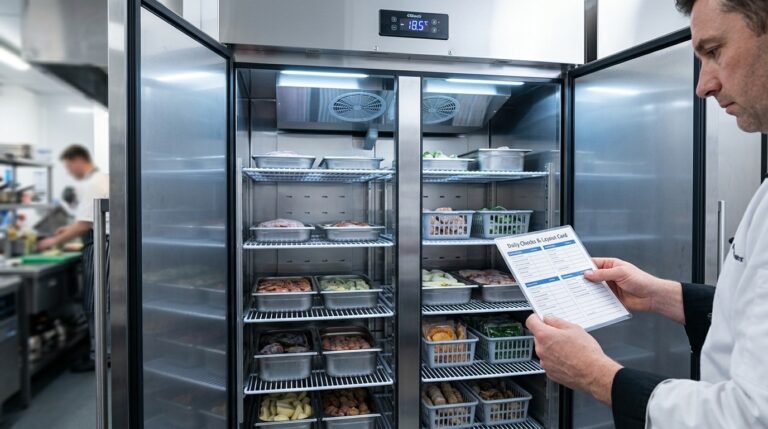
Unifrost F410SS Upright Freezer: Quick Start Guide for Hotels
Get started with the Unifrost F410SS in your Irish hotel. Temperature setup, layout guidance, and quick checks for optimal freezer use.
Read guide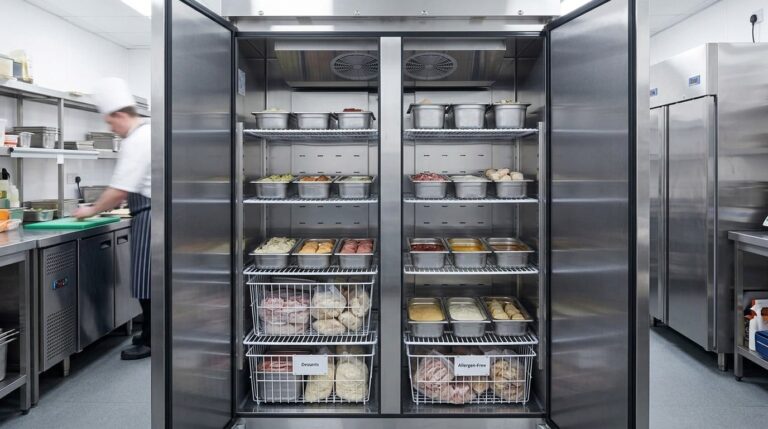
Unifrost F410SS Upright Freezer Planning Guide for Irish Hotel Banqueting Kitchens
Plan your F410SS freezer layout for efficient high-volume banqueting in Irish hotels. Optimize GN pans and workflow.
Read guide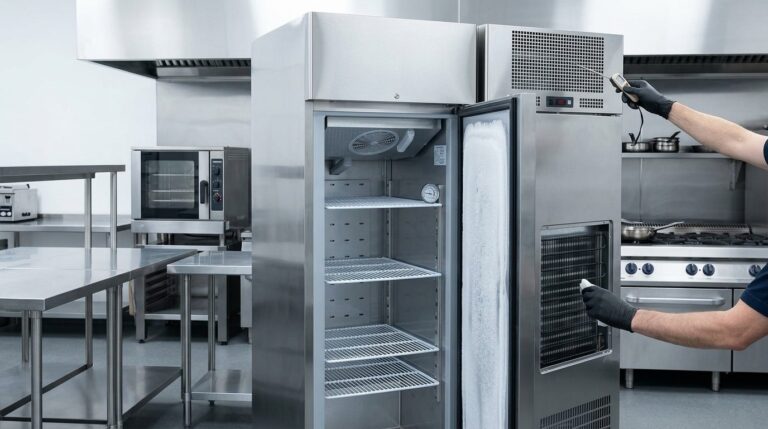
Unifrost F410SS Upright Freezer Ambient Heat & Ventilation Troubleshooting
Troubleshoot Unifrost F410SS freezer temperature issues. Learn how ambient heat and ventilation affect performance in Irish kitchens.
Read guideCompare Unifrost freezer options on Caterboss
For current product options, pricing and availability, continue to Caterboss.