
Unifrost F410SS Upright Freezer: Quick Start Guide for Hotels
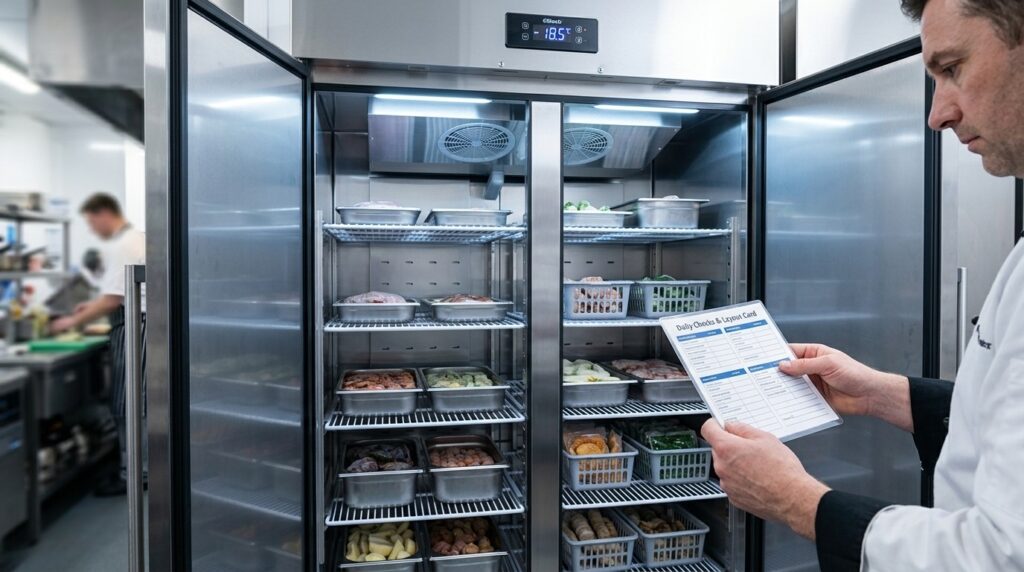
Get started with the Unifrost F410SS in your Irish hotel. Temperature setup, layout guidance, and quick checks for optimal freezer use.
Unifrost F410SS Upright Freezer: Hotel Quick Start for Temperature, Layout and Daily Checks
You use the Unifrost F410SS (and F410SSOG) as a single door upright freezer where consistency matters more than clever settings. If you do not standardise setpoint, alarm response, and loading, you lose time to nuisance alarms, soft product, and preventable callouts.
This quick start shows you the owner safe actions that apply across the Unifrost Upright Freezers family, including models that share the same controller behaviour and routines. You set a practical target of about -18°C or colder, confirm basic power and door checks, and learn how to recognise normal controller messages on common Dixell, Elitech, or Carel displays.
You also get a day one shelf, GN pan, and basket layout approach for hotel workflows, plus a simple “layout card” and labelling logic to cut door open time during breakfast, bar service, and banqueting prep. Finally, you get a hotel focused daily checklist and the first troubleshooting checks to run before you log a service call.
What this support page helps you find
This page is a quick-start guide for new Unifrost F410SS (and F410SSOG) owners in Irish hotel kitchens. The aim is simple: get you to stable frozen storage at around -18°C or colder, which aligns with the EU -18°C benchmark for quick-frozen foods in storage and transport in Commission Regulation (EC) No 37/2005.
It also helps you cut down on the two most common causes of nuisance alarms in busy kitchens:
Heat gain from door openings during service
Unplanned controller changes that knock the unit out of its normal control routine
If the display temperature, your setpoint, and the actual product temperature do not line up, the fix is usually a consistent check routine across shifts, not more tweaking.
What you will get here (hotel use, day one)
You will find owner-safe actions that apply across Unifrost upright freezers that behave similarly day to day on their digital controllers (for example F1000SV/F1000SVOG, F1300SV/F1300SVNOG, F1310SV, and F620SV). The guidance is written for hotel realities like breakfast rush, bar food, and banqueting prep, where the freezer door gets plenty of use.
A safe first power-on checklist (what to confirm before changing settings)
Plain-English explanations of common display states, including “dEF” and flashing temperatures
How to check and change the setpoint on typical Dixell, Elitech, or Carel controllers without going into advanced parameters
A practical shelf and GN layout approach to protect airflow, reduce door-open time, and make handover to agency staff simpler
A one-page door “layout card” idea you can print: target setpoint, what to do when an alarm sounds, and who to call if the unit will not recover
Who this is written for (and when it saves you time)
This is for Irish hotel kitchens using an F410SS as a service-line freezer or as backup for functions. It is most useful where the unit is under pressure, for example:
In a warmer corridor or plant area
In a tight kitchen corner near the wash-up
Anywhere the door is opened repeatedly during breakfast and coffee service
Those conditions change how a freezer behaves, even when nothing is actually “faulty”.
What we do not do on this page (on purpose)
We do not list model-specific technical specs, refrigerant details, or parameter-by-parameter engineering settings. Those choices depend on the exact controller version and the real on-site installation.
We also do not recommend changing advanced parameters on day one. One incorrect value can cause short cycling, slow pull-down, or persistent alarms that look like a breakdown but are self-inflicted.
How to use this page with your team
Treat this as the operating note you keep with the freezer, not a one-off read. If you standardise the setpoint target, what alarms mean, and a simple shelf-zone map across all shifts, you will get fewer “freezer is acting up” handovers and more consistent HACCP temperature records. That also puts you in a better position when you do need to review the essential temperature and alarm settings for the F410SS.
Essential temperature and alarm settings for the F410SS
Set a sensible frozen-storage setpoint, let the cabinet pull down fully, then confirm the actual product temperature with a calibrated probe. After that, set alarms to flag real risk (door left ajar, warm load, fault) without going off every time someone grabs pastry for breakfast. Record the agreed setpoint and the alarm response on a simple door card so every shift reacts the same way. Avoid changing advanced controller parameters unless you have the correct controller manual for your unit.
1. Choose a practical frozen-storage target for mixed loads
In a hotel freezer you are balancing food safety, product quality, and the reality of frequent door openings.
As a baseline, aim to keep food at -18°C or colder. This matches FSAI freezer temperature guidance used in business continuity advice, where food remains frozen below -18°C. (FSAI guidance)
In day-to-day use, the air temperature shown on the controller can run a bit warmer or colder than the warmest food in the cabinet, depending on loading, airflow, and how often the door is opened. If you are seeing warmer corners during busy periods, the fix is usually workflow and loading (don’t block vents, don’t overload, get warm goods down fast) rather than endlessly chasing a lower number on the display.
2. Adjust the setpoint on the controller (owner-safe changes only)
You do not need to know the brand of controller to make the safe, routine checks: view the setpoint, make a small adjustment if required, and acknowledge alarms. What you should avoid is guessing your way into a parameter menu.
Do it at a controlled time:
Let the freezer run uninterrupted long enough to stabilise (not during breakfast prep or a delivery).
Check the current setpoint, then make one small change if needed and leave it to settle before changing anything else.
If the display temperature doesn’t match your probe checks, trust the probe for HACCP decisions. Then look for practical causes first: blocked air vents, overloading, door seals, or frequent door opening, rather than “dialling it colder” as the first response.
3. Set alarms to catch genuine problems, not normal service
Nuisance alarms are common in hotels because the freezer door gets hammered during breakfast, banqueting prep, and stock rotation. If alarms go off constantly, staff stop taking them seriously.
Use these principles:
The high temperature alarm should warn you early, but not react to a brief door-open event.
Use an alarm delay (time before the alarm triggers) to ride out normal picking and tray loading.
Treat audible alarms as a prompt to act and log, not just silence.
If you see “dEF” (or a similar defrost indicator), it usually means the unit is in a defrost cycle or recovering immediately after. That’s normal unless temperatures keep climbing or the alarm repeats outside of your typical daily pattern. If it happens at the same time every day, check what the team is doing at that time (loading a warm trolley straight in is a common culprit).
4. Standardise it with a simple door card
Freezer settings drift when different shifts tweak the controller. A laminated card beside the unit saves stock and arguments.
Include:
The agreed setpoint and who is allowed to change it
The normal operating range you expect to see during service
What to do on a high-temp alarm (close door, check vents aren’t blocked, confirm recent loading, recheck in 15 minutes, then escalate)
What “dEF” means in your kitchen, and what is not normal (defrost is fine, prolonged warming is not)
The single probe-check location you use for spot checks and logging, so readings are consistent
Once it holds steady for a full service day, you can organise shelves and zones around how your team actually works, not how the freezer behaves in perfect conditions.
Shelf, GN pan, and basket setup for optimal use
How you set up shelves, GN pans, and baskets in an upright freezer matters as much as the temperature setpoint. The aim is simple: keep airflow clear, keep picking fast, and keep the layout consistent so staff are not standing at an open door deciding where things live.
Fit the shelves first, then build “zones” around when items are picked (breakfast, bar, banqueting). Load pans and baskets so air can move around the product, especially at the back and near any internal air outlets. After your first busy service, change one thing at a time and watch how quickly the cabinet recovers and whether you trigger alarms.
1. Set shelf heights before you load food
Start with shelves roughly evenly spaced, then adjust based on the containers you actually use: GN pans, cartons, pastry trays, banqueting tubs. Don’t build the layout around an ideal GN stack that never shows up on a real hotel delivery.
Leave enough hand clearance so pans slide out cleanly. If staff have to lift and tilt to remove a GN pan, you will get spills, damaged packaging, and longer door-open times during the breakfast rush.
2. Keep airflow paths clear (especially at the back and top)
Treat the back wall and any internal air outlets as “no storage” areas. Stock pushed hard against the back, or stacked up tight to the top, creates warm pockets. In practice that shows up as bigger temperature swings, slower pull-down after deliveries, and nuisance alarms when the kitchen is under pressure.
Aim for consistent gaps around product and avoid building solid “walls” of boxed stock. Airflow is part of food safety too. The FSAI notes that frozen food can remain safe in a power-cut scenario if it stays below -18°C, but that assumes the freezer is working properly and circulating cold air as designed (FSAI guidance).
3. Choose GN pans and baskets for freezing behaviour, not just portion size
For mixed hotel loads (meat, desserts, pastry), shallow and spread out generally freezes and holds more evenly than deep, tightly packed pans. Deep pans can stay soft in the centre if you’re loading freshly prepped items, and they also tend to block airflow when packed tight on a shelf.
Use baskets for small, high-pick lines (chips, wedges, gluten-free rolls, garnish packs) so you lift one “module” out quickly instead of rummaging. For banqueting portions, freeze in a single layer where you can, then consolidate once fully frozen. The initial freeze is where airflow matters most.
4. Build a simple zone map staff can follow
Set zones based on service pressure and who is opening the door. Where you have more than one freezer, keep the same layout across them so relief and agency staff don’t slow you down.
A workable starting map for many Irish hotels:
Top shelf: low-pick overflow (backup desserts, spare pastry, function-only items)
Eye level: breakfast lines (croissants, breakfast sausage rashers, pancakes, GF bread packs)
Hand height: bar food lines (chips, goujons, wings, veg portions, burger patties)
Lower shelves: banqueting and bulk (portioned proteins, sauces in frozen packs, boxed veg)
Bottom area: baskets for “grab bags” (allergen-segregated items, kids’ portions, staff meals)
Keep it simple enough to print, laminate, and stick to the door. Consistency across shifts beats the perfect labelling system.
5. Label for speed: colour coding, FIFO, and “open the door once” picking
Use large labels that are readable at a glance. In hotels, colour-coding by service area is usually more practical than labelling by ingredient type, because it matches how people think during a rush (breakfast chef vs bar line vs banqueting).
Put date labels on the front edge of GN pans and on the outside of cartons. Avoid putting labels only on lids or the tops of stacked packs where they disappear. To reduce door-open events, train staff to collect everything for one service in one visit, close the door, then portion at the prep bench.
6. Change the setup later without breaking the system
Extra shelves or baskets can help if they stop stock being piled and reduce dead space. The risk is that a new shelf encourages over-stacking or blocks airflow.
Make one change at a time, run two busy services, and check that the cabinet still recovers cleanly and stays stable. If performance suddenly drops after a change, undo the last change first. It’s quicker than chasing controller settings, and it keeps you within simple, operator-managed fixes before you escalate.
A well-planned physical layout also makes your setpoint and alarm settings behave more predictably. Controls can’t compensate for blocked airflow.
Daily checklist for maintaining the F410SS
Run the same quick checks at the start of each shift. Log the operating temperature, keep the door and airflow clear, and deal with warning signs early. That is what keeps temperatures stable and avoids avoidable call-outs in a busy Irish hotel.
If you need to change anything beyond acknowledging an alarm or checking the setpoint, pause and confirm the controller guide for your specific unit.
1. Confirm it’s safe to run (power, door, basics)
Start with the two most common causes of “mystery” temperature drift: a door that is not sealing properly and an unreliable power connection.
Make sure the door closes freely and stays shut without being forced. Check for shelves, GN pan lips, packaging, or liners catching the door. If it is being held slightly open, you will see warmer product and nuisance alarms during service.
Look for obvious electrical risks: loose plug, damaged cable, or the freezer sharing an overloaded socket with hot equipment. If anything looks unsafe, take it out of use and escalate internally rather than running it “for now”.
2. Check the door seal (paper test + wipe and dry)
In hotel kitchens, gaskets get messy quickly. That dirt and moisture turns into air leaks and frost.
Do the paper test: close the door on a strip of paper and pull. If it slips out easily at a corner, cold air is leaking out and warm, wet kitchen air is getting pulled in.
Wipe the gasket and the door frame with mild detergent, then dry fully. Leaving moisture behind encourages icing, and icing stops the gasket sealing evenly.
3. Log operating temperature and respond (without constant adjusting)
You are aiming for stable frozen storage, not daily tinkering.
Record the cabinet display at the same time each day (or each shift if your site runs that way). Note anything that explains a higher reading, such as a delivery being loaded or heavy door-open time during breakfast.
If your HACCP system requires temperature records, keep them alongside the rest of your kitchen checks. Food businesses are expected to maintain procedures and records based on HACCP principles under FSAI guidance.
If the temperature is trending warmer over several checks, treat it as an operating issue first: loading, door discipline, airflow, or hot ambient conditions. Do not keep dropping the setpoint to “chase” the display. If the cabinet is under heat load or airflow restriction, aggressive setpoint changes can mean longer run time, faster frosting, and more alarms.
4. Manage airflow and loading (reduce warm spots and speed recovery)
Airflow is what makes an upright freezer behave consistently. A quick daily scan prevents most recovery problems.
Keep internal air vents clear. Do not pack boxes or trays hard up against them.
Leave a small gap between product and the back wall so air can circulate.
Put high-turnover items where they can be grabbed quickly, so staff are not holding the door open while searching.
Do not load warm product. If something needs rapid chilling or freezing, handle that upstream rather than relying on the freezer to do it.
Group product by use (breakfast, bar food, banqueting) to cut door-open time and mis-picks.
If the freezer is effectively supporting the pass, keep pass-side items in one defined, tidy zone. Messy shelves add seconds to every pick, and seconds add up to temperature swing.
5. Watch frost and ice build-up (early action beats a panic defrost)
A light frost film over time can be normal. Thick frost is usually a sign of moisture ingress or door issues.
Check the door frame and evaporator area for heavy frost or ice sheets.
Fast re-freezing around the gasket usually points to a poor seal, frequent opening, or the door being propped.
If the display shows dEF, treat it as the unit running a defrost cycle, not automatically as a fault. The practical response is usually to reduce door openings, confirm the door is sealing, and allow the cycle to complete. Escalate if alarms persist or temperatures are not recovering.
6. Control heat around the freezer (breakfast and functions are the danger zones)
Hotels often end up placing freezers beside heat and steam: combis, dishwashers, hot gantries. That raises the ambient temperature, increases run time, lengthens pull-down, and can worsen frosting when humid air is drawn in.
Daily checks that help:
Keep the area around the unit clear. Do not use it as a parking bay for hot trays, laundry bags, or cardboard.
If the kitchen is running hotter than normal for an event, plan for it. Tighten door discipline and bring the highest-turnover items forward so the door is open for less time.
If temperature issues only show up during peak heat periods, treat it as a layout and workflow problem first, not a controller-setting problem. That is usually where the real fix is.
Troubleshooting and FAQs
Hotels get the quickest wins with any upright freezer from three basics: the right setpoint, disciplined door use, and knowing what the controller is telling you (especially during defrost). For food-safe frozen storage in Ireland, the working aim is to keep product at -18°C or colder. Problems usually start when teams chase the air temperature on the display after a busy breakfast, or when someone changes deeper controller parameters that affect defrost and alarms. A simple “what the display means” routine on a laminated door card will cut nuisance call-outs and protect stock across shifts.
What temperature should my F410SS be set to for safe frozen storage (Ireland)?
Set the cabinet so it reliably holds frozen food at about -18°C or colder, then verify with a probe thermometer between packs, not the air display straight after heavy door opening. The air temperature will swing quickly during service, even when product is still holding.
This matches the Food Safety Authority of Ireland emphasis on time and temperature control as part of your food safety management system:
FSAI guidance on temperature control
If your team is in and out of the freezer all morning, a slightly colder working setpoint can make sense, but base that decision on logged product temperatures, not guesswork.
How do I check or change the setpoint on the digital controller (Dixell, Elitech, Carel)?
Unifrost upright freezers can be fitted with different controller makes (commonly Dixell, Elitech, or Carel), and the button sequence is controller-specific. The safest approach in a hotel kitchen is:
Identify the controller make/model on the front fascia.
Use the matching quick guide for that controller.
Adjust only the setpoint within a sensible frozen storage range.
Avoid parameter menus unless you have a clear reason, and you know how to revert.
If you cannot confidently identify the controller, stop and use Unifrost.ie support resources to locate the correct guide before anyone starts “trying buttons” on a live freezer.
What does “dEF” or a flashing temperature mean on the display?
On many commercial controllers, “dEF” indicates a defrost cycle. A flashing temperature often means an alarm or a recorded temperature event rather than a permanent fault.
In hotels, the most common trigger is repeated long door openings during breakfast, functions, or plating. That temporarily warms the cabinet air and can trip a high-temperature alarm even when product remains safe. Respond operationally first:
Close the door and reduce repeat openings.
Check the door gasket is seating properly.
Let the cabinet recover, then re-check product temperature with a probe.
Avoid changing controller settings as the first response.
Why is my F410SS not reaching the set temperature?
Separate these two scenarios, because they point to different fixes:
It cannot pull down after loading: If you load in unfrozen product, warm trays, or tightly packed deliveries, an upright freezer will struggle and alarms are likely. Pre-freeze where possible and avoid blocking internal airflow.
It cannot hold temperature with the door closed: Treat this as a fault risk. Move high-value stock to backup storage and check basics first: seals, icing, and ventilation clearance.
Essential checks before you call service (hotel-friendly)
Confirm the door is fully closing and the gasket is clean and making full contact on all sides. A small gap behaves like a constant “door open” during peak service.
Check for ice build-up that could hold the door off its seal or restrict airflow. If heavy icing keeps returning, get advice rather than chipping at it repeatedly.
Note the exact controller message (defrost vs alarm vs steady temperature) and what changed recently (delivery load, unusually hot kitchen, breakfast rush pattern).
Check the unit is not pushed tight to walls or boxed in by other equipment. Poor ventilation raises running temperature and increases alarm frequency.
Verify and record your last product temperature with a probe between packs for HACCP. That is what matters when deciding what to do with stock.
If you are seeing repeat alarms across mixed loads (meats, pastries, desserts), the next step is agreeing one sensible default setpoint and an alarm response routine that every shift follows, rather than “fixing” it differently each time.
Connecting to the wider Unifrost support ecosystem
The right response depends on whether the problem is operator-level (setpoint changes, alarms, doors left ajar, loading) or engineering-level (refrigeration fault, sensor issue, defrost fault). In a busy Irish hotel kitchen, you will usually sort the operator items quickly if you standardise two things: where the correct manual lives, and what staff should do when a controller message appears mid-shift.
One practical wrinkle: an F410SS can be supplied with different controller makes, so the correct button sequence and what a code means depends on what’s fitted, not what’s on the front badge.
Matching your F410SS to the correct controller guide (so the button presses are right)
Before you follow “the way we do it on the other freezer”, identify the controller brand on the display bezel. On Unifrost uprights you may commonly see Dixell, Elitech, or Carel, and they differ on how you:
view the setpoint
change the setpoint
acknowledge alarms
interpret common messages
If you are creating a quick-start card for the kitchen, keep it controller-specific. A single sheet that says “hold SET for 3 seconds” might be correct for one controller family and wrong for another. That is how well-meaning teams end up changing settings they never intended to touch.
Where to keep manuals and “owner-safe” routines so any shift can find them
For day-to-day control, keep two layers of documentation on site:
Model-level user information: cleaning, loading discipline, basic defrost and housekeeping checks.
Controller-level quick guide: checking setpoint, acknowledging alarms, and the key display icons/messages.
This matters for HACCP. If temperatures drift or alarms occur, your records and corrective actions need to show a sensible response, aligned with FSAI guidance on HACCP-based procedures: https://www.fsai.ie/business-advice/food-safety-management/haccp
A workable setup in Irish hotels is:
PDFs in a shared folder that chefs, night staff and maintenance can access
A printed copy in the kitchen H&S or HACCP folder
A simple door card listing only owner-safe actions: check setpoint, check current air temperature, acknowledge alarm (if appropriate), confirm the door is fully shut, and when to escalate
How to get faster help from Unifrost support (and avoid wasted callouts)
When you do need support, speed comes from accurate identifiers and clear symptoms, not guessing the fault. When logging a query or briefing your maintenance contractor, have:
exact model (F410SS or F410SSOG) and serial number from the rating plate, plus the controller brand (Dixell, Elitech, or Carel)
what the display is doing now (steady vs flashing temperature, “dEF”, “HI”, alarm icon) and whether the alarm can be acknowledged
the setpoint, the current displayed temperature, and a product temperature check from the warmest items
recent context: heavy loading after delivery, repeated door openings during service, unit pushed tight to a wall, hot kitchen ambient, visible ice build-up
two photos: controller close-up, and a full shot showing the unit position and ventilation space
If you run multiple freezers, a simple shelf plan or “zone map” also helps. When someone asks what is stored where and how often the door is opened, you get the same answer every time, even on a night shift.
Using the Unifrost ecosystem across multiple uprights on site (F410SS plus larger storage)
Hotels often end up with one upright doing service-line work and another unit doing bulk backup, especially when breakfast and banqueting peaks overlap. The support win is standardising your “owner routines” across all uprights on site:
the same door card format
the same alarm response steps
the same logging method
a clear rule that only a nominated person changes any advanced parameters
Once manuals are easy to find and your controller type is confirmed, you can set sensible baselines for setpoint checks and alarm handling without nuisance callouts.
FAQs: F410SS quick-start temperature, controller checks, and day-one setup
What temperature should my commercial upright freezer be set to for safe frozen storage?
For day-to-day safe frozen storage in a hotel kitchen, set the freezer to hold product at -18°C or colder.
Practical targets that work well on service-line uprights:
Setpoint (cabinet air): typically -20°C to reliably protect -18°C product during busy door openings.
HACCP check: verify with a probe between packs (not just the display). Log product core or “between-pack” temp.
If you see drift during breakfast/service: reduce door-open time, improve loading airflow gaps, and only then consider dropping the setpoint 1 to 2°C.
How do I change or check the temperature setpoint on a Unifrost upright freezer’s digital controller?
Unifrost uprights in this family commonly use Dixell, Elitech, or Carel controllers. The exact button names vary, but the owner-safe workflow is usually the same:
Check the current setpoint: press and hold SET (or the setpoint/target key) for 1 to 3 seconds until the setpoint value appears.
Adjust (if permitted): use ▲/▼ to change the setpoint.
Save: press SET again (or wait 5 to 10 seconds) to store it.
Confirm you are reading the right value: most displays show cabinet air temperature, not product temperature.
Safe boundaries for hotel use:
Make changes in small steps (1°C at a time) and wait for the cabinet to stabilise.
Avoid entering “parameter/programming” menus unless you have the exact controller guide for your unit. Incorrect parameter changes can cause nuisance alarms, poor defrost performance, or temperature instability.
What are the recommended default temperature and alarm settings for a new Unifrost F410SS?
If you want a simple, low-drama hotel baseline that protects frozen food without constant nuisance alarms, start here:
Temperature setpoint: -20°C (good starting point for mixed loads like meats, pastries, desserts).
High-temperature alarm (HI): set so it alerts you when protection is at risk, not every time the door opens. A practical starting point is around -12°C to -10°C cabinet air, then fine-tune based on your door-opening pattern.
Alarm delay: use a delay so the alarm does not trigger during short service pulls. (Exact value depends on controller options; keep it long enough to cover typical door-open periods.)
Commissioning tips for day one:
Let it pull down empty (or lightly loaded) to stabilise before loading heavily.
Load already-frozen product only on day one. Upright freezers are for storage, not blast freezing.
If you must change anything beyond the setpoint: first identify the controller type (Dixell/Elitech/Carel) and use the matching guide.
Day-one hotel layout (quick “card” you can print and laminate):
> F410SS Freezer Zone Map (example)
>
> – Top zone: Breakfast backup (croissants, breads, hash browns) in clearly labelled baskets.
> – Middle zone (eye level): Service pull items (chips, veg, desserts) in GN pans with labels facing forward.
> – Bottom zone: Bulk/banqueting (boxed meats, frozen packs). Heaviest items lowest.
>
> Rules: Leave a small airflow gap at the back and sides, keep one “returns” bin for unlabelled items, and label every shelf edge with a zone name plus FIFO date format.
Next step: compare Unifrost upright freezer options for your hotel
If you are planning a new kitchen, adding backup capacity, or standardising across multiple hotel stations, it helps to compare door formats, sizes, and configurations within the same Unifrost upright freezer family.
Browse Unifrost Upright Freezers to explore the full range and shortlist the best fit for your storage and service workflow.
Related Unifrost guides
Compare models, maintenance advice and support information related to this topic.
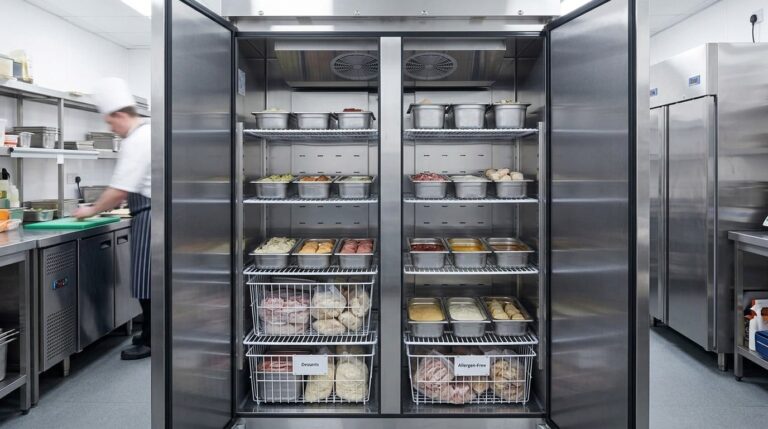
Unifrost F410SS Upright Freezer Planning Guide for Irish Hotel Banqueting Kitchens
Plan your F410SS freezer layout for efficient high-volume banqueting in Irish hotels. Optimize GN pans and workflow.
Read guide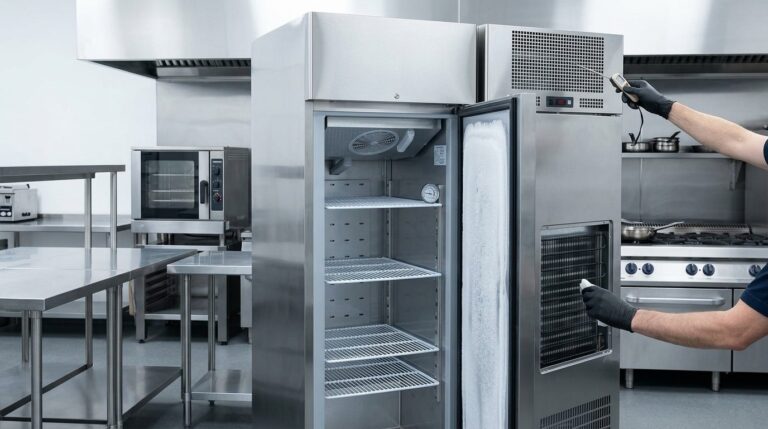
Unifrost F410SS Upright Freezer Ambient Heat & Ventilation Troubleshooting
Troubleshoot Unifrost F410SS freezer temperature issues. Learn how ambient heat and ventilation affect performance in Irish kitchens.
Read guide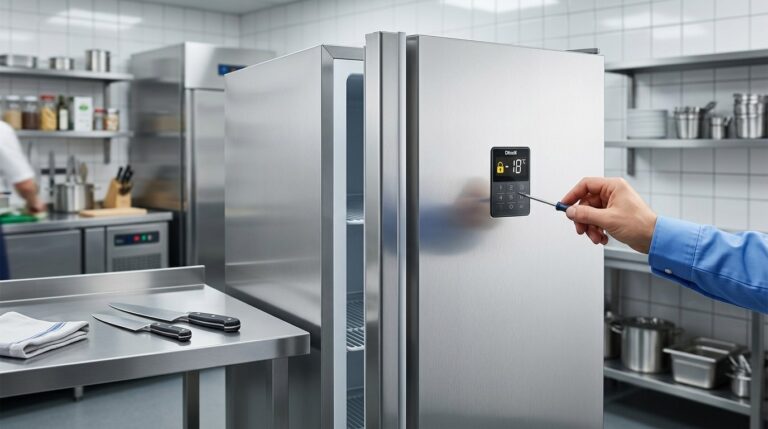
Unifrost F410SS Upright Freezer: Door Controller Locking Troubleshooting Guide
Find solutions for Unifrost F410SS freezer door controller lock issues in busy Irish kitchens. Unlock guidance, common safety checks, and service tips.
Read guideCompare Unifrost freezer options on Caterboss
For current product options, pricing and availability, continue to Caterboss.