
Unifrost Upright Freezer Temperature Controller: Energy Optimisation for Irish Kitchens
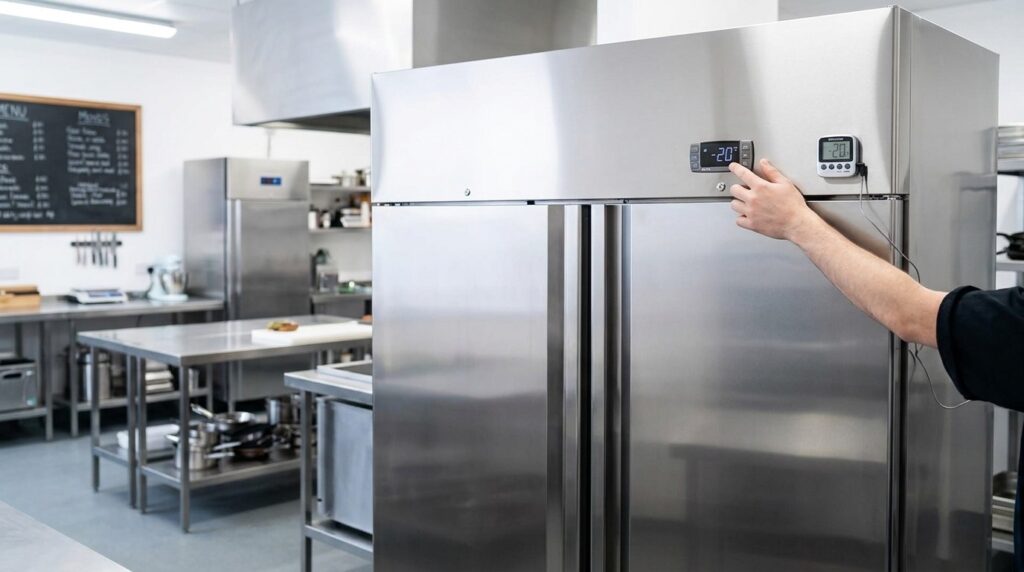
Learn to optimise Unifrost upright freezer temp settings for energy efficiency and HACCP compliance in Irish kitchens.
Unifrost Upright Freezer Temperature Controllers: Setpoints, HACCP Checks and Energy Optimisation in Ireland
Your upright freezer controller decides two things that hit you every day: whether frozen stock stays safely hard frozen, and how much electricity the cabinet burns to get there. If you run Unifrost upright models such as the F410SS, F620SV, F1000SV, F1300SV or F1310SV, small setting changes on the digital controller (often from the XR02CX family) can mean the difference between stable temperatures and unnecessary compressor run time.
This guide shows you what to check before you change anything, including how to confirm which controller you have, find the correct Unifrost manual and parameter list, and verify the displayed temperature with an independent thermometer for HACCP records. You will work through the practical tradeoffs between a no-regret starting setpoint, tighter or wider differentials, defrost scheduling and alarm settings, so you can avoid over-freezing, icing and temperature swings. You will also learn what day-to-day habits drive the biggest energy gains in busy Irish kitchens, how to sense-check running costs, and the warning signs that should trigger a maintenance call instead of more tweaking.
Introduction to Unifrost Upright Freezers
Unifrost upright freezers are commercial, vertical storage freezers used in Irish kitchens to keep frozen food safely at stable temperatures, even with regular door openings during service. They suit HACCP routines because you can organise stock on shelves and find what you need quickly, without digging through a chest freezer.
“Upright freezer” is a broad label, though. Size, door format, and how you load the cabinet matter as much as the headline capacity. The right unit is the one that fits your space, your access, and your restocking pattern.
Unifrost upright freezer models you will see in Irish foodservice
In Irish foodservice you’ll commonly come across models such as F410SS, F410SSOG, F620SV, F1000SV/F1000SVOG, F1300SV/F1300SVNOG, and F1310SV. In day-to-day use, the biggest differences for operators are practical:
Cabinet size and internal layout: how easily you can keep stock rotated and separated.
Door format and clearance: whether the door can open fully without blocking a walkway or workstation.
Access speed: how quickly staff can get in and out during peak periods without leaving the door open.
A tight kitchen that needs quick access during service will usually prioritise door clearance and easy retrieval. Higher-volume sites, like hotels or healthcare kitchens, often prioritise organised bulk storage and fewer, larger restocks.
Where upright freezers fit best in an Irish kitchen layout
Upright freezers generally make sense when floor space is tight and you want staff to see and reach stock quickly. That matters most when the pressure is on, for example a café in a brunch rush, a pub kitchen doing carvery and evening trade, or a takeaway pulling frozen items all day.
For smoother operation, plan for the basics:
Full door swing without clashing with benches, racking, or other doors.
Airflow around the cabinet so the freezer is not starved of ventilation.
Distance from heat and steam where possible (cooklines, dishwash areas, tight plant cupboards), because warm ambient conditions make temperature recovery harder and can increase running costs.
Food safety expectations in Ireland (what you are generally aiming for)
Most Irish HACCP systems work around the principle that frozen food is held at or below -18°C, in line with FSAI advice on keeping frozen food at -18°C or colder.
In practice, the setpoint is only part of the story. Temperature checks can drift when:
Doors are opened frequently during service
Shelves are overloaded and air can’t circulate
Door seals are dirty, damaged, or not closing cleanly
If your log is showing swings, look at usage and loading habits as well as the controller setting.
What “temperature controller” means on a Unifrost upright freezer
Many Unifrost upright fridges and freezers use digital temperature controllers described in Unifrost manuals and controller guidance, including the XR02CX family. This is where you manage the basics that affect both food safety and running behaviour, such as setpoint, differential, defrost settings, and alarms.
Controller layouts and parameter access can vary by model and controller version. A sensible rule is: identify the controller fitted to your unit, then use the correct documentation from the Manuals and Downloads hub on unifrost.ie before changing anything beyond the basic setpoint. That small bit of discipline avoids nuisance alarms, poor recovery, or unnecessary energy use.
Understanding Temperature Controllers
A digital temperature controller on a commercial upright freezer is the module that reads a probe and switches the refrigeration system on and off to maintain a set temperature range. In a working Irish kitchen, it matters for more than the number on the screen. It also controls defrost cycles and alarms, which affects HACCP checks, icing risk, and running costs.
One thing to keep in mind: the controller usually measures air temperature at the probe location, not the core temperature of the food. During heavy door opening or right after loading, the displayed temperature can move around more than the product temperature.
What a controller actually does on an upright freezer
In day-to-day terms, the controller decides:
when the compressor runs
when defrost starts and how long it runs for
how fans behave (where fitted)
when the unit alarms and how long it waits before alarming
When a freezer is “acting up”, the controller is often where you see the symptom first. But many issues blamed on “the controller” come back to airflow, overloading, warm stock being loaded, dirty condenser, or frequent door opening.
As an operator, the settings you’ll come across most are:
Setpoint: the target temperature.
Differential: how far the temperature drifts before the compressor cuts back in.
Defrost schedule: how often defrost runs and for how long.
Alarm thresholds and delays: what triggers a high/low temp alarm and whether there’s a delay to prevent nuisance alarms during service.
Which controllers you’re likely to see on Unifrost upright freezers in Ireland
On Unifrost upright freezer models in Ireland, you’ll commonly see Dixell-style digital controllers, including the XR02CX family described in Unifrost controller guidance.
Two practical points for buyers and kitchen managers:
The freezer model code and the controller model are different. Don’t assume one from the other.
Similar-looking freezers can have different controller variants depending on batch or configuration, so settings and button sequences can differ.
That’s why controller manuals and parameter sheets are kept separate from cabinet manuals. You match the PDF to the controller label, not an invoice description.
The XR02CX family in plain English
If your Unifrost documentation mentions XR02CX, think: a straightforward commercial controller with a simple display and a small number of buttons, with deeper parameters for temperature control, defrost, and alarms.
In a busy café, pub kitchen, hotel prep area, or takeaway, this format is designed to be set correctly and then checked quickly during HACCP rounds.
The main operational risk is accidental parameter changes. If someone alters differential, defrost frequency, or alarm delays without understanding the knock-on effect, you can end up with:
more icing and poorer airflow
higher energy use
alarms that trigger too often, or alarms that trigger too late and get ignored
How to find the exact manual and parameter list for your controller
Check the controller label on the fascia (this is the critical bit).
Note the controller code (for example, XR02CX).
Download the matching PDF from Unifrost’s Manuals & Downloads hub: Manuals & Downloads on unifrost.ie
Once you know the exact controller family, you can talk about setpoints, differential, defrost, and alarm settings with a lot more confidence, and keep the freezer aligned with HACCP routines without creating unnecessary energy use or service headaches.
Optimal Temperature Settings for Safety and Efficiency
Set a sensible target temperature based on food safety and how hard your kitchen works the freezer. Adjust the controller setpoint in small steps, then give the cabinet time to settle before you judge the change. Always cross-check the cabinet temperature with an independent thermometer, and make sure your HACCP records reflect what the food is actually experiencing, not just what the display says. If you are struggling to hold temperature during a busy service, fix airflow and door habits first rather than driving the setpoint colder.
1. Pick a “no-regret” target temperature
For most Irish kitchens operating under HACCP, the practical baseline is keeping frozen food at -18°C or colder. That gives you a clear, defensible target for storage and checks.
From an energy point of view, the best setpoint is usually the warmest setting that still keeps product reliably frozen at the centre of the load during your busiest, warmest periods. That matters in cafés, pubs, hotels and takeaways where door openings and stock levels change hour to hour.
2. Change the setpoint safely (and avoid guessing)
On Unifrost upright freezers you will typically have a digital controller, but the exact button sequence and menu structure depends on the controller type fitted.
A safe approach:
Check the current setpoint first
Move in small steps (avoid big swings)
Wait for stabilisation over a normal working cycle before deciding whether it has improved things
If you are not completely sure which controller you have, do not change advanced parameters (differential, defrost schedule, fan settings, probe offsets). Use the Unifrost.ie Manuals and Downloads area to pull the correct controller manual for your unit before touching anything beyond the basic setpoint.
3. When to run colder, and when to stay at baseline
Colder setpoints generally mean longer compressor run time, so use them only where they solve a real operational problem.
Run a bit colder when:
The kitchen or store is hot (or you are in a heatwave)
The freezer is in a tight space with poor ventilation
You have frequent or long door openings (prep pulls, dessert station, busy service)
You are loading large amounts of unfrozen or warm product (this is a common cause of temperature drift)
Stay closer to the baseline when:
The unit sits in a cooler store
Stock is already hard-frozen
Door openings are brief and you are mainly holding boxed product
If you feel forced to run very cold to “keep up”, treat that as a warning sign. Common culprits are a damaged door gasket, a condenser that needs cleaning, stock blocking internal airflow, or the freezer being squeezed beside a hot appliance.
4. Verify the display and line it up with HACCP checks
A controller display is a useful indicator, but it is not proof of product conditions. Cross-check with a calibrated thermometer and compare readings over a normal service cycle.
For HACCP records, keep entries you can stand over:
Time and temperature observed
Any reason for a temporary deviation (delivery loading, stocktake with the door open, unusual ambient heat)
If you see repeated drift or big swings, it is an efficiency problem as well as a food safety risk. Unstable temperatures often mean longer run time, icing, and slower recovery after openings.
5. Cut running costs without shifting risk onto the team
Once your setpoint is sensible, most savings come from routine practice and basic maintenance:
Keep door openings short and organised
Do not block internal air circulation with boxes pushed hard against the back
Keep the condenser area clean
Allow enough ventilation space, especially in tight Irish back-of-house layouts
If you need tighter control without constant fiddling, the next step is understanding what your controller is doing around sensor reading, differential, defrost and alarms. That is where having the correct controller manual for your specific unit matters.
Energy Optimisation Tips
Set a safe, sensible freezer target first, then tighten up day-to-day operation. Only fine-tune controller settings if your HACCP records show a real issue. Most unnecessary energy use in an Irish kitchen comes from heat and moisture load, not the controller.
1. Set a safe target before you adjust anything else
For normal frozen storage in a café, pub kitchen, hotel prep kitchen, or takeaway, avoid chasing “extra cold” air temperatures for peace of mind. A freezer should be maintained at -18°C or colder, per the FSAI temperature control guidance.
Pick a setpoint that reliably keeps product at or below your HACCP target during your busiest door-opening periods. If you set it colder than needed, you typically increase compressor run time, encourage icing, and can make day-to-day handling worse (boxes sticking, stock freezing together). Set it too warm and you end up with nuisance alarms and extra checks.
2. Optimise controller behaviour with small, reversible changes
Many Unifrost upright freezers use digital controllers. Unifrost support references the XR02CX controller family, with manuals and parameter sheets available via the Unifrost Manuals & Downloads hub. Before changing anything, confirm the controller label on the fascia and use the matching document for the controller you actually have.
For energy tuning, keep it disciplined:
Confirm the setpoint matches your HACCP target (and holds during peak service).
Watch behaviour: short-cycling or big temperature swings often point to airflow, loading, a door seal, or a probe issue rather than a “settings problem”.
Only then consider whether the differential/hysteresis is too tight for a high-traffic kitchen.
Change one setting at a time, then let it run through real trading conditions before changing anything else. If you are not sure what a parameter does, do not change it during live service. A tweak that causes alarms or temperature drift is not an energy saving.
3. Reduce ice by cutting moisture load first, then reviewing defrost
A lot of “the freezer is costing a fortune” complaints come back to moisture. In Ireland, that is often steam from pot wash, dishwashers, or a unit sited where warm air constantly hits the door.
Start with basics that actually move the needle:
Make sure the door closes cleanly every time.
Do not leave it cracked open during stock checks.
Avoid loading warm or uncovered product.
If you see persistent frost on the frame or heavy ice build-up, treat it as an energy fault, not a cosmetic one.
Only after door discipline and moisture sources are under control should you adjust defrost frequency/duration. Too little defrost can leave an iced coil and long run times. Too much defrost can push temperatures up and trigger long recovery cycles. If you do adjust defrost settings, keep changes conservative and verify results over a full week, including deliveries and weekend peaks.
4. Build daily routines that cut run time without risking HACCP
Energy optimisation is usually workflow, not controller wizardry. Upright freezers work hardest when you add heat and moisture, block airflow, or force constant recovery after repeated door openings, which is common in tight bar kitchens and high-turnover sandwich or deli operations.
Keep stock organised so the door is open for seconds, not minutes.
Load for airflow. Do not pack boxes hard against air outlets or fan guards.
Cool product properly before freezing. Loading warm trays drives long run times and can lift nearby product temperature.
Keep the condenser area clean and ventilation clear. A dusty condenser rejects heat poorly, so the system runs longer for the same result.
Check door gaskets weekly. A small tear or a door that does not pull in tight will quietly burn energy all day.
If you want the freezer to run cheaper, the best “setting” is often a clean heat-exchanger and quicker door routine.
5. Verify with an external temperature check, then lock in a simple SOP
Do not rely on the controller display alone. Use a calibrated probe between packs, or in a product simulant, so you are checking something close to product temperature. Keep it consistent in your HACCP routine. The FSAI Safe Catering Pack record books include refrigeration record forms commonly used in Irish kitchens.
Once your setpoint, defrost behaviour and routines are stable, write a short SOP for the team:
what “normal” looks like
what alarms mean
what to do if temperature drifts
who is allowed to change controller settings
That keeps energy savings real, repeatable, and aligned with food safety, rather than depending on one person knowing the controller menu.
Maintaining Energy Efficiency
Keep an upright freezer efficient by setting a sensible, HACCP-safe target temperature, limiting warm air and moisture getting in through the door, and staying on top of icing and airflow. In Ireland, seasonal swings are less about “outside temperature” and more about what your kitchen is doing: extraction running flat out, grills on, dishwashers steaming, and doors opening constantly.
If you do make changes to improve running costs, verify them with your temperature logs and an independent probe thermometer. If you cannot prove it, do not treat it as an energy saving.
1. Set a sensible target temperature and stick to it
Pick one setpoint that holds frozen stock safely through your busiest delivery and service pattern, then avoid constant tweaking. Many Irish HACCP systems are written around -18°C or colder, but the operational goal is stable product temperature, not a “nice” number on the controller display.
The common efficiency mistake is setting the freezer colder than you need “just in case”, then leaving it there for months. A better approach is to run as warm as your HACCP plan allows, provided the unit still recovers quickly after door openings and you can show that stability in your logs.
2. Adjust habits for summer pressure, busy weekends, and heat spikes
When the kitchen ambient rises, an upright freezer has to reject more heat, and every door opening pulls in humid air that turns into ice. Your biggest wins are usually behavioural:
Keep door-open time short. Do not portion or sort with the door standing open.
Do not leave warm cardboard or recently delivered stock sitting in the doorway while you reorganise.
Plan loading and stock counts for quieter periods, so the door is not constantly opened during peak service.
Also watch where the freezer sits. A unit that behaves perfectly in February can look “underpowered” in July if it is beside cooking equipment, in a hot corner with poor ventilation, or on a busy pass where it is opened every few minutes.
3. Protect airflow and door seals (that is where the money goes)
Most efficiency losses come from two places: air leaks at the door and poor heat rejection at the condenser. Torn gaskets, a door that is not closing square, blocked internal air paths, or a condenser packed with flour dust and kitchen grease will all increase run time.
A practical weekly check:
Make sure the door closes cleanly without needing a shove, and keep the gasket clean so it seals properly.
Watch for early icing around the frame or on internal covers. It often points to air leaks or excessive door time.
Keep the grille and condenser area clear, especially in bakeries and busy prep kitchens where dust builds quickly.
Do not load stock hard up against internal vents after deliveries.
If ice is building fast or the freezer runs almost constantly, treat it as an efficiency fault as well as a food-safety risk. That is often the point where a maintenance visit saves more than it costs.
4. Work with Irish electricity tariffs without gambling on controller settings
If you are on a smart meter, Time of Use pricing means your unit rate can change depending on the time of day. The CRU notes that all suppliers must offer a Time of Use tariff, which is useful for planning how you operate equipment, not for pushing risky temperature changes (CRU smart meter guidance).
What you can do safely:
Consolidate door openings and stock checks outside peak-rate windows.
Avoid loading the freezer with anything warm during peak periods.
Keep defrosting, cleaning, and restocking organised so the cabinet recovers quickly.
What to avoid:
“Night setback” temperature games, alarm changes, or parameter tweaks unless you know exactly what the controller settings do on your specific unit. Different upright freezers use different digital controllers and menus. One wrong change can increase icing, cause temperature swings, and wipe out any hoped-for savings.
If you want lower running costs, start with doors, seals, airflow, and loading habits. They are consistent wins, and they do not compromise compliance.
Agent stopped due to max iterations.
Integrating Temperature Logs with HACCP
Use your temperature log to do two jobs: prove control for HACCP and spot early signs that the freezer is working harder (and costing more) than it should. Keep the food safety boundary non-negotiable, then use the same routine to capture a few practical “energy signals” like slow recovery after service or repeated warm drift.
For day-to-day checks, the controller display is fine because it is quick. Just do not optimise settings off a number you have not verified. Build in regular verification with a calibrated probe, and record that verification. Review the log weekly and act on patterns, not on one-off “door left open” incidents. If you change any controller setting, treat it as a controlled change in your HACCP records so you can explain the reason and the outcome during an inspection.
1. Decide what you are logging for (food safety first, then early warning signs)
Start with the HACCP requirement. In Ireland, you need to keep frozen food properly frozen, and -18°C or colder is the typical benchmark used in practice. The FSAI temperature control guidance for caterers is the right reference point for setting your control limits and checks:
<https://www.fsai.ie/business-advice/running-a-food-business/caterers/temperature-control>
Once that’s defined, add a small amount of extra information that helps you catch energy waste and stress on the unit early, without turning the log into paperwork. Useful signals include:
Recovery time after busy service (does it come back to target in a reasonable time?)
Repeated warm drift at the same time each day (often workflow, heat load, or ventilation-related)
Frequent alarms or near-misses (a warning before product risk and breakdown risk)
2. Standardise how readings are taken (so your data is comparable)
Pick one routine method and write it into your SOP so every shift records the same way. Most kitchens log the controller’s cabinet temperature for speed. That is fine for routine checks, provided you verify it regularly with a calibrated probe thermometer and record the measured value as part of your system. FSAI guidance on temperature checking and control is the relevant reference:
<https://www.fsai.ie/business-advice/running-a-food-business/caterers/temperature-control>
To keep logs useful for both HACCP and running costs, be consistent about timing. Two checks that work in real kitchens are:
Before service (quiet moment): gives you a stable baseline.
After service (quiet moment): shows whether the freezer is recovering normally after repeated door openings.
3. Use the format your inspector expects, then add one practical “efficiency note”
Keep your HACCP records aligned with what inspectors commonly see. If you are using Safe Catering Pack records, stick closely to the FSAI refrigeration temperature recording format. The record books and forms are here:
<https://www.fsai.ie/publications/safe-catering-pack-record-books>
Then add a single, simple note field that captures what your temperature numbers cannot tell you on their own. Keep it factual. Examples that actually help later:
“Large delivery loaded 11:30”
“Door found ajar 14:10”
“Air vents blocked by boxes”
“Visible ice build-up”
“Kitchen very hot due to equipment fault”
This is the link between “the temperature drifted” and the real cause (loading, doors, ventilation, maintenance). It also stops you chasing the setpoint when the problem is operational.
4. Review weekly and treat repeat drift as a deviation investigation
The weekly review is where a HACCP log becomes a cost-control tool. You are looking for patterns such as:
Warmer readings at the same time most days
A steady increase in deviations or near-misses
A freezer that struggles to settle back to target after service
When you see a pattern, handle it like any HACCP deviation: confirm with a probe, check the basics (loading practice, door seals, airflow, condenser cleanliness if accessible), and if it persists, escalate to service rather than compensating by running colder than necessary.
5. Link logs to alarms, controller changes, and maintenance actions (traceability matters)
Digital HACCP systems are useful when they help you connect an excursion to an event and a corrective action. That traceability is the whole point of monitoring and recording in HACCP, as set out in the FSAI HACCP principles guidance:
<https://www.fsai.ie/business-advice/running-a-food-business/food-safety-management-system-(haccp)/principles-of-haccp>
If you adjust controller settings on an upright freezer, log it properly:
What was changed
Date and time
Reason (what problem you were solving)
Who authorised it
What you saw in the following week’s trend
Many commercial upright fridges and freezers use digital controllers with model-specific parameters, so treat changes cautiously. The goal is steadier control and normal recovery, not “set it colder and hope for the best”. If you are unsure, get advice before changing parameters that affect defrost, alarms, or temperature differentials.
Troubleshooting Common Freezer Issues
If your upright freezer is burning more energy than it should, you will usually see it in longer compressor run times, heavier ice build-up and wider temperature swings during service. That can also mean more nuisance alarms and more time lost checking stock.
From a HACCP point of view, the key is not to ignore repeated temperature drift. If it keeps happening, treat it as a maintenance or control issue rather than “just a busy shift” or a one-off door opening (FSAI). In warm kitchens, small faults can show up quickly.
The usual energy-wasters you can spot without tools
Most “this freezer is costing a fortune” problems come back to airflow, doors or defrost. Start with the basics before you touch controller settings.
Door not sealing properly: split gasket, misaligned door, or stock stopping it closing fully. Warm air ingress leads to faster icing and near-constant running.
Heavy frost on the inner back panel/evaporator cover: often linked to frequent door openings, poor door seal, or a defrost issue. Frost acts like insulation and reduces heat transfer, so run time increases.
No breathing space around the unit: pushed tight to a wall or boxed in by shelving. Poor ventilation means the condenser runs hotter and efficiency drops.
Stock blocking internal air paths: stacking hard against vents creates cold and warm pockets. The probe may “see” cold air while product elsewhere stays warm, so the freezer keeps running.
Dirty condenser (very common in pubs, takeaways and bakeries): flour, grease and lint clog the coil, so the unit struggles to reject heat and works harder to hold temperature.
When “turning it colder” is hiding the real problem
Dropping the setpoint can look like a quick fix, but it often increases running cost and makes icing worse. If the underlying issue is door sealing, airflow or defrost performance, a colder setpoint simply makes the evaporator run colder, frost faster, and efficiency fall further.
If product is coming out warm and the setpoint is already in a normal commercial freezer range, treat it as fault-finding first, not a settings tweak.
Checks that matter in Irish kitchens during busy service
Load and location matter. If the freezer sits beside a combi, grill or pot wash, or the kitchen is running hot, the unit is under more stress and small problems become expensive quickly.
A quick “reality check” during service:
Is the door being left ajar during picks?
Is there space around the unit for air to move and for the condenser to breathe?
Is warm stock being loaded straight in after a delivery?
If you are trying to protect temperature at peak times, reducing door-open time and improving loading discipline usually gives better results than chasing a colder setpoint.
Verifying the displayed temperature without overreacting
Controller displays typically reflect the air probe position, not the warmest point in the cabinet. Before you change anything, confirm what is actually happening to product temperature.
Use a suitable probe thermometer and check between packs (or use a glycol bottle if that is part of your routine). Compare your readings to the display over a few checks, and log it the same way you record other HACCP controls. If the display and your checks are consistently off, look at probe condition, probe position and controller configuration before assuming a sealed-system problem.
Finding the right controller manual and parameters for your Unifrost upright freezer
Before changing parameters, match the controller on your unit to the correct manual. The safe approach is to identify the controller faceplate and model, then use the Unifrost Manuals and Downloads hub to find the right document for that controller.
Change only settings you can reverse, and only after you have ruled out the mechanical causes above. In day-to-day terms, that is the difference between a freezer that holds temperature steadily and one that is constantly fighting icing, load and airflow.
Frequently asked questions
What temperature should my commercial upright freezer be set to for safe food storage?
For most Irish foodservice operations, aim to hold product at -18°C or colder for safe frozen storage.
Practical approach:
Setpoint: start at -20°C so the cabinet has headroom during busy service and door openings.
HACCP check: verify with a calibrated probe in a dummy pack or between packs, not just the air display.
When to go colder: only push lower (for example, for frequent door openings, hot kitchens, or high ice-cream load) if you consistently struggle to maintain -18°C product temperature.
How do I change or check the temperature setpoint on a Unifrost upright freezer’s digital controller?
Most Unifrost upright freezers use a digital temperature controller with a simple setpoint menu, but button sequences can vary slightly by controller family.
A safe, no-drama method:
Check the setpoint: press SET briefly to display the current setpoint (often shown as SEt or a flashing value).
Change the setpoint: press and hold SET for a few seconds until the value flashes, use the ▲/▼ keys to adjust, then press SET again to confirm.
Do not change hidden parameters (defrost, probes, differentials) unless you are working from the correct manual for your exact controller.
If the buttons or menu labels don’t match your display, use the model-specific controller manual/parameter sheet from Unifrost’s Manuals & Downloads hub and follow that sequence.
How can I run my commercial freezer more efficiently and reduce energy costs in a busy kitchen?
The biggest energy wins come from reducing heat and moisture getting into the cabinet, and keeping the refrigeration system clean so it runs less.
High-impact steps that usually pay back quickly:
Avoid over-freezing: set a realistic target (often -20°C setpoint to hold -18°C product) rather than running unnecessarily cold.
Door discipline: keep openings short, don’t “shop” with the door open, and use strip curtains if your workflow allows.
Loading and airflow: don’t block internal air vents, and let hot food cool properly before freezing so you don’t drive long compressor runtimes.
Gasket checks: damaged or loose door seals pull in warm, wet air and cause icing plus longer run times.
Keep the condenser clean: grease and dust on the condenser coil is a common cause of high energy use. Build a simple cleaning schedule suited to your kitchen.
Defrost and ice control: excessive ice indicates moisture ingress or a door/seal issue. Fix the cause rather than “turning it colder.”
If energy use has suddenly jumped, treat it as a fault-finding problem: a small maintenance fix often saves more than chasing a colder setpoint.
Next step: explore more Unifrost refrigeration options
If you are reviewing your kitchen’s cold storage for lower running costs, it can help to compare freezer and fridge formats side by side and match them to your service pattern and ambient conditions.
Browse the Unifrost commercial refrigeration range to explore options for energy-efficient Irish foodservice kitchens.
Related Unifrost guides
Compare models, maintenance advice and support information related to this topic.
Customising Advanced Settings on Unifrost Upright Freezer Controllers for Irish Kitchens
Guide to customising Unifrost upright freezer controllers for optimal Irish kitchen use, covering temperature settings and advanced configurations.
Read guide
Understanding Unifrost Upright Fridge & Freezer Temperature Controller Defrost Messages
Learn about Unifrost upright fridge freezer controller messages for efficient, error-free kitchen operations.
Read guide
Customising Advanced Settings on the Unifrost F410SS Upright Freezer Controller
Learn to adjust the Unifrost F410SS freezer controller for Irish commercial use, balancing food safety and efficiency.
Read guideCompare Unifrost freezer options on Caterboss
For current product options, pricing and availability, continue to Caterboss.