
Quick Checks for Unifrost Upright Freezer Temperature Controllers in Ireland
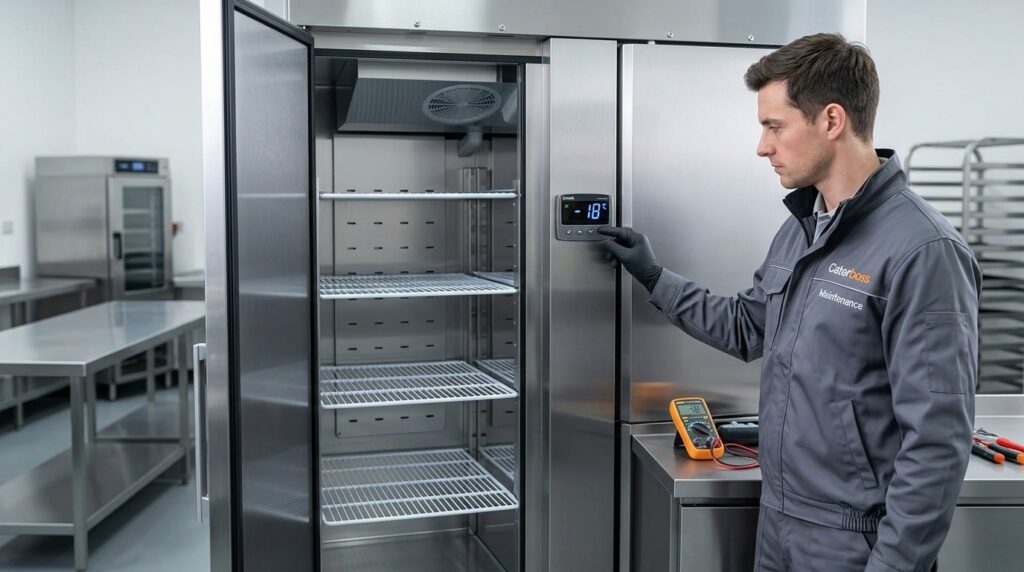
Ensure your Unifrost upright freezer runs efficiently with temperature controller tips for Irish kitchens.
Unifrost Upright Freezer Temperature Controller Quick Checks for Ireland
You rely on your Unifrost upright freezer controller to protect stock, pass HACCP checks, and avoid unnecessary call-outs. This guide shows you the quick, practical checks to do on the digital display and controls on Unifrost upright freezers in this family, including F1000SV and F1000SVOG, F1300SV and F1300SVNOG, F1310SV, F410SS and F410SSOG, and F620SV.
You will learn what to confirm at delivery and first power-on, how to tell whether the display is showing setpoint or actual cabinet temperature, and what “normal” behaviour looks like during pull-down and defrost. You will also see how to pick a sensible working setpoint for Irish kitchen conditions, typically targeting a stable holding range around -17°C to -25°C, and how to cross-check the controller reading with a separate thermometer.
Finally, you will run through fast service-time checks your team can do before calling an engineer, such as door discipline, loading and airflow, alarms, icing, and power-cut recovery, plus which controller parameters you should not change because they can create temperature swings or food safety risk.
Introduction to Unifrost Upright Freezers
Unifrost upright freezers are commercial, upright storage freezers used in Irish kitchens where you need frozen stock held safely and ready for service. Across models such as the F1000SV/F1000SVOG, F1300SV/F1300SVNOG, F1310SV, F410SS/F410SSOG, and F620SV, you’ll typically have a digital temperature controller with an on-unit display to manage and show cabinet temperature.
In practical terms, that controller is there to do three jobs:
show you what the cabinet is doing day to day
help the system recover after door openings and loading
flag issues early through alarms or unusual temperature behaviour
These units use a fully ventilated (fan-assisted) cooling system, which matters in a busy kitchen. It helps pull the cabinet back down after service rushes, restocking, and deliveries. The display can change during normal cycles such as defrost, so it’s worth understanding what “normal” looks like before you start adjusting settings.
What “upright freezer with digital controller” means in practice
The controller is your quickest on-shift check that the freezer is operating in a sensible working band. Irish listings for these Unifrost uprights typically show an operating range around -17°C to -25°C, depending on the model and setup.
For HACCP and product quality, the key operational point is simple: you generally want to keep frozen food at or below -18°C. That aligns with FSAI guidance that food can remain frozen if the freezer temperature is still below -18°C.
<https://www.fsai.ie/business-advice/running-a-food-business/caterers/flooding-of-a-food-business>
One nuance that catches people out is the difference between:
what the controller is reading in the cabinet air, and
what the warmest product temperature is after heavy loading or frequent door opening
After a delivery, the cabinet temperature may look “off” for a while even when the unit is working as it should. Treat the controller as an operational indicator, and back it up with your normal HACCP checks where needed.
Which Unifrost upright models this temperature guidance covers
This controller-focused guidance applies to the Unifrost upright freezer family in scope: F1000SV/F1000SVOG, F1300SV/F1300SVNOG, F1310SV, F410SS/F410SSOG, and F620SV.
While exact controller behaviour can vary slightly by unit, the operator interaction is broadly similar across the range:
reading cabinet temperature on the display
recognising an alarm state
understanding when the unit is in a normal cooling or defrost routine
With that context, the next step is to run a few day-one checks so you start from a stable setup you can trust during service.
Essential Day-One Controller Checks
Do a quick set of checks before you load the freezer. You want to confirm it’s installed correctly, powered safely, and that the controller is showing sensible information. “It powered on” is not the same as “it’s holding frozen safely”, so finish by cross-checking with a separate thermometer and logging a baseline for HACCP.
1. Check delivery condition and basic installation before you plug it in
A two-minute visual check here prevents a lot of “mystery temperature” call-outs later.
Door seals and closure: Make sure the gasket sits flat all the way around and the door closes cleanly without needing a slam. Even a small gap behaves like a constant door opening in a busy kitchen.
Level and not twisted: If the cabinet is out of level, doors can hang slightly open and the unit can struggle to stabilise.
Ventilation and location: Give the back and sides enough breathing space for heat to escape. Upright freezers will struggle in tight alcoves, beside cooklines, or under low canopies where warm air pools. In practice you’ll see it as slow pull-down and wider temperature swings on the controller.
2. Power on safely and confirm the controller display looks normal
Once it’s plugged in and switched on, watch the controller for the first couple of minutes.
You’re looking for a normal start-up where the display stabilises. Red flags include:
alarm codes that won’t clear,
constant flashing that does not settle,
a display that drops out and reboots.
If the controller has indicator icons, you may see a compressor or fan symbol appear after a short delay. If you get an alarm straight away, don’t start changing settings yet. Take a photo of the display first. That single image is often the quickest way to get meaningful help later.
3. Confirm whether you’re viewing cabinet temperature or the setpoint
On most commercial digital controllers, the main number shown is the current cabinet temperature (from the probe). The setpoint is usually viewed by a short press of a set/info button.
The day-one goal is simple: avoid mistaking the setpoint for the actual temperature and assuming the freezer is cold when it isn’t.
A quick sanity check:
After switch-on, a warm cabinet’s actual temperature should trend down over time.
A setpoint stays fixed.
If the number never moves over 10 to 15 minutes with a warm cabinet, you may not be viewing the live temperature, or the probe reading is not being displayed correctly.
4. Set a sensible freezer setpoint and allow proper pull-down time before loading
Most Irish kitchens aim to store frozen food at -18°C or colder, but the best setpoint for your site depends on load, door opening, and ambient heat.
On day one:
choose a sensible setpoint for frozen storage,
then leave it alone while the cabinet pulls down.
Let the freezer reach temperature empty before stocking it, especially if it arrived on a warm day or it’s going into a tight back-of-house area. Loading warm deliveries into a cabinet that hasn’t pulled down yet creates long “not reaching setpoint” periods and can send you chasing a fault that is really just start-up conditions.
5. Recognise defrost behaviour so you don’t misread a normal cycle as a fault
Most ventilated uprights defrost automatically. During defrost you may see:
the displayed temperature rise,
the compressor indicator drop out.
That can be normal. What matters is recovery.
On day one, try to observe one full pattern: pull-down, stabilise near setpoint, then any scheduled defrost behaviour. If temperature climbs and does not recover after defrost ends, start with the usual site causes first: door seals, loading, airflow blockage, or excessive ambient heat.
6. Cross-check with an independent thermometer and create your first HACCP baseline
Don’t rely on the controller alone for your first verification.
Use a calibrated probe thermometer.
Place it in a realistic spot, for example between packs in the centre of the cabinet, not pressed against an air outlet.
Let it settle, then compare it to the controller reading.
For food safety practice, the practical benchmark is keeping food frozen solid and the freezer operating at or below -18°C. The FSAI notes that frozen food can continue to be kept frozen as long as the temperature remains below -18°C in an outage-check scenario, which is a useful reference point for your own controls and logging too (FSAI guidance).
Record:
controller temperature,
your cross-check reading,
any corrective action taken.
That first entry becomes the reference point when someone later says, “it’s always been like that”, and it helps you separate site issues (doors, airflow, placement, loading) from a real controller or probe fault once the freezer is under service pressure.
Recommended Temperature Settings
Set your food-safety target first, then pick a controller setpoint that gives you headroom for busy service, defrost cycles and frequent door openings. Use the controller display properly, allow time for pull-down after loading, and confirm readings with a separate thermometer before you bake it into HACCP checks.
1. Start with the food safety target, then add a buffer
For most Irish food operations, the key requirement is keeping frozen food at or below -18°C. The FSAI guidance for businesses dealing with flooding and power outages references -18°C as the threshold for keeping food frozen and safe to hold in those situations (FSAI flooding and power outage guidance).
In day-to-day trading, you normally set the controller lower than -18°C so normal temperature swings do not creep above your limit. As a practical starting point for an upright freezer that’s opened regularly, a setpoint around -20°C to -22°C usually gives a sensible buffer without forcing the unit to work harder than it needs to.
If your operation has long door-open times, heavier loading, or the freezer sits in a warm back-of-house, you may need that buffer. If the cabinet lives in a cooler store and stays closed most of the day, you may not.
2. Adjust for real kitchens: door openings, loading and hot plant rooms
In cafés, takeaways and busy pub kitchens, freezers often sit in tight spaces with poor airflow and high ambient heat. Every door opening drags in warm air, and it takes time for the cabinet to recover. That recovery time is the reality of the heat load, not the controller “being off”.
Use the setpoint as the control lever, but avoid chasing the display during service. A few practical points that usually make more difference than tweaking numbers:
Keep the setpoint steady through service rather than turning it down aggressively.
Minimise warm loading. Don’t put warm trays or just-delivered stock straight into the freezer if you can avoid it.
Improve door discipline. If staff are in and out for chips, ice, desserts or prepped portions, consider splitting stock so the most-used items are quickest to reach.
Give the unit breathing space. Ventilated uprights need clear airflow around the cabinet to recover properly.
3. Know what the controller is showing before you rely on it for checks
Before you base HACCP logging on the controller display, make sure you know what you’re looking at: actual cabinet probe temperature vs setpoint, and what a defrost cycle looks like on that display. Many digital controllers show probe temperature by default, but it’s easy to toggle to setpoint briefly, and defrost can make the number look “wrong” for short periods even when the freezer is operating normally.
Do a simple cross-check once the cabinet is stable:
Use a suitable freezer thermometer or a calibrated probe.
Measure in a “buffered” way (for example, between packs) rather than in free air near the door.
Compare against the controller reading over a few checks, not just once.
If the controller and your independent reading are consistently out, treat it as a set-up issue to investigate (probe position, airflow, loading habits) rather than immediately changing controller parameters. Getting this baseline right makes day-one checks faster, and staff will learn what “normal” looks like on your display during a busy shift.
Understanding Your Controller Display
A freezer controller can show different readings because it cycles between the temperature you’ve asked it to hold (setpoint), the temperature the probe is reading (actual), and operating states like defrost. That matters in real kitchens because you are trying to protect frozen storage at or below accepted safe limits. The FSAI notes frozen food can remain frozen if it is still below −18°C.
The important bit: short swings on the display are common after door openings, stock loading, or during defrost, and they do not automatically mean the freezer has “gone warm”.
What “setpoint” means
Setpoint is simply the target temperature the controller is working towards.
Use it as a control setting, not as proof of product temperature. In a busy kitchen or bar, the cabinet can be set correctly but the display may still move around during service because the air temperature changes quickly every time the door opens.
If you’re checking for HACCP, setpoint tells you what the unit is trying to achieve. Your records should focus on whether the cabinet is operating within safe limits over time, not on a momentary number during a rush.
What “actual temperature” means (and why it moves)
Actual temperature is whatever the controller’s probe is reading at that moment. It is usually measuring air temperature, not the core temperature of the food.
That’s why it can jump:
when the door is opened repeatedly (warm air rushes in)
when you load stock that is not fully frozen
if shelves are over-packed and airflow is restricted
In practice, if the door seals are sound and airflow is clear, the actual reading should pull back towards the setpoint once things settle. Persistent slow recovery is a better warning sign than a brief spike during service.
How to recognise a defrost cycle on the display
Defrost is normal. The unit temporarily reduces or stops cooling to clear ice from the evaporator so airflow and performance don’t suffer.
Depending on the controller fitted, you may see:
a defrost icon
a “def” style message
a gradual rise in the displayed temperature while cooling is paused
Before logging a fault or calling it in, do a quick sense-check:
In defrost, compressor noise may pause and fan behaviour can change.
If the controller is showing setpoint, the number is usually steady and may not match what you feel inside the cabinet during a quick door-open check.
If it’s showing actual, expect it to react quickly to door openings and loading.
Once you can tell setpoint, actual, and defrost apart, controller checks get quicker, and you avoid chasing normal behaviour as a breakdown.
Simple Service-Time Checks
What quick controller checks can staff do during a busy Irish service before calling an engineer?
Start by reading what the controller is actually displaying, not what you think it should be displaying. Note any alarm code, symbols, or a flashing value. Then do the two site checks behind most “it’s not cold enough” calls during service: door discipline and airflow (loading and blocked vents). Have a quick look for icing that can stop fans moving air. Finally, cross-check with a separate thermometer and log what you found. Avoid changing settings mid-service, because a quick tweak can hide the real fault and create a bigger one overnight.
1. Read the controller display properly (before you touch anything)
Check whether the display is showing cabinet temperature, a setpoint, or a defrost/alarm state. In a busy kitchen it is very easy to mistake one for the other, especially if someone has been pressing buttons.
If it’s flashing, showing an alarm code, or looks different to yesterday, write down exactly what’s on the screen (including any letters or symbols) before doing anything else. That note saves time if you need support later and avoids the classic shift-to-shift “it said something like…” problem.
2. Do the fastest site checks: doors, seals, and loading pattern
A controller only reports what the cabinet is doing. If warm air is getting in, the temperature will drift quickly no matter what the display says.
During service, look for the simple causes: the door not fully latched after grabbing a tray, a gasket folded back by a gastronorm corner, or staff holding the door open while deciding what to take.
Then check loading with one rule: don’t block internal air paths or vents with boxes, liners, or tightly stacked product. Fan-assisted cabinets rely on circulation. You can get cold spots and warm spots fast if airflow is choked, especially around the probe area.
3. Look for icing and signs the fans are not moving air
If the temperature is rising while the controller appears to be calling for cooling, look for clues you can spot quickly: heavy ice build-up around air outlets, product frosting together in odd places, or noticeably still air when the door is opened briefly.
Also consider whether the unit is simply in defrost. A short period of “not cooling” can be normal during a defrost cycle. The practical check is whether the temperature recovers back down afterwards, once the door is kept closed.
4. Cross-check temperature safely and log it for HACCP
If you need a quick confirmation, use a separate thermometer you trust rather than judging by how hard product feels. For a fast service check, measure between packs in the middle of the load (not right by the door) and give it enough time to stabilise so you’re not just reading warm surface air.
For Irish food safety practice, frozen food is generally held at -18°C or colder, as reflected in FSAI guidance on storing and displaying frozen food at -18°C or below. If your cross-check and the controller disagree, record both and treat it as an investigation point, not a reason to start changing settings mid-rush.
5. Decide: keep trading with controls, or stop and call for help (and what not to change)
During service, your best “control” is often operational: keep the door shut, reduce how often it’s opened, and move critical stock to a known-good cabinet if temperatures are climbing.
Avoid changing deeper controller parameters (defrost frequency, probe offsets, alarm differentials). The unit may look “fixed” for an hour, then ice up, short-cycle, or alarm all night when nobody’s there.
Escalate if you see any of the following:
Alarm codes you can’t clear (or that return immediately)
Temperature rising and not recovering after doors are kept shut
Obvious fan or airflow failure
Severe icing that is quickly getting worse
Repeated power interruptions affecting operation
With those notes and readings, you’ll be able to explain the issue clearly and get faster, more accurate support when you do need to call it in.
Troubleshooting Common Controller Issues
When an upright freezer controller looks “wrong”, it is often reacting to what’s happening on site rather than failing. The quickest way to sanity-check it is to separate food safety targets from what the display happens to show during service.
For frozen storage in Ireland, you generally work back from expectations of -18°C or colder, in line with FSAI guidance on chilling, freezing and cold holding. The important nuance is that busy service, high kitchen ambient temperature, loading patterns, and defrost timing can all make the displayed air temperature drift temporarily even when the freezer is doing its job.
Site issues that mimic a controller fault (and what the display tends to do)
On ventilated upright freezers with electronic control (including Unifrost upright models in the ranges listed), the controller responds to the temperature at the probe, not the temperature of every product on every shelf. That’s why the display can swing in ways that look dramatic, especially in tight kitchens.
Door discipline is usually the culprit. In pubs, cafés and takeaways, frozen chips, desserts and prep are in and out all service. Every opening pulls warm, humid air into the cabinet. You’ll often see:
a quick rise on the display after repeated openings
a slower pull-down afterwards, even though the setpoint hasn’t changed
If the door is not closing cleanly, is left sitting on the latch, or the gasket is dirty or torn, the controller can look like it’s “not holding” when it’s really fighting a constant air leak.
Loading and airflow is the other common trap. Overfilling, blocking internal fan air paths, or putting in warm stock straight off a delivery will extend recovery time and widen the swings you see on the display. A useful rule of thumb is:
if the display rises after loading and then trends steadily back down with time, it’s often workload and airflow rather than a controller fault
Signs it’s refrigeration performance, not the controller
A controller can only call for cooling or stop cooling. If the cabinet can’t remove heat fast enough, the controller may keep calling for cooling and you still won’t get back to target temperature.
You’re more likely dealing with refrigeration performance, airflow, or maintenance when:
the unit runs continuously but the temperature plateaus well above your frozen storage target
the problem is worse in warm weather or where the unit is boxed into a tight space
In Irish kitchens, space is tight and units often get pushed hard against a wall, or ventilation grills end up blocked by boxes, cleaning gear, or general “stuff”. Dirty condenser coils and poor airflow around the unit are classic causes, and they produce the same symptom: the controller looks busy, but the temperature doesn’t recover properly.
Heavy icing is another strong clue. Rapid ice build-up, fogging around the door area, or unusual frosting on product often points to moisture getting in, typically from door openings, poor seals, or the door being left open during picks. Ice also restricts airflow across the evaporator, which can make the display look “stuck high” even though the controller is operating normally.
When to stop troubleshooting and call an engineer (controller-focused vs site-focused)
Use this split to decide what you can reasonably check in-house versus what needs a call-out:
Call an engineer if the controller shows a probe error or alarm you can’t clear, if the display is clearly implausible (for example jumping wildly within seconds), or if settings have been changed and you can’t confidently restore them without risking defrost or cut-in/cut-out parameters.
Call an engineer if the freezer is running continuously but still isn’t trending back towards safe frozen temperatures after you’ve dealt with the basics: door closing and seals, loading, internal airflow, and external ventilation space.
Treat it as a site issue first if problems only show up at peak service or after a big restock, if temperatures recover given time, or if performance improves immediately when you reduce door openings and clear airflow paths.
If you’re taking over a new site or commissioning a newly delivered unit, these are also the checks worth capturing in a simple day-one routine. It helps you establish what “normal” looks like before the first busy weekend, and makes it much easier to spot what actually changed when things start drifting.
Aligning with Irish Food Safety Regulations
If your Unifrost upright freezer controller isn’t holding a stable temperature, the first knock-on effect is your HACCP paperwork. You can end up with a “normal-looking” daily check while stock has actually been sitting outside your own critical limits. FSAI HACCP guidance expects you to monitor key controls, record the results, and take corrective action when limits aren’t met. Temperature control is one of the basics that routinely comes up in inspections.
In real kitchens, problems are often gradual. Small, repeated warm spells during busy service add up, especially in pubs, cafés, and takeaways where the door is opened constantly and stock gets packed tight.
What the controller check should look like in a HACCP log (Irish practice)
For most Irish operations, the controller display is the quickest daily evidence that the freezer is being controlled. It is not the same as verifying product temperature, but it is still a useful routine check if you record it properly.
The simplest way to align staff checks with what your HACCP file needs is to use the FSAI Safe Catering Pack refrigeration record sheet as your format, for example the FSAI Safe Catering Pack refrigeration record (SC2).
Record the cabinet temperature shown on the display, the time, and initials.
If it’s outside your site limit, record the corrective action clearly (for example: reduce loading, improve door discipline, move product away from air outlets, quarantine at-risk stock, and escalate to maintenance if it doesn’t recover).
That last point matters. “Noted” isn’t a corrective action.
Setpoint vs actual temperature vs defrost: why it matters for compliance
A common mistake is writing down the setpoint. It gives you perfect-looking paperwork, but it does not prove what the freezer actually did.
Defrost cycles also catch people out. During defrost, an upright may show a temporary rise or what looks like a non-cooling period. Your HACCP procedure should spell out what staff do when they see a defrost indicator, a compressor off period, or a temperature trend going the wrong way. This aligns with FSAI expectations that monitoring is defined and corrective actions are clear within your HACCP-based system, as set out in FSAI guidance on temperature control for caterers.
Verifying the controller reading with a separate thermometer (without creating extra work)
If the display looks “about right” but you’re holding high-value stock (seafood, allergens-segregated product, bulk-prepped portions), a simple cross-check can save you from guesswork when you need a keep-or-discard decision.
FSAI guidance is clear that a calibrated probe thermometer should form part of temperature monitoring, per the FSAI temperature control guidance. In practice, that doesn’t mean probing everything daily. A sensible approach is to verify the display reading at a set frequency in your plan, for example weekly, after maintenance, or after a power cut.
Keep it consistent:
Use a known good thermometer.
Check a representative item (or a test pack).
Record the probe reading alongside the controller display so you can spot developing issues early (probe drift, poor airflow, overloading, or a door seal problem).
The goal is simple: quick checks that any staff member can do correctly during delivery, first power-on, and the first busy service.
Connect to the Unifrost Support Ecosystem
What you do next depends on the job in front of you: setting a sensible day-to-day setpoint, investigating a temperature drift, or showing control for HACCP. In Ireland, most kitchens work back from keeping frozen food at or below -18°C, in line with FSAI guidance on freezing and frozen storage.
Just remember the controller display is only part of the picture. Airflow, loading, door discipline and defrost cycles can all make a “normal” cabinet look wrong in the middle of service, especially when the doors are getting hammered.
Use guidance for your Unifrost upright model family
If you are running a Unifrost upright from the common family list (F1000SV/F1000SVOG, F1300SV/F1300SVNOG, F1310SV, F410SS/F410SSOG, F620SV), you will typically see similar digital controller behaviour across the range. That is useful because your handover checks, quick staff checks and “do not touch” settings can be kept consistent, even if cabinet size and workload differ.
On Unifrost.ie, treat support as a sequence rather than a single manual:
Start with the model page and any cabinet downloads.
Then check the controller documentation, so you know what the display is actually showing and how it behaves during defrost.
Only then go to alarms and parameter lists, if you still need to.
This order avoids a very common (and expensive) mistake: changing controller settings to “fix” what is actually a site issue such as blocked airflow or warm stock being loaded in one go.
Make the controller useful for HACCP, not just a number on a screen
For HACCP, the controller earns its keep when it supports a simple routine: record what you saw, sense-check it, and record what you did if it was outside your limit. Use the controller as the operational check, but back it up with a separate calibrated thermometer often enough to show the display has not drifted.
When you log an issue, keep it practical:
Date/time
Displayed cabinet temperature
Setpoint
Any active alarm or error code
Context (busy service, frequent door openings, fresh stock loaded, power cut)
Corrective action if the reading is outside your site limit
For staff training, one instruction prevents most poor call-outs: write down what the controller was showing and what the cabinet was doing when you noticed it (steady, rising quickly, in defrost, alarming). That gives support or an engineer something solid to work from.
Know what Unifrost support can solve remotely vs what you must fix on site
Support resources are most effective when the problem is controller-facing: confirming whether you are looking at actual temperature or setpoint, recognising what a defrost cycle looks like on the display, interpreting an alarm code, or spotting when a probe fault is likely. They are also useful after a power cut, when alarms and recovery behaviour can help you judge whether the cabinet struggled to pull down or simply needed time to stabilise.
If the controller is “telling the truth” and the cabinet is genuinely warming, the fix is often on site and physical:
warm product loaded too quickly
evaporator airflow blocked
door seals not making full contact
unit pushed tight to a wall so it cannot reject heat properly
Get those basics right before you touch parameters. Adjusting defrost frequency, differential or alarm delays without a clear reason can make faults harder to diagnose and can put stock at risk.
With that map in mind, you can move on to day-one controller checks in a way that is quick, repeatable and realistic for an Irish kitchen handover.
FAQs: Unifrost Upright Freezer Temperature Controller (Ireland)
How do I adjust the temperature on my Unifrost upright freezer?
On most Unifrost upright freezer models in this family (including F1000SV/F1000SVOG, F1300SV/F1300SVNOG, F1310SV, F410SS/F410SSOG and F620SV), temperature is set from the digital controller on the front display.
Practical approach:
Check what the display is showing first: some controllers default to actual cabinet temperature, while the setpoint is shown only when you enter the set menu.
Enter the setpoint screen, adjust up or down in small steps, then save/confirm.
After changing the setpoint, allow time for the cabinet to stabilise and avoid frequent door opening while it pulls down.
If your controller layout looks different, use the model number from the rating plate and match it to the correct documentation on the Unifrost support resources (so you do not change engineer-only parameters).
What is a normal temperature range for safe storage in Unifrost freezers?
For commercial frozen storage in Ireland, operators typically target around -18°C product temperature for safe long-term storage. On Irish listings, Unifrost upright freezers are commonly shown operating roughly in the -17°C to -25°C range with electronic control.
Practical setpoint guidance:
Set a working setpoint that reliably keeps product at or below -18°C during your busiest periods.
Use a separate calibrated probe/thermometer (in a product pack or glycol bottle) to cross-check the controller reading, especially during commissioning or after a power cut.
If you are logging for HACCP, record actual cabinet or product temperature (not just the setpoint) and note any corrective action if readings drift.
Why might my freezer not maintain the set temperature?
If a Unifrost upright freezer struggles to pull down or hold temperature, it is often a site or usage issue rather than a controller failure. Common causes to check before calling for service:
Door discipline: frequent opening, doors not fully closing, or damaged/dirty gaskets lets warm air in and can make the display swing.
Loading and airflow: overfilling, blocking air outlets/returns, or putting in warm product can prevent stabilisation.
Condenser/ventilation: restricted ventilation around the unit or a dusty condenser can reduce performance.
Defrost behaviour: during defrost cycles the displayed temperature can rise temporarily, then recover. Check whether the unit is simply mid-defrost.
Alarms and probe issues: if you see persistent alarms or suspect a temperature probe fault, avoid changing hidden parameters and move to documented checks, then arrange support.
If you have ruled out doors, loading, and airflow, the next step is to reference the correct manual for your model and follow the fault/alarm guidance.
Need the right freezer setup and the right documentation?
If you are commissioning a new unit or troubleshooting a temperature swing, start by confirming your exact Unifrost upright model (for example F1000SV, F1300SV, F1310SV, F410SS or F620SV) and then use the official support resources to match the correct controller guidance and manuals.
Visit the Unifrost Support Page to access documentation and practical help tailored to your freezer and your day-to-day kitchen checks.
Related Unifrost guides
Compare models, maintenance advice and support information related to this topic.
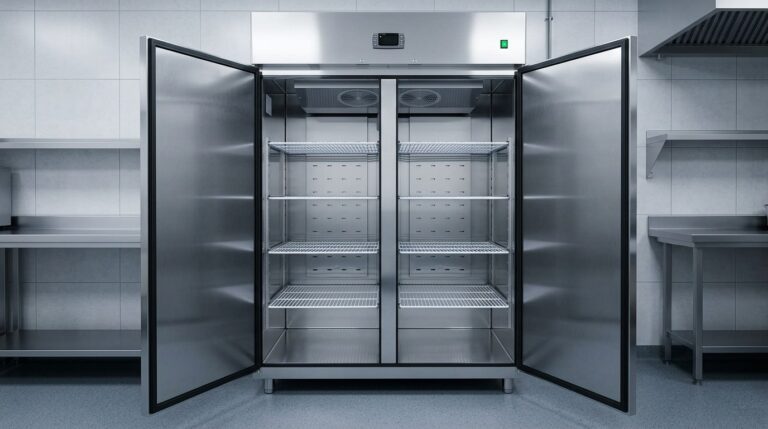
Unifrost Upright Fridge Freezer Temperature Controller Quick Checks for Irish Kitchens
Quick checks for Unifrost upright fridge freezer controllers in Irish kitchens. Ensure optimal storage and avoid downtime.
Read guide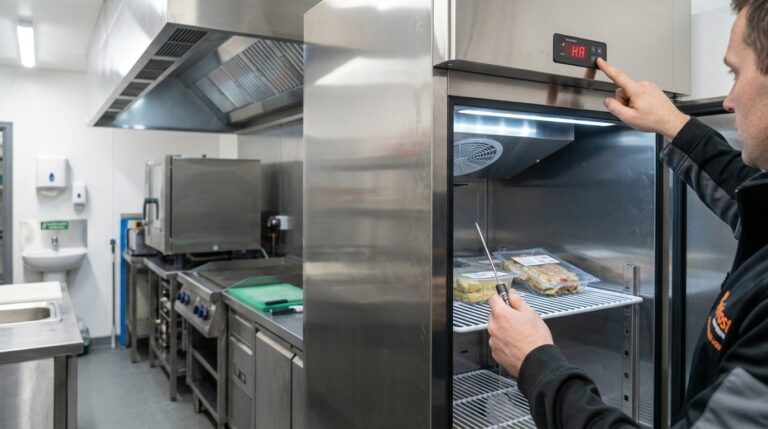
Unifrost Commercial Fridge Ambient Temperature Controller: Troubleshooting Alarms in Irish Kitchens
Learn how to troubleshoot and manage temperature alarms on Unifrost fridges in busy Irish kitchens.
Read guideCompare Unifrost freezer options on Caterboss
For current product options, pricing and availability, continue to Caterboss.