
Finding and Using Unifrost Display Fridge, Freezer & Bottle Cooler Manuals
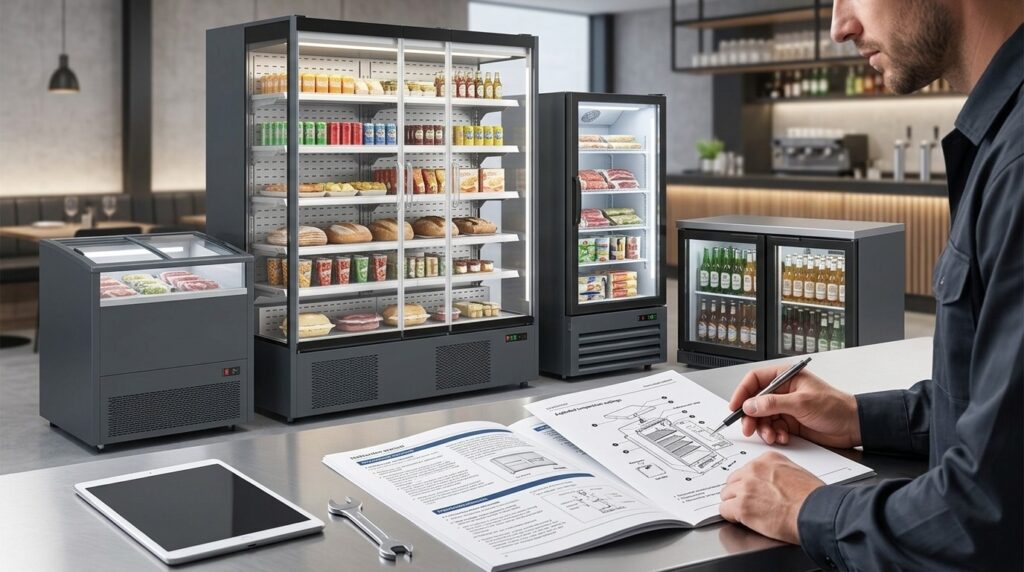
Learn how to access Unifrost display fridge and cooler manuals. Ensure your business refrigeration runs smoothly.
Unifrost Display Fridge, Display Freezer & Bottle Cooler Manuals (How to Find the Right PDF)
If you run front-of-house refrigeration, you need the right Unifrost manual fast so you can install correctly, set safe temperatures, and avoid downtime or call-outs.
On this page you will learn how to find the correct PDF for Unifrost display fridges, upright display freezers, and back-bar bottle coolers using model-level downloads (often grouped with spec sheets on Caterboss product pages). You will also see when to use this display-unit manuals page versus the broader Unifrost Manuals Hub, what to do if you cannot find your exact model number on the data plate, and when you should also download a separate controller or programming guide.
The goal is simple: match the unit you have on site to the right documentation, then use it for the key operator tasks like installation checks, temperature and controller settings, cleaning and maintenance routines, and the basic do’s and don’ts that can affect warranty queries.
What this support page helps you find
This page gets you to the right Unifrost manual or download for glass-door display fridges, display freezers, and back-bar bottle coolers, without having to dig through the full manuals hub.
That matters because your cleaning, temperature checks, and routine maintenance should follow the manufacturer’s instructions as part of day-to-day food safety control. The FSAI also stresses the importance of proper cleaning and following manufacturer guidance in food businesses (FSAI safe food handling guidance). Manuals are often model-specific, so the goal here is to help you match the document to the exact unit you have on site.
What you’ll typically find here (and what each file is for)
Most Unifrost display fridge, display freezer, and bottle cooler support packs are grouped by model. Depending on the unit, you may see:
User / installation manual: setup, ventilation clearances, basic operation, cleaning and care
Spec sheet / product data sheet: useful for fit-out checks, replacements, and confirming key dimensions or electrical requirements
Controller instructions (where applicable): how to use the temperature controller, interpret alarms, and manage settings
Other bundled downloads on the model page: for example, a named PDF manual provided for that specific model
What this page is not trying to do
This is not a single library for every Unifrost product type. If you need manuals for other categories, such as undercounter storage, prep refrigeration, cold rooms, or specialist equipment, the broader Unifrost manuals hub is usually the better starting point.
When to use this page vs the broader Unifrost manuals hub
Use this page first when you need a document quickly for a unit that’s typically:
Front-of-house: glass-door merchandisers, upright display freezers
Behind the bar: bottle coolers
It’s the quickest route for install checks, temperature queries, cleaning routines, or understanding an alarm.
Use the broader hub when you are not sure what type of Unifrost unit you have, when you need general guidance across categories, or when you are looking for wider support information rather than a specific manual.
Setting expectations: the model ID still matters
If you do not know your exact model number, check the data plate on the unit (commonly inside the cabinet or on the rear). Match the model code to the downloads on the relevant model page.
If you cannot find an exact match, treat a “similar” manual as temporary guidance only. Controller behaviour, alarm codes, and even cleaning access points can differ between versions.
Do you need both the product manual and the controller manual?
Often, yes.
The product manual covers installation, loading, cleaning, and maintenance in day-to-day service.
The controller guide is where you will usually find setpoint changes, defrost behaviour, alarm meanings, and parameter resets.
If advice you have been given on site contradicts the documentation, work from the manual for the unit you actually have installed. If you are considering electrical changes or fit-out changes, confirm with the person responsible for the installation before adjusting settings during service.
Once you know whether you need a display fridge, display freezer, or bottle cooler document set, it becomes much quicker to pull the right PDF and spec sheet.
Accessing Unifrost Display Fridge, Freezer, & Bottle Cooler Manuals
To get the right manual, start with the model number on the cabinet data plate (not the invoice description). Use that model code to open the matching Caterboss product page, where manuals and spec sheets are usually grouped in the downloads area.
If you cannot identify the model confidently, narrow the unit type on Unifrost.ie first, then confirm with photos before you download anything. It is very easy to apply the wrong instructions to a similar-looking cabinet, especially around defrost, alarms and controller settings.
Keep the cabinet user manual and any separate controller manual together in your HACCP file. In day-to-day service, the settings and alarm codes you need are often in the controller guide, not the cabinet guide. If anything in a manual conflicts with on-site advice, pause and verify before changing settings, particularly where electrical supply, ventilation clearances or defrost behaviour are involved.
1. Find the model number on the unit (not on the invoice)
For Unifrost display fridges, upright display freezers and back-bar bottle coolers, the fastest route to the right PDF is the data plate or rating label on the cabinet. On glass-door front-of-house units it is often:
inside the cabinet opening around the door frame/edge
on a side wall, commonly lower down
near the compressor compartment area
Copy the model code exactly as shown. If you can, capture the serial number too. Take one clear phone photo of the full label. That single photo is usually enough to match the correct downloads later, even when you are doing it mid-shift.
2. Use the Caterboss model page downloads first
Once you have the model code, search it on Caterboss and open the exact product page for that unit. Start here because the manuals and spec sheets are typically attached at model level. That means you can download the correct set without guessing across similar cabinets.
Save the PDFs somewhere your team can reach quickly: a shared drive, a maintenance folder on the office PC, or a printed copy kept safely behind the bar in higher-turnover venues. In practice, the two documents staff most often go looking for are defrost guidance and alarm explanations.
3. If you do not know the model, match by cabinet type and photos on Unifrost.ie first
If the data plate is missing, unreadable, or the unit is built into joinery, use the Unifrost.ie guidance to identify whether you are dealing with a:
merchandising display fridge
upright display freezer
back-bar bottle cooler
Then narrow it down using visible identifiers such as door count, door style and control panel location. This approach is also safer when you have multiple similar units on site and want to avoid mixing up instructions.
Two photos usually do the job:
a full front shot (doors and handle style)
a close-up of the controller display/buttons
That combination is often enough to find the correct Caterboss model page even when the label is not co-operating.
4. Check whether you need both the cabinet manual and the controller manual
A lot of “fridge problems” in hospitality are actually controller questions: setpoint changes, probe readings, alarm codes and defrost timing.
The cabinet user manual generally covers installation basics, cleaning, ventilation and general operation. Controller programming and alarm explanations may sit in a separate controller guide depending on the controller fitted.
If the download pack includes more than one PDF, save them together in a folder named with the model code. When a unit alarms during service, you want the right document in two clicks, not a half-hour hunt.
5. If manuals are missing or advice conflicts, stop and verify before changing settings
If you cannot locate a manual for your exact unit, avoid “nearest match” downloads unless the documents clearly cover the same family and the same controller layout. Similar cabinets can still differ on defrost logic, alarm thresholds and airflow requirements.
If you must operate without the exact PDF, stick to low-risk checks first:
confirm the doors seal properly
make sure the unit is level
ensure there is adequate ventilation space and no blocked air intakes
clean accessible condenser areas (where safe and accessible)
If a manual contradicts what an installer, electrician or fit-out contractor advised, treat that as a checkpoint and verify before proceeding, particularly around electrical supply, isolation, drainage and built-in ventilation.
For record-keeping, it is also sensible to file the correct operating instructions with your food safety records, as your procedures should be based on HACCP principles as outlined in FSAI guidance on HACCP for food businesses.
Once you have the right PDFs saved, the day-to-day benefit is simple: use model-specific downloads for exact instructions, and the broader Unifrost.ie hub for general operating guidance across a mixed site.
When to Use This Page vs. Unifrost Manuals Hub
Use this page when you need the right PDF quickly for a front-of-house display unit. It focuses on glass door display fridges, display freezers, and bottle coolers. The Unifrost Manuals Hub is the broader index across the full range and support topics.
In practice, both routes should get you to the same place: the correct model-level user manual or spec sheet. That matters when you are setting temperatures, commissioning a unit, or troubleshooting a fault during trading.
How do this page and the Manuals Hub compare overall?
Think of this page as a display-only filter. It suits the day-to-day reality in Irish bars, cafés, delis and service stations where:
doors are opened constantly,
products are customer-facing,
and setup, loading and cleaning steps need to be followed properly to avoid temperature swings and unnecessary run time.
The Manuals Hub is a better starting point when you are not sure what you have, or when the question goes beyond one unit type, for example site paperwork is missing, you are dealing with mixed equipment, or you need general support and warranty information.
This page (Display Fridge, Display Freezer, Bottle Cooler manuals)
Use this page when you already know the unit is a merchandising cabinet, upright display freezer, or back-bar bottle cooler, and you want the most relevant manuals without scrolling through back-of-house storage or specialist kit.
It is also the right place for display-specific issues such as:
loading for airflow (so the cabinet can recover temperature properly),
managing fogging and frequent door opening,
cleaning condenser areas in dusty bar environments,
sense-checking what “normal” setpoints look like in service.
If your main concern is food safety temperature control, setpoints should be chosen to keep chilled food within safe limits. The FSAI guidance is a sensible reference point for most operators: chilled food is typically held at 0°C to 5°C, with many sites running a cabinet setpoint around 3°C to 4°C depending on usage and layout. See the FSAI temperature control guidance.
Unifrost Manuals Hub (general)
Use the Manuals Hub when you do not know the category yet, or you are responsible for multiple areas on site, for example bottle coolers at the bar, prep refrigeration in the kitchen and other equipment elsewhere.
It is also the better place to start when the issue is more about process than product, such as how you record temperatures, validate checks, or interpret general warranty and support terms across a fleet of equipment.
In simple terms: the Hub is your map. Once you have the unit type and model identified, you will usually end up at the same destination as this page, the model-level downloads area where the user manual and spec sheet sit together on the relevant product page.
Which is best for you?
Use this page if the unit is definitely a display fridge, display freezer, or bottle cooler, and you need the right manual quickly to install, set temperatures, or maintain it during trading.
Use the Manuals Hub if you are not sure what the unit is, you are dealing with several Unifrost categories on one premises, or you need general support and warranty information alongside documentation.
If you cannot find the model number, start with the Manuals Hub to narrow the category, then come back here once you can confirm it from the data plate or door label.
If on-site advice conflicts with the manual, treat the manual as the baseline for safe operation. Check any deviations with your installer or service provider before changing controller settings mid-service.
Once you have picked the right starting point, the practical job is getting from “unit on site” to “correct PDF” with minimal downtime.
Understanding Your Manual: Key Features and Settings
A Unifrost display fridge, display freezer, or bottle cooler manual is your reference for safe installation, correct settings, and routine care. In day-to-day Irish trading conditions, it helps you keep product in spec for HACCP, avoid preventable breakdowns (poor airflow, icing, water leaks), and stay within correct use for warranty.
One detail operators often miss: you may have two documents, the cabinet manual and a separate controller manual. The right settings and habits also depend on how the unit is used, for example front-of-house display, back-bar drinks, or frozen merchandising. There isn’t one “best” set of numbers for every site.
Installation and first setup (what the manual is trying to stop happening)
A lot of “not getting cold” call-outs in pubs, cafés and delis come back to setup rather than a faulty cabinet. When you read the installation section, focus on three things:
Ventilation clearances: where the unit can take in air and reject heat.
Levelling: so doors shut properly and drains run as designed.
Electrical supply: especially on bars where multiple plug-in units end up on one circuit.
Ventilation is the big one. Display units and bottle coolers are often squeezed under counters, pushed into joinery, or boxed in behind kickboards. That’s where heat builds up, recovery slows during service, and running costs climb. If the manual shows vents or airflow paths, treat those diagrams as non-negotiable.
Temperature settings: what to set, and what the number actually means
The temperature section matters because the setpoint is part of your food safety control, not just a preference. For chilled food, Irish operators generally work to keep foods at 5°C or below as part of HACCP controls (see FSAI HACCP guidance). The correct cabinet setting depends on what you’re storing, how often the door is opened, and how warm the room is.
Two practical points the manual usually makes clearer:
Setpoint is not product temperature. The controller reads a probe in the cabinet, not the warmest pack on the top shelf. If you’re in and out constantly, you’ll need to manage loading and door time, not just tweak the number.
Freezer display is less forgiving. Frequent openings and warm stock during restock can leave product soft even when the controller looks “fine”. The manual will usually state the intended use and loading guidance. Follow it.
If you’re storing high-risk foods, rely on your HACCP checks and a calibrated probe thermometer. The display on the controller is useful, but it’s not the full picture.
Controller functions: when you need the controller manual as well
Many cabinets have a digital controller where the front buttons only give basic changes. The controller manual is normally where you’ll find the settings that actually affect operation, such as:
Alarm behaviour and alarm delays
Probe readings (and which probe is being shown)
Defrost timing and defrost type, where applicable
This shows up quickly in Irish venues during warm spells or in tight bar layouts: nuisance high-temperature alarms, ice build-up, or fans running harder than expected. Before changing anything, use the manual to confirm the controller model and the default parameters for that cabinet type.
If the controller in front of you doesn’t match the documentation, stop there. Check the unit’s data plate/model details first, then pull the correct manual before adjusting parameters.
Cleaning and maintenance: the bits that prevent downtime
Manuals are at their most useful in maintenance. For front-of-house glass display and back-bar bottle coolers, the commercially important items tend to be condenser cleaning, door seals, drains, and safe cleaning methods.
Habits that reduce breakdown risk:
Keep the condenser area clean at the interval the manual recommends. Bars and cellars are dusty environments and blocked airflow is a common cause of poor performance.
Treat door seals as consumables. A weak seal leads to icing, wet shelves, temperature swings and higher energy use.
Keep drains clear. Blocked drains are a common cause of water pooling and “mystery leaks” in bottle coolers.
Be careful with chemicals. If the manual warns against certain cleaners on plastics, coatings, glass or stainless, follow it. Stronger chemicals can do real damage: hazy panels, brittle gaskets, and corrosion starting at edges.
Energy use: what to follow, and what isn’t worth chasing
Manuals often include energy-saving notes, but the biggest wins in real venues are operational:
Keep stock organised so doors are open for seconds, not minutes.
Don’t overfill. Air needs space to circulate, especially on display shelves.
Don’t use “eco” modes to compensate for poor ventilation, warm loading, or missed cleaning.
Efficiency day to day comes down to airflow, ambient heat, clean heat-exchange surfaces, and how the team uses the cabinet during service.
Knowing where to find the correct manual for your exact Unifrost model, and the controller manual if it’s separate, is one of those small admin jobs that pays off when you need answers quickly mid-shift.
Related Checks, Guides, and Troubleshooting Resources
To avoid repeat call-outs on display fridges, display freezers, and bottle coolers, treat the manual as part of your HACCP routine. In Ireland, you are expected to manage cold-holding controls and corrective actions in a documented way, not by guesswork, as set out in the FSAI HACCP guidance. The key is using the right document for the job: installation and ventilation, day-to-day operation, controller settings, or model-specific parts and layouts.
Front-of-house units are often moved, loaded hard for service, or squeezed into tight joinery. That is where “the manual says X” can still fail in real life. Use the checks below to decide whether you need the dedicated display-unit manuals area or the broader manuals hub.
Start in the right place: display-unit manuals vs the general manuals hub
If you are standing in front of a glass-door display fridge/freezer or a back-bar bottle cooler and you need the exact PDF quickly, go to the dedicated display manuals page first. It keeps you in the right equipment type and helps avoid downloading a similar-looking upright kitchen fridge manual.
If you are not sure what the unit is, or you are managing multiple Unifrost units across bar, kitchen, and stores, the broader Unifrost Manuals Hub is usually the best place to orient yourself before drilling down to model-level downloads.
Quick on-site checks before you blame the refrigeration system
A lot of “not cold enough” complaints on bottle coolers and display cabinets come down to setup, airflow, loading, or doors rather than a failed refrigeration system. Before you start chasing PDFs or booking an engineer, do a quick reality check that matches what manuals actually cover:
Pull-down and loading: give the cabinet time to pull down after delivery, and avoid stocking it with warm product straight off a drop.
Airflow and ventilation: keep grills and vents clear, make sure the condenser area is not packed with dust, and avoid boxing the unit in tight with joinery or stock.
Doors and seals: confirm doors close properly, gaskets seal, and the unit is not being held open continuously during service.
Controller settings: check the setpoint and operating mode, and whether a defrost cycle is running when you take a temperature reading.
Internal airflow: do not block internal fans, and avoid pushing stock hard against the back wall on fan-assisted cabinets.
If the question is “what does this alarm mean?” or “how do I change this setting?”, you are often looking for a controller guide rather than the product user manual.
Controller guide vs product manual: when you need both
For display refrigeration, the product manual usually covers installation, ventilation clearances, cleaning, and basic operation. The controller manual is where you will find parameter changes, alarm codes, defrost scheduling, and temperature control behaviour that can look like a fault when it is actually a setting.
A practical rule:
If your question mentions buttons, menus, alarms, probes, defrost, or “it keeps beeping”, identify the controller model on the fascia and use the controller guide alongside the unit manual.
If your question is about siting, levelling, sweating/condensation, or condenser cleaning, the unit manual is usually enough.
Glass doors, hinges, and “is that warranty?”
In busy Irish bars and cafés, an expensive “simple” failure on a bottle cooler is often not refrigeration. It is door glass, hinges, or door alignment after a knock, repeated slamming, or a unit being moved for cleaning.
Start by separating:
Operational damage/misuse (impact, misalignment, doors forced), from
Component fault (a part failing under normal use).
Then go to the model-level documentation for that exact unit where manuals, spec sheets, and downloads are grouped, rather than relying on a generic warranty summary.
If you are unsure which document applies, use the Unifrost FAQs on unifrost.ie for the general warranty rules and manual-download pointers, then return to the exact model documentation once you have the model ID.
Cleaning and maintenance that protects performance day to day
Display units that are heavily merchandised will show problems quickly if cleaning slips. Blocked condensers and restricted airflow increase run time and make temperature control less stable, especially in warm bars or tight back-bar spaces.
For most bottle coolers and display cabinets, the low-effort wins are:
keeping the condenser area clean
keeping door seals clean and intact
keeping internal air paths clear so the cabinet recovers quickly between door openings
For the “what can I use on this surface?” question, follow the cleaning section in the manual for your specific unit. Display freezers, upright display fridges, and back-bar coolers often differ in liners, shelving, drainage, and what cleaning access you have.
If the manual is missing, contradicts site advice, or you cannot find the model
If you cannot find the exact manual because the model number is unclear, start with the rating label/data plate inside the cabinet (commonly on an inner side wall or near the compressor compartment). Take a clear photo and match it to the model naming used in the downloads.
If you still cannot locate it, use the model-level product page as the source of truth for what documents exist for that unit, then fall back to the general hub if the model has been replaced or renamed over time.
If the manual contradicts what you have been told on site, treat the installer or electrician advice as site-specific and the manual as unit-specific. Reconcile the two before changing settings, particularly where the cabinet is built into joinery or running on a shared electrical circuit.
This should get you to the right starting point for finding the correct Unifrost display fridge, display freezer, or bottle cooler manual quickly, even when you do not have the model number to hand.
FAQs about Unifrost display fridge, freezer and bottle cooler manuals
Where can I get a Unifrost-specific bottle cooler user manual PDF for models like BC20?
For model-specific PDFs (for example BC20), the most reliable source is the Downloads/Manuals area on the exact Unifrost model page on Caterboss. That’s where Unifrost groups the correct user manual (often named similarly to UnifrostBottleCoolerUserManual.pdf) alongside spec sheets and any other model downloads.
If you can’t see the download on the model page, check for a “Downloads”, “Documents” or “Manuals” tab/section on the same listing, as some pages surface files below the main description.
Are there energy-saving or eco-friendly features on Unifrost bottle coolers?
Many Unifrost bottle coolers focus efficiency through how they’re set up and operated, not just the hardware. The manual is the best place to confirm what your specific unit supports and how to use it correctly. In practice, the biggest energy wins usually come from:
Correct thermostat setpoint: Avoid “colder than needed” settings, especially for front-of-house display units.
Airflow and ventilation clearances: Keep condenser/intake areas unblocked and follow the installation spacing in the manual.
Condenser and filter cleaning: A dirty condenser increases run time and power use.
Door discipline and seals: Minimise door-open time and replace damaged gaskets early.
Loading guidance: Don’t over-pack shelves or block internal air paths.
If you’re checking for specific eco features (for example LED lighting, controller energy modes, or refrigerant type), confirm them in the model’s own PDF rather than relying on “typical” specs from a similar cooler.
How do I find the correct manual without my exact Unifrost model number?
Use the unit’s data plate first. On most commercial display fridges/freezers and bottle coolers, you’ll find it:
Inside the cabinet on a side wall near the bottom, or
Behind the front kick plate or near the compressor compartment, or
On the rear panel.
If the model code is missing or unreadable, you can still narrow it down safely by matching:
Equipment type (back-bar bottle cooler vs upright display fridge vs display freezer)
Door count and door style (hinged vs sliding, glass vs solid)
Overall format (under-counter vs upright)
Then download the closest matching Unifrost manual and use it only for general sections like cleaning, safe ventilation, and basic operation. For anything that must be exact (controller programming, alarm codes, electrical requirements), you should identify the correct model or the controller model before acting.
Next step: download the right PDF for your exact unit
If you’re troubleshooting, installing, or setting temperatures, start by downloading the model-specific user manual and any linked controller guide, so you’re working from the correct settings and diagrams for your unit.
For quick access to Unifrost model pages with grouped manuals, spec sheets, and downloads, you can also browse Explore more Unifrost products at Caterboss and open the exact model you have on site.
Related Unifrost guides
Compare models, maintenance advice and support information related to this topic.
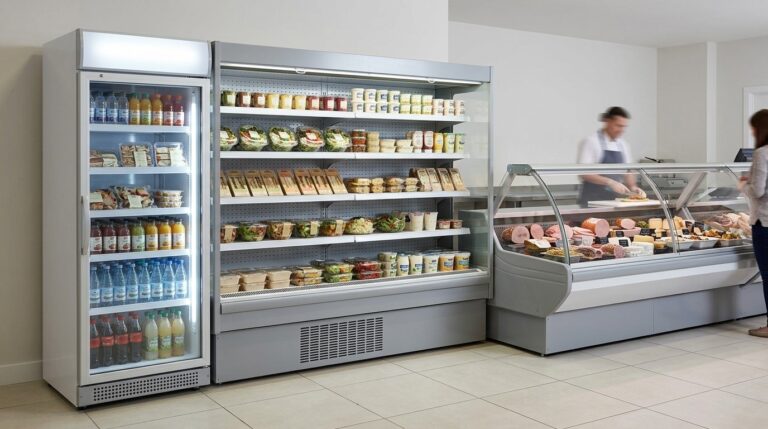
Comparing Unifrost FDR3 & GDR1000 Display Fridges with DCF Deli Counters for Irish Cafés
Learn how Unifrost FDR3, GDR1000 fridges, and DCF deli counters fit into Irish café layouts. Explore visibility, layout strategies and energy use.
Read guideCompare Unifrost freezer options on Caterboss
For current product options, pricing and availability, continue to Caterboss.