
Unifrost Commercial Fridge Ambient Temperature Controller: Troubleshooting Alarms in Irish Kitchens
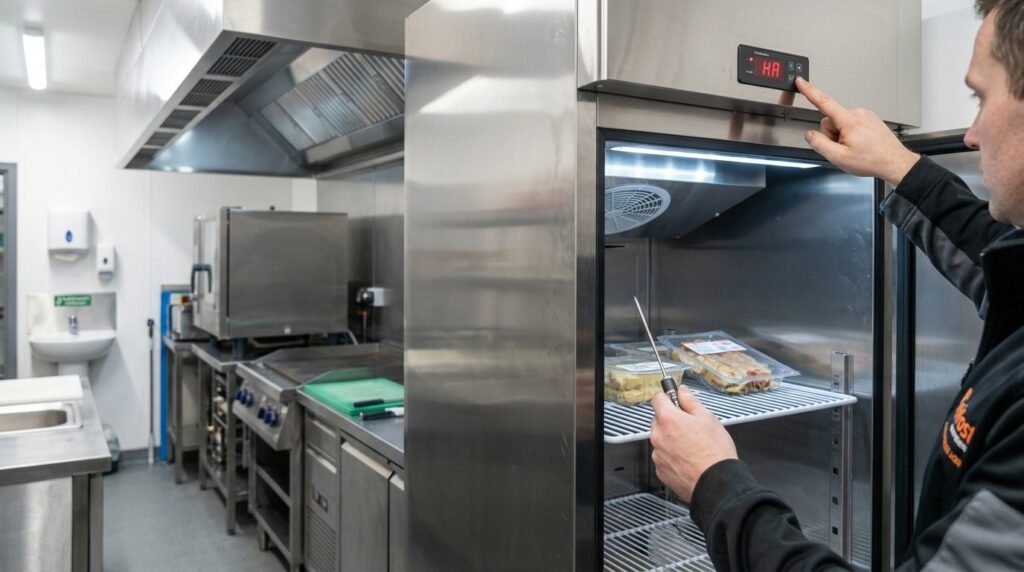
Learn how to troubleshoot and manage temperature alarms on Unifrost fridges in busy Irish kitchens.
Unifrost Ambient Temperature Controller Alarms: Fixing ‘Not Cooling’ Issues in Hot Kitchens
When your Unifrost commercial fridge starts beeping, showing a high temperature warning, or reading as “not cooling” during service, you need to know whether you have a real refrigeration fault or a heat, airflow, or usage problem that you can fix on site. In Irish kitchens, high room temperatures, tight installs, and constant door openings can push a cabinet out of range and trigger controller alarms even while the compressor is running.
This guide walks you through the practical checks that matter to operators and buyers: confirming the setpoint and basic controller status, checking door seals and loading, restoring ventilation and condenser airflow, and measuring the true internal temperature with a reliable probe rather than trusting the display alone. It also explains what Unifrost-style digital high and low temperature alarms typically monitor, how alarm delays and defrost cycles can influence what you see, and which settings staff should not change.
You will finish with a clear decision path on when it is a nuisance alarm caused by ambient conditions, when it points to a failing fan, probe, or refrigeration system, and when you should escalate to service and protect stock under your HACCP routine.
Importance of Temperature Control in Commercial Kitchens
Maintaining the right temperature is central to food safety and day-to-day consistency in a working kitchen. Chilled food safety depends on keeping products out of the bacterial growth range, and commercial kitchens make that harder than people expect. You have warm deliveries, frequent door openings, higher ambient temperatures, and fridges working harder for longer.
In Ireland, the Food Safety Authority of Ireland sets out that chilled food should be kept at 5°C or below as part of temperature control for food safety (FSAI temperature control guidance). The practical point is that a cabinet can look “fine” on the display while real product temperatures drift during a busy service, poor ventilation, or hot weather. That is where stock risk and nuisance alarms start.
Why food safety relies on tight temperature control (not just “cold enough”)
In a café, deli, hotel kitchen, or takeaway, your fridge is not just storage. It is a control point in your HACCP routine. If chilled food sits above safe limits for long enough, it stops being a quality issue and becomes a food safety risk. It also becomes harder to stand over your checks if you cannot show temperatures were controlled and monitored in a meaningful way.
Small habits make a big difference:
Letting air circulate inside the cabinet (don’t bury the back wall or air grilles)
Getting deliveries down to temperature quickly instead of packing in warm stock
Keeping door openings short during service, especially at peak times
Why kitchens trigger temperature swings (and how that hits service)
Many Irish kitchens are tight on space. Fridges end up beside cooklines, near hot passes, or boxed into joinery with limited ventilation. When a cabinet cannot reject heat properly, pull-down after deliveries takes longer and recovery after door openings slows. You can also see alarms that feel “random”, even though the unit is simply under extra load.
Those swings turn into real operational costs: more time spent checking product, more waste, more uncertainty during a rush, and service call-outs where the underlying issue is siting, airflow, or loading rather than a component failure.
Why controller readings and real temperatures can diverge in daily use
Digital controllers and alarms are useful, but they generally react to air temperature at a probe point, not the warmest product in the cabinet. In practice, that means:
Warm stock loads can leave product above target even when the air looks recovered.
Blocked airflow can create warm pockets, especially in busy, tightly packed units.
Hard door use can cause short spikes that trigger alarms, even though product temperature is slower to change.
If you are seeing intermittent high-temperature warnings or “not cooling” complaints in a hot kitchen, it is worth checking ventilation, loading and door habits before assuming the cabinet is failing. If you are specifying new equipment, choosing the right format and placement is often the simplest way to avoid these issues in the first place.
Understanding Unifrost Temperature Alarms
Unifrost temperature alarms are alerts from the cabinet’s digital controller when the sensed temperature goes above or below your set limits for long enough to indicate a genuine storage risk. In practical terms, the controller reads temperature probes, manages cooling and defrost, and flags conditions that could push you outside your HACCP controls.
One important detail: the alarm is usually reacting to air temperature at the probe, not the core temperature of the food. Air temperature can swing quickly after heavy door openings, warm deliveries being loaded, or high kitchen ambient, even when product temperature is still safe.
What the controller is doing during service (and why alarms happen in Irish kitchens)
Behind the simple temperature display, the controller is constantly deciding when to run the compressor, when to circulate air (forced-air cooling), and when to initiate defrost. That matters because real kitchens are messy environments. A busy café, takeaway or pub kitchen can run hot in summer, and normal service habits like holding a door open while plating desserts can drive a short-term air temperature spike.
A high-temperature alarm doesn’t automatically mean the fridge has failed. It means the controller has seen conditions that could compromise chilled storage if they continue. Controllers are deliberately cautious because you are managing food safety, not just chasing a tidy number on a display.
For temperature control expectations, the Food Safety Authority of Ireland notes that chilled food should be kept between 0°C and 5°C. Many sites achieve this by running a cabinet setpoint around 3°C to 4°C, depending on loading and usage. See the FSAI guidance here: https://www.fsai.ie/business-advice/running-a-food-business/caterers/temperature-control
What high and low temperature alarms usually measure (air vs product)
In most commercial cabinets, the probe is positioned to monitor cabinet conditions, influenced by return-air flow, evaporator performance, door openings, and how stock is stacked. So, in most cases, an alarm means “cabinet air out of range”, not “everything inside is unsafe”.
This distinction matters when staff are under pressure:
Air can alarm fast after a door has been opened repeatedly, even if product is still cold.
Product can be warm while the display looks fine if the cabinet is overloaded, air vents are blocked, or warm stock is packed in tightly with no airflow.
How alarms help (and what they cannot do)
Alarms are useful because they make problems visible early, when you still have options: shut the door properly, stop loading warm items, improve ventilation around the unit, or move high-risk stock to another cabinet.
They also help you spot patterns. If a prep fridge alarms every Saturday night, it may be usage and location, not a “random fault” that only appears for the engineer.
What alarms cannot do is replace food-safe verification. A controller can only respond to what its probe senses. Probe location and airflow mean the display is a strong indicator of cabinet performance, but it is not a guarantee of core product temperature.
Common alarm behaviours, and what staff can check safely
Most digital controllers alarm for high temperature, low temperature, and sometimes door-open (where a door switch is fitted) or probe fault.
Before assuming a breakdown, the most useful checks are straightforward:
Confirm the cabinet is not in standby/OFF, and the setpoint hasn’t been changed.
Make sure doors are closing fully and not being held open during service.
Check stock is not blocking internal air vents or packed tight against the back wall.
Check the condenser area is not clogged with dust or grease, which reduces heat rejection and drives temperature alarms.
If the alarm keeps returning after these checks, treat it as an operational risk, not “just an alarm”. At that point, one good temperature verification and a clear note of when the alarm happens (time of day, after deliveries, during peak service, beside a hot pass) will help you separate usage and layout issues from a genuine refrigeration fault.
Impact of Ambient Temperature on Cooling Efficiency
High room temperatures and poor ventilation slow a fridge down. The compressor may be running, but the cabinet takes longer to pull back down after door openings and loading. That is when you will see the displayed temperature sit high for longer and the controller is more likely to throw a high-temperature alarm.
In practice, this can look like “not cooling” during a busy shift, especially during summer heat, after deliveries, or when the unit is boxed in and the condenser cannot get rid of heat properly.
Why a hot kitchen or tight install can look like a cooling fault
A commercial fridge moves heat from inside the cabinet to the room through the condenser. If the room is already hot, the system has less capacity to reject heat, so recovery slows.
You see it most in real Irish installs where the unit is:
hard up against a wall or squeezed into a joinery alcove
beside a grill, oven line or dishwasher
under a pass or counter where warm air gets trapped
loaded with warm stock straight off delivery
Add repeated door openings during service and the controller is measuring warm cabinet air for longer. That can trigger alarms that feel like a breakdown, even when the refrigeration system is doing what it can in poor conditions. (Product at the back can still be colder than the air at the front, so check both before calling it a total failure.)
Ventilation and heat-rejection checks that usually stop nuisance alarms fastest
If alarms are intermittent, start with airflow and heat rejection before you start changing settings.
Make sure the warm air from the condenser can escape, not recirculate in a dead space behind the unit.
Keep the ventilation area clear of cardboard, packaging and stored stock.
Check the condenser is not clogged with flour dust, grease or general kitchen muck. A dirty condenser reduces heat transfer and drives longer run times, which makes alarm issues worse during peak service.
A quick way to separate “site conditions” from “cabinet fault” is timing: if alarms cluster around cookline peaks, door-open prep periods, or immediately after deliveries, ambient heat and workflow are often part of the problem. If it alarms overnight with no doors opening, you are more likely looking at a refrigeration or control issue.
Food safety impact when ambient heat pushes the cabinet out of range
From a HACCP point of view, the issue is not the beep. It is how long food sits above a safe chilled temperature while the kitchen is flat out.
The Food Safety Authority of Ireland guidance for caterers is clear that chilled food should be kept at 5°C or below. If a cabinet regularly struggles in a hot location, treat it as an operational fix first: siting, ventilation, and loading discipline. Engineering support may still be needed, but you will get a faster, more reliable result when the unit is not fighting the room.
If you are choosing a new commercial fridge, plan for where it will live, what sits beside it, and how often it will be opened. Those factors can matter as much as the spec sheet in day-to-day trading.
Troubleshooting Steps for “Not Cooling” Alarms
Start by protecting stock and confirming the real internal temperature with an independent thermometer, not just the controller display. Then work through the most common causes in order: controller status and setpoint, door use and loading, airflow inside the cabinet, and ventilation and cleanliness around the condenser. If the alarm persists after you reduce heat load and improve airflow, gather clear observations and escalate early. Repeated high-temperature alarms usually mean the unit cannot pull down fast enough for your site conditions, or there is a developing fault.
1. Protect food first and confirm the actual temperature
Treat a high-temperature alarm as a food safety issue until you prove otherwise. Move high-risk food to another working fridge, a coldroom, or insulated boxes with ice packs while you check the unit. Keep door openings to an absolute minimum.
Confirm temperature properly, not just on the display. Use a probe thermometer in a product simulator (for example, a sealed bottle of water, or between packs) and give it time to stabilise. As a practical benchmark, chilled food should be stored at 5°C or below. See the Food Safety Authority of Ireland guidance on chilling food safely: https://www.fsai.ie/consumer-advice/food-safety-and-hygiene/food-storage/chilling-food-safely
2. Check the controller is actually calling for cooling (avoid “tuning” settings)
On a busy line, the issue is often simple: the cabinet is in standby/off, the setpoint was knocked, or it is sitting in defrost during service.
Stick to checks your team can do safely:
Confirm the unit is powered (not just the lights) and not in standby/manual off.
Confirm the setpoint is sensible for chilled storage and has not been raised for convenience.
Note any messages such as door open, high temp, low temp, or probe error.
Avoid changing parameters like differential, alarm delay, or defrost schedule during service. You can mask a real problem, or create a new one, and you will make later fault-finding harder.
3. Reduce the heat load and give the cabinet a fair chance to pull down
A “not cooling” alarm in a hot kitchen is often a performance issue rather than a dead fridge. If the compressor is running but the temperature is not dropping, reduce what you are asking the cabinet to remove.
For the next 30 to 60 minutes:
Keep the door closed. Stop grazing.
Stop loading warm stock, hot sauces, or recently cooked items.
Clear space around internal air outlets and returns so air can circulate. Overpacked shelves, hotel pans, and tight stacks can block the cold air path and slow pull-down.
This shows up most on undercounters, prep fridges, and uprights beside grills or dishwash areas, where door openings are constant and ambient heat is high.
4. Check ventilation around the cabinet and clean the condenser area (quick wins)
Poor ventilation is one of the most common real-world triggers for recurring alarms. The fridge may be running, but it cannot dump heat into the room fast enough.
Check for:
The cabinet pushed tight to a wall with no breathing space
Boxing-in under a counter with no airflow route
Siting beside a hot pass, combi oven, or fryer bank
If you can, pull it forward slightly and clear any intake and exhaust grilles.
Then check for dust and grease build-up around the condenser area. Where it is safe to do so on your unit, power down briefly and vacuum away visible fluff and grease from the grille and accessible coil area. A blocked condenser pushes up running temperatures and makes high-temp alarms more likely during a rush.
5. Inspect door sealing, loading practice, and signs of icing or fan issues
If the door gasket is dirty, torn, or not sealing, you often get alarms that come and go, especially in humid weather or a steamy kitchen. Clean the gasket and the mating surface, and check the door is closing squarely and not being held open by stock or a misloaded shelf.
Look for clues that point beyond “busy service”:
Heavy ice on internal panels
Noticeably weak airflow
No air movement in a forced-air cabinet
These can indicate an obstructed or failed fan, or a defrost issue. Do not attack ice with sharp tools. Move stock, minimise door openings, and escalate.
6. Decide whether it is usage/siting or a genuine fault, then escalate with good notes
After you improve ventilation, reduce load, keep the door closed, and confirm the controller is calling for cooling, you should see a clear downward temperature trend. If you do not, treat it as a likely fault or a siting limitation that needs a proper fix, not a settings change.
Before you call for support, note:
Displayed temperature and your probe reading (and exactly where you measured it)
Whether the compressor seems to run continuously or cycle on and off
Any alarm text or error indicators (including door-open behaviour)
Recent changes: moving the unit, deep cleaning, heavy loading, unusually hot days
Whether the condenser area was very hot to the touch or visibly blocked with dust/grease
That level of detail helps a technician separate airflow and installation issues from probe faults, fan/defrost problems, or a refrigeration-side issue such as loss of gas. It also helps you make sense of what the controller is actually measuring when it alarms, which is where most of the confusion starts in real kitchens.
Common Causes of Alarm Activation
Most cabinet alarms are simply the controller telling you the air temperature has stayed outside its set limits for long enough. That does not always mean the unit has “failed”. It often means the cabinet cannot remove heat as quickly as you are putting it in, due to site conditions, loading, or airflow.
From a food safety point of view, the practical goal is steady chilled storage. The FSAI guidance is clear that chilled food should be held under proper temperature control (typically 0°C to 5°C) and checked as part of your routine controls, not just trusted on the display alone. See the FSAI temperature control guidance.
Why hot kitchens and boxed-in installs trigger alarms (even when it sounds like it’s running)
In Irish kitchens, cabinets often end up beside a combi oven, fryer line, hot pass, or squeezed into tight joinery. If the air around the cabinet is too warm, or the condenser cannot shift heat because it is boxed in, performance drops.
You will usually see it in two situations:
After a delivery or restock: pull-down takes longer because the cabinet is trying to cool a lot of warm product and warm air.
During service: frequent door openings mean the cabinet never gets a proper recovery window.
The compressor and fans can still be running, but the controller will alarm because the cabinet air is not getting back inside the threshold quickly enough.
Installation issues that commonly cause nuisance high-temperature alarms
Insufficient ventilation around the condenser intake and exhaust, especially in tight undercounter fits or where a unit is “built into” a counter without proper airflow
Heat gain from nearby equipment (cook line, heat lamps) or direct sun, which is a common front-of-house issue for display refrigeration
Unreliable power supply, such as running on an extension lead, a shared socket that trips, or a circuit that is routinely switched off overnight
Poor levelling, which can stop doors closing cleanly and turns into longer “door open” periods during busy runs
Maintenance and day-to-day usage that make alarms more likely
A lot of “not cooling” callouts come back to heat transfer and airflow.
Common culprits:
Dirty condenser coil (grease, flour dust, lint). The cabinet runs hotter, runs longer, and alarms more often.
Door gasket problems (split, loose, or dirty). Warm, moist air leaks in continuously, which can also increase icing risk and reduce airflow across the evaporator on forced-air cabinets.
Your loading and service habits matter too:
Avoid putting hot food straight into the cabinet. It spikes cabinet air temperature quickly.
Do not overfill shelves or block air paths. Poor circulation makes the controller read warm air for longer.
During busy periods, try to reduce long door-open events. A few extra seconds, repeated all night, is often what tips a cabinet into alarm.
If you are troubleshooting an alarm, remember that behaviour varies by controller setup. Alarm thresholds, delays, and probe positions can all change what you see, even when the refrigeration system itself is working.
Evaluating Real vs. Nuisance Alarms
In a busy Irish kitchen, a “not cooling” alarm often means the controller is reacting to what its air probe is seeing, not that the refrigeration system has failed. Hot ambient conditions, constant door openings, warm loads after a delivery, or poor ventilation can push cabinet air temperature out of range even while the unit is still running.
From a food safety point of view, what matters is product temperature. The FSAI notes chilled food should be kept between 0°C and 5°C, with checks built into your temperature control routines (FSAI temperature control guidance). The practical reality is:
A cabinet can be alarming but not failed.
A cabinet can look fine on the display while product warms in weak spots, particularly near the door, on the top shelf, or where airflow is blocked.
How a real fault behaves differently to a heat or usage problem
A genuine fault tends to show a steady deterioration you cannot operate around. Even if you shut the door, stop loading, and the kitchen cools down overnight, the cabinet still struggles to pull down, won’t hold temperature, or drifts up again quickly.
A nuisance or environment-driven alarm usually follows service patterns. It spikes during a rush, deliveries, or when pot-wash is throwing heat into the room, then recovers once the door stays shut and the area settles. If the cabinet reliably pulls back down after a quieter period, you are usually looking at siting, airflow, loading practice, or ventilation rather than a sealed-system issue.
What the alarm is usually measuring (and why that matters)
On commercial cabinets with digital controllers and forced-air cooling, the displayed temperature and alarm thresholds are typically based on cabinet air at the probe location, not the core temperature of your food.
That’s why you can get an alarm after repeated door openings even though properly chilled product in the middle of the load is still within spec. It’s also how you get caught out the other way: warm stock loaded straight in, trays pushed into the airflow path, or product stacked tight to the back can create warm pockets while the display looks “normal”.
Treat the display as an early warning, not your only HACCP measure. When there’s an alarm, confirm with a calibrated probe thermometer in a representative item (or between packs). That’s the reading that drives keep-or-discard decisions.
Quick checks staff can safely do before calling a technician
Use this as a short triage routine for kitchens, cafés, pubs and hotel prep areas. The aim is to separate “we changed the conditions and it recovered” from “it’s not responding and needs service”.
Confirm the controller is not in standby, manual defrost, or on a changed setpoint. Once checked, stop adjusting it, constant tweaking makes fault-finding harder.
Check the door is closing fully and the gasket is sealing. Look for trays, bins, or packaging stopping the door from seating.
Check the unit isn’t boxed in or sitting in a hot spot beside cooklines, dishwashers, or pass lamps. Poor ventilation makes any cabinet look worse than it is.
Look for airflow problems inside: vents blocked, shelves overpacked, or product pushed hard against the back where air needs to circulate.
Check the condenser area for dust, grease, or cardboard build-up that stops the unit rejecting heat properly, especially after heavy frying periods.
Ask what changed today: warm delivery loaded straight in, a long stock take with repeated openings, or a room that’s simply hotter than usual.
If you’ve done the above and the cabinet still cannot pull down after a sustained closed-door period, you’re moving from “nuisance” into “likely fault” territory and it’s time to get the unit assessed rather than burning labour on resets and re-checks.
Integration with Broader Unifrost Ecosystem
The right response to a “not cooling” alarm depends on whether you have a genuine refrigeration fault, or a cabinet being pushed outside its working conditions and the controller is simply flagging risk early. The Food Safety Authority of Ireland temperature control guidance is a useful anchor because the target is the food temperature (generally 0°C to 5°C), not just whatever the display happens to show. The quickest troubleshooting links three things: what the controller is measuring, what’s happening around the cabinet (doors, loading, heat, ventilation), and what you can stand over if you need to justify stock decisions under HACCP.
Use Unifrost support assets to separate “usage/conditions” from a technical fault
If your Unifrost cabinet has a digital controller with high and low alarms, it’s typically monitoring cabinet air temperature via one or more probes. It will also apply alarm delays and logic that can look “wrong” during service, especially with frequent door openings or fresh stock being loaded.
The fastest route to a correct fix is to match what you see on the controller (alarm behaviour, any probe error, whether the compressor is running, whether fans are moving air) to the correct manual for that cabinet or controller family, rather than changing settings mid-shift and hoping for the best.
Keep the boundaries clear:
You can safely check basics like power, door closure, airflow/clearance, loading, and condenser cleanliness.
Leave parameter changes, probe calibration decisions, and component diagnosis to the correct documentation or a technician.
If you have multiple Unifrost cabinets on site, standardise two habits across shifts: where the manuals live, and what gets recorded when an alarm happens. It saves time and reduces unnecessary call-outs.
Turn recurring alarms into a siting or buying decision, not an endless call-out loop
If high temperature alarms only show up on hot weekends, during grill service, or when the unit is boxed into tight joinery, you are often looking at an environment or application mismatch rather than a “bad fridge”.
Small, hot Irish kitchens are hard on refrigeration. Forced-air (fan-assisted) cabinets recover faster than static units, but they also highlight problems sooner: restricted condenser airflow, poor clearance, frequent door openings, and warm loading will show up as longer pull-down times and nuisance alarms.
Use repeated alarms as a signal to review the setup:
If an undercounter beside the cookline struggles to recover, consider relocating it, improving ventilation space, or switching format to suit the workflow.
If your team regularly loads hot food into a standard fridge, alarms are likely a process issue. In many cases the right fix is a blast chilling step, not a controller tweak.
Build a “controller-to-HACCP” routine that holds up day to day
A display and alarm help, but they do not replace your HACCP checks. The FSAI advises using a calibrated probe thermometer, recording measured temperatures, and maintaining probe accuracy to at least ±0.5°C as part of your controls, as set out in its temperature checking guidance.
A practical approach is to treat alarms as prompts to measure and document, not as “proof” on their own. That protects you in both common scenarios:
The controller is reading temporarily warm cabinet air after door openings, while product core temperature is still safe.
The display looks stable, but a warm corner, an overloaded shelf, or poor airflow means some product is drifting.
A simple escalation pack for support or your refrigeration engineer
When you do need to escalate, you will get a faster, cleaner outcome if you can share consistent information that ties controller behaviour to site conditions.
Record the cabinet type (upright, undercounter, prep), the controller reading (temperature and alarm), the setpoint as shown (do not change it), and whether the alarm clears when doors stay shut for 20 to 30 minutes.
Note the install reality: distance from cooking equipment, ventilation space, condenser condition (clean or dusty), door-opening frequency, and whether warm product was loaded.
Take two temperatures: the controller display and a calibrated probe reading of product (or between packs). Log the time and what you did (reduce loading, move stock, clean condenser, keep door shut, relocate temporarily).
If you see a probe or sensor error, avoid repeated power-cycling in the hope it clears. Capture the exact message and timing and pass it on.
If food safety is at risk, follow your HACCP procedure first: isolate affected stock and document actions before focusing on silencing the alarm.
Handled this way, temperature alarms stop being constant noise and become useful signals. You make better siting and workflow decisions, you use manuals and settings properly, and you have HACCP-grade verification when the controller warns that conditions are drifting in a busy kitchen.
FAQs: Unifrost fridge alarms, ambient heat, and safe temperatures
What temperature should a commercial fridge run at for safe food storage?
For most Irish hospitality HACCP systems, a practical target is 0°C to +5°C inside the cabinet, with +5°C or below commonly used as the compliance limit for chilled storage.
Set the controller so the operating range stays at or below +5°C during normal service (including busy door openings).
If you store high risk chilled foods (cooked meats, dairy, ready to eat items), aim for tighter control closer to +2°C to +4°C where practical.
Use your own site HACCP plan as the final reference, and treat the controller display as an indicator rather than your only record.
How does ambient room temperature affect a fridge’s ability to cool properly?
Ambient heat is one of the most common causes of “not cooling” complaints that are actually capacity and airflow issues, not a refrigeration fault.
In a hotter room, the fridge has to reject more heat through the condenser, so pull-down takes longer and recovery after door openings is slower.
If the unit is boxed in or tight to a wall, hot air recirculates around the condenser and the cabinet may run continuously yet still drift warm and alarm.
Busy kitchen behaviour (frequent openings, warm product loading) compounds the issue, so you can see temperature excursions and nuisance alarms even though the compressor is running.
Practical fixes that often help immediately: improve ventilation space, move the cabinet away from cooklines and hot appliances, reduce door-open time, and avoid loading warm stock until it has cooled safely.
Why is my commercial fridge showing a temperature alarm, and what does it mean?
A temperature alarm usually means the controller has detected the cabinet has been outside its allowed high or low temperature limits for long enough to trigger an alert.
Common meanings in day-to-day use:
High temperature alarm: the cabinet air temperature has risen above the high limit, often due to door left open, heavy service, warm stock loaded, poor ventilation, a dirty condenser, or a genuine cooling fault.
Low temperature alarm: the cabinet is colder than intended, which can be caused by incorrect setpoint changes, probe issues, or control faults.
Important: on many forced-air commercial cabinets, the alarm is typically based on a probe reading air temperature (return air), not the core temperature of your food. Treat it as an early warning to check conditions, verify temperatures with an independent thermometer, and protect stock per your HACCP procedures.
Need help interpreting a Unifrost alarm in a hot kitchen?
If you are seeing repeated high-temp warnings or “not cooling” behaviour during busy service, the fastest next step is to follow our Unifrost troubleshooting resources and compare your symptoms against the basic checks (ventilation, door seals, condenser cleanliness, loading, and controller settings).
If you still cannot stabilise temperature, contact Unifrost support with your model details, controller display message, and a photo of the installation location so we can advise on next steps.
Related Unifrost guides
Compare models, maintenance advice and support information related to this topic.
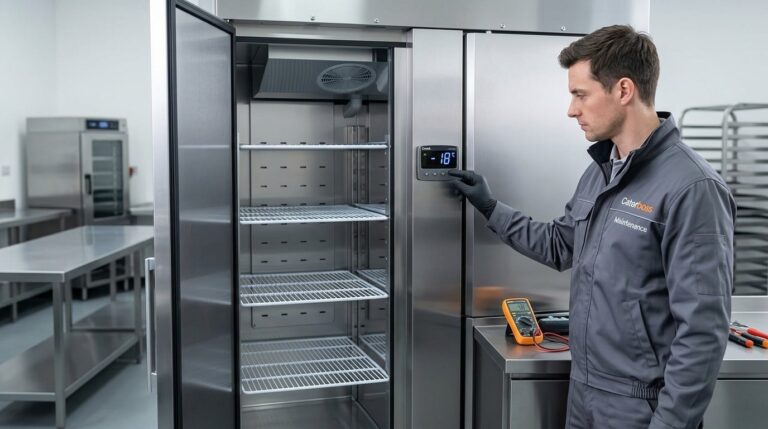
Quick Checks for Unifrost Upright Freezer Temperature Controllers in Ireland
Ensure your Unifrost upright freezer runs efficiently with temperature controller tips for Irish kitchens.
Read guide
Unifrost Upright Fridge Freezer Temperature Controller Quick Checks for Irish Kitchens
Quick checks for Unifrost upright fridge freezer controllers in Irish kitchens. Ensure optimal storage and avoid downtime.
Read guideView Unifrost fridges at Caterboss
For current product options, pricing and availability, continue to Caterboss.