
Troubleshooting Cloudy Ice with Unifrost Ice Machines
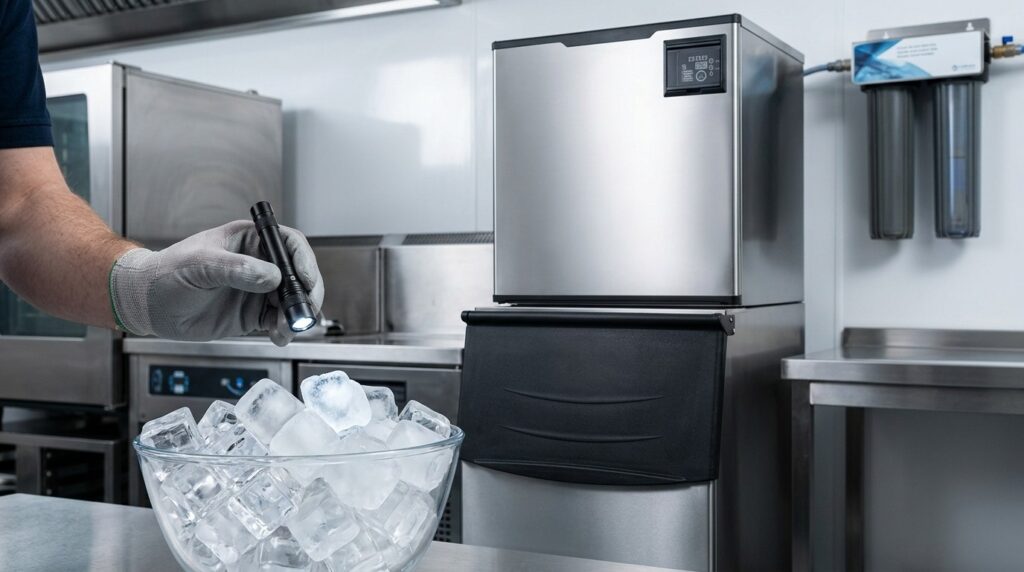
Learn why your Unifrost ice machine produces cloudy ice and how to resolve it with practical maintenance advice.
Unifrost Ice Machine Cloudy Ice Troubleshooting: Causes, Checks and Fixes
Cloudy cubes from your Unifrost ice machine are usually a water quality or maintenance signal, and they can quickly become a trading issue if drinks presentation drops, ice tastes off, or the machine starts scaling and losing output.
This guide helps you diagnose unifrost ice machine cloudy ice step by step without guessing. You will check what has changed in your water supply, whether filtration is doing its job, and what limescale or hygiene build-up looks like in real terms. It also covers the practical tradeoffs: when cloudiness is mainly cosmetic versus when it points to contamination risk, blocked water flow, or a problem that justifies calling an engineer.
You will also see how to prevent repeat issues on Unifrost cube machines such as U40‑15, UB25‑15, U165‑125 and U230‑175, including what to look for when compatible filters and cartridges like the SA30007 kit, I40002‑CN and SA950750 may be due for replacement, plus a sensible cleaning, descaling and bin-sanitising routine for busy hospitality sites.
Understanding Cloudy Ice Formation
Cloudy ice usually comes down to one of two things: minerals in the water, or air bubbles trapped during freezing. Both scatter light through the cube, giving it a white or hazy look.
In Ireland, water hardness and dissolved solids can vary by supply zone, so the same ice machine can produce clearer ice in one premises and cloudier ice in another. If you want to sanity-check what’s typical for your area, Uisce Éireann publishes water-quality results by zone: https://www.water.ie/help/water-quality/results/allresults.
Cloudy ice is often cosmetic. If it appears suddenly, or you’re seeing flakes, film, or off tastes, treat it as a water-quality or cleaning prompt, not “just one of those things”.
Mineral cloudiness: what it is and what it looks like
Mineral-related cloudiness often shows as a denser white centre, streaking, or an overall opaque cube. In sites with harder water or older pipework, mineral load can be high enough to affect appearance even when the machine is otherwise running normally.
This is where proper filtration makes a practical difference. It reduces the minerals that end up in the ice and helps slow limescale build-up on freezing surfaces, which can also affect performance over time.
Trapped-air cloudiness: why ice can go white even on good water
Air-related cloudiness tends to look like a frosty or “snowy” core rather than gritty residue. Water contains dissolved gases. When freezing happens quickly, those gases come out of solution and form tiny bubbles that get trapped in the cube.
You may notice this more during peak service in busy bars and cafés. The machine is cycling hard, incoming water temperature can fluctuate, and there’s less time between freeze and harvest.
Why it can change suddenly when it was fine last week
If you were getting clear cubes and they turn cloudy without any obvious change in usage, assume something around the machine has changed. Common causes in Irish sites include:
A filter cartridge at end of life
A change in incoming water quality after local works
Limescale starting to build on internal surfaces
A restricted water feed affecting fill level and freeze behaviour
If you also notice any of the following, move from “appearance issue” to cleaning, sanitising, and water-supply checks:
White flakes in the bin
Sandy particles in meltwater
A slippery film on bin walls
A noticeable taste or odour change in drinks
Knowing which type of cloudiness you’re dealing with makes the first on-site checks quicker, and helps you avoid jumping straight to parts changes or a callout.
Safe Initial Checks for Cloudy Ice Issues
Start with the simple, low-risk causes: a change in your water supply, a tired filter, or a restriction in the incoming feed. Then check for minerals and scale inside the water path and in the meltwater, as these are common triggers for sudden changes in clarity and taste. Finally, make sure nothing around the unit has changed that would affect freezing, such as poor ventilation, added heat nearby, or inconsistent water pressure. If you see debris, slime, or persistent off-odours, treat it as a hygiene issue and prioritise a proper clean and sanitise before you serve ice again.
1. Make it safe to inspect, and confirm what “cloudy” means
Pause using the ice for service. Use clean hands and a sanitised scoop. If you need to open panels or get near electrics, switch the machine off at the isolator rather than relying on the front switch, and keep water away from electrical components.
Take two or three cubes from a fresh batch and let them melt in a clean, clear glass:
Cloudiness that fades as it melts often points to trapped air and/or minerals.
White flakes, sandy grit, or a film on the meltwater is more consistent with scale, filter exhaustion, or internal cleanliness issues. That is not something to shrug off as “just cosmetic”.
2. Check the incoming water supply and what changed on site
Unifrost ice machines are intended to run on clean, potable mains water, so think back over the last few weeks. In Ireland, short-term water changes often follow plumbing works, a local mains disturbance, a premises water tank clean, or a long closure where water has sat in pipework.
Run the cold tap closest to the ice machine for a minute and fill a clear glass. If the water looks hazy, has particles, or smells strongly of chlorine, troubleshoot the water supply first, not the ice machine. Pause ice service until the supply is back to normal. Ice is a food, and it needs to be produced and handled hygienically in line with food safety expectations (see FSAI guidance on food safety and hygiene: https://www.fsai.ie/business-advice/food-safety-guidance/food-safety-and-hygiene).
3. Inspect the filter setup and decide if a cartridge change is due
If the machine is fitted with filtration, check the basics first: the filter head, hoses, and cartridge seating. Look for loose fittings, kinks, crushing behind the unit, or signs of leaking.
If the ice went cloudy suddenly, a very common cause is a filter that has reached end of life and is no longer controlling sediment and minerals consistently. If you do not have a clear change record, treat the filter as suspect and plan a cartridge change as an early intervention. It is one of the few meaningful steps you can take without adjusting settings or opening up the water circuit.
4. Look for limescale and mineral signs that point to cloudy or off-tasting ice
In many parts of Ireland, hardness and limescale are a day-to-day reality. Scale build-up can change how water flows over freezing surfaces and how the cube forms.
Check what you can see safely around accessible water outlets and the drain path:
Chalky white deposits
Crusting
Gritty residue
Also check the ice bin and the meltwater from a handful of cubes. If you are seeing white dust, flakes, or a gritty feel, it is a strong signal to schedule a proper descale and sanitise cycle, not just “keep an eye on it”.
5. Rule out installation and operating conditions that reduce ice clarity
Cloudy, malformed, or inconsistent cubes can be caused by basic restrictions such as a partially closed isolation valve, a pinched inlet hose, or low water pressure at busy times when other equipment is drawing water.
Check that:
The unit is on a cold water connection.
The inlet hose is not kinked or crushed.
The machine has not been pushed tight against a wall, blocking airflow.
If the machine now sits beside a hot pass, dishwasher exhaust, or in a tight condenser space, it may struggle to reject heat. That affects cube formation and consistency. You do not need to guess technical numbers here. You are checking whether the environment and water feed are still broadly “as installed”, because small changes behind the unit can cause big problems on a busy weekend.
6. Decide when it is cosmetic, when it is hygiene-related, and when to call an engineer
If the only symptom is slight milkiness, with no particles, no slime, and no off-odour or off-taste, it may be cosmetic, especially in hard-water areas.
Treat it as urgent if you have any of the following:
Visible debris in the ice
A recurring film in meltwater
Musty smells from the bin
Cubes that are suddenly soft, malformed, or inconsistent between batches
If you have replaced the filter, confirmed a steady water feed, and the cloudiness persists alongside poor cube formation, stop tinkering and book a refrigeration engineer. At that point you are likely dealing with internal scaling, restrictions in the water circuit, or components that need proper service. The safest route is a controlled clean, descale, and sanitise process appropriate to your specific Unifrost model.
When Cloudy Ice Indicates a Serious Issue
If your ice machine suddenly shifts from clear ice to consistently cloudy ice, treat it as more than a presentation problem until you know why. Ice is a ready-to-eat food, so a change in appearance, taste, or handling quality should be treated as a HACCP deviation and checked in line with FSAI guidance on HACCP-based food safety management.
How serious it is comes down to what else has changed: odour, particles, slimy surfaces in the bin, slow production, or odd cube shape. Those are the warning signs that tend to get worse quickly under busy weekend service.
Cloudy ice plus odour, slime, or debris is not just cosmetic
Cloudy ice on its own can be water-related. Cloudy ice with musty smells, a film on meltwater, white flakes, or a slippery bin is a hygiene and handling issue until proven otherwise.
In Irish operations, this usually points to one of three things:
a cleaning and sanitising gap (including the bin and scoop routines)
a dirty or biofilm-affected storage bin and door seals
drainage or backflow problems that a quick descale will not solve
Because ice is food, you should treat these signs the same way you would any other ready-to-eat item: stop using the affected batch, clean and sanitise properly, and record what you did as part of your controls, consistent with HSE Ireland food safety advice for food businesses.
Cloudiness with scaling, low output, or malformed cubes points to water feed and machine stress
If cloudiness shows up alongside smaller, hollow, soft-wet, or misshapen cubes, or your output drops, the bigger risk is operational. You run short during service, and the machine can be working harder than it should.
In harder-water areas, scale can build up on internal water paths and sensors, and filtration can be overwhelmed when cartridges are overdue or pre-filters are blocked. On cube machines that rely on steady water flow, a restriction or pressure issue can show up as a sudden change in cube quality.
If you are running Unifrost filtration (for example the SA30007 kit with the I40002-CN cartridge and pre-filters), persistent cloudiness that does not improve after basic checks is a good prompt to review filter change intervals and confirm you have a clean, potable mains feed.
Stop using the ice and call for service when any of these show up
Continuing to serve from a machine showing the signs below risks poor-quality ice, missed sanitation issues, and avoidable breakdowns:
Cloudy ice with bad taste or odour, visible particles, or an oily film on meltwater
The bin or internal surfaces go slimy quickly after cleaning, or you see mould-like residue
Cubes are consistently malformed, very soft, or output has dropped enough to affect service
You suspect an installation or supply issue (kinked line, low pressure, or a hot-water connection feeding the unit)
The machine is unusually noisy, leaking, or repeatedly faulting after a reset
Once you have separated simple “appearance cloudiness” from these higher-risk signs, you can move on to safe on-site checks before you book an engineer.
Best Practices to Prevent Cloudy Ice
Cloudy ice usually comes down to two things you see a lot in Ireland: minerals (limescale) and trapped air. Both show up faster when filtration, cleaning, or bin hygiene slips.
The fix is not a one-off clean. Put a routine in place for filtration, descaling, sanitising, and bin care, then keep the machine in steady operating conditions so it can freeze consistently. Keep a simple log of what you changed and when, because cloudiness returning after “it was fine last month” is often your best diagnostic clue.
1. Treat your water supply as a consumable, not a fixed input
Unifrost ice machines expect a clean, potable mains feed. If your cubes are going cloudy, it is often your water quality showing up in the ice rather than a “fault”.
In hospitality terms, you are aiming for consistent, glass-ready cubes that do not shed white grit and do not affect taste.
If you have any doubt about the supply, remember ice is food. FSAI guidance is clear that you should use only potable water for making ice, so treat private wells, intermittent supplies, and off-tasting taps as a problem to solve upstream, not something the machine should be expected to tolerate.
https://www.fsai.ie/getattachment/f3efa69d-8010-4a7c-b093-7b53700bfb81/guide-to-good-hygiene-practice-cml-final-2014.pdf?lang=en-IE
2. Fit dedicated filtration and stick to cartridge changes
If you want clearer ice and fewer scale-related issues, filtration is usually the most cost-effective starting point.
Use a dedicated ice machine filter set-up and keep to the cartridge change schedule. In day-to-day terms, do not wait for a breakdown. Treat these as prompts to check filters and change them if they are due:
cubes gradually shifting from clear to milky
more white “snow” in the centre of the cube
chalky residue showing up in the bin
If the filter is overdue, change it first and then clean. Otherwise you can end up descaling more often than necessary.
3. Descale for minerals, sanitise for hygiene, and do both on schedule
White flecks and cloudy centres often point to limescale building internally, especially in hard-water areas or anywhere producing ice continuously (cocktail bars, hotels, busy cafés).
Descaling removes limescale.
Sanitising tackles biofilm and odours.
Cloudy ice can involve either, so doing only one is a common reason the problem comes back.
Use only ice-machine-safe descaler and sanitiser, and follow the method for your specific model. Avoid improvised chemicals, mixing products, overdosing, or skipping the flush. Taste issues get blamed on the machine all the time when it is actually chemical residue.
4. Keep the bin and scoop routine food-safe (this is where good ice gets ruined)
Even if the machine is producing decent cubes, poor bin practice can quickly leave ice looking dull, wet, or off-tasting due to meltwater, handling, and contamination.
Set a simple standard:
Use a dedicated scoop. Store it clean and off the ice. Never use glassware as a scoop.
Empty and wipe the bin at a frequency that matches service volume, then deep-clean and sanitise it on a planned schedule.
Keep the lid closed. Keep the area around the machine free of cardboard dust, flour, and cleaning spray drift.
If you see slime, a film on meltwater, or black spotting around seals and corners, stop and sanitise before focusing on “appearance”.
5. Avoid operating conditions that make cubes look worse under pressure
Cloudiness often spikes when the machine is fighting its environment. In Ireland that is typically warm spells, tight back bars, cramped store rooms, or units boxed-in by kegs and packaging.
Give the machine the ventilation space it needs, keep it away from heat sources, and avoid stop-start running where possible. In real service, steady production beats aggressive tinkering because it reduces partial melts and refreezing in the bin, which makes ice look dull and wet.
If you are doing all of the above and the ice still turns cloudy suddenly, it is worth doing a few basic checks before assuming you need a major service call.
Connecting with Unifrost Support Ecosystem
Most cloudy ice comes back to water quality, scale, or cleaning. The fix is usually a repeatable routine, not a one-off tweak. In Irish foodservice, ice needs to be treated as a food made from potable water. FSAI guidance for caterers is clear that you should use only potable water for making ice. The catch is that “potable” does not always mean “good for clear cubes”. You can be compliant and still get cloudy, dull-looking ice if hardness, chlorine, or scale control is not managed.
That’s where a structured approach helps. Filters, consistent cleaning, and model-aware support will usually get you back to service faster and reduce repeat call-outs.
Use Unifrost support in a way that actually reduces downtime
When you’re busy, the goal is not perfect ice science. It’s consistent, glass-ready cubes without creating a food safety risk or damaging the machine. The quickest support calls tend to start with a tight description of the fault:
When it started
What changed on site (water outage, plumbing work, filter change, deep clean, hot spell)
What the ice looks like, including as it melts
If you’re running Unifrost cube machines such as U40‑15, UB25‑15, U165‑125 or U230‑175 (including OG variants), it’s worth using Unifrost support because the advice is grounded in how these machines are meant to be fed and maintained in commercial use. Compatible filtration options such as the SA30007 kit with I40002‑CN main cartridge and SA950750 pre-filters are there to reduce the minerals and limescale that often show up as cloudiness, white flecks, restricted water flow, and gradual loss of performance.
Filter support, cartridge changes, and what “cloudy again” often means
If ice turns cloudy after a period of clear production, it usually points to something changing upstream rather than the machine suddenly “going off”. To move things along, be ready to confirm three basics:
Is filtration fitted?
When were cartridges last changed?
Has there been any recent plumbing work or a water interruption?
With Unifrost filtration in place, support will normally help you choose between three sensible actions: keep running while you monitor, replace the cartridge set, or stop and clean before scale flakes end up in the bin. If you’re seeing cloudy cubes plus white, sandy particles in the meltwater, that often indicates scale moving through the system. In that case, the priority is usually filtration and descaling steps, not settings.
When to call an engineer rather than keep experimenting
Cloudy ice can be cosmetic, but there are times it’s a signal to stop experimenting during service. If you have poor cube formation, hollow or shattered cubes, frequent alarms, water overflow, or a sudden drop in output, repeated cycling and the wrong chemicals can turn a manageable issue into a breakdown.
Support is also where installation issues get identified quickly. Kinked hoses, low incoming pressure, a warm water feed, or inadequate ventilation around the unit can all present as “bad ice”. You’ll get a faster, more accurate answer if you describe the installation and site conditions as they are, not just the look of the cube.
What to have ready before you contact support
Support works best when you can share the essentials without stripping panels off mid-service. Keep it simple:
Model (for example U165‑125 vs U230‑175, and whether it’s an OG variant), install date if known, and whether filtration is fitted (SA30007, I40002‑CN, and any SA950750 pre-filters)
Photos of the ice and the meltwater in a clear glass, plus the bin interior if you can do it hygienically
What changed recently (filter change, plumbing work, water outage, chemical clean, relocation, hot weather, new cleaning routine)
What your cleaning routine is in practice (descale, sanitise, bin clean) and roughly how often it’s actually done
With that, Unifrost support can usually narrow it down quickly and guide you towards safe checks on site, whether the issue is minerals, trapped air, scale release after maintenance, or a water-feed or mechanical problem.
FAQs: Unifrost ice machine cloudy ice
Why is the ice from my ice machine cloudy instead of clear?
Cloudy ice is usually caused by dissolved minerals and tiny air bubbles getting trapped as the cube freezes. In commercial cube machines, the most common triggers are:
Hard water or high mineral content (limescale-forming calcium and magnesium)
Inadequate filtration or a spent cartridge
Scale build-up on internal water paths/evaporator surfaces affecting how water freezes
Dirty water circuit or bin introducing particles that end up in the cube
If your Unifrost machine was producing clear cubes and suddenly turns cloudy, start with the basics: confirm the feed is cold, potable mains water, check the filter condition, and look for signs of limescale.
Is cloudy ice safe to use in drinks and food service?
Most cloudy ice is cosmetic, not dangerous. It typically means there are more minerals or trapped air in the cube.
That said, in food service you should treat changes in ice quality as a cue to check hygiene:
If the ice is cloudy but tastes and smells normal, and the machine and bin are clean, it is usually acceptable.
If you notice off tastes/odours, film/slime in the bin, white flakes/grit, or cloudiness that coincides with missed cleaning, stop serving ice and clean and sanitise the machine and bin before resuming.
When in doubt, prioritise cleaning, sanitising, and filtration rather than serving questionable ice.
How does water quality affect ice clarity?
Water quality is the biggest factor in whether cubes look “glass-clear” or cloudy:
Hardness/minerals: More hardness generally means more cloudiness and faster limescale build-up, which can also reduce performance.
Sediment/particles: Can create visible specks and make meltwater look hazy.
Chlorine/odour compounds: Often affect taste and smell more than clarity, but they can still contribute to perceived “dirty” ice.
For Unifrost cube machines, a dedicated filtration setup is the practical fix. Compatible options in the Unifrost range include the SA30007 filter kit, I40002‑CN main cartridge, and SA950750 pre-filters. If ice clarity drops, treat it as a prompt to check cartridge life and confirm the filter is installed the right way round with no bypass or leaks.
Can poor cleaning cause cloudy or off-tasting ice?
Yes. Scale, biofilm, and dirty bins are common causes of both cloudy ice and complaints about taste or smell.
Typical signs cleaning is overdue:
White flakes (scale) in the bin or in meltwater
Musty or “chemical” tastes/odours in ice
Slime/film on bin walls, scoop, curtain/flaps, or visible water-contact parts
Ice that looks consistently dull even after you improve water filtration
A good routine is to separate tasks:
Descale to remove limescale (helps clarity and reliability)
Sanitise to control bacteria/yeast/mould (helps hygiene and odour)
Bin and scoop cleaning (often the quickest win for taste/smell complaints)
Use only food-safe, ice-machine-approved cleaner/sanitiser and follow your model’s instructions.
How do I safely run a cleaning cycle on my Unifrost ice machine?
Because exact steps vary by model, use this as a safe, general checklist and then follow your Unifrost model’s manual for timings and button sequences.
Plan for downtime: You will discard ice and keep the machine off for part of the process.
Stop ice production and empty the bin: Discard all ice in the bin and any ice made during the clean.
Isolate safely: Turn the machine off. If you need to access internal areas, isolate power at the switch and follow site lockout procedures.
Use the correct chemicals: Use an ice-machine descaler/cleaner for scale and a food-safe sanitiser for hygiene. Do not mix chemicals.
Run the clean (descale) stage: Add cleaner as instructed for your model and allow it to circulate/contact the water system. If your machine has a built-in clean mode, use it.
Rinse thoroughly: Complete the required rinse cycles until there is no chemical smell. This step is essential for taste and safety.
Sanitise: Apply sanitiser to the water-contact parts and bin interior as directed. Allow proper contact time.
Clean the bin and tools: Wash and sanitise the bin interior, scoop, and any removable curtains/flaps.
Restart and purge: Restart the machine and discard the first batch of ice after cleaning.
Prevent reoccurrence: Check filtration (for example, whether an I40002‑CN cartridge or SA950750 pre-filter is due) and set a cleaning schedule that matches your local water hardness.
If you see heavy scale, persistent odours after cleaning, leaks, or unusual ice shape along with cloudiness, stop and seek technical support before continued use.
Next step: keep ice clearer with the right filtration and routine care
If you want clearer, better-tasting ice and fewer limescale callouts, start by matching your site’s water quality to the right filter and setting a simple cleaning schedule. Unifrost-compatible options include the SA30007 filter kit, I40002‑CN main cartridge, and SA950750 pre-filters.
For help choosing the right setup and finding the correct cleaning guidance for your specific Unifrost model, use Unifrost Support.
Related Unifrost guides
Compare models, maintenance advice and support information related to this topic.
Troubleshooting: Unifrost Ice Machine Not Making Ice
Learn how to diagnose and troubleshoot common issues if your Unifrost ice machine stops making ice.
Read guideRequest Unifrost product help from Caterboss
For current product options, pricing and availability, continue to Caterboss.