
Understanding “dEF” vs Fault Indicators on Unifrost Upright Freezer Controllers
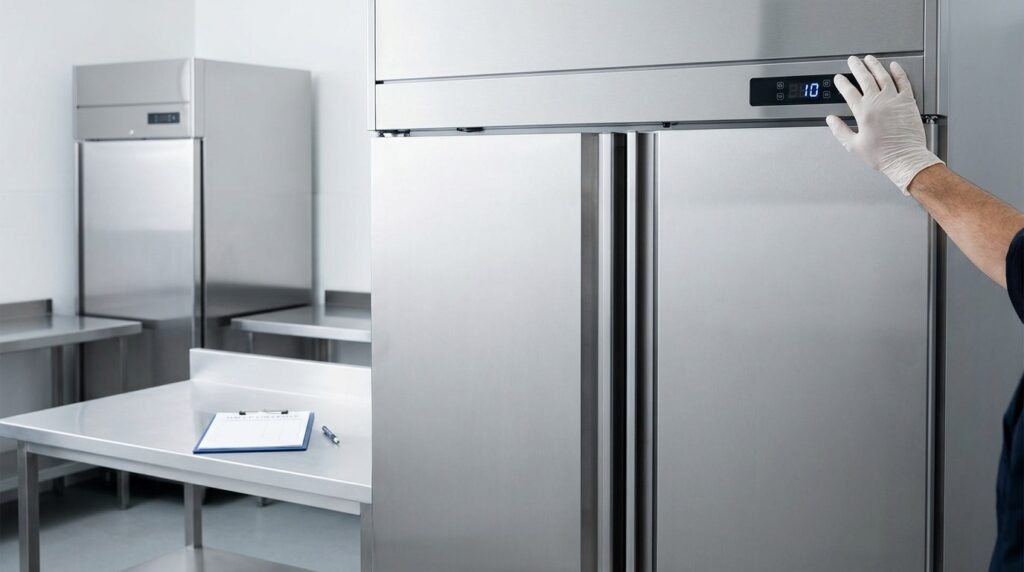
Learn the meaning behind "dEF" indicators on Unifrost upright freezers to avoid mistakes in Irish kitchens.
Unifrost Upright Freezer Controllers: “dEF” Message vs Real Fault Indicators
When your Unifrost upright freezer controller flashes “dEF” / “DEF”, you need to know if the cabinet is simply running a scheduled defrost or if you are looking at a genuine alarm that risks stock and service.
On Unifrost upright ranges, including families like F1000SV, F1300SV, F1310SV, F410SS and R/CR uprights, the display behaviour can differ by controller type and settings. This page shows you how to tell a normal defrost status from a fault message, what it means when “dEF” alternates with temperature, and which checks to do before you change setpoints, force a manual defrost, or call for service.
You also get a practical escalation checklist: what to log for HACCP and maintenance (code shown, timings, temperatures, ambient conditions, door use) so you can resolve false callouts quickly and act fast when a real temperature or probe alarm is present.
Impact of Understanding “dEF” on Commercial Operations
Correctly reading a “dEF/DEF” message matters because it is often a status (defrost running) rather than a fault. If it’s misread, teams either overreact during normal operation or, worse, ignore a real problem that happens to present as “dEF”.
That links directly to HACCP. Your checks and corrective actions need to show you’re controlling temperature and responding when limits are exceeded, as set out in FSAI’s HACCP guidance for food businesses. The practical point is simple: “dEF” on one controller can be a routine cycle, while on another it can be a sign the cabinet isn’t recovering properly after defrost. You judge it by recovery, not by the three letters on the display.
How misreading “dEF” creates food-safety risk (even when the freezer is fine)
In a busy Irish kitchen, people make fast calls at the controller, often mid-service or during a delivery put-away.
If “dEF” is a scheduled defrost and you treat it like a breakdown, you can accidentally make things worse by:
opening the door repeatedly to “check it”
loading warm product mid-cycle
changing setpoints to chase the number on the display
All of that slows pull-down and gives you messy temperature records.
The bigger risk is the opposite: assuming “dEF” is always harmless when the unit is stuck in defrost or struggling to pull back down afterwards. Common real-world causes include restricted airflow, icing, a probe issue, or a door not sealing. What matters operationally is whether the cabinet returns to target temperature in a timeframe that works for your service, and whether any genuine alarm indicators are present alongside “dEF”.
Why it affects performance, running costs, and call-outs in Irish venues
Defrost keeps the evaporator clear so the freezer can move heat properly. When staff disable defrosts, force manual defrosts, or change settings without the correct controller instructions, you typically see wider temperature swings, longer run times, and more icing. That shows up as higher running costs and a unit that feels “always working”.
Misdiagnosis costs money twice:
unnecessary call-outs and disruption while stock gets moved around
delayed intervention when there’s a real issue, which is when product loss happens
If the team’s default response is “it only says dEF”, you can miss the early warning signs that would have been a quick fix.
Why staff need a consistent “dEF vs fault” playbook (and what it should achieve)
You want a simple rule-set that keeps normal defrost events from being escalated, but triggers fast action when the cabinet doesn’t recover or an alarm is actually active. A workable playbook usually covers:
what “normal” looks like on your controller during defrost (steady “dEF”, alternating with temperature, or a held reading) and roughly how long it typically lasts in your kitchen conditions
what to record before escalating: cabinet type, the exact display message, whether an alarm light is on, last product temperature check, door-left-open incidents, and any recent loading or delivery activity
what not to do under pressure: changing setpoints, cycling the power repeatedly, or forcing manual defrost during peak service unless you have a controlled plan for stock and HACCP logging
Operationally, that’s the difference between treating “dEF” as useful information and treating it as a mystery warning. Once the team can separate “status” from “alarm”, you get fewer false call-outs, faster fixes when something is genuinely wrong, and cleaner temperature control day to day.
Interpreting “dEF” Codes: What’s Normal vs a Fault?
What “dEF/DEF” means depends on the controller fitted and how it’s been set up. In most commercial freezer controllers, dEF is a defrost status (or a defrost menu group) rather than an alarm. That’s useful context, but it doesn’t remove your responsibility to keep stock at safe temperatures. The FSAI guidance expects frozen food to be held at -18°C or colder in storage (FSAI temperature control guidance).
On Unifrost upright cabinets, “dEF” can display steadily, flash, or alternate with a temperature depending on the controller model and its display settings. Before you treat it as a fault, match the controller on the fascia to the correct manual.
What “dEF” usually means on an upright freezer controller
On many uprights, “dEF” appears when the cabinet is running a scheduled (automatic) defrost, or when you’re viewing defrost-related settings in the controller menu. Some controllers are configured to show “dEF” during defrost instead of the live air temperature. That helps prevent staff reacting to a short, expected temperature rise while ice is being cleared from the evaporator.
A normal defrost display might look like this:
“dEF” replaces the temperature for part or all of the defrost cycle.
“dEF” alternates with a number, often the air probe reading, on controllers set to keep showing temperature during defrost.
“dEF” appears after a manual defrost is started, then returns to the normal temperature display once the cycle finishes.
Because Unifrost upright ranges can be supplied with different controllers across ranges and production runs, it’s best to treat “dEF” as status first, fault second until you’ve confirmed the controller type.
When “dEF” is normal, and when it should worry you
A normal defrost should finish by itself and the cabinet should pull back down to its holding temperature without intervention. The common mistake is assuming “dEF = broken”, then changing setpoints or defrost settings mid-service, which can create a real problem fast.
“dEF” starts to look less normal when you see any of the following:
It stays on “dEF” much longer than usual for that cabinet in your site conditions.
Defrost seems to repeat unusually often, and the cabinet doesn’t recover between cycles.
There’s another alarm code or alarm behaviour (high temperature, probe fault, door alarm, buzzer), not just “dEF”.
Stock is softening or packs are sticking together, even if the display later looks fine.
You find heavy ice build-up, blocked air paths, or door seal damage that makes defrost and recovery harder.
Hot kitchens in summer, poor back-of-house ventilation, and constant door openings during service will make defrost more noticeable. It can be “normal” behaviour on the screen while still being a warning sign operationally if the cabinet is struggling to recover.
How to tell a defrost status from a real fault or alarm
Start with what the controller is actually indicating. “dEF” is typically a mode or function message. Alarm conditions are usually separate codes or symbols, often with an audible buzzer or an alarm light depending on the controller.
Two checks that prevent miscalls:
When defrost ends, does the display return to temperature, and does the cabinet recover in a reasonable time for your operation?
What does your HACCP record show? A brief air-temperature blip around defrost can be normal. A sustained upward trend across checks points to a cooling, airflow, or door-use problem that needs action.
If you have a temperature alarm at the same time as “dEF”, treat it as a food safety issue first: protect stock, record what happened, then troubleshoot.
Can you force a manual defrost, and is it safe during service?
Manual defrost can help if icing is clearly restricting airflow, but it’s easy to disrupt trading if you do it at the wrong time. The safe approach is straightforward: only initiate manual defrost if the controller manual confirms the correct key sequence and expected display, and do it when you can manage door openings and stock temperature.
From a HACCP point of view, forcing defrost during peak service is usually a poor trade-off unless you’ve a controlled plan for the product. If you do proceed, log:
the time you started it
the displayed cabinet temperature
what action you took
That gives you a clear record if there’s a temperature excursion and makes it easier for a technician to diagnose if recovery is slow.
If “dEF” keeps appearing and the freezer won’t hold -18°C
If “dEF” is frequent and pull-down is poor, it’s often an airflow and ice-management issue before it’s a compressor issue. On upright freezers, check the basics that affect defrost and recovery:
door seals and doors being left ajar during prep
over-stacking blocking internal air channels
signs of icing behind internal panels (where fitted)
If those basics are fine, the next step is to identify the controller model and confirm what “dEF” should look like on that specific controller, plus what the real alarm codes are.
When you do call for service, having clear site notes (what you’re seeing, when it happens, and what the temperatures are doing) saves time and avoids guesswork in a busy Irish kitchen.
Avoiding Confusion: Common Missteps in Freezer Maintenance
“dEF” on an upright freezer controller usually means the unit is in a scheduled defrost cycle, not that it has failed.
A common mistake in Irish kitchens is treating that display as a fault and reacting mid-service by:
power-cycling the cabinet
changing setpoints to “fix” the temperature
forcing a manual defrost at the wrong time
The problem is you can interrupt the normal cycle and slow recovery, leaving product sitting warmer for longer than necessary while the freezer tries to pull back down. Frozen storage should be held at around -18°C, and poor temperature control quickly becomes a HACCP issue, particularly if stock starts to soften. See FSAI guidance on cold chain and temperature control within food safety management systems (HACCP): https://www.fsai.ie/business-advice/food-safety-management/haccp
This confusion is more likely when the kitchen is under pressure. Frequent door openings, overloading the shelves, poor airflow around the cabinet, or a dusty condenser can all make temperatures look “off” during defrost. Before intervening, check whether there is an actual alarm condition, and whether the cabinet has adequate ventilation and clear airflow inside.
Applying Proper Defrost Management in Various Venues
Different Irish hospitality sites can run the same upright freezer very differently. The goal is to manage defrost so it happens at a sensible time for your trading, and so staff do not mistake a normal “dEF” state on the controller for a breakdown.
Set a routine that fits your service pattern, heat load and door openings. Then verify one simple outcome after each defrost: the cabinet pulls back to your normal frozen storage temperature and holds it. Keep airflow and the drain clear so defrost can do its job, and train staff to record what they see rather than changing settings mid-service. If defrosts become long or frequent, treat it as an operational problem first (loading, seals, airflow, ambient) until you have evidence it is a component fault.
1. Match defrost timing to service pressure and ambient heat
Defrost hurts most when the door is busy and the kitchen is warm.
Cafés and delis: daytime trading means constant access. If defrost lands during the lunch rush, you will see higher temperatures and slower pull-down.
Pubs and late bars: the pressure often shifts to late evening, when staff are in and out for dessert, chips, wings and garnish storage, and the kitchen is heat-soaked.
Your practical aim is to let defrost happen when (a) the door can stay shut and (b) the kitchen is coolest. In Irish summers, small city-centre kitchens with limited ventilation can climb quickly, so a normal defrost can look like trouble if you are watching the display during peak heat and peak door openings.
2. Control what staff do during defrost: door discipline, loading discipline, airflow
Most “defrost faults” in busy venues are caused by day-to-day habits:
overfilling shelves so air cannot circulate
blocking the evaporator air path with boxes, trays or liners
propping the door while portioning
putting warm, uncovered or wet product near the air outlet, increasing moisture and speeding up ice build-up
Pick one clear operating rule your team can follow: during any defrost window, keep the door shut, avoid loading new stock, and do not rearrange product unless you are protecting it because temperatures are rising.
This ties directly into HACCP. Your controls should define what “in control” looks like for frozen storage, and what corrective action you take if the freezer cannot maintain temperature. For general reference, the FSAI uses -18°C as the typical benchmark for frozen storage checks in food businesses (see FSAI temperature control guidance: https://www.fsai.ie/business-advice/food-safety-and-hygiene/temperature-control).
3. Use a pull-down check after defrost, not a debate about what flashed on the screen
In hotels and large restaurants, defrost often happens when nobody is watching, which is ideal. The downside is you can miss early signs of icing until a busy weekend exposes it. In convenience retail or forecourt foodservice, the opposite happens: someone sees dEF and reports a “fault” immediately.
Instead, use a repeatable pull-down check after defrost ends:
note the time defrost finished
note the displayed temperature trend
confirm it returns to your normal operating range within a reasonable period for your site and workload
If it repeatedly fails to pull down, that is when you start looking for a real cause such as restricted airflow, evaporator ice build-up, a door seal issue, or a defrost system problem, rather than a controller status message.
4. Manual defrost: useful sometimes, but only as a controlled intervention
Manual defrost can help in small kitchens where ice build-up is getting ahead of you, but it is a poor choice mid-service. It creates a predictable temperature rise and encourages “checking” (door openings), which makes recovery slower.
If you trigger a manual defrost, do it when you can keep the door closed and when you have time to verify recovery afterwards. From a HACCP point of view, it is not just a button press. Log the reason, start time, and recovery outcome, and be ready to move vulnerable stock to another freezer if the cabinet does not recover as expected.
5. Set an escalation rule so normal defrost is not treated as a breakdown
In multi-shift sites (hospitals, nursing homes, contract catering), consistent handover notes stop one shift calling out a breakdown for what another shift initiated. In independent restaurants, a simple rule stops well-meaning staff changing setpoints or defrost parameters because “it looked warm for a while”.
A workable approach:
If the cabinet returns to normal control after defrost and holds it: record it and carry on.
If defrost becomes unusually frequent, unusually long, or pull-down is repeatedly poor: escalate with notes on ambient conditions, loading, door openings, and exactly what the display showed.
With that in place, it is much easier to separate a normal dEF indication from a genuine alarm or fault on your specific upright controller, and to give a service engineer the information they actually need.
Practical Steps for Managing “dEF” Events
When “dEF” shows on a Unifrost upright freezer controller, start by confirming whether it is simply indicating an active defrost cycle. Then focus on protecting stock and checking the basics that can stretch defrost and recovery time: door discipline, airflow, loading, and how quickly the cabinet pulls back down afterwards. Take a few notes from the controller and the cabinet before you change any settings. That information is what helps you separate normal operation from icing, sensor, or refrigeration faults.
If product is softening, or you are seeing frequent or unusually long “dEF” periods, treat it as a trading risk and escalate early rather than repeatedly adjusting parameters. Any action you take should sit comfortably within your HACCP routine.
1. Confirm what “dEF” means on the display (status vs alarm)
Watch the controller for a minute without pressing buttons. On many commercial controllers, “dEF/DEF” is a defrost status (or a defrost menu indicator), not an alarm. Depending on controller type and settings, it may alternate with the cabinet temperature.
Check for proper alarm clues. A real fault is more likely to show a separate alarm message, an alarm light, or a buzzer, rather than only “dEF”.
2. Protect stock first, then check the basics that affect defrost and recovery
If you are mid-service, reduce door openings for the next 10 to 15 minutes and avoid loading warm product. Heavy opening patterns, warm loads, or a door not sealing properly can turn a routine defrost into a long recovery, particularly in tight kitchens where ambient temperatures run high.
Do a quick physical check:
Door fully closed and not bouncing back on a shelf or package
Gasket making contact all the way round
Air paths clear inside the cabinet (nothing pressed against the back wall or blocking ducts)
No obvious ice restricting airflow
3. Check whether the freezer pulls down normally after defrost
Once “dEF” clears, the key question is pull-down. You want to see a steady return towards your normal operating temperature, without repeated drifting up and down.
If you have a handheld probe, spot-check a known pack or a glycol/water test container rather than measuring warm air at the door. For food safety context, frozen storage is generally expected to be maintained at or below -18°C in commercial practice, as reflected in FSAI guidance on frozen food storage temperatures.
4. Record the details that make troubleshooting faster
Before changing setpoints or defrost settings, capture what you will need later:
Unit details (model family and any data plate details you can access)
Any label on the controller fascia (controller make/type if visible)
Exact message(s) shown, and whether “dEF” alternates with temperature
Approximate start and end time of the event
What was happening operationally (busy service, recent loading, door left ajar)
Ambient/placement notes (hot kitchen, beside a cooker or dishwasher, restricted ventilation)
Keep this with your temperature records. Consistent monitoring and corrective actions are part of a HACCP-based system as set out in FSAI HACCP guidance for food businesses.
5. Use manual defrost only if you can control the risk on site
A manual defrost can be reasonable in the right window, but it is a poor choice mid-service if you cannot protect stock temperatures or reduce openings. If you do use it:
Pick a quiet period
Keep the door shut
Be ready to move high-risk stock to another operating freezer if pull-down is slow
Avoid “fixing” repeated “dEF” by raising setpoints or disabling defrost logic. If the evaporator is icing, those changes usually make the underlying issue worse and can lead to warmer product and higher running costs.
6. Know when to stop and call a refrigeration technician
Escalate if any of the following applies:
The cabinet does not pull back down after “dEF”
“dEF” is happening more often than normal for that unit, or lasts unusually long
Product is softening or packaging is showing signs of thaw
Heavy ice build-up, poor airflow, or weak fan movement
“dEF” appears alongside other alarm messages (probe, door, high temp)
When you ring, pass on your notes from Step 4. In practice, that saves time on diagnosis and helps confirm whether you are looking at controller configuration, a probe/termination issue, a defrost system fault, or an airflow and icing root cause.
Once you know what “normal” looks like for your specific controller and cabinet in your kitchen, “dEF” becomes much easier to judge calmly and correctly.
Connecting Controller Insights to Broader Unifrost Practices
Reading “dEF” correctly is the difference between spotting a normal defrost cycle and chasing a fault that is not there. “dEF” is a status message (what the cabinet is doing). Faults and alarms are the controller telling you it cannot maintain normal operation. Keeping that distinction clear helps you avoid mid-shift setpoint changes, reduce unnecessary call-outs, and stay on top of HACCP routines without overreacting.
What matters most is recovery. If the freezer pulls back down promptly and consistently after defrost in your actual kitchen conditions, “dEF” is usually just part of normal operation. If recovery is slow or unreliable, that is when you treat it as a potential product and equipment risk.
How do controller messages and operational practices compare overall?
Think of the controller as “what’s happening right now?”, and your day-to-day practice as “is this safe and repeatable under pressure?”. When staff understand that “dEF” can display during a normal defrost, you get fewer false escalations and fewer risky tweaks during service. When they also know what normal recovery looks like on that unit, you catch problems earlier, like:
icing and restricted airflow
poor door discipline during busy prep
stock loaded warm or packed too tightly
components beginning to fail
The best-run sites treat controller messages, temperature checks, and quick physical inspections as one joined-up routine.
Controller insight (what “dEF” does and does not tell you)
“dEF” is mainly a timing clue. It tells you the unit is in, or linked to, a defrost function. It does not confirm the defrost has completed correctly, or that the cabinet will return to holding temperature.
Some controllers are set to show “dEF” instead of live temperature during defrost. So your safest habit is to check what happens afterwards:
Does the display return to temperature?
Does the cabinet pull back down in a reasonable time for the load and kitchen ambient?
If you run multiple Unifrost uprights on site, do not assume they all behave the same. Controller models and settings can vary across cabinet families and even within similar lines.
Broader Unifrost practice (how “dEF” links to reliability, running cost and food safety)
If “dEF” lines up with soft product, ice build-up, or long pull-down times, the cause is often operational rather than mysterious. Common triggers in Irish kitchens include frequent door openings, overfilling that blocks internal airflow, warm deliveries being loaded straight in, and poor ventilation in a tight storeroom.
Use “dEF” as a prompt to check the basics that drive reliability and running cost:
airflow paths inside the cabinet are not blocked
door seals are making full contact
condenser cleaning matches your grease and dust levels
From a compliance point of view, “dEF” itself is not the decision point. Your temperature monitoring is. For Irish operators, the right reference is the FSAI guidance on HACCP-based food safety management procedures: <https://www.fsai.ie/business-advice/haccp>
Which approach is best for you in a busy Irish kitchen?
Most kitchens need a blended approach: treat “dEF” as normal unless it is paired with poor recovery, repeated alarms, or obvious physical signs of icing or airflow restriction. A practical escalation rule that holds up in cafés, pubs with food, and hotel kitchens:
If you see “dEF” during service, avoid changing setpoints. Minimise door opening and check that the display returns to temperature and pulls back down after the cycle.
If “dEF” seems unusually frequent or long and stock is softening, note the cabinet type, the exact message, approximate times, and ambient conditions. Check for blocked vents, heavy ice, and door seal gaps before logging a call.
If “dEF” coincides with a temperature alarm or the cabinet will not get back towards safe holding, treat it as a product-risk event first: protect stock, record temperatures for HACCP, then move to fault-finding or service.
That discipline is what makes controller messages useful in the real world. Once you know what “normal vs fault” looks like on your specific controller and in your kitchen, you can react quickly without overcorrecting.
FAQs: Unifrost upright freezer controller “dEF” message
What does ‘dEF’ mean on my Unifrost upright freezer?
On most commercial freezer controllers, “dEF/DEF” is a defrost status or defrost menu label, not a fault code. It can mean one of the following, depending on the controller fitted to your cabinet:
A defrost cycle is active (scheduled or manually started).
You are viewing the defrost parameter block/menu (sometimes shown as “dEF”).
The controller is configured to display “dEF” during defrost instead of a temperature value.
Because Unifrost upright freezers can be supplied with different controller types across ranges and model families, confirm the exact meaning against the manual for your controller model before changing setpoints or assuming a refrigeration failure.
Is it normal for ‘dEF’ to appear during a defrost cycle?
Yes. It is common and can be normal, configurable behaviour.
What you might see in normal operation:
“dEF” shown steadily for part or all of the defrost.
“dEF” alternating with a temperature (the cabinet probe may be rising temporarily during defrost).
A brief “dEF” message when a defrost starts, then the temperature returns.
What is not normal is when the freezer does not recover to operating temperature after defrost within a reasonable time for your site’s conditions, or when “dEF” appears unusually often. In those cases, treat it as a performance issue to investigate rather than a controller “code fault”.
How can I safely manage a ‘dEF’ condition?
Use a simple, low-risk checklist that protects stock and avoids unnecessary callouts:
Wait out the cycle first: if “dEF” is showing and there is no alarm, allow the defrost to complete and check whether the cabinet pulls back down to the normal operating temperature.
Minimise door openings during and immediately after defrost to speed recovery.
Check basics that affect recovery: door fully closed, good gasket seal, clear air paths, product not blocking internal vents, and the unit not pushed hard against walls.
Look for signs of icing (heavy ice build-up, restricted airflow, warm spots). If you can see significant ice or airflow restriction, avoid forcing repeated manual defrosts and move to a planned service check.
Log what you see for support or an engineer: cabinet model, controller model (photo of the controller faceplate), what the display shows, time “dEF” started, and the temperature trend.
If you are considering a manual defrost, only do so when you can supervise temperature impact, and follow the specific controller instructions for your model so you do not accidentally change parameters.
Next step: confirm your controller model and follow the correct manual
Because “dEF” behaviour varies by controller type and by Unifrost upright family, the fastest way to get a definitive answer is to match your cabinet to the correct Unifrost manual (or take a clear photo of the controller face and the unit rating plate).
If anything looks abnormal, such as repeated long defrosts, slow pull-down after defrost, or temperature alarms alongside “dEF”, contact Unifrost support with the model details and your temperature log so you get model-specific guidance before changing settings.
Compare Unifrost freezer options on Caterboss
For current product options, pricing and availability, continue to Caterboss.