
Unifrost Upright Fridge Freezer Temperature Controller: Owner Basics Guide
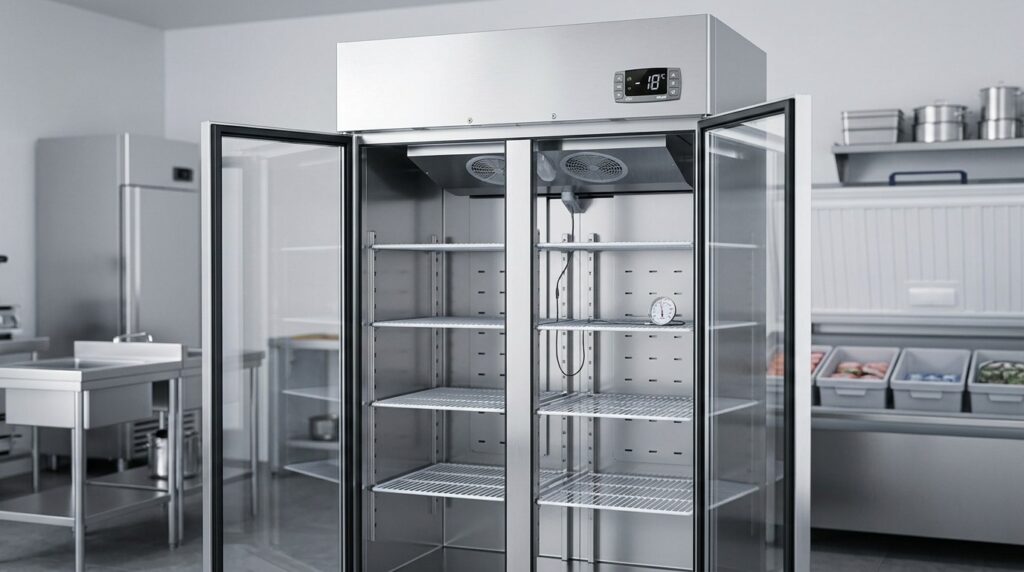
Discover how to manage Unifrost temperature controllers effectively for optimal fridge and freezer performance in Irish kitchens.
Unifrost Upright Fridge and Freezer Temperature Controller: Owner Basics Guide
You rely on your Unifrost upright fridge or freezer to stay inside safe storage temperatures, but day to day performance depends on how the digital controller is set, read and managed. This owner basics guide helps you use the common controllers fitted across Unifrost upright families, including Dixell, Elitech and Carel, without guessing or changing engineer only parameters.
You learn how to identify your unit and match it to the right PDF (for models such as CR1800G, CR2230G, R1000SV, R1300SV, F1000SV, F1300SV, F1310SV, F410SS and F620SV), set realistic targets that align with Irish food safety guidance (typically 3–4°C cabinet setpoint for chilled holding and around ‑18°C or colder for frozen storage), and verify them properly using probe checks rather than display alone. The page also covers the practical tradeoffs that affect service and running costs, like avoiding setpoint chasing, handling defrost status like “dEF” correctly, and deciding when a flashing display or alarm is an operator fix versus a call out.
Importance of Temperature Control in Commercial Fridges
Temperature control matters because it keeps food out of the higher-risk range where bacteria multiply quickly, and it gives you defensible HACCP evidence if an Environmental Health Officer asks how you’re managing chilled and frozen storage.
The Food Safety Authority of Ireland (FSAI) guidance for food businesses is clear on the practical thresholds: chilled food should be held at 0–5°C, and food that’s likely to have been above 5°C for more than 4 hours should be discarded. Frozen food should remain at or below around -18°C to stay properly frozen (see FSAI guidance for food businesses dealing with outages: https://www.fsai.ie/business-advice/running-a-food-business/caterers/flooding-of-a-food-business).
One important catch: the cabinet display temperature is not always the same as product temperature. Frequent door openings, warm deliveries, blocked airflow, overloading, or a unit struggling in a hot kitchen can leave you “looking fine” on the controller while the food inside is slower to pull down or recover.
What temperature control is doing for you day-to-day
In a busy Irish kitchen, an upright fridge or freezer is not just storage. It’s a working buffer that needs to:
recover quickly after repeated door openings
take in deliveries without dragging the whole cabinet out of spec
hold steady overnight, so you’re not walking into a temperature excursion first thing
That’s why consistent control usually matters more than chasing a perfect number. A cabinet that runs stable, with predictable defrost behaviour, is easier to manage safely than one that swings up and down, even if the setpoint on the screen looks reassuring.
Compliance and HACCP depend on control you can explain
From a compliance point of view, you need two things: safe temperatures and a simple story of control.
If a fridge drifts warm, it helps to be able to show what the unit did (alarm, defrost cycle, restart) and what you did (moved high-risk food, reduced loading, checked the door seal, logged the issue, called an engineer). That turns a problem into a clear corrective action, which is what HACCP is looking for.
Just as importantly, your controller and checks form part of the evidence trail. If staff know what “normal” looks like on the display, and what counts as an exception worth recording, you spend less time debating it and more time making quick, safe decisions.
Poor control costs money before it causes a food safety incident
Unstable temperatures often show up first as waste and avoidable labour:
food spoils early or shelf life shortens
ice builds up and cleaning becomes harder
staff spend longer with doors open while searching
the unit runs harder than it needs to, pushing electricity use up and increasing the chance of breakdowns
In practice, most issues are not fixed by turning the setpoint colder. They’re fixed by understanding what the controller is telling you, knowing which operator-level changes are safe, and spotting when the real problem is airflow, loading, door discipline, or a developing fault, not “a wrong number” on the display. If you’re comparing units, it’s worth prioritising refrigeration that holds temperature steadily under real service conditions, not just on paper.
Understanding Unifrost Upright Fridge and Freezer Controllers
A Unifrost upright fridge or freezer controller is the digital thermostat on the front fascia. It reads the temperature probe and runs cooling and defrost cycles to keep stock within safe storage temperatures. In an Irish kitchen, it is also what staff use every day to check actual cabinet temperature, adjust a setpoint (where permitted), silence alarms, and understand whether a temperature rise is normal recovery or a genuine issue.
Across Unifrost upright ranges you will see different controller brands and layouts, but they do the same core jobs:
Temperature control (compressor on/off based on the probe reading)
Defrost management (timed or demand-based, depending on setup)
Basic alarms (probe faults, high temperature alarms, door-related alarms where fitted)
One practical wrinkle: the same cabinet family can be supplied with different controller types. The correct button sequence, icons, and parameter names depend on the controller model, not just the fridge or freezer model.
Why Unifrost uses digital controllers on uprights
On upright fridges, the controller is effectively the brain that maintains chilled storage and schedules defrosts so the evaporator does not ice up and lose performance. On upright freezers, the controller’s defrost and alarm behaviour tends to be more noticeable because ice build-up, frequent door openings during service, and warm or poorly ventilated back-of-house areas can all increase run time and trigger more frequent or longer defrost cycles.
For HACCP, the controller is a useful first indicator, but it is not your only proof. As a guide in Ireland, chilled food should be held between 0°C and +5°C (per Food Safety Authority of Ireland guidance) and frozen stock should remain at about -18°C or colder (FSAI references for frozen storage checks).
https://www.fsai.ie/consumer-advice/food-safety-and-hygiene/cooking-and-reheating
https://www.fsai.ie/business-advice/running-a-food-business/caterers/flooding-of-a-food-business
Common controller families on Unifrost uprights (Dixell vs Elitech vs Carel)
Unifrost uprights can be supplied with different controller platforms, and there are separate controller PDFs for the common types used across ranges. In day-to-day use, the differences you will notice are less about “performance” and more about how you interact with the cabinet:
Dixell (e.g. XR02CX, XR03CX, XR06CX)
Common in commercial refrigeration. Typically straightforward for viewing temperature, adjusting setpoints (where enabled), and recognising when the cabinet is in defrost versus a genuine alarm state.
Elitech (e.g. ECS‑02CX)
Often more “appliance-like” in layout, but the same underlying logic applies: setpoint, differential, defrost, and alarm acknowledgement. The key is matching the exact Elitech model PDF because button holds and icon meanings can vary by variant.
Carel (e.g. PJEZ)
Usually clear on status indications for cooling/defrost, but the terminology, parameter names, and how lock or standby modes appear can differ. Training should be controller-specific, not just “fridge” or “freezer” training.
What the controller controls (and what it does not)
In a busy operation, the controller mainly manages:
When the compressor runs
When defrosts happen
When an alarm condition is shown or sounded
That is why you can see normal swings around a setpoint during heavy door openings, restocking, or after a power interruption, especially if an upright is beside a cookline or squeezed into a tight space with poor airflow.
What the controller cannot do is overcome poor operating conditions. If the cabinet is overpacked, air vents are blocked, the door gasket is damaged, or staff regularly load warm product, the unit will still try to pull temperature down but you will see longer run times, wider swings, and more nuisance alarms. That is when risky habits creep in, such as chasing the setpoint down to “force” cooling, or muting alarms without logging checks and corrective actions.
Why matching the controller PDF matters on Unifrost uprights
Unifrost’s Manuals and Downloads hub includes shared PDFs for major upright families, plus separate controller PDFs for Dixell, Elitech, and Carel platforms used across those families. In practice, the fastest route to the right instructions is to identify:
The cabinet model (from the rating plate)
The controller type (from the fascia)
This matters most on freezers, where units can look identical on the floor while using different controllers behind the display. Once you know which controller you have, “normal” icons, defrost messages, and safe owner-only actions become much clearer, because they are defined more by the controller platform than by whether the box is a fridge or a freezer.
Common Mistakes in Temperature Management
A cabinet can look like it’s “working” and still leave you out of spec if the day-to-day temperature routine isn’t tight. Common causes are setting the unit too warm, constantly tweaking the setpoint during service, or letting the same alarm repeat without fixing the root issue.
This matters for Irish operators because FSAI guidance points you towards holding chilled food at 0°C to +5°C and frozen food at -18°C or colder (FSAI temperature monitoring guidance). If you drift outside those limits, it becomes a food safety, compliance, and wastage problem quickly, even in a small kitchen.
The risk tends to spike after disruptions such as cleaning, deliveries, or a power cut. The usual slip-ups are:
Leaving a unit in standby or switching it back on and immediately loading it.
Loading warm stock too quickly, so the cabinet temperature recovers slowly.
Trusting the controller display without checking actual product temperature, especially after a door has been opened repeatedly.
If you want one habit that prevents most issues: log temperatures as part of your HACCP routine and spot-check product temperature when something changes (big delivery, deep clean, power interruption).
Best Practices for Using Temperature Controllers
Set your temperature targets based on what you store, then verify with a probe rather than trusting the display alone. Make small setpoint changes, give the cabinet time to stabilise, and note changes for HACCP. Stick to owner-level functions (setpoint, alarm mute, basic reset) and leave deeper parameters to a refrigeration engineer. A single wrong setting can cause repeat alarms, poor recovery, or temperatures drifting out of range.
1. Confirm what you’re controlling (cabinet and controller)
First, confirm whether you’re on an upright fridge (chilled) or an upright freezer (frozen). The safe targets and “normal” behaviour are different.
On Unifrost uprights you’ll commonly see digital controllers handling temperature and defrost, but the controller make can vary (for example Dixell, Elitech, or Carel). Button layouts and setpoint menus can differ even when the cabinet looks the same.
If you don’t recognise the controller, match the rating plate and the controller fascia to the correct manual before changing anything. In a busy kitchen with multiple uprights side by side, that prevents the usual problem of someone adjusting the wrong unit or stumbling into a parameter menu.
2. Set realistic Irish HACCP temperature targets (fridge vs freezer)
For chilled storage, a practical working target is to keep food between 0°C and +5°C, which the FSAI references as suitable chilled storage conditions (for example “chilled in the fridge at 0-5 °C”) (FSAI chilled storage guidance). Many operators set the cabinet around 3°C to 4°C to allow for door openings, loading and service peaks.
For frozen storage, treat below -18°C as the baseline. The FSAI notes that food can remain frozen if the temperature is still below -18°C (FSAI freezer temperature reference). If the freezer is sitting around -16°C during a busy shift, it may look “close enough” on the display, but it leaves you short on both stock protection and audit confidence.
If you’re constantly chasing the setpoint lower to cope with rushes, it’s often not the controller. More often it’s airflow, heat load, or door discipline: tight bar-back installs, heat from nearby equipment, heavy loading, or doors being held open.
3. Change the setpoint safely (small steps, timed checks)
Adjust the setpoint only, not the hidden parameters. Setpoints are designed for operator use. Defrost intervals, probe offsets and compressor protection timings should only be changed if you’re following the correct controller manual or a technician’s instruction.
Change in small steps, then wait long enough to see the real outcome. The display will update quickly, but the cabinet needs time to pull product temperatures back down, especially after delivery loading, warm stock going in, or repeated door openings during service.
If you’re commissioning a new cabinet or putting one back into use after a move, do your first tweaks when the kitchen is calm. Mid-service is the worst time to learn what each button does.
4. Verify temperature properly (probe vs display)
For HACCP you need to be able to show that food is in range, not just that the screen looks tidy. Controller displays typically reflect air temperature at the probe, and air swings quickly with door openings, defrost and fan cycles.
Use a clean, calibrated probe to confirm temperatures. The FSAI Safe Catering Pack updates point to good practice such as having two thermometers in case one fails (FSAI Safe Catering Pack probe good practice).
Measure in a way that reflects your operation:
Fridge: check a product-simulating point (for example a sealed container of water stored in the cabinet) so you’re not chasing short-term air swings.
Freezer: probe a representative pack area, not the warmest spot right inside the door.
After a setpoint change, don’t call it fixed on the first reading. Let the cabinet stabilise, then re-check and record what was happening at the time (delivery just arrived, heavy door traffic, hot kitchen, stock load).
5. Keep HACCP notes that help in the real world
When something goes wrong, clear notes save time and reduce guesswork. If you get an alarm, a flashing temperature, or a suspected bad reading, log it while it’s happening.
Record details that actually help both compliance and diagnosis: cabinet ID (your own label is fine), setpoint, displayed temperature, probe temperature, time and duration, what was going on (stock-in, door traffic, power cut), and what you did (moved high-risk food, reduced loading, called service).
Keep corrective actions aligned with the same temperature logic you’re controlling to. For chilled food, the FSAI references storage at 0°C to +5°C (FSAI chilled storage guidance), so your response should focus on getting back inside that window quickly and being able to show you did.
6. Train staff on habits that prevent alarms and waste
Most “controller issues” in Irish kitchens come down to habits: doors being held open, hot stock going straight in, overrides during cleaning, and someone switching the cabinet off overnight to “save electricity” and forgetting to turn it back on.
Agree a simple rule set:
Who can change the setpoint
What staff can do safely (mute or acknowledge alarms, basic restart after a known trip)
What must not be touched (advanced parameters and calibration offsets)
If your team understands the basics of what the screen is telling them (cooling indicator, defrost status, alarm state), you’ll get fewer panicked calls and fewer unnecessary call-outs. It also makes controller differences (Dixell vs Elitech vs Carel) a practical day-to-day detail, not just a model number on a PDF.
Troubleshooting Common Controller Issues
Start by working out whether you have a real temperature problem or normal controller behaviour (for example, pull-down after loading or a defrost cycle). Then stabilise the basics: power, doors, airflow and loading. Read what the controller is actually showing you (flashing value, alarm icon, code), mute the alarm if needed, and give the cabinet time to recover before changing settings.
If the display is blank or flickering, treat it as a power-supply issue first. Only then suspect the controller or probe. Stop immediately if you smell burning, see damaged cables, or the unit cannot hold safe temperatures for stock.
1. Confirm the target temperature and whether food is actually at risk
A lot of “controller issues” are really down to timing and expectations, especially after delivery day, a busy service, warm stock being loaded, or a power cut.
For HACCP, chilled storage is typically managed to keep food at 0°C to +5°C, and frozen storage at -18°C or colder, in line with FSAI guidance on chilling and freezing.
Before you touch the setpoint, sanity-check the reading:
Use a clean, calibrated probe where possible.
Measure a product-simulating point (between packs mid-cabinet).
Avoid the warm door area and avoid measuring right in front of the fan outlet.
If product temperatures are in range, you can troubleshoot the controller behaviour without gambling on food safety.
2. Work out whether flashing is normal status, a warning, or a sensor problem
On many digital controllers (you will commonly see Dixell, Elitech or Carel in the trade), flashing can simply mean the cabinet is recovering to set temperature, has been powered up, or is in/around a defrost event. Some controllers display messages such as “dEF” during defrost. That can be normal if it clears and cooling resumes. It is not normal if it sits there indefinitely or repeats every few minutes.
If the temperature is flashing and rising during service, treat it like an operational problem first:
Confirm the door is fully closing and not being held ajar.
Check nothing is blocking the internal air path.
Look for over-stuffed shelves or product pushed against the back panel.
Only when doors and loading are sensible should you start suspecting a control-side issue such as a loose probe connection or a failing sensor.
3. Deal with alarms without “setpoint chasing”
When an alarm sounds, the priority is to protect stock and get the cabinet stable, not to silence the alarm by forcing the setpoint up or down.
If your controller allows it, mute the alarm, then check the common real-world causes in Irish kitchens:
Door left open during a rush
Warm deliveries loaded straight in
A condenser clogged with flour dust and grease
High ambient heat in a tight back-of-house area
Avoid rapid setpoint changes. On upright cabinets the air temperature moves quickly with door openings, while product temperature moves more slowly. Chasing the display can lengthen recovery and makes it harder to interpret what’s actually happening.
4. Blank or flickering display: check the power path first
A dead or flickering controller is often a supply issue rather than a “broken fridge”. Typical weak points on sites are extension leads, switched sockets, loose plugs, overloaded spur points, or an isolator knocked off during cleaning.
Owner-level checks you can do safely:
Confirm the plug is fully seated.
Remove any extension lead temporarily.
Check the socket switch and test the socket with another appliance.
If the unit is on an isolator, confirm it is on and has not tripped.
If a breaker or RCD has tripped, reset once and monitor. If it trips again, or you see heat damage, stop and get a qualified electrician or refrigeration engineer.
5. If the reading looks wrong versus a probe, separate “air swings” from real faults
Controller readings usually come from an air probe position, so swings after door openings, loading or defrost can be normal. What matters commercially is:
Is product temperature being held?
Does the cabinet return to setpoint in a sensible time for your operation?
If your probe shows safe product temperatures but the display seems “off”, you may be seeing normal sensor location effects, temporary airflow disruption, or probe drift. If your probe shows product is genuinely out of range and the unit is running constantly or short-cycling, stop tweaking settings and move to fault isolation.
6. Record the details once, so you are not repeating yourself on a callout
Good notes reduce callout time because an engineer can quickly separate usage/environment from a hardware fault. Log the following and keep it with your HACCP and service records:
Cabinet type and model from the rating plate (upright fridge or freezer, plus the full model code)
Controller brand and model if visible on the fascia
What you saw exactly (flashing temperature, “dEF”, alarm icon, error code, blank display)
Time and duration, and whether it followed a delivery, deep clean, power cut, or heavy door use
Ambient conditions (especially unusual heat) and whether the condenser area was dusty
Setpoint at the time, and what you did (alarm mute, power cycle, doors checked, stock reduced)
If you cannot identify the controller quickly, use the Unifrost manuals/downloads area to match the correct controller PDF before you go into parameter menus. Button sequences and alarm resets vary by controller family, and guessing is how small issues turn into bigger ones.
7. Know when to stop and call support or an engineer
Owner-level actions are limited to safe checks and basic setpoint adjustments. Stop and escalate if:
The cabinet will not pull down after a reasonable recovery period
You have repeated high-temperature alarms despite good door discipline
The display stays blank after you have verified power at the socket
You suspect a probe fault but cannot confirm with a second measurement
Protect stock first (move it to another unit if needed), then go to the manual for your exact controller type before anyone starts pressing through menus. Controllers are straightforward once you’re looking at the right instructions, but they are not forgiving of guesswork.
Aligning Temperature Control with Business Needs
Your controller settings should follow how you trade, not just what the cabinet can do on paper. In Ireland, your day-to-day targets still need to map back to safe holding temperatures. The FSAI guidance on keeping chilled food at 0°C to +5°C and frozen at -18°C or colder is the baseline most kitchens build HACCP checks around.
What catches people out is that the same setpoint can behave very differently depending on door openings, loading, and where the unit sits. A fridge beside a hot line, a dishwasher, or in a tight back kitchen will work harder and swing more than the same model in a cool, open store.
Café, deli, and sandwich prep: stability beats “coldest possible”
If your upright is opened constantly for milk, meats, salads, and mise en place, setting it “as cold as it goes” often creates new problems. You can end up with wider swings during rushes, more icing over time, and nuisance alarms because the cabinet is being pushed to recover too aggressively.
For this kind of service, the goal is predictable recovery with minimal staff hassle. Keep setpoint changes small and rare, and base decisions on probe checks in the product zone rather than the display reading immediately after a burst of door traffic.
Restaurants and hotels: protect service flow and reduce alarm fatigue
Alarms only help if staff take them seriously. If the controller is set too tight and the team gets used to muting alarms every night, you are more likely to miss the alarm that matters, like a door left ajar after a delivery or a power issue.
Set a simple rule: decide who is allowed to change the setpoint, and who is only allowed to acknowledge an alarm. Most kitchens run better when day-to-day actions stay with the chef or manager, while deeper parameter changes (defrost scheduling, calibration offsets, engineering menus) are left to service support or an engineer. That’s especially sensible where uprights may be supplied with controllers such as Dixell, Elitech, or Carel.
Pubs, bars, and late licences: plan for heat load and late-night door use
Bar areas and back-of-house cold storage often sit beside glasswashers, ice wells, and busy service routes. That brings higher ambient heat and more warm air ingress late into the evening, followed by a quieter period where the unit settles again.
The practical approach is to aim for one steady setting that holds safe product temperatures during peak door openings, then confirm with a probe check at the warmest point of the shift. Your HACCP record should reflect real operating conditions, not the quiet spell after close.
Takeaways and delivery-heavy sites: allow for recovery when loading
Batch prep can make a good cabinet look bad if you load it hard with warm containers. The controller reacts to the air temperature around its probe, not the core temperature of stacked food, so the display can look “back to normal” while product is still pulling down.
Match temperature control to workflow. Load in a way that gives the cabinet time to recover before the next rush, avoid blocking internal air paths with oversized or overfilled GN pans, and use probe checks to decide whether you need a process change rather than a permanent setpoint shift.
Retail, forecourts, and staff canteens: prioritise compliance-friendly routines
Where staff turnover is higher, the risk is well-meaning button pressing that leaves the unit off-target. Keep it simple: one agreed setpoint, one agreed probe-check location, and a clear rule that the controller is not a “comfort control”.
If you need sensible starting points for most Irish kitchens:
Upright fridges: set the cabinet so it consistently achieves 0°C to +5°C in the product zone. In practice, many operations find this means running around 3°C to 4°C once stabilised, but probe checks should be the decider.
Upright freezers: aim to hold frozen stock at -18°C or colder in storage, and avoid frequent manual intervention unless a defrost or alarm genuinely needs action.
Day-to-day running costs and reliability: avoid the habits that punish compressors
Two habits drive a lot of avoidable cost and callouts: constant setpoint chasing and switching units off “to save money”. Frequent changes increase compressor cycling and can make defrost behaviour harder to read. Powering down can also mean slow pull-down the next day, with more time spent managing stock while temperatures recover.
If you want a simple KPI that matches day-to-day reality, track how often staff touch the controller. In a well-set operation it should be rare, and any repeated alarm should trigger quick checks of doors, loading, and airflow before anyone starts changing settings.
This is also why the same controller icons and alarms can feel either straightforward or maddening. It helps to understand the controller types you’ll commonly see on uprights, and what the on-screen messages usually mean in a busy Irish kitchen.
Connecting to the Unifrost Support Ecosystem
In most Irish kitchens, the controller on an upright is part of your HACCP routine, not just a number on the door. You need to know where to find the correct manual and which settings you can safely change. The Food Safety Authority of Ireland sets the baseline most operators work to, including chilled storage at 0°C to +5°C and frozen storage at around -18°C or colder in storage, so your setpoints, alarms and checks should line up with how you actually trade day to day (FSAI HACCP guidance).
Also worth saying: the same “set temperature” can behave very differently depending on controller type, cabinet loading, kitchen ambient temperature, and door traffic during service. The manual helps you separate normal behaviour from a genuine fault.
Use the Manuals & Downloads hub as your starting point (not a random PDF)
Unifrost upright documentation is commonly shared across model families. That is usually quicker and safer than trying to match a controller by sight when a cabinet is alarming mid-shift.
When you do not recognise the controller, start with the model family manual in the Unifrost.ie Manuals & Downloads hub, then open the controller manual that matches the buttons and icons on your unit (for example Dixell XR02CX/XR03CX/XR06CX, Elitech ECS‑02CX, or Carel PJEZ).
A workflow that suits multi-shift sites:
Take a clear photo of the rating plate (model code and serial number), plus a straight-on photo of the controller fascia. If you can see the probe area inside, photograph that too.
Download the relevant upright family manual first (for example CR1360G/CR1800G/CR2230G group, R1300SV/F1300SV group, R1000SV/F1000SV group, or compact R200SV/R200SN group), then open the controller PDF that matches your fascia.
Save both PDFs where staff will actually use them: your HACCP folder and the maintenance WhatsApp group. Consistency matters more than good intentions.
Match the cabinet to the right support file quickly
For Unifrost upright fridges such as CR-1800GOG/CR1800G, CR2230G/CR2230GOG, R1000SV/R1000SVOG, and R1300SV/R1300SVNOG, you are typically dealing with a digital controller that manages temperature control and defrost. The controller manual is as important as the cabinet manual.
For Unifrost upright freezers such as F1000SV/F1000SVOG, F1300SV/F1300SVNOG, F1310SV, F410SS/F410SSOG, and F620SV, controller type can vary (Dixell, Elitech, or Carel). Do not assume the button sequence from another freezer on-site will apply.
In practice:
Rating plate first, controller fascia second.
If the rating plate is awkward to access because the unit is tight to a wall, the fascia photo is usually enough to identify the correct controller PDF. That gets you to safe owner actions, like confirming setpoint and silencing an alarm while you investigate, without guessing.
Know what you can do yourself vs what to leave to an engineer
Owner-level actions are the ones that keep you compliant and trading:
Confirming the setpoint is sensible for the food you store.
Checking the displayed temperature recovers normally after door openings.
Muting an alarm while you investigate the cause.
Following basic resets only as described in the controller manual.
Where people get caught is changing hidden parameters they cannot easily revert. That can lead to poor pull-down, excessive icing, nuisance alarms, or a cabinet that “looks fine” on the display but is unstable in product temperature.
For staff training, a rule that tends to hold in real service conditions: only the duty manager changes setpoints. Everyone else records temperatures and escalates alarms. It keeps HACCP records cleaner and avoids setpoint chasing during a busy lunch.
When to stop self-troubleshooting and move to support
If the controller display is blank or flickering, treat it as a supply/connection issue until proven otherwise. Prioritise product safety and stock movement over button-pressing.
If temperatures are drifting and you have checked the obvious operational causes (door left ajar, hot stock loaded, airflow blocked inside, condenser area dusty), capture the info a technician will ask for and get support early.
Log the basics:
Time of event
Displayed temperature (and probe temperature if available)
Any alarm code shown, and whether “dEF” appeared
Door opening frequency during the period
What changed: delivery loaded, power cut, cleaning, shift change
That log, plus the model and controller type from the rating plate and fascia, turns “freezer acting up” into a workable diagnosis and helps you keep your HACCP file straight while the issue is being resolved.
FAQs: Unifrost upright controller basics
How do I change the temperature setpoint on a Unifrost upright fridge or freezer?
Check the controller brand first (Dixell, Elitech, or Carel) because the button labels differ.
On most Unifrost upright digital controllers, you will do one of these common sequences:
Press and hold SET (often 2 to 5 seconds) until the setpoint value appears or starts flashing.
Use ▲/▼ (or UP/DOWN) to adjust.
Press SET again to save, or wait 5 to 10 seconds for auto-save.
Do not change engineering parameters (menus like Pr1/Pr2, PAS, PS or similar). If you see a password prompt or parameter codes, exit and use the dedicated controller PDF for your exact model.
If the cabinet is used for HACCP-critical storage, verify the new setpoint with a calibrated probe after it has stabilised, rather than relying only on the display.
What does “dEF” mean on my Unifrost freezer controller?
On Unifrost upright freezers, dEF usually means the unit is in a defrost cycle. During defrost, cooling pauses and the display may show dEF instead of a temperature.
Treat it as normal if:
It clears by itself and returns to temperature display after a short period.
The freezer temperature then pulls back down to target without alarms.
It may need attention if:
dEF stays on for an unusually long time, repeats very frequently, or is accompanied by an alarm code.
Product temperatures are rising and not recovering after defrost.
Practical next steps: check door seals and door closing, ensure the unit is not overpacked against air vents, and confirm the condenser is not blocked with dust. If the behaviour persists, use the controller-specific PDF for your controller type before changing any parameters.
How can I find the model and controller type for my Unifrost upright unit?
You normally need two things: the unit model from the rating plate and the controller model from the controller fascia.
Find the rating plate: typically inside the cabinet (side wall) or near the compressor compartment. Record the full model code (for example, CR1800G, R1000SV, F1300SV, etc.) and any serial number.
Identify the controller type: look at the controller’s front label and button layout. The brand is often printed on the face (for example, Dixell, Elitech, Carel) and the controller model may appear as a short code (for example, XR, ECS, PJEZ families).
Once you have both, match them in the Unifrost Manuals & Downloads hub to download the correct upright-family manual and the correct controller PDF.
Next step: verify your controller and temperature targets
If you want to go a step further, identify your exact Unifrost model and controller type, then download the matching manuals and controller PDF so your team uses the correct button sequence and avoids changing engineering parameters.
For more guidance on temperature control, defrost status messages, and safe setpoint targets in Irish kitchens, contact the Unifrost support team via the Manuals & Downloads hub.
Related Unifrost guides
Compare models, maintenance advice and support information related to this topic.
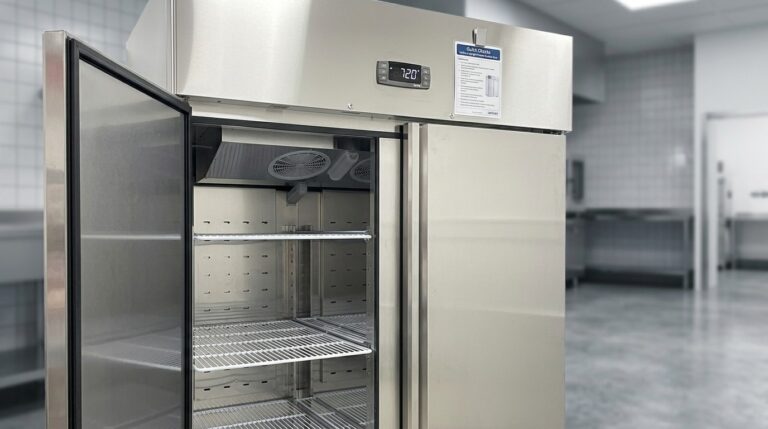
Unifrost Upright Freezer Temperature Controller: New Owner Quick Checks Guide
Essential quick checks for new Unifrost upright freezer owners in Ireland to ensure optimal temperature control.
Read guideCompare Unifrost freezer options on Caterboss
For current product options, pricing and availability, continue to Caterboss.