
Unifrost Upright Fridge Freezer Temperature Controller Quick Checks for Irish Kitchens
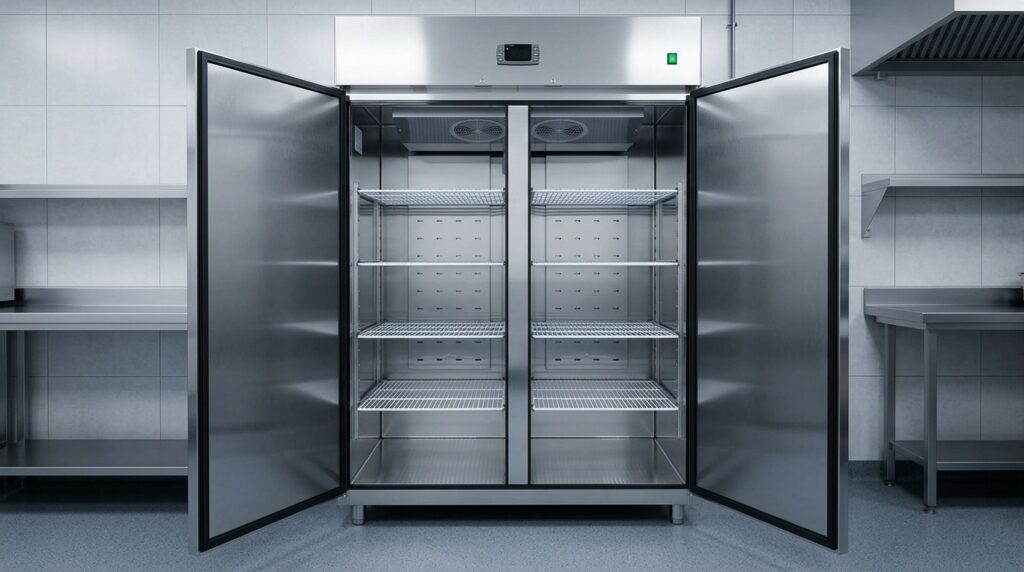
Quick checks for Unifrost upright fridge freezer controllers in Irish kitchens. Ensure optimal storage and avoid downtime.
Unifrost Upright Fridge & Freezer Temperature Controller: Quick Checks for Irish Kitchens
When a Unifrost upright fridge or freezer looks warm, the controller display is often the first thing you check, but it is not always the real cabinet temperature. This page gives you a fast, low-risk routine to confirm what is actually happening on common Unifrost uprights including CR and R fridge models and F freezer models, before you start changing settings.
You will work through the same practical decisions you face in service: whether the unit is genuinely out of temperature or just recovering after loading or a power cut, whether a flashing value or a “dEF” style message is normal defrost behaviour or a fault sign, and whether the issue is likely controller-related or caused by doors, airflow, probes, or icing.
You will also learn how to identify the main digital controller types used on these cabinets (Dixell, Elitech, Carel), what to record for faster diagnosis if you need an engineer, and when to stop adjusting parameters and escalate so you protect stock, HACCP records, and downtime costs.
What This Support Page Helps You Find
This page walks you through a quick, low-risk set of checks to confirm whether your Unifrost upright fridge or freezer is genuinely running off temperature, or whether you are seeing normal controller behaviour such as defrost, pull-down after loading, or power-recovery after an ESB outage.
In Irish kitchens, your working targets are typically chilled storage at 0–5 °C and frozen storage at around -18 °C, in line with Food Safety Authority of Ireland guidance on chilled and frozen storage temperatures. The key point is simple: the controller display is not the same as product temperature. Before you change any settings, verify with a reliable probe.
Who this is for (and what it is not)
If you run a café, pub kitchen, takeaway, hotel prep kitchen, or deli with frequent door openings, this is written for you. It applies to Unifrost upright fridges and freezers, including models such as CR1800G/CR1800GOG, CR2230G/CR2230GOG, R1000SV/R1000SVOG, R1300SV/R1300SVNOG, F1000SV/F1000SVOG, F1300SV/F1300SVNOG, F1310SV, F410SS/F410SSOG, and F620SV, which commonly use Dixell, Elitech, or Carel digital controllers.
It is not a guide to changing advanced parameters (defrost schedule, probe offsets, alarm thresholds). Those settings are controller-specific, and adjusting them without the correct manual can turn a minor issue into stock loss.
What you will be able to do in 2 to 5 minutes
Confirm whether the cabinet is actually warm using a quick probe-in-product or probe-in-liquid check, rather than trusting the display alone.
Recognise common controller states on Unifrost uprights, including normal running, active defrost, alarm conditions, and recovery behaviour after a power cut.
Run the “no-regrets” cabinet checks that solve most false alarms in working kitchens: doors closing properly, loading patterns, airflow, recent deliveries, and whether the unit has had enough time to pull down.
Capture the details an engineer will ask for anyway: what the display shows, whether it’s flashing, any error text, and what changed in the kitchen before the issue started.
Use the Unifrost Manuals & Downloads hub to match your cabinet and controller family to the right PDF when you do need the exact button sequence.
What to have to hand before you touch the controller
You will move faster, and avoid accidental setting changes, if you start with:
Your HACCP probe (or another known-good thermometer)
The model ID from the unit’s rating label
A quick note of what’s happening in service (recent delivery, heavy loading, doors being left open, warm kitchen, power cut)
If shifts are changing, this also helps keep HACCP records tidy without stopping service to troubleshoot.
With that in place, you can separate normal operating behaviour from a genuine temperature problem, and know when it’s time to go to the correct manual or call for support.
Common Temperature Controller Issues and Signs
Flashing readings, frequent alarms, or temperatures that “don’t look right” are usually less about a faulty controller and more about what the controller is actually measuring.
Most upright fridge and freezer controllers show cabinet air temperature and operating status (including defrost), while in day-to-day service you care about product temperature during loading, busy door opening, or after a power interruption. The FSAI is clear that food safety is about the actual food temperature, checked as part of HACCP using a calibrated probe, not a single display reading on the door. See FSAI guidance on temperature control: https://www.fsai.ie/business-advice/running-a-food-business/caterers/temperature-control
That means a controller can be “behaving correctly” while your operation is still at risk because of airflow, loading, door discipline, ventilation, or recovery time.
Flashing temperature vs steady temperature: what it usually indicates
A flashing number typically means one of two things:
The cabinet has gone outside an alarm limit (too warm on a fridge, not cold enough on a freezer).
The unit has just restarted after a power cut and is still pulling down.
Before changing any settings, sanity-check your targets in HACCP terms. FSAI notes food in fridges should be kept between 0 °C and 5 °C, and in practice a 3 °C to 4 °C setpoint is commonly used to achieve this. Freezers in food businesses should be kept at -18 °C or colder (see the same FSAI link above).
“dEF” (defrost) messages: often normal, often misunderstood
On many uprights using common digital controllers (for example Dixell, Elitech, Carel), “dEF” is usually a defrost status rather than a fault.
During defrost, the compressor cycle changes and the displayed temperature can rise for a period. You will notice it more on freezers and in humid kitchens where ice builds quickly on the evaporator.
The common mistake is reacting by forcing the setpoint lower or changing defrost parameters. That can backfire by increasing ice build-up, extending pull-down times, and triggering more alarms during the next busy service.
Frequent HI/LO alarms and beeping: common causes in Irish service conditions
If the alarm happens at the same time most days, it is often an operating pattern rather than a controller failure. Typical triggers include:
Big restocks and warm deliveries
Lunch or evening rush door openings
Hot items parked “for a minute”
Poor ventilation around the unit (especially if it is boxed-in, tight to a wall, or beside heat)
On freezers, repeat “too warm” alarms can also be an early sign the cabinet is being pushed beyond what your site conditions allow, such as higher ambient temperatures, heavier loading, or more frequent access.
Common patterns and what they often point to (not a diagnosis):
Alarms after loading: warm product load, poor spacing, blocked airflow
Alarms during service: door left ajar, damaged gasket, door held open while staff search for stock
Alarms overnight: defrost timing plus high load, restricted airflow from ice, condenser needing cleaning
LO (too cold) alarms on a fridge: probe issues, short cycling, or repeated setpoint changes in an attempt to “be safe”
Display looks “fine” but food is warm (or vice versa): how to sanity-check
Controllers usually display air probe temperature, not core product temperature. That is why:
A fridge can read 3 °C while deep gastronorms or tightly packed shelves have not pulled down yet.
A freezer can read -18 °C while product near the door softens from frequent openings.
For HACCP, verify with a calibrated probe thermometer and record what you actually measured. FSAI advises using a calibrated probe as part of monitoring, and notes a probe accuracy target of at least ±0.5 °C in its temperature checking guidance (see FSAI link above).
Practically, if the probe temperature and the controller display disagree consistently (not just during loading or defrost), stop chasing the number with repeated setpoint tweaks and treat it as a fault to investigate.
After an ESB power cut: why freezers alarm and what to do
After an outage, it is normal for an upright freezer to show warmer temperatures and trigger alarms during recovery. Cabinet air warms quickly, while the food mass changes more slowly, and the controller only “knows” what its probe sees.
What matters is avoiding guesswork:
Keep doors shut to preserve temperature and speed up recovery.
Verify product temperatures with a probe where it is safe and practical.
If the unit will not pull back towards target within a reasonable time for your site, or if alarms keep returning after it stabilises, stop adjusting settings and gather useful information for service (times, alarm codes/messages, recent loading, and whether doors were opened).
Quick Check Routine for Unifrost Upright Units
If an upright fridge or freezer looks “warm”, start by confirming the controller is actually in control: it has power, it is in the right mode, and it is not in defrost or alarm. Then verify the real cabinet temperature with your own probe. Most day-to-day temperature complaints come down to door sealing, loading warm stock, and blocked airflow rather than the controller being “out”.
Only change the setpoint once you have done the basics. Record anything you change so you can reverse it if performance gets worse.
1. Confirm power, operating mode, and what the display is showing
Start with the simple checks because they are often the fix.
On Unifrost upright units, you will commonly see digital controllers from brands such as Dixell, Elitech, or Carel. Button labels and menus vary, so avoid guessing your way through settings.
Check the following before touching any parameters:
Display is on and stable: no blank screen or random resets.
Unit is calling for cooling: many controllers show a cooling icon when the compressor is running or requested.
You are reading cabinet temperature, not the setpoint: if you cannot tell, do not adjust anything yet.
Practical tip: take a clear photo of the controller face and the screen. It saves time when matching the correct manual and is useful for a service call.
2. Check defrost behaviour before assuming there is a fault
A “dEF” message, flashing temperature, or a temporary rise on the display often means the unit is in a defrost cycle, not failing.
During defrost, active cooling pauses and temperatures can drift up briefly. The display may also lag behind what is happening to product inside the cabinet.
What to look for:
Normal: defrost message clears by itself and the unit returns to cooling.
Worth logging as a fault pattern: defrost seems unusually long, repeats very frequently, or the unit never returns to cooling.
Avoid button-pressing to “clear” a defrost unless you are sure of the controller and the consequence.
3. Verify the real temperature with your own probe
The controller display is useful for monitoring, but it is not the same as checking food-zone temperature.
Use a calibrated probe where possible.
Measure in a realistic storage spot, not directly in the cold air stream and not right beside the fan outlet.
If you are checking product, allow time for the probe reading to stabilise.
For Irish food safety practice, a sensible operational target is chilled storage with food held within 0–5 °C and frozen storage kept below -18 °C, as referenced by the Food Safety Authority of Ireland (FSAI guidance).
If your probe and the display differ noticeably, treat the probe as the priority and focus first on airflow, loading, and door sealing before assuming the controller is inaccurate.
4. Do the cabinet checks that fix most “looks warm” complaints
In busy cafés, bars, takeaways, and hotel prep kitchens, temperature issues are often operational:
Doors held open during service
Warm product loaded in bulk
Airflow blocked by overstocking or poor shelf spacing
Do a quick physical walkaround:
Door and gasket: door closes square, gasket makes full contact, no packaging or shelves fouling the seal.
Loading and airflow: avoid packing stock tight to the back wall or blocking internal vents.
Ventilation around the unit: if it has been moved, make sure it has breathing space and is not boxed into a tight corner. Poor ventilation increases run time and slows recovery, even if the controller is fine.
5. Follow a “do now / do next / call for help” routine before changing setpoints
Use a simple routine so staff do not jump straight into advanced parameters.
Do now (2 minutes): photo of the display, note the displayed temperature, confirm door is shut and sealing, check for defrost message or active alarm.
Do next (10 minutes): probe the cabinet in the food storage zone, reduce door openings, remove obvious airflow blockages, and avoid adding warm stock until temperatures recover.
Only if needed: if your probe confirms you are outside safe storage temperatures, adjust the setpoint in small steps, write down what you changed, then give the cabinet time to respond before changing anything else.
Call for help (stop adjusting): repeated alarms, controller resets, poor pull-down after an ESB power cut, or probe temperatures staying unsafe despite good door discipline and sensible loading. Provide your photos and notes to service.
Record for HACCP and for the engineer: time of issue, probe temperature, displayed temperature, any message/alarm code, and what triggered it (power cut, deep clean, heavy restock, busy service).
If slow recovery is happening under normal loading and normal door use, you may be looking at a capacity and workflow issue rather than a settings problem. That is often the point where it makes sense to review whether the upright format and size still suits your service volume.
Understanding Your Digital Controller
A digital temperature controller is the small display and button panel on your Unifrost upright fridge or freezer. It reads the cabinet probe, switches cooling on and off, manages defrost, and triggers alarms. Day to day, it is also how staff check temperatures quickly for HACCP records, spot issues early, and avoid unnecessary call-outs.
On Unifrost uprights you will typically see controllers from Dixell, Elitech, or Carel. The big practical difference is not “performance”, it is how the menus work. A simple setpoint change can be a different button sequence, and the wrong long-press can bring you into engineer parameters.
Identifying what controller you have (without guessing)
Before you change anything, take 30 seconds to confirm what you are looking at:
Check the controller bezel for a printed name (Dixell, Elitech, Carel).
Look for a label inside the door area.
Check the cabinet rating plate for the model details.
Once you have the cabinet model, match it in the Unifrost Manuals and Downloads hub so you are working from the correct PDF for that controller layout, rather than trying button combinations from memory.
If you are training new staff, this “check the manual first” habit prevents most accidental setting changes, especially around defrost timing, probe calibration, and alarm behaviour.
Dixell vs Elitech vs Carel in staff-facing terms
All three do the same core job, but they behave differently in service when someone is trying to clear an alarm mid-shift.
Dixell: Common in commercial refrigeration. Often uses short button combinations and parameter codes. Usually clear when you are viewing live temperature versus a setpoint/parameter, but it is also easy to drift into deeper settings if you keep pressing.
Elitech: Often straightforward for basic tasks like checking current temperature and adjusting the setpoint. Treat anything beyond setpoint and basic alarm silencing as engineer territory.
Carel: Widely used across HVAC and refrigeration. Can have more icons and deeper menus. That extra control is useful, but it also means you should be stricter about who is allowed to change settings beyond the target temperature.
A sensible rule in busy kitchens: one nominated person per shift can adjust setpoints. Everyone else should know how to read the normal display and recognise a warning or alarm state.
What the controller is for (and what it is not)
The controller helps you hold safe temperatures consistently. It will not fix poor loading, blocked airflow, or heavy door opening during a lunch rush.
For chilled storage, FSAI guidance commonly references keeping chilled food at 0–5 °C (see: Food Safety Authority of Ireland guidance). Your setpoint still needs to allow for real-world swings when stock is loaded warm and doors are opened repeatedly.
If the display looks warm, avoid the knee-jerk reaction of winding the setpoint down. A better workflow is:
Confirm product-zone temperature (not just the air reading on the display).
Check door seals, loading and airflow.
Then decide if a small setpoint adjustment is appropriate, or whether you are seeing a fault pattern such as repeated alarms, slow pull-down, or unusual defrost behaviour.
Self-Service vs Professional Support
Start with the basics: door seals, loading, airflow, and a proper probe check. Those quick checks often get you back to normal without risking controller settings or wasting stock. What usually makes things worse is chasing the display by changing setpoints or diving into parameters when the real issue is a fault. That can extend warm time, increase product risk, and leave you with awkward HACCP records during service.
The longer a cabinet sits outside its normal temperature range, the more likely you are to see knock-on issues: slow pull-down after loading, repeat alarms, and high-risk foods drifting before anyone spots it.
When self-checks are enough (and what “good” looks like in an Irish kitchen)
Self-checks make sense when the cabinet is fundamentally working and you are dealing with everyday causes of temperature drift:
A door left slightly ajar on a pass
Warm deliveries loaded too tightly
Product stacked in front of air outlets
A higher displayed temperature while the unit is recovering after loading
Your job is to confirm what’s happening inside the cabinet, not to “win” against the controller display.
A practical rule of thumb: probe the cabinet temperature first, compare it to the display, then give the unit time to stabilise after loading or any setpoint change before you decide it’s failing.
For chilled storage, many Irish operators work to 0–5 °C as an operational target, and for frozen storage around -18 °C. Use your own HACCP plan and the relevant FSAI HACCP guidance to set and verify what “safe holding” means for your menu and risk profile.
If you don’t know which controller you have, don’t guess. Check the controller label on the fascia (Dixell, Elitech, and Carel are common) and match it to the correct manual using the cabinet model details in the Unifrost.ie Manuals and Downloads hub. Controller menus are not standard across brands, and it is easy to change the wrong setting.
When to stop adjusting and call an engineer (to avoid downtime and stock loss)
Call for professional support when another tweak is likely to buy you an extra hour of unsafe temperatures, or when the symptoms point to a refrigeration, electrical, or control issue rather than normal recovery:
The cabinet won’t pull down towards its normal temperature with the door kept shut and a light load.
High-temperature alarms keep returning shortly after you clear them.
Defrost behaviour looks wrong for your operation (very frequent defrosts, unusually long defrost periods, or poor recovery afterwards).
You spot signs of a physical or electrical issue: new water leaks, icing in unusual places, burning smells, unusual compressor noise, or the unit tripping power.
The issue started after a power cut and the cabinet now short-cycles, struggles to restart cleanly, or won’t settle after a reasonable stabilisation period.
Engineer time costs money. A cabinet full of dairy, cooked meats, or prepped sauces going warm usually costs money faster, and it creates a documentation headache if you’re trying to keep HACCP records tight in a busy week.
What to record before you ring (so the fix is faster and cheaper)
Two minutes of notes can save a lot of back-and-forth and help the engineer turn up prepared. Record:
Cabinet model (for example: CR1800G/CR2230G, R1000SV/R1300SV, F1000SV/F1300SV/F1310SV/F410SS/F620SV)
Controller brand on the front (Dixell, Elitech, or Carel)
Setpoint
Displayed temperature
Probed temperature, ideally taken in the warmest area you can identify
Also write down what was happening operationally: a delivery just landed, doors opening constantly under service pressure, a deep clean, or a recent power interruption. That context often matters more than the exact number on the screen because it helps separate workload from a fault.
After an ESB power cut: what controller behaviour is normal, and what isn’t
After a power cut, it’s normal for an upright to alarm, show a higher temperature, and take time to recover, especially if the kitchen is warm and doors are opened to check stock. What’s not normal is repeated alarms and poor recovery when the cabinet is closed and lightly loaded. That points away from “power cut recovery” and towards airflow, defrost, control, or component issues that need proper diagnosis.
This is also when capacity problems show themselves. If you are regularly loading warm product, running out of space, and the cabinet never gets back to target between peaks, the controller can look like the problem when it’s simply reporting reality. At that point, it’s worth stepping back and checking whether the cabinet format and capacity suit your production and delivery flow before spending time chasing settings.
These simple decision rules make it easier to interpret common controller behaviours in the moment, especially when you’re staring at a “dEF” message, a flashing temperature, or an alarm mid-service.
Connect with Unifrost Manuals & Resources
To troubleshoot an upright fridge or freezer properly, start with two identifiers: the cabinet model from the rating plate and the controller make and label on the fascia. Use the Unifrost Manuals & Downloads hub to pull the cabinet manual first, then the matching controller manual or parameter guide (Dixell, Elitech, or Carel).
Download the PDF to your phone or PC and photograph any alarm codes or unusual display messages before you power-cycle or change settings. If you cannot confidently match the controller to the correct PDF, stop at owner-level checks. The wrong parameter change can create new faults.
1. Confirm your exact Unifrost model and controller identity (before you search)
Open the door and find the cabinet rating plate. Write down the full model code exactly as shown (for example CR1800G/CR2230G, R1000SV/R1300SV for fridges, or F1000SV/F1300SV, F410SS, F620SV for freezers). Don’t rely on invoice shorthand like “1 door freezer”. Manuals are usually tied to a specific model family.
Then check the controller fascia and note the brand and label. On Unifrost uprights you will commonly see a Dixell, Elitech, or Carel digital controller. The label matters because button sequences, icons, and parameter names can differ even when the cabinet looks identical.
2. Use the Unifrost Manuals & Downloads hub to grab the right PDF fast
Go to the Unifrost.ie Manuals & Downloads hub: Manuals & Downloads. If you already know your model family, use the direct PDF links (for example shared manuals for CR upright families, or the R1000SV/F1000SV and R1300SV/F1300SV families).
If the issue is clearly controller-related (screen messages, alarms, odd defrost behaviour), open the controller PDFs from the same hub. It lists separate documents for common controllers and parameter references (for example Dixell XR series references, Elitech ECS-02CX manual, and Carel PJEZ manual). That’s often the quickest way to decode what staff are seeing mid-service.
3. Get further help when the PDF is not enough
A manual will tell you what a code means, but not always what to check in a busy Irish kitchen. If the unit is alarming, icing, struggling to pull down, or acting up after loading, use the relevant upright-fridge, upright-freezer or controller guidance for practical checks around installation, airflow, loading, and common operator errors. Then go back to the PDF once you’re confident you’re solving the right problem.
This is also a good point to sanity-check temperature targets for HACCP logging. As a practical baseline, chilled storage should keep food between 0 °C and 5 °C, and freezers should be -18 °C or colder, as set out in FSAI temperature control guidance for caterers.
4. Save the right evidence for faster fault diagnosis (and fewer repeat call-outs)
Before you change anything beyond the basic setpoint, capture what the controller is telling you in a way an engineer can use:
Photograph the screen showing any flashing temperature, “dEF”-style messages, or alarm indicators
Note the time it happened and what was going on (delivery just arrived, door opening frequency, unit pushed tight to a wall, power cut, hot pass beside it)
Save the cabinet and controller PDFs somewhere your team can reach quickly (phone or office PC). Name files with the model code and location, for example: “F1300SV Store Room Controller Manual”. That small admin job saves time when the same issue crops up on a Saturday evening and the person on duty wasn’t involved in setup.
5. Know when to stop reading manuals and escalate
Treat these as “stop points” for DIY parameter changes:
You can’t match the controller label to the correct PDF
The unit isn’t recovering after a reasonable stabilisation period
Alarms keep returning after basic housekeeping checks
Manuals and parameter guides are ideal for confirming alarm meanings, button sequences, and safe owner-level settings. But repeated alarms, long pull-down times, and temperature drift are often caused by airflow, maintenance, door sealing, loading patterns, or component failure rather than a controller setting.
Once you have the model, controller type, and clear photos/notes of what the display is doing, you’ll get a faster and more accurate diagnosis.
FAQs: Unifrost upright controller quick checks
What temperature should my upright fridge or freezer be set to for safe food storage?
For Irish kitchens, a practical target is:
Upright fridge (chilled): keep food at 0–5 °C. A common controller setpoint is +2 to +4 °C to allow for normal door openings and temperature swing.
Upright freezer (frozen): keep food at about -18 °C. Many sites run a controller setpoint around -18 to -20 °C so product stays safely frozen during busy service.
If you are regularly recording close to the limits (near 5 °C chilled or warmer than -18 °C frozen), adjust your operating routine (loading, airflow, door time) before chasing the setpoint lower or higher.
How do I change the temperature setpoint on a Unifrost upright digital controller?
Unifrost uprights commonly use Dixell, Elitech, or Carel digital controllers. The exact button labels vary, but the setpoint change is usually the same:
Locate the SET (or “S”) button.
Press and hold SET for a few seconds until the setpoint value appears or starts flashing.
Use ▲/▼ (up/down) arrows to adjust to the new setpoint.
Press SET again to confirm (or wait 5–10 seconds for it to auto-save).
If the controller won’t change, look for a key/lock symbol or “LOC” style message, which indicates the keypad is locked. In that case, use your cabinet’s controller manual for the unlock sequence rather than trying random button combinations.
What does a flashing temperature or “dEF” message on the controller mean?
A flashing cabinet temperature or a “dEF” message usually indicates the unit is in a defrost cycle.
What to do:
Give it time: during defrost, the display can rise and alarms may be temporarily suppressed depending on controller settings.
Watch for a normal return: after defrost ends, the display should settle back toward the normal running temperature.
Escalate if it doesn’t recover: if you see repeated “dEF”, unusually long warm periods, or the unit fails to pull down after defrost, do the basic cabinet checks (door seal, loading/airflow) and then capture the message/code, time, and current displayed temperature before contacting support or an engineer.
Need the right controller steps for your exact Unifrost upright?
If you’re not sure whether your cabinet has a Dixell, Elitech, or Carel controller, the quickest way to avoid guesswork is to match your model to the correct PDF first. Use the Unifrost Manuals & Downloads hub to find the right controller guide, then follow the setpoint, alarm, and defrost instructions for your specific unit.
If you want tailored advice on optimal settings and day-to-day checks for your kitchen workflow, contact Unifrost with your model number and what you’re seeing on the display.
Related Unifrost guides
Compare models, maintenance advice and support information related to this topic.
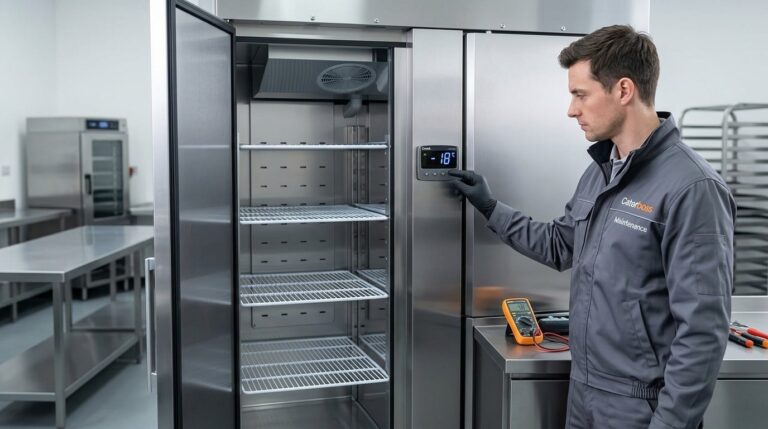
Quick Checks for Unifrost Upright Freezer Temperature Controllers in Ireland
Ensure your Unifrost upright freezer runs efficiently with temperature controller tips for Irish kitchens.
Read guide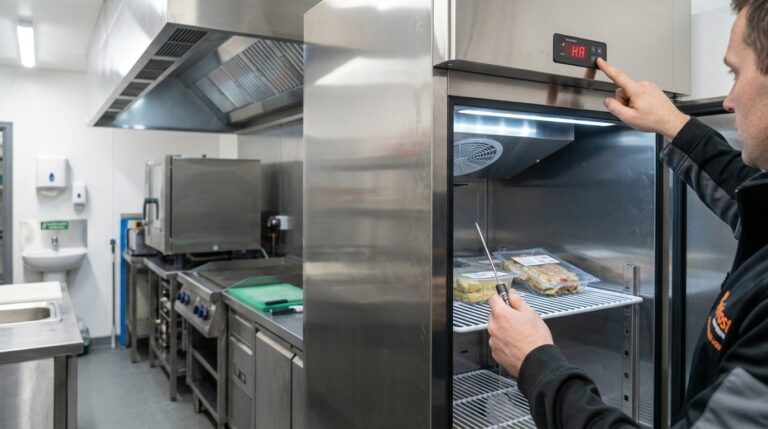
Unifrost Commercial Fridge Ambient Temperature Controller: Troubleshooting Alarms in Irish Kitchens
Learn how to troubleshoot and manage temperature alarms on Unifrost fridges in busy Irish kitchens.
Read guideCompare Unifrost freezer options on Caterboss
For current product options, pricing and availability, continue to Caterboss.