
Unifrost Upright Freezer Temperature Controller: Wiring, Probe Replacement – Owner vs Engineer Guide for Irish Kitchens
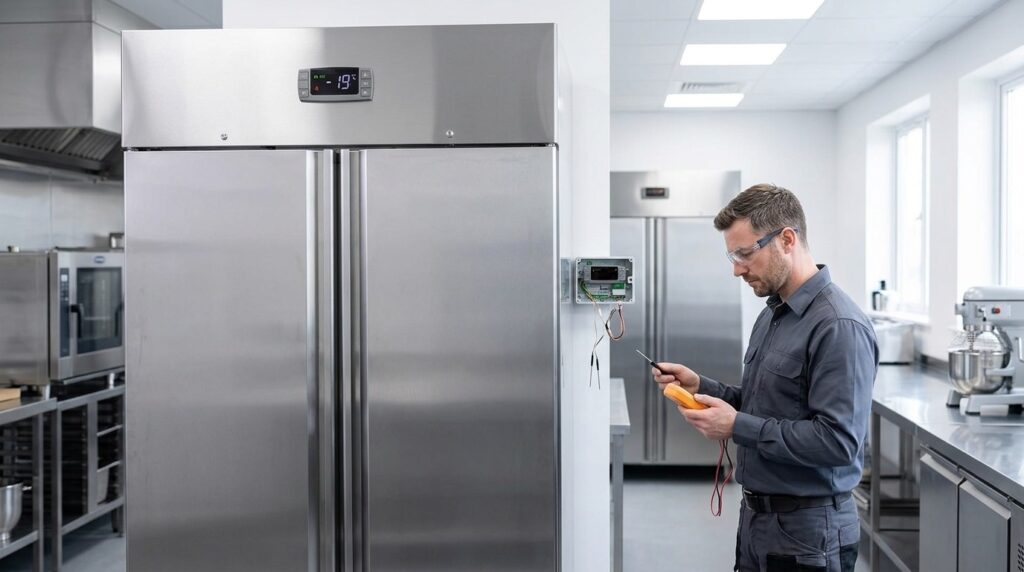
Learn if Unifrost upright freezer probe replacements can be self-done, how wiring differs by model, and when to call an engineer in Irish kitchens.
Unifrost Upright Freezer Temperature Controller Issues: Owner Checks vs Engineer-Only Wiring and Probe Replacement
When your Unifrost upright freezer shows a high-temperature alarm, a flashing reading, or repeated defrost messages, the quickest win is knowing what you can safely verify yourself and what must be left to a qualified refrigeration engineer. That matters in an Irish kitchen because downtime risks stock loss, HACCP non-compliance, and wasted callouts if the fault is actually airflow, loading, or a door seal issue.
This page helps you make the call for common Unifrost upright models in the F410SS, F620SV, F1000SV and F1300SV families. You will learn which controller actions are owner-safe (setpoint checks, alarm recognition, basic site and loading checks, temporary stock-protection steps) versus engineer-only tasks (probe testing and replacement, controller replacement, and any wiring checks). You will also see what information to collect before you log a service request, how to tell a likely probe or controller fault from a usage or installation problem, and what records to keep if parts are replaced so your temperature logs and HACCP paperwork still stand up.
What This Support Page Helps You Find
This page helps you separate safe, owner-level controller checks from engineer-only electrical and refrigeration work on Unifrost upright freezers in Irish commercial kitchens.
You can use the display and menu functions, check settings, and make sensible operational checks (loading, airflow, door seals, and room heat). Once you are removing panels, exposing terminals, testing electrics, or changing probes or wiring, that crosses into work for a qualified technician. The Health and Safety Authority guidance is clear that electrical inspection and testing should be carried out by a competent person, and it is worth treating that as the line in the sand for troubleshooting in a live kitchen environment: HSA Inspection and Testing of Installations.
Owner vs engineer: what this guide will and will not walk you through
If you are seeing “dEF”, flashing readings, OFF or STANDBY, alarm codes, or a cabinet drifting warm, the aim here is to keep you moving without encouraging DIY repairs that create safety risks or turn a straightforward call-out into a longer job.
It will help you:
rule out common operational causes like overloading, blocked airflow, frequent door opening, damaged door gaskets, or high ambient temperature
understand what the controller is showing in normal operation versus what usually indicates a fault condition
judge when a probe or controller issue is plausible, and when it is more likely defrost performance or a refrigeration system issue
gather the information an engineer will actually need (model code, what the display shows, timings, recent changes, and a clear photo of the controller display)
It will not include model-specific wiring diagrams, terminal layouts, probe part numbers, or step-by-step probe replacement. Those details depend on the exact cabinet and controller version and belong in the correct manual and service documentation.
Which Unifrost upright freezers this applies to
This guide applies to the Unifrost Upright Freezers family commonly used for upright storage and service-line holding in Ireland, including F1000SV/F1000SVOG, F1300SV/F1300SVNOG, F1310SV, F410SS/F410SSOG, and F620SV.
The troubleshooting approach is broadly shared across the range, but wiring, probe types, and controller variants can differ. That is why the exact manual for your unit matters.
What to do if you do not know your exact model code
In a busy Irish kitchen, misidentifying the cabinet is a common reason for delayed fixes, wrong parts, or a wasted visit.
This page will point you to the rating plate and tell you what to record for Caterboss or your refrigeration engineer. It will not guess probe compatibility or settings based on a photo or a “looks like” match. If you need manuals or checklists and you are not sure of the model, the goal is to get you to the right support file via the Unifrost.ie support hub, rather than working from a generic controller guide.
Why this matters for HACCP, insurance, and downtime
A probe fault can make a freezer look “fine” on the display while product temperatures drift. It can also create nuisance alarms that staff start ignoring, which is the last thing you want when you are relying on temperature records.
This page focuses on decisions that protect stock, reduce downtime, and keep your checks and corrective actions defensible. It also flags what to note after any probe or controller work, including what was done, when it was done, and who carried it out.
From here, it helps to understand how temperature controllers and probes behave in an upright freezer, particularly during defrost cycles and heavy door-opening periods.
Understanding Temperature Controllers and Probes in Unifrost Upright Freezers
A temperature controller is the freezer’s control unit. It reads a temperature sensor (the probe) and switches cooling and defrost on and off to hold your setpoint. The probe is the reference point the controller relies on. If it’s damaged, wet, knocked out of position, or drifting out of tolerance, the cabinet can run warm, over-freeze, or throw alarms even when the display looks plausible.
In day-to-day terms: the controller display helps you run the cabinet, but it is not “proof” of food temperature. Under HACCP, you still need to verify product temperatures using a separate thermometer.
On Unifrost upright storage freezers such as the F410SS/F410SSOG, F620SV, F1000SV/F1000SVOG, F1300SV/F1300SVNOG and F1310SV, controller types and probe routing can vary by model and production batch. That’s why wiring diagrams and probe procedures belong in the unit manual or engineer documentation rather than a generic guide.
What the controller is controlling (and why “dEF” is not automatically a fault)
In an upright commercial freezer, the controller is typically managing three things:
Compressor cycling to maintain the target temperature
Defrost to stop the evaporator icing up and choking airflow
Alarms to flag temperature drift that could threaten stock
A “dEF” message, or a display that seems to rise and fall, often means the cabinet is in a defrost cycle or recovering after defrost. In a busy Irish kitchen with frequent door openings, that can be normal. It becomes an issue when defrost is too frequent, runs too long, or doesn’t complete properly because of airflow restrictions, heavy loading, door habits, or a failing component.
What the probe actually measures (and the mismatch that catches kitchens out)
The controller probe usually measures air temperature at one point in the cabinet, not the core temperature of your food. Air temperature reacts quickly. Product temperature changes more slowly.
That gap is why you can get a high-temperature alarm while the stock is still frozen solid, or see a “good” display while items near the door or top shelf are softening. For frozen storage in food businesses, you’re generally working to keep product at -18°C or colder, as set out in the FSAI temperature control guidance for caterers.
Why wiring checks and probe replacement are not realistic “owner maintenance”
Even when the controller and probe are low-voltage components, access often involves removing panels and working near mains wiring, earthing points, and cable restraints. That’s not a sensible DIY job in a working kitchen. The Health and Safety Authority is clear on the risk of shock and fire and the requirement to maintain electrical equipment and installations to prevent danger, per the HSA guidance on electricity in the workplace.
A practical “owner vs engineer” line for an upright freezer is:
Owner-safe checks: review the setpoint and alarms, confirm the door is closing properly, check seals, reduce over-packing, keep airflow paths clear, and verify temperature using a separate calibrated probe thermometer. Also confirm the unit has proper ventilation and isn’t being pushed by high ambient temperatures.
Engineer work: remove controller housings or electrical covers, test sensor resistance/continuity, replace or re-route probes through the cabinet liner, change controllers, or adjust advanced parameters that affect defrost and compressor protection.
This isn’t gatekeeping. It reduces electrical risk, avoids expensive misdiagnosis, and protects your paper trail if stock is lost.
Temperature verification: where probes and HACCP meet in the real world
Even if the cabinet probe and display are working perfectly, you still need an independent check when something looks off, after loading a big delivery, or following any service work. The FSAI advises using a calibrated probe thermometer and recording measured temperatures as part of your food safety management system, including thermometer calibration checks, in its guidance on checking temperatures and calibration.
Operationally, think of it like this:
Controller display: day-to-day control
Separate probe thermometer: verification
If they disagree consistently, avoid chasing the problem by tweaking settings. Instead, work through the likely causes in order: a sensing issue (probe/controller), a heat-load/usage issue (door openings, warm deliveries, blocked airflow), or a refrigeration fault that needs a call-out.
Owner vs Engineer: Responsible Actions for Temperature Controller Issues
If your Unifrost upright freezer controller is showing an alarm, a flashing temperature, or dEF, treat it as a temperature-risk situation first, and a “settings” question second. Your priorities are: protect stock, stabilise the cabinet, confirm what temperature the food is actually at, and then decide whether you need an engineer. Anything involving wiring, panels, probes or controller replacement should be left to a competent refrigeration engineer.
1. Protect stock first and stop making the fault worse
A high-temperature alarm usually gets worse with door traffic and warm loading. Buy time:
Keep the door shut and reduce openings during service.
Pause loading warm deliveries until the cabinet is stable.
Check nothing is holding the door open or stopping it sealing.
If you have another freezer on site, move higher-risk stock across in labelled boxes. Record times and temperatures as part of your HACCP routine.
Most Irish kitchens use -18°C as the practical benchmark for frozen storage, in line with FSAI guidance on temperature control of foods. Your own HACCP plan may set stricter limits for specific products.
2. Owner-safe checks (no tools, no panels, no wiring)
Before changing settings, rule out common site and usage causes. In busy back-of-house areas, heat, humidity and door traffic can look like “controller faults” when the real issue is loading or airflow.
Use this checklist:
Confirm it’s not in OFF/STANDBY mode.
Confirm the cabinet is actually running (compressor sound/vibration, fan noise if fitted, lights on).
Check the door closes cleanly and the gasket is making contact all round.
Check for internal airflow blockages (boxes tight to the back wall, stock piled against air outlets). Leave space for air circulation.
Without removing covers, make sure the external ventilation area is not boxed-in by packaging, bins, or a tight fit against a wall.
Verify temperature independently with a clean probe thermometer placed between packs (not in open air), then compare it with the controller display.
If the independent thermometer shows stable, safe temperatures but the controller display is clearly off, you may have a sensing issue (probe/controller). If both readings show warming product, treat it as a genuine refrigeration performance issue, not a “settings” issue.
3. When to stop troubleshooting and call an engineer
Call a refrigeration engineer if:
The freezer won’t pull down after being left closed for a reasonable period.
Alarms clear and then return repeatedly.
There’s heavy ice build-up restricting airflow.
The unit behaves oddly: short cycling, long off periods, or constant running with little improvement.
You suspect it’s installed in a hot, tight, or poorly ventilated spot.
Avoid random parameter changes to “force” recovery. On service-line uprights, the wrong defrost timing or fan settings can increase icing, cause temperature swings, and slow down fault-finding when the engineer arrives.
4. Wiring, probe replacement and controller swaps are engineer-only in Ireland
Do not remove the controller faceplate, open electrical boxes, test live components, change wiring, or route a replacement probe yourself. From a safety and insurance point of view, that’s work for a competent person. The HSA is clear that electrical work must be carried out by a competent person, particularly in wet, cramped, high-risk kitchen areas.
Probe replacement is not “just a sensor”. It often involves:
Correct cable routing through insulated areas
Re-sealing to prevent moisture ingress
Checking probe type and controller compatibility
Verifying readings so your HACCP records aren’t built on a false temperature
If an engineer needs model-specific information, they should take the exact model code from the rating plate and use the correct documentation for that unit family (for example F410SS, F620SV, F1000SV, F1300SV). Unifrost.ie can help point you to the right manuals and checklists once you have the model code, but wiring diagrams and step-by-step probe procedures should stay within engineer documentation.
5. After any repair: owner verification and records
After a probe or controller change, your role is to confirm the cabinet performs properly under real trading conditions:
Ask what was changed (probe, controller, parameters).
Check it pulls down and holds temperature with normal door openings.
Watch for recurring alarms over a full trading cycle.
Keep three items on file: the engineer’s job sheet, your own temperature verification notes (including independent thermometer readings), and any corrective actions taken for stock. If you log temperatures from the controller display for HACCP, cross-check periodically with an independent thermometer so you’re not relying on a drifting sensor.
Clear roles keep you moving quickly: you protect stock and confirm reality; the engineer deals with electrics, probes and control hardware.
Common Controller Messages and What They Mean
Unifrost upright freezer controllers show messages like dEF or temperature alarms because the display is telling you what the cabinet is doing, not just what it is set to. A commercial controller manages defrost cycles, compressor running time and alarm limits. Those alarms matter because holding the cold chain is part of your day-to-day food safety controls. The FSAI specifically highlights temperature control and the operation and maintenance of refrigeration as prerequisite controls in a food safety management system (FSAI guidance/prerequisite-programmes)).
The key is separating normal states from genuine risk. In practice, you often need to watch what happens over the next 30 to 90 minutes in your kitchen: door openings, loading patterns, and room temperature make a big difference to recovery time.
`dEF` (Defrost): usually normal, sometimes a warning sign
On most commercial uprights, dEF means a scheduled defrost is running. During defrost, the air temperature shown on the display can rise temporarily. Product temperature changes more slowly, especially if the door stays shut and airflow inside the cabinet is not blocked.
Treat dEF as a problem when:
it appears very frequently,
the defrost seems to run much longer than usual,
you regularly get warm alarms after defrost.
Common Irish back-of-house causes include heavy door opening during service, humid air coming in through a damaged seal, and poor airflow around the evaporator area due to overloading.
`HI` / `HA` (High temperature alarm) and a flashing temperature
A high temperature alarm means the controller sensor has been above its alarm limit for long enough to trigger an alert. It is there to flag potential risk to frozen stock, so a persistent alarm is worth taking seriously.
A flashing temperature usually means one of the following:
an alarm condition is active,
an alarm has recently occurred and needs acknowledging,
the reading is unstable and the controller wants attention.
A practical way to triage it on the floor: what changed in the last hour? A warm delivery being loaded, the door left ajar, a busy service period, a power interruption, or blocked airflow will all push a freezer towards a high alarm. If it keeps happening with no obvious trigger, you may be looking at a refrigeration fault or a control/probe issue.
`LO` / `LA` (Low temperature alarm)
Low temperature alarms mean the cabinet sensor is below its low limit. In a freezer this is less common, but it can happen after long run times or if settings have been pushed colder than your operation needs.
“Too cold” is not free. Running well below the temperature you actually require can increase running costs and encourage more ice build-up, which then reduces airflow and makes defrosting less effective.
`OFF` / `STANDBY`: powered, but not cooling
OFF or STANDBY usually means the controller has been put into a non-cooling state. The cabinet can still have power even though refrigeration is not running, so this is a common cause of “it’s warm but nothing looks broken” after cleaning, a power cut, or someone holding a button a bit too long.
Operationally: treat OFF as urgent until you confirm the unit is back in cooling mode and temperature is trending down towards your normal working range.
Error codes (sensor, controller, or system faults)
Error codes vary by controller brand and software version. The same code can mean different things on different models, so avoid guessing based on a code you have seen elsewhere. What you can take from any error code is the broad category: the controller is unhappy with a sensor reading, a defrost condition, or an internal control input.
If an error code appears with rising temperatures, repeated alarms or heavy icing, protect stock first and escalate to a refrigeration engineer rather than attempting wiring checks yourself.
Here’s the quick “message to meaning” translation most operators need:
dEF: defrost cycle running; normal unless frequent, very long, or followed by warm alarms.
HI / HA / flashing warm reading: sensor has been too warm too long; often door/loading/airflow/ambient related, sometimes a fault.
LO / LA: sensor below low alarm limit; can be over-aggressive settings or a control issue.
OFF / STANDBY: cooling is not active even if the unit has power; switch back on and confirm recovery.
Error code: fault condition flagged; investigate and expect to escalate because codes vary by controller/model.
Once you read the display as a status report rather than a simple temperature, it becomes much easier to split “operator fix” issues (doors, loading, airflow) from probe/controller faults that need service support.
Impact of Irish Kitchen Conditions on Temperature Settings
Irish back-of-house conditions can change how an upright freezer behaves, even when the controller setpoint is the same. High ambient heat, restricted airflow around the condenser, and constant door opening all increase heat load. That slows pull-down and can trip high-temperature alarms even when the refrigeration system itself is OK. SEAI guidance is clear on the basics that affect performance and energy use: keep refrigeration ventilated, clean, and not overfilled (SEAI SME Guide to Energy Efficiency).
The common mistake is trying to “solve” a hot kitchen by setting the freezer colder. In practice, that can increase icing, add defrost stress, and push up running costs without fixing the cause.
Heat and ventilation: why a “hot back-of-house” looks like a controller issue
In Irish restaurants, pubs with tight corridors, and busy hotel prep kitchens, freezers often end up beside combi ovens, dishwashers, or a hot pass. The warmer the air around the unit, the harder it is for the condenser to dump heat. If the condenser area is also starved of airflow, or it is clogged with grease and flour dust, performance drops quickly.
This is where people get caught out. The controller is not “lying”. It is reporting what it sees in the cabinet, and alarming as designed. Before you change settings, treat ventilation and cleaning as performance controls, not just housekeeping.
Humidity and door-opening: why you get ice build-up and unstable readings
Irish kitchens are often warm and wet. Steam from pot wash, mop water, and general humidity means every door opening pulls moisture into the cabinet. That moisture freezes on the evaporator, gradually restricting airflow. The result is slower recovery after busy service, less stable cabinet air temperature, and readings that can look erratic.
It also explains why a freezer can seem to “run non-stop” in summer, or during damp spells when extraction is poor. The controller may spend more time in defrost trying to manage ice. If the moisture load stays high, you can end up in a loop of recurring alarms and poorer temperature stability.
What to change (and what not to) when the kitchen is stressing the freezer
For most operators, the safest approach is to keep your setpoint aligned with your HACCP target (commonly -18°C for frozen storage) and improve the conditions around the cabinet, rather than chasing colder numbers on the display.
Owner-safe actions that usually make the biggest difference:
Keep the condenser air path clear and clean so the unit can reject heat properly.
Avoid overfilling so air can circulate inside the cabinet.
Reduce door-open time by organising stock for faster grabs during service.
Verify temperatures with a separate calibrated probe thermometer as part of routine checks, in line with FSAI hygiene guidance on using and calibrating a temperature probe (FSAI Safe Catering Pack).
Once the site conditions are under control, controller readings tend to settle and alarms become more meaningful. At that point, if you still have problems, it is much easier to separate a real fault from a layout or workload issue.
Temperature Probe Replacement Steps: Owner Checks vs Engineer Tasks
Handle a suspected probe issue the same way you would any temperature incident: protect stock first, confirm what’s really happening, then escalate before you start “chasing” settings. If you cannot get stable temperatures without opening panels or touching wiring, treat probe replacement and any controller or alarm wiring checks as engineer work. After any probe or controller work, verify temperature independently and log it for HACCP. A warming freezer is a stock-risk event, not a settings experiment.
1. Stabilise the situation and protect stock before troubleshooting
If the controller shows a high-temperature alarm, a flashing reading, or a defrost indicator such as “dEF”, assume the stock is at risk until you’ve proved otherwise.
Move vulnerable stock (ice cream, seafood, prepared foods) to a known-good freezer.
Avoid loading warm deliveries into the cabinet while you’re investigating.
Aim for confirmed frozen storage at or below -18°C, in line with FSAI guidance on freezing and frozen food storage temperatures.
2. Do owner-safe checks that commonly look like a probe fault
Before you blame the probe, rule out the everyday causes of alarms in a busy kitchen, without removing covers or pulling the controller out of the fascia.
Check:
Door closure: door not fully shut during prep or service is the classic culprit.
Gaskets: splits, hardening, gaps, or food debris preventing a seal.
Loading and airflow: shelves overpacked, product against the back wall, blocked fan paths.
Ambient conditions: hot, humid back-of-house areas will make recovery slower.
Condenser area: ensure it is not blocked by dust, cardboard, or stored items and the unit has breathing space.
These issues can trigger alarms and unstable readings even when the probe is fine, especially on upright storage freezers.
3. Stick to display and basic menu checks, and avoid “deep parameter” changes
As an owner or manager, it’s reasonable to:
read the controller temperature,
confirm the setpoint,
note any error codes,
and observe whether the unit settles once the door stays shut.
Avoid changing unknown parameters (alarm bands, defrost frequency, fan delays) to silence alarms. That can hide a real fault or create icing and wider temperature swings.
Record:
displayed temperature and any codes/messages,
whether the compressor is running,
whether the alarm returns after 20 to 30 minutes with the door closed.
If you have a separate calibrated probe thermometer, take a quick check. If product is still properly frozen but the display is clearly wrong or jumps around, a probe or controller input issue becomes more likely.
4. Decide: “probe suspected” vs “cabinet performance suspected” without touching the probe
Use symptoms to separate sensing problems from real refrigeration problems.
Probe suspected tends to look like:
implausible readings,
sudden swings that don’t match what the cabinet is doing,
alarms that don’t line up with independent checks.
Performance suspected tends to look like:
genuine warming of product,
heavy icing,
long run times,
slow pull-down after restocking.
If you cannot keep product safely frozen, stop troubleshooting and focus on stock protection and escalation. A service visit is usually cheaper than a freezer-load of waste.
5. What needs an engineer in Ireland (and why)
Anything involving removing panels, exposing live terminals, altering wiring, or replacing a probe through cabinet penetrations should be treated as engineer work. In a workplace setting, electrical work needs to be done safely and competently, and using a registered contractor is the normal route for compliance and insurance peace of mind. See Safe Electric.
Engineer tasks typically include:
isolating power properly and verifying isolation,
controller removal, wiring checks, and correct reconnection,
confirming the correct probe type and routing, and resealing penetrations properly,
checking whether the root cause is probe, controller input, defrost control, fan operation, or a refrigeration-side fault,
commissioning checks afterwards, including alarms and defrost behaviour.
Model details matter. Probe type, connectors, routing, and controller terminals can differ, so the engineer should confirm the exact model code from the data plate before ordering parts or relying on a wiring diagram.
6. After a probe or controller change: owner verification and HACCP notes
Once the engineer has finished, do a quick operational check before putting the freezer back into full service.
Confirm the cabinet pulls down and the reading is stable.
Check performance after a normal service period with typical door openings.
Verify temperature independently with your own probe thermometer.
Log the incident, the service details, and your post-repair temperature checks in your HACCP records. If there’s an audit query, a stock claim, or a repeat fault, that record is far more useful than a vague “it was acting up” note.
Legal and HACCP Requirements for Temperature Controller and Probe Maintenance
If you adjust, rewire, or replace a temperature controller or probe yourself and the freezer later runs warm or reads inaccurately, the practical consequence is simple: you lose confidence in your temperature evidence. That can mean quarantining stock, increasing checks, and, in the worst case, disposing of food because you cannot stand over the storage history.
Irish HACCP expectations are built around verified temperature control and recorded monitoring. FSAI guidance is clear that freezers should be maintained at -18°C or colder, and monitoring should be done using a calibrated probe thermometer with temperatures recorded, not just “the display looked fine” (FSAI Temperature Control guidance).
Where this catches operators is that faults are often subtle. A cabinet can look stable on the controller display while product temperatures drift during heavy door opening, defrost cycles, or warm kitchen conditions. That is exactly the kind of scenario that becomes awkward during an inspection or if you are investigating a stock loss.
Engineer-only vs owner-safe tasks (from a compliance point of view)
From a workplace safety and liability standpoint, once you are opening electrical covers, moving wires, or altering controller supply and outputs, you are into electrical work rather than day-to-day operator checks.
Your duties around safe electrical equipment in a workplace sit under the Safety, Health and Welfare at Work (General Application) Regulations 2007 (S.I. No. 299/2007). In practical kitchen terms:
Owner-safe checks: reviewing alarms, checking setpoint, confirming the door is sealing, making sure vents are not blocked, and verifying temperature with an independent probe thermometer.
Engineer territory: any work involving wiring, internal components, removing panels, or changing probes/controllers.
Even on straightforward service-line uprights, it is not just about “can it be done”. It is about who carries the risk if something is miswired, poorly seated, or gives misleading readings under load.
What HACCP records you should keep after probe or controller work
If a probe or controller has been replaced, your HACCP paperwork should show that temperature control is back in spec and that your readings are trustworthy again. “Part changed” is not enough on its own.
A sensible, defensible record set usually includes:
The engineer’s job sheet (date, fault, and what was replaced).
A note in your HACCP log that a temperature-control component was changed.
Independent probe thermometer checks (on product or between packs) for a short period after the work, recorded alongside the cabinet reading, to show the display and actual temperatures agree.
Evidence that your probe thermometer is calibrated or checked, in line with FSAI expectations around verified monitoring (FSAI Temperature Control guidance).
This is not bureaucracy for its own sake. It protects you when you need to make a stock decision quickly and later explain it.
Warranty, insurance, and “reasonable steps” after a temperature-reading fault
The common outcome of DIY controller or probe work is not a dramatic legal issue. It is a messy one: stock risk, unclear logs, and no reliable trend to back up your decisions if the display was wrong.
Insurers and inspectors generally look for reasonable steps, traceability, and credible records. A clean paper trail, plus independent temperature verification after a fault, is far easier to stand over than “we rewired it ourselves and it seemed OK”.
If you want to understand the risk properly, it helps to know what the controller is actually measuring, what the probe is doing, and why the display can mislead you when the cabinet is under pressure.
Connecting Back to Unifrost Support and Resource Materials
What you do next depends on whether it’s a straightforward controller setting or something that involves wiring, sensors, or any live electrical parts. From a food safety point of view, the immediate job is to confirm your frozen storage is under control and recorded. The FSAI guidance on chilled and frozen food storage temperatures is a useful reference when you’re deciding whether stock can stay where it is while you troubleshoot.
Be aware that a cabinet can look “fine” on the display while a probe issue, airflow restriction, or defrost fault is building in the background. The next step depends on what you can check safely without opening panels or taking anything apart.
Use Unifrost resources for “owner-safe” checks, and keep manuals for engineer-only work
The safe split is simple. Use Unifrost guidance for things you can verify without tools: what the display means, alarm messages, setpoint checks, and basic cleaning and loading checks. Leave wiring diagrams, probe part numbers, parameter changes and probe replacement to the manual and a qualified refrigeration engineer.
That’s not gatekeeping. In a busy kitchen, time pressure and a half-fix can turn a small issue into lost stock or a call-out that takes longer than it should.
If you don’t already have them to hand, bookmark Unifrost.ie’s upright freezer FAQ hub for common controller messages and pre-call checks, and keep the correct manual available for your service company. Within the Unifrost Upright Freezers range (including models such as F410SS/F410SSOG, F620SV, F1000SV/F1000SVOG, F1300SV/F1300SVNOG, and F1310SV), controller type and probe arrangement can vary by model and production run. “Close enough” paperwork wastes time on site.
How to get the right manual or checklist when you are unsure of the model code
If you’re not certain whether you have an F410SS or another upright, don’t guess from photos. Use the rating plate details (model code and serial number) and match them to the relevant Unifrost support material. That way you, or your engineer, are working from the right controller family and alarm logic.
To avoid a wasted call-out, have this ready before you ring for service:
Model code and serial number from the rating plate, plus a clear photo of the controller display showing the message or alarm
The last 24 to 72 hours of temperature records (even basic notes), plus any recent changes such as deep cleaning, moving the cabinet, or a heavy delivery day
Where the cabinet sits and what the area is like (hot pass, dishwash area, tight alcove, near fryers), and whether airflow/ventilation gaps have been reduced by boxes, racking or a wall pushed in too close
The manual or checklist you have on file, even if you suspect it’s the wrong one, so support can help identify the correct document quickly
When Unifrost support materials are enough, and when you should stop and call an engineer
Unifrost guidance is ideal for normal controller behaviour and day-to-day operator issues, for example:
Confirming the setpoint and checking the cabinet isn’t in standby
Understanding a routine defrost message
Working through loading, door-use, airflow and cleaning issues that affect pull-down and recovery
Stop and move to an engineer-led fix once you’re into anything that affects electrical safety, the refrigeration system, or your HACCP position. Typical examples include repeated high-temperature alarms, suspected probe faults, persistent icing around the evaporator area, or any situation that requires removing covers or going near wiring.
A practical rule in Irish kitchens: if you can’t resolve it without tools, without removing panels, and without moving stock to a safe back-up freezer if needed, it’s no longer an “owner check”. At that point, the most cost-effective move is usually to use Unifrost resources to gather clear information for the engineer.
What to keep on file after a controller or probe job (HACCP and insurance practicality)
After any probe replacement, controller swap, or re-programming, keep a simple paper trail showing what changed and how you verified safe storage afterwards. In practice, that means:
The engineer’s job sheet
A note of any parameter changes made
A short post-repair temperature verification recorded as part of your normal HACCP routine
If you ever need to justify a temperature excursion or a stock decision, “the display looked OK” is weak evidence. Keeping the paperwork and a basic verification record protects you.
Unifrost support materials help here in a very practical way. They give you a consistent baseline for what “normal” controller behaviour looks like, so your team can spot when alarm patterns, readings or defrost behaviour have genuinely changed.
Upright Freezer Controller FAQs (Owner vs Engineer)
Can I safely change the temperature setpoint myself on a commercial upright freezer controller, or should an engineer do it?
In most Irish commercial kitchens, an owner or manager can safely change the day to day setpoint on the controller, as long as you stay within sensible frozen storage targets (commonly -18°C product temperature) and you do not enter installer or parameter menus.
Owner-safe actions
Adjust the basic setpoint using the normal user menu.
Silence an alarm and read the displayed code/message.
Check the cabinet is actually freezing using a separate probe thermometer.
Engineer-only actions
Any wiring work, controller replacement, or temperature probe replacement.
Changing “advanced” parameters (defrost strategy, probe type, compressor protections) where incorrect settings can cause warm stock, icing, or equipment damage.
If you are unsure whether you are in a basic setpoint screen or an installer menu, stop and arrange service. Taking photos of the controller display and the rating plate model code before calling helps speed up diagnosis.
What does a flashing temperature reading or ‘dEF’ message on my freezer’s digital controller actually mean?
A flashing temperature or a “dEF” message typically indicates the freezer is in a defrost cycle or has recently been in defrost and is controlling temperature recovery. During defrost, the displayed value may not behave like a steady “cabinet air” reading.
It can also appear alongside alarms when the controller sees conditions like:
Door left open or heavy service use causing a temporary temperature rise.
Airflow restriction from overloading or blocked vents.
Ice build-up affecting airflow and sensor readings.
If “dEF” persists unusually long, repeats very frequently, or you also have a sustained high-temperature alarm, treat it as a sign to do the basic checks (door, loading, airflow, cleanliness) and prepare to call an engineer if it does not stabilise.
How can I safely manage a ‘dEF’ condition or high-temperature alarm without immediately calling an engineer?
Use this as a short, safe stock-protection checklist first. Do not remove panels or touch wiring.
Protect stock immediately
Keep doors closed. Stop service-line access if possible.
Move high-risk stock to a backup freezer if you have one.
Start a simple log: time of alarm, displayed temp, and a separate probe thermometer reading.
Check the obvious causes of false or temporary alarms
Confirm the door is fully shut and the gasket is sealing (no packaging trapped in the seal).
Reduce loading density. Avoid pushing product hard against internal air vents.
Check the cabinet is not in a very hot, humid spot (beside cooklines, dishwashers, or direct sunlight).
Let the cycle complete and reassess
If “dEF” is showing, allow time for the cabinet to come back down after defrost.
If the temperature starts trending down again, monitor for the next hour and keep doors closed.
Call an engineer sooner if any of the below apply
Product is above safe frozen limits and not dropping.
The alarm returns repeatedly after you reduce door openings and improve airflow.
You suspect a failed probe or controller because readings are clearly unrealistic (for example, sudden jumps that do not match a probe thermometer).
This approach helps you stabilise the situation and gives your engineer usable information without attempting DIY probe replacement or wiring.
Need model-specific help or manuals?
If you need help identifying your Unifrost upright freezer model, understanding controller messages, or finding the right checklist or manual, you can contact us with a photo of the controller display and the rating plate.
You can also browse the Unifrost Resource Library for downloadable support material.
Related Unifrost guides
Compare models, maintenance advice and support information related to this topic.
Unifrost F410SS Upright Freezer: Energy Planning Guide for Irish Hotel Banqueting Kitchens
Explore energy-saving tips for the Unifrost F410SS in Irish hotel banqueting kitchens.
Read guide
Optimizing Irish Café and Deli Setups: Unifrost F410SS Upright Freezer and DCF Deli Counter Workflows
Optimize workflow in Irish cafés with Unifrost's F410SS freezer and DCF deli counter. Practical examples for efficient service.
Read guide
Carel PJEZ Controller Manual and Parameters for Unifrost Cabinets
Controller manual and support for Unifrost cabinets using the Carel PJEZ controller.
Read guideCompare Unifrost freezer options on Caterboss
For current product options, pricing and availability, continue to Caterboss.