
Unifrost Upright Freezer Temperature Controller Deep Dive Owner Hub
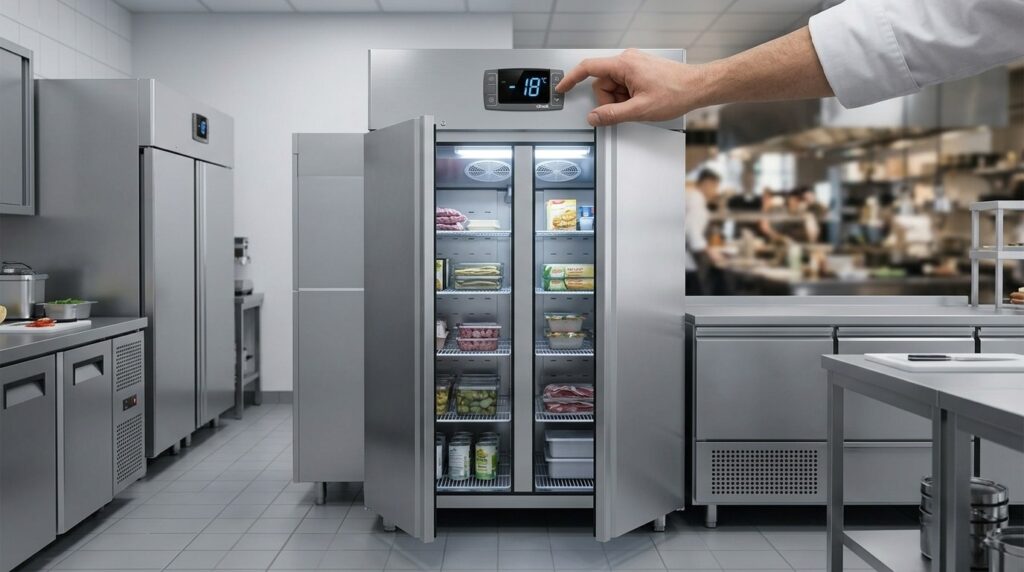
Explore Unifrost upright freezer controllers for optimal settings and food safety in Irish kitchens.
Unifrost Upright Freezer Temperature Controller Owner Hub
You rely on your Unifrost upright freezer to hold safe frozen temperatures, but the digital controller is where most day-to-day problems and costs show up. This owner hub helps you use and verify the controller across in-scope models including F1000SV and F1000SVOG, F1300SV and F1300SVNOG, F1310SV, F410SS and F410SSOG, and F620SV, where you typically see a Dixell, Elitech, or Carel display.
You will work through the real operator decisions: how to change the setpoint safely, what to target for Irish food safety expectations of about -18°C or colder, and how to confirm the cabinet is actually holding that temperature when the display is only showing the air probe reading. You will also learn how to interpret normal defrost behaviour versus genuine faults, what common messages like “dEF” usually mean, and which adjustments are reasonable at owner level versus parameters that should trigger an engineer call.
By the end, you have practical checks for heavy door-use sites versus low-access bulk storage, sensible alarm and logging habits that support HACCP and EHO inspections, and a quick post power-cut checklist so you can reopen with confidence rather than just lowering the setpoint and hoping for the best.
What this support page helps you find
This owner hub helps you read and use the digital temperature controller on Unifrost upright freezers, so you can hold frozen storage reliably at -18°C or colder. The Food Safety Authority of Ireland notes that food can continue to be kept frozen as long as it remains below -18°C (FSAI guidance for food businesses after a power outage).
One practical point: the controller usually displays the cabinet air probe, not the core temperature of the food. That’s why you still need a sensible check routine, especially after a power cut or during heavy service.
What “good control” looks like in a working Irish kitchen
Upright freezers cycle as part of normal operation: compressor on, compressor off, plus scheduled defrosts to keep the evaporator clear. This page helps you recognise those normal patterns so you do not keep chasing the display by dropping the setpoint. That can push up running costs and still not protect stock if the real issue is airflow, loading, or a tired door seal.
What you can safely change yourself (and what you should not)
On the Unifrost upright models in scope (F1000SV/F1000SVOG, F1300SV/F1300SVNOG, F1310SV, F410SS/F410SSOG, F620SV), you will typically see a Dixell, Elitech, or Carel controller.
Owner-level actions are usually:
adjusting the setpoint within reason
acknowledging alarms
checking what mode the controller is in (for example, defrost)
Deeper parameters (differential, defrost interval, probe offsets, alarm delays) can help in the right hands, but they can also mask faults or create nuisance alarms if they are changed without understanding the effect on pull-down time and compressor run hours.
Making sense of flashing displays, alarms, and “dEF”
This page explains common controller behaviour in plain terms, including when “dEF” is simply an active defrost cycle and when repeated defrost indications can point to an operational problem, such as restricted airflow, ice build-up, or a door being left ajar during peak service. The aim is to help you decide whether to wait it out, clean and reset, or take the cabinet out of use.
Proving you are holding -18°C (not just displaying it)
You will also find practical ways to verify performance: how to cross-check with a separate thermometer, what to record for HACCP, and what “normal” recovery tends to look like after heavy door use in a takeaway versus low-access bulk storage in a hotel, care setting, or production kitchen.
In an Irish inspection context, a quick glance at the screen is not a monitoring routine. You need something you can stand over if stock value is high, access is frequent, or capacity is tight.
Finding the right controller guide for your exact Unifrost model
The same freezer range can ship with different controller brands. This hub shows you how to match your Unifrost model (for example F1000SV, F1300SVN, F410SS, F620SV) to the correct Dixell, Elitech, or Carel PDF, so you are not guessing button sequences or alarm meanings.
After a power cut: the checks to run before you reopen
Power interruptions happen, and freezers do not always restart cleanly, particularly in a hot plant area or where condenser cleaning has been skipped. You will find an owner check for controller status, alarm condition, defrost state, and temperature pull-down so you can make a call on stock safety and whether the unit is fit to go back into service.
When to call an engineer (and what to record first)
This page also sets clear “stop-adjusting” lines. Persistent alarms, repeated high temperatures, long recovery, or odd cycling usually points to a refrigeration or airflow issue, not a settings problem.
If you need support, you will be guided on what to note first:
freezer model
current temperature reading
alarm code (if any)
whether it is showing defrost
what changed operationally (loading, deliveries, ambient heat, door use)
That information usually speeds up diagnosis and reduces avoidable call-outs.
Using controller behaviour to spot capacity problems early
Finally, the hub shows how to use controller trends as an early warning that the freezer is being asked to do more than it reasonably can: more frequent alarms, longer pull-down after deliveries, or struggling after a busy service. In many sites, that is the sign you are outgrowing the cabinet, not mis-setting it, and it helps you make a cleaner comparison across the upright models in scope.
Overview of Unifrost Upright Freezer Models and Controllers
Unifrost upright freezer models are the cabinet families covered in this owner hub. The “controller” is the digital thermostat module on the front panel. It manages the compressor, defrost cycles, alarms and the temperature display.
In a working Irish kitchen, the controller is what you depend on for stable frozen storage and a quick read on how the cabinet is recovering during service. The important detail is that different Unifrost uprights can be fitted with different controller brands and layouts, so the same target temperature can behave differently depending on controller logic, probe position, defrost settings and how the freezer is being loaded and opened.
Models covered in this hub (and what “SV/SS/OG/NOG” means in practice)
This hub covers:
F1000SV and F1000SVOG
F1300SV and F1300SVNOG
F1310SV
F410SS and F410SSOG
F620SV
You’ll see suffixes like OG and NOG on some models. Treat these as variant identifiers for ordering parts and matching documentation. Don’t assume the suffix tells you exactly which controller is fitted.
For HACCP logs, fault-finding, or when you’re chasing a temperature alarm, the controller model fitted on your unit matters more than the letters on the badge.
Controller types you’ll see on Unifrost uprights, and why it matters
Across these upright freezer models, you may come across digital controllers from Dixell, Elitech or Carel. They all do the same core jobs:
read temperature from a probe
switch refrigeration on and off around a setpoint (with a differential)
run defrost cycles
show alarms or status codes
The difference is the on-site experience: keypad lock/unlock, how you adjust the setpoint, what the display shows during defrost, and what different codes actually mean. That’s why two uprights that look “set the same” can recover differently after heavy door openings, warm stock being loaded, or an ESB outage.
Frozen storage target and what the display is actually telling you
In Irish foodservice, you generally aim to hold frozen storage at around -18°C or colder. It’s also worth remembering what the display is usually showing: cabinet air temperature at the probe, not the core temperature of the food.
If you’re validating stock after a power cut, delivery, or alarm, focus on whether food stayed properly frozen, not just whether the displayed number looks tidy. The FSAI notes that food can continue to be kept frozen as long as the temperature remains below -18°C in a power-outage context (FSAI guidance).
That air vs product gap is also why “turning it down a few degrees” is not always the fix. A lower setpoint can increase run time and icing risk without improving product safety if the real issue is door use, loading practice, blocked airflow, or a tired door seal.
How to identify which controller you have before you look for the right PDF
Start with what’s on the front panel. Dixell, Elitech and Carel controllers are often identifiable by:
the brand mark on the faceplate
button layout and icons (defrost symbol, alarm triangle, SET key)
If there’s no obvious branding, take a clear photo of:
the full controller front
any label in the service or machine compartment area
Support and documentation matching depends on the exact controller model code, not just “it’s a Unifrost upright freezer”. Once you have that code, it’s much easier to separate normal behaviour (for example, a defrost indication) from a genuine temperature control fault that needs an engineer rather than an owner tweak.
Adjusting Temperature Setpoints on Digital Controllers
To change the temperature setpoint on a Unifrost commercial upright freezer, first identify the controller on the door fascia. Then go into the setpoint screen (not the engineer menu), adjust in small steps, save, and give the cabinet time to stabilise. After any change, verify with a separate thermometer rather than relying on the display alone. For Irish frozen storage, you are typically aiming to hold product at -18°C or colder. Remember the controller usually displays air probe temperature, not product core temperature.
1. Confirm what the display is showing before you change anything
Stand at the cabinet for a minute and watch the screen. On common digital controllers (Dixell, Elitech, Carel-style), the number shown in normal operation is usually the air temperature at the probe location, not the temperature inside a box at the back.
If the display is flashing, showing an alarm, or you can see it is in a defrost cycle, deal with that first. Changing a setpoint during a defrost or active alarm often leads to the wrong conclusion and an avoidable call-out.
2. Enter the setpoint screen (and avoid engineer parameters)
Most commercial freezer controllers let you view and adjust the setpoint with one of these patterns:
Press and hold SET for 2 to 5 seconds until the setpoint appears.
Press SET once to view, then hold SET to edit.
Press and hold a key with a snowflake icon (or a dedicated set key) until the setpoint shows.
If you see a padlock icon or the controller ignores input, it may be key-locked. Avoid random long-press combinations to “get in”. It is easy to enter programming and change defrost, probe calibration, or alarm limits that should be left alone unless you have the correct controller instructions.
3. Adjust in small steps and keep the target realistic for service
When the setpoint value is displayed, use the up/down keys to change it in small increments, then pause.
In Irish operations, you are normally aiming to hold frozen food at -18°C or colder. HSE/HPSC guidance notes frozen food remains safe where it stays below -18°C (see: HPSC guidance).
Two practical cautions:
Setting the freezer “colder just in case” can increase running cost and still leave you short at product level if you have heavy door opening, overloading, blocked airflow, or poor ventilation around the unit.
If you are constantly dropping the setpoint to chase temperature, treat it as an installation or workflow issue, not a number to keep pushing down.
4. Save the change properly and return to normal display
On many controllers, the new setpoint saves automatically after a few seconds with no button presses. Others need you to press SET again to confirm. Once saved, the display should return to the normal air temperature reading.
If the controller does not return to normal, or throws an error straight after saving, stop and take a clear photo of the screen before pressing anything else. It makes troubleshooting faster and avoids changing a second setting by mistake.
5. Verify the holding temperature and record it for HACCP
After any setpoint change, give the freezer time to pull down and stabilise, especially if it has been loaded recently or has just defrosted.
To confirm you are actually holding frozen storage conditions, check with an independent method used in HACCP routines, such as a calibrated probe placed between packs or a glycol bottle-style simulator. Compare that reading to the controller display.
Record:
The new setpoint
The time you changed it
An independent temperature check once stable
If you are unsure which controller variant is fitted, match the model code and controller type before changing anything beyond the setpoint.
Optimal Freezer Temperatures and Food Safety
The “right” temperature on an upright freezer matters because freezing slows microbial growth, but it does not undo poor handling or make food safe again. In a busy Irish kitchen, you need the cabinet to hold temperature through door openings, defrost cycles, and deliveries, not just show a reassuring number on the controller.
A key detail: the controller is usually reading air at the probe point, not the core temperature of the food. So a steady display can still hide warmer pockets near the door, on top shelves, or where stock is packed too tightly for airflow.
Why Irish kitchens treat -18°C as the practical target (and why the setpoint is not the whole story)
In day-to-day operations, -18°C (or colder) is the practical benchmark for frozen storage. It is easy to defend in a HACCP system and aligns with the temperature control approach expected by Irish operators and inspectors, as reflected in the FSAI’s HACCP guidance on monitoring and control points: https://www.fsai.ie/business-advice/haccp
Where sites get caught is assuming setpoint = product temperature. On most commercial uprights, the probe measures return air, which can recover quickly after a door opening even while product temperature lags behind. Two similar uprights can perform very differently at the same setpoint if one has heavier access, is overfilled, or has restricted ventilation around the unit.
What should you set on the controller in a busy Irish venue?
If the aim is to keep product at -18°C or colder, the setpoint often needs to be a bit colder than -18°C in real kitchens. You are effectively allowing for heat load from:
frequent door openings during service
warm stock being loaded after deliveries or prep
automatic defrost cycles
There is no single “correct” number across every site. A low-access storeroom freezer can run closer to the benchmark than a takeaway line freezer that is opened constantly.
The best setting is the one that keeps food hard-frozen at the warmest point in the cabinet, without forcing the unit to run flat out and ice up. If you find yourself continually lowering the setpoint to “chase” temperature, it is often a workflow or capacity issue (access frequency, loading practice, blocked airflow) rather than a controller fault.
How to prove you’re holding safe temperatures (not just displaying them)
For HACCP, you want evidence that the food is being held safely, not just that the screen looks good. The HSE’s guidance on temperature control and safe handling is a useful reference point for what “sensible monitoring” looks like in practice: https://www2.hse.ie/living-well/healthy-eating/food-safety/handling-food-safely/
Verify with a calibrated probe thermometer from time to time, especially in the higher-risk areas (top front, near the door, and crowded shelves).
After a power cut or ESB outage, give the cabinet time to pull down and stabilise, then confirm with a probe check before relying on it during service.
Record exceptions, not just routine ticks. Note warm deliveries, unusually heavy access, or a defrost cycle if it explains a reading. That context is what makes your records useful when trends are reviewed.
Across the Unifrost upright freezer range you will see digital controllers, and the on-screen behaviour can vary by controller type. Whatever the controller, the operational check is the same: confirm the cabinet is consistently holding frozen stock at temperature where it matters, not just at the probe.
Troubleshooting Controller Issues
Start by working out whether the controller is showing a normal operating state (such as defrost) or a genuine alarm. Then confirm performance with a calibrated check rather than relying on the display alone. In Irish kitchens, most “controller problems” turn out to be site issues: door discipline, airflow, a blocked condenser, warm stock going in, or an ESB outage. Finally, stick to owner-safe changes (setpoint and alarm mute). Leave defrost and probe parameters alone unless you have the exact controller manual for your unit. If you cannot confirm stable holding temperature and normal recovery, treat it as an engineer call, not a settings tweak.
1. Confirm whether “dEF” is normal defrost or something stuck
On many upright freezer controllers, “dEF” usually means the cabinet is in a defrost routine. Cooling pauses briefly while frost is managed, and some controllers show “dEF” instead of a live temperature during that period. CAREL describe this behaviour in their controller documentation, including defrost status and parameters (see the relevant section in the CAREL controller manual).
Normal signs
“dEF” appears and then clears on its own.
Fan behaviour may change during the cycle.
The display returns to temperature and the cabinet carries on as normal.
Not normal
“dEF” stays on for an unusually long time.
Defrost seems to repeat constantly and the cabinet struggles to pull down.
You also see warm product, heavy frosting, or recurring alarms straight after defrost should have ended.
If it is not normal, do not start adjusting defrost settings as a first move. That is where a small fault becomes a weekly icing problem.
2. Check holding temperature properly (display vs reality)
Treat the controller reading as an air probe reading, not proof that product is safe. After heavy door use, warm restocking, or a power cut, the display can look “fine” while the warmest items near the door are not.
For HACCP purposes, you need a documented approach to checking and recording temperatures. The FSAI’s SC2 Fridge/Freezer/Chill Display Temperature Records is a useful reference for the kind of monitoring an EHO expects to see (see FSAI SC2 template).
Two realities in busy sites:
Frequent access can leave the “front line” stock warmer than the cabinet average.
Two similar uprights can behave differently with the same setpoint because of loading pattern, door-open time, ventilation around the condenser, and heat from nearby cooking equipment. Compare recovery behaviour, not just the number on the screen.
3. Stop nuisance alarms by fixing workload and airflow first
Most nuisance alarms are operational issues masquerading as controller faults. Before you change parameters, do the checks that prevent the majority of call-outs:
Door closing and seals: make sure the door fully closes and the gasket seals.
Airflow inside: avoid overpacking and blocking internal air paths.
Condenser cleanliness: if the unit sits near a hot line, the condenser can load up with grease and dust quickly, which drives up head pressure and reduces cooling capacity.
If the alarm started after a delivery, it is often warm stock plus door time. Let the cabinet recover with the door kept shut. Avoid the temptation to drive the setpoint colder to “force it down”. That typically increases run time and icing risk, and it does not meaningfully speed up chilling of warm product in a way that helps service.
4. After an ESB outage, do a controlled restart check before service resumes
When power returns, give the freezer time to stabilise. You want to see a sensible pattern: compressor running, temperature trending down, then a steady hold.
If alarms appear immediately, do not just silence them and carry on. Your operator decision is simple: does the cabinet pull down and hold again under normal use? If you get repeated warm alarms after an outage, it can point to underlying issues that only show up under stress, such as restricted airflow, icing, or a refrigeration circuit struggling to recover.
For HACCP evidence, note:
when power returned,
when the cabinet returned to target,
whether product was moved to backup storage.
In a high-traffic hotel or takeaway, that brief note is often more useful than arguing over a single high reading during recovery.
5. What you can change safely (and what needs an engineer)
Owner-level actions are usually limited to:
setting the correct setpoint,
muting an alarm after you have checked the cause,
housekeeping fixes that improve airflow and cleanliness.
Anything that changes defrost behaviour, probe interpretation, or compressor run limits can create persistent icing, wider temperature swings, and higher running costs. Leave those settings alone unless you are working from the correct manual for your specific controller.
Call an engineer if
The cabinet will not pull down towards safe frozen storage temperature with the door closed and a normal load.
“dEF” appears stuck, or heavy ice is building and restricting airflow.
High-temperature alarms keep returning after a sensible recovery period, especially overnight with no door use.
The controller is locked out and you cannot access basic setpoint changes without guessing.
You suspect a probe fault. Changing probe or calibration parameters without the exact manual is a quick route to unreliable storage.
It also helps to identify which controller family you have (for example Dixell, Elitech, or Carel). The same message can mean slightly different things depending on the platform and firmware, and that matters when you are matching a cabinet to the correct controller PDF and support notes.
Managing Different Usage Scenarios
An upright freezer will behave very differently depending on how you use it. A “service freezer” on the pass, opened all day, needs stable control and fast recovery in warm, humid Irish kitchen air. A low-access bulk store can prioritise efficiency and steadier cycling.
In a takeaway or hotel kitchen, the same setpoint can look “worse” simply because repeated door openings push up air temperature and moisture, which then drives longer pull-down and more frequent defrost. In a storeroom with few openings, that setpoint usually holds tighter, with fewer alarms and less ice build-up.
Either way, your food safety target is still frozen storage at around -18°C or colder. The practical aim is to avoid nuisance alarms while protecting stock under your actual trading pattern.
How do high-use and low-access uprights compare overall?
Door openings are the biggest hidden load on an upright freezer. Every opening drags in warm air and moisture, and the evaporator has to remove both. Moisture turns into ice, and ice reduces airflow and heat transfer. The result is more compressor runtime, more defrost activity, and wider temperature swings than you’d see in a quiet store.
That’s why two uprights set to the same temperature can behave differently, especially if one is the go-to freezer for chips, ice, desserts, or high-frequency prep.
For compliance and stock protection, treat the controller display as an operational indicator, not a direct read of product temperature. Verify with a probe and a logging routine that matches your HACCP plan. The Food Safety Authority of Ireland uses -18°C as the reference point for food still considered frozen, noting: “Any food that is still frozen can continue to be frozen as long as the temperature is still below -18º C” in its guidance for food businesses after power loss incidents (FSAI).
High-use sites (takeaways, busy hotels, bars with constant pick-ups)
The goal is not to chase the coldest number on the display. It’s to stop the cabinet being dragged into long recovery runs, heavy icing, and repeated alarm events that staff eventually ignore.
Keep changes conservative. In most day-to-day situations, adjust only the setpoint and, where the controller allows it at user level, the high temperature alarm delay rather than changing alarm thresholds. In a high-use site, allowing short, expected warm-air spikes can be more realistic than recording constant “incidents”, provided you’ve confirmed the freezer reliably pulls back down once service eases.
You will usually get more improvement from workflow than from parameters:
Don’t let doors sit open during prep.
Avoid loading warm product.
Keep baskets organised so staff aren’t rummaging.
Check the door closes cleanly every time.
If you see frequent “dEF” indications during service, that can be normal defrost activity. If it lines up with soft product, heavy frost, or repeated high temperature alarms, treat it as a sign the freezer is being pushed too hard by access patterns, is badly loaded, or needs maintenance, not as a reason to keep lowering the setpoint.
Low-access bulk storage (stores, basements, prep kitchens, schools)
With low-access use, you can usually run close to a standard frozen storage target and let the cabinet operate efficiently without constant swings. Because you’re not repeatedly dumping humid kitchen air into the cabinet, icing builds more slowly and recovery behaviour is easier to interpret.
This is where “same setpoint, different result” becomes useful diagnostically. If a low-access upright struggles to reach or hold normal temperature, check the basics first:
condenser airflow and dust build-up
ventilation clearance around the unit
damaged or dirty door seals
loading that blocks internal airflow
Avoid changing differentials, defrost intervals, probe offsets, or compressor protection settings unless you have the correct controller manual for your unit and a clear reason. Those settings can help in the right hands, but random changes can create longer warm periods, heavier icing, or short-cycling, which is the opposite of what you want for bulk stock reliability.
Which approach is best for you?
If staff open the door more than a few times per hour during service, treat the upright as high-use and focus on recovery and sensible alarms rather than aggressive setpoints.
If it’s opened mainly for planned pulls and stock takes, treat it as low-access and keep settings standard, using controller behaviour as an early warning for ventilation, seals, or cleaning issues.
If you keep lowering the setpoint to “solve” warm periods, it usually points to an undersized unit, poor siting (heat and airflow), or a maintenance issue, not a controller problem.
To make this practical, you need to know which controller family is fitted to your specific Unifrost upright model, as Dixell, Elitech and Carel menu structures look similar until you need to check alarms or parameters.
Connecting Your Freezer Management to Wider Unifrost Support
Most Irish operators get better results when controller know-how is treated as part of your food safety and maintenance routine, not a once-off tweak. That also aligns with the Food Safety Authority of Ireland’s expectation that you can demonstrate safe storage controls and monitoring as part of your food safety management system, including HACCP-based procedures (FSAI guidance on HACCP and food safety management systems).
One practical point: the same setpoint can behave differently depending on kitchen heat load, door openings and how the cabinet is loaded. So your support process needs to connect three things: what the controller says, what the freezer is actually doing, and what you can stand over in your records.
Use the controller as a monitoring tool, not just a thermostat
In day-to-day use, treat the controller display as an early-warning dashboard. It helps you spot trends, defrost behaviour and alarms that show whether the cabinet is coping in your site conditions.
The compliance question is still simple: are products being held safely? In Irish kitchens that typically means frozen storage at around -18°C or colder, with checks that fit your HACCP routine (FSAI guidance on cold chain and chilled/frozen storage). That’s why it’s worth pairing controller checks with a periodic independent thermometer check, particularly after a power cut, a big delivery, or a weekend of heavy door use.
Build a simple HACCP-friendly logging routine from controller behaviour
If you want controller readings to be useful during an EHO visit, keep logging consistent and easy for staff to follow. The goal is not engineering-level detail. It’s clear evidence that you monitored, acted when needed, and protected stock.
Record (1) the controller air temperature, (2) a short note on what was happening (delivery loaded, busy service, defrost active, power outage), and (3) any corrective action if a reading or alarm was out of tolerance, in line with monitoring and corrective-action principles set out by the FSAI (FSAI guidance on monitoring and corrective actions in food safety management).
Write what you can see in plain language, for example “defrost active” or “high temp alarm, back to normal after 20 mins”. Avoid chasing parameter codes unless you’re working from the correct controller manual.
Tie “dEF”, alarms and lockouts to a clear escalation path
Codes like “dEF” can be normal during a defrost cycle. The decision point is whether the cabinet recovers quickly and consistently afterwards. If it repeatedly struggles to pull down after defrost, throws frequent high-temperature alarms, or the controller is locked and staff are guessing at buttons, treat it as an operating control issue first:
Restrict access to setpoint changes
Nominate one trained person per shift
Standardise what’s allowed to be changed, and what triggers a call-out
From a support point of view, a sensible escalation path is:
Rule out door, gasket and loading issues
Check the condenser isn’t clogged (a common, avoidable cause of poor performance)
Review controller behaviour and alarm pattern
Then decide if you need an engineer call
Commercially, this matters because a freezer that copes under light use can fall apart under Friday service pressure. You want to catch the pattern early, before you lose stock or end up documenting an incident.
Match your model to the right controller PDF and support file set
When you’re interpreting alarms or deciding what’s safe for an owner to change, the controller manual matters more than generic advice. Start by identifying the unit from the rating plate and your purchase paperwork, then match that to the controller type fitted (for example Dixell, Elitech or Carel) so you’re reading the right parameter map.
If you can’t confidently match the controller to the correct documentation, don’t “learn by clicking” through settings. In practice, owner-level changes should stay limited to the setpoint and basic alarm acknowledgement. Parameters like differential, defrost intervals and probe calibration can affect run time, recovery and product safety, and the consequences often only show up during a busy trading period.
Use patterns in controller data to decide if you need more freezer capacity
Controller patterns can tell you when the kitchen is asking too much of the cabinet. Watch for:
Long recovery times after door openings
Repeated high-temp alarms during service
“Fine overnight, struggles in the afternoon” patterns
If you’re seeing these regularly, it’s often the point to stop chasing a lower setpoint and reassess capacity and workflow instead. Look at delivery timing, decanting routines, where hot air is getting in, and whether a second unit would reduce door openings per freezer.
Once you can say “this is what happens at peak every day”, choosing the right freezer format and capacity becomes a lot more straightforward, and your support conversations get quicker and more accurate too.
FAQs: Unifrost upright freezer temperature controllers (Ireland)
How do I change the temperature setpoint on a commercial upright freezer digital controller?
Because Unifrost uprights can ship with different digital controllers (commonly Dixell, Elitech or Carel), the exact button names can vary. Use this safe, owner-level method:
Check what the display is showing: most controllers show air probe temperature, not product core temperature.
Enter setpoint view: on many controllers you press and hold SET for 1–3 seconds until the setpoint value appears.
Adjust: use ▲/▼ to raise or lower the setpoint.
Save and exit: press SET again (or wait ~5–10 seconds) for it to store.
Owner tip: if you cannot change the value (it jumps back, or buttons seem locked), don’t force it. Some units are keypad-locked or restricted to prevent accidental parameter changes. In that case, record the controller make/model and follow the correct PDF for that controller or contact support before changing deeper parameters.
What temperature should my commercial upright freezer be set to for safe frozen storage?
For Irish commercial kitchens, a practical target is -18°C or colder for frozen food storage.
Setpoint guidance:
Set the controller so the cabinet reliably holds -18°C even during busy periods. In many sites that means a setpoint around -18°C to -22°C, depending on door openings, load, and room temperature.
Remember the controller usually displays cabinet air temperature, which can swing during door openings and defrost. Your food safety decision should be based on a mix of logged air temps and periodic product checks (see below).
Verification tip (so you know it is truly holding):
Use a calibrated probe (or a check thermometer) and test between packs in the cabinet, not right at the door.
For higher confidence, do a weekly cross-check against a glycol bottle / simulated product or a known stable reference point and record the result in your HACCP logs.
Why is my upright freezer’s temperature display flashing or showing codes like “dEF”?
A flashing display or a code like dEF is commonly linked to defrost activity or a temperature alarm condition, depending on controller brand and programming.
What to do in the moment:
If you see dEF: it often indicates the unit is in a defrost cycle. This can be normal. Avoid changing setpoints mid-cycle and wait 15–30 minutes, then check whether the cabinet recovers back toward the normal operating temperature.
If the temperature is flashing: many controllers flash when the cabinet temperature is outside an alarm threshold for a set time.
Quick checks before escalating:
Confirm the door is fully closed and the gasket seals (paper-strip test can help).
Check for ice build-up restricting airflow and ensure air vents are not blocked by boxes.
After a power cut or heavy loading, allow recovery time before assuming a fault.
When it is likely not “normal” and you should call an engineer:
The code persists well beyond a typical defrost window.
The cabinet won’t pull down toward -18°C after recovery time.
You suspect a probe fault (display clearly wrong versus a trusted thermometer) or repeated alarms with no obvious door-use cause.
Best practice: note the exact code, how long it lasted, and what was happening in the kitchen at the time (loading, deliveries, peak service). That information speeds up diagnosis.
Next step: match the right Unifrost refrigeration solution to your site
If you are tuning controller settings frequently, getting repeated alarms, or expanding storage, it can be a sign that the freezer is being asked to do more than the current setup allows.
Explore Unifrost’s full range of commercial refrigeration options on Unifrost.ie to compare solutions that fit your kitchen workflow, access pattern, and compliance needs.
Related Unifrost guides
Compare models, maintenance advice and support information related to this topic.
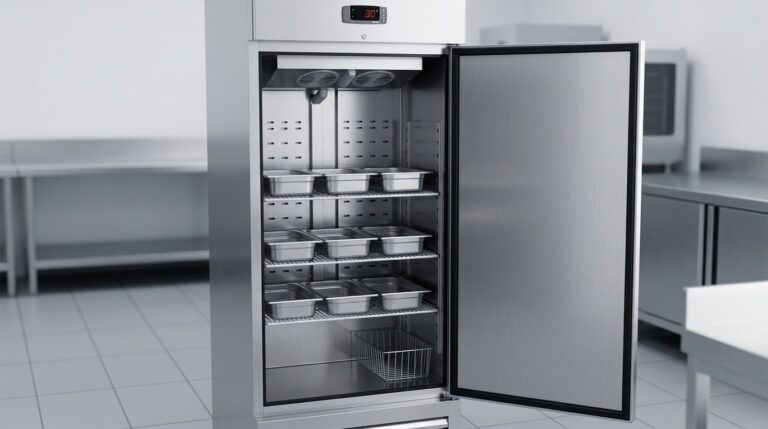
Unifrost F410SS Upright Freezer Shelf and GN Pan Setup Guide for New Owners
Guide Irish kitchens in setting up and using shelves, GN pans, and baskets in the Unifrost F410SS upright freezer efficiently.
Read guide
Unifrost F410SS Upright Freezer Upgrade or Replacement Guide
Explore when to replace or upgrade your Unifrost F410SS upright freezer for optimal performance in Irish kitchens.
Read guideCompare Unifrost freezer options on Caterboss
For current product options, pricing and availability, continue to Caterboss.