
Unifrost F410SS Upright Freezer: Layout, Controller, and Energy Saving Hub
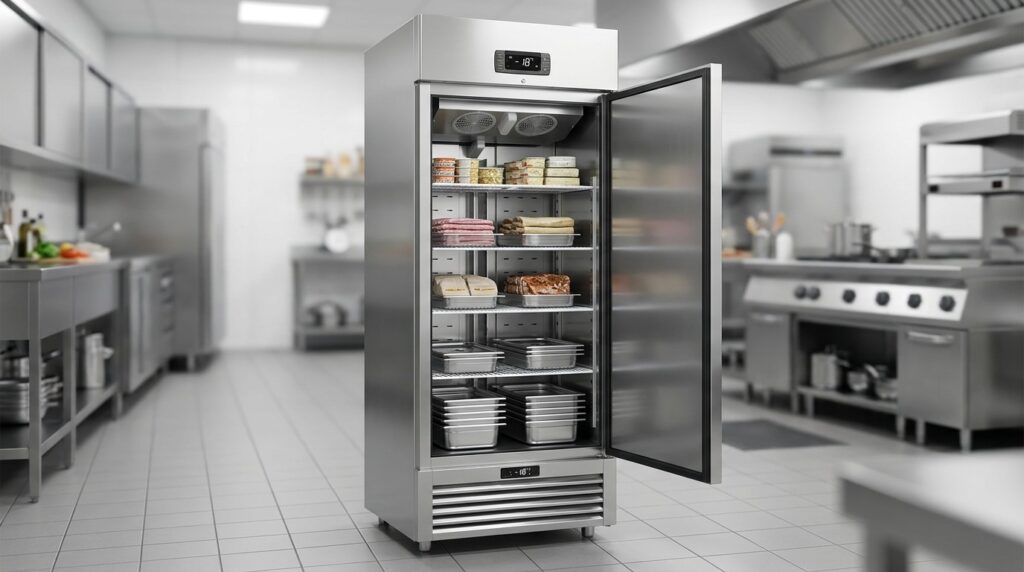
Optimize your Unifrost F410SS for layout, controller use, and energy efficiency in Irish kitchens.
Unifrost F410SS Upright Freezer Owner Hub: Layout, Controller Use and Energy Saving
You run a Unifrost F410SS upright freezer to hold frozen food at around -18°C or colder, but the day to day results depend on two things you control: how you load the cabinet and how you use the front digital controller. Get either wrong and you see slow pull-down, nuisance alarms, higher bills, or stock that is harder to keep within spec.
This hub walks you through the practical decisions: how to lay out shelves, GN pans and baskets so airflow stays clear and access stays fast; how to identify whether you have a Dixell, Elitech, or Carel controller so you follow the right button sequence; and which settings typically matter for performance, including setpoint changes, defrost behaviour, and alarm delays.
You also get energy and reliability checks that pay off in Irish kitchens, including positioning and ventilation basics, what to check after a power cut, how to sanity-check the displayed temperature against what your food is experiencing, and a clear line between safe self-service adjustments and the points where you should stop and call support or an engineer.
What this support page helps you find
This owner hub is here to help you run a Unifrost F410SS upright freezer day to day in an Irish kitchen, without guessing at controller buttons, alarm codes, or what “normal” looks like.
It’s built around the reality that HACCP relies on controlled storage and meaningful temperature checks, including correct use and calibration of a probe thermometer as outlined by the Food Safety Authority of Ireland’s Safe Catering Pack guidance. One practical wrinkle is that an F410SS may be supplied with different front-fascia controllers (commonly Dixell, Elitech, or Carel), so the right steps depend on identifying your controller first.
Find the right controller instructions for your freezer (so you’re not guessing)
The F410SS and other Unifrost upright freezers can arrive with different digital controllers on the front fascia. That matters because the same issue can present differently depending on the controller, including:
defrost indicators and timing
alarm reset behaviour
whether the setpoint is locked and how it’s accessed
This page helps you identify the controller you have in front of you, then match it to the correct PDF or button sequence before you change anything that could affect defrost, alarms, or temperature stability.
Safe setpoint changes for frozen storage in Irish service conditions
For most Irish hospitality kitchens, the operational aim is simple: keep frozen stock held at around -18°C or colder, and avoid nuisance alarms during heavy service, deliveries, or when the kitchen is running warm.
You’ll find guidance here on what you can usually change safely at operator level (typically the setpoint and basic display functions), and what to leave alone unless you have the correct controller manual and understand the knock-on effect on defrost and alarm settings.
Check whether the display temperature matches the cabinet reality
A controller display is useful, but it is not the same as a product temperature check. This hub covers how to sanity-check cabinet performance using a probe thermometer, including sensible probe placement and what “good enough” looks like during normal door openings.
It also helps you separate controller-related concerns from everyday causes of temperature drift, such as overpacking, blocked airflow, warm deliveries, or frequent door openings during service.
Understand common alarms and defrost behaviour (without parameter roulette)
Messages like “dEF”, a flashing temperature, or an alarm after a busy period can be normal in context. They can also be early signs that the freezer is struggling to pull down or recover.
This page helps you tell the difference between expected behaviour (scheduled defrost, brief door-open alarms) and patterns that justify action, such as repeated high-temperature alarms, slow recovery, or recurring defrost-related alerts.
Decide when to call an engineer, and what to check first
Before assuming the controller is at fault, it’s worth doing the checks most engineers will ask about anyway:
door seal condition and door closure
loading and airflow gaps inside the cabinet
unusual icing patterns
whether the condenser area is restricted by dust or grease build-up
This hub is set up to help you note what the controller is showing and what you can see inside the cabinet, so if you do need service support you can share clear symptoms, timings, and recent events like a power cut or a heavy delivery load.
Use controller behaviour to spot capacity limits and rising running costs early
Freezers rarely fail out of nowhere. More often, you’ll see a gradual shift: longer pull-down times, more time spent near alarm thresholds during service, and a cabinet that needs more attention to stay consistently cold.
The guidance here shows you what to watch for using controller readings and simple manual checks, so you can catch the trend early and make practical decisions about stock layout, access during service, and whether the unit is being pushed beyond what your site conditions allow.
Optimising the layout inside your Unifrost F410SS
Set shelf heights around what you actually store, then build simple zones so the busiest items are fastest to grab without leaving the door open. Use baskets and ventilated containers where they suit the job, and keep product clear of the back wall and air outlets so cold air can circulate and the cabinet can recover quickly after access. Finally, tighten up labelling and agree basic “who opens it, when” rules, because the best layout still fails in the middle of a busy service if nobody sticks to it.
1. Set shelf heights for your real pack sizes (not “neatness”)
Adjust shelves to suit the packs you use every week, not the way you wish the freezer looked. Tall boxes stored sideways, unstable stacks of loose bags, and awkward gaps all increase door-open time, which is usually where energy and temperature stability get lost in a working kitchen.
Aim for repeatable “modules” per shelf, for example:
boxed proteins
veg and chips
desserts
prepped items
If you regularly use GN-style pans, dedicate a level to them and set the shelf heights so they slide in and out cleanly. If staff have to force pans past a tight gap, they will drag them, knock stock out of position, and block airflow without meaning to.
2. Create zones that match how you actually pull stock
An upright freezer beside the pass behaves very differently to one used as bulk storage in a back store. Put high-turnover items between waist and shoulder height so they are one quick reach and the door can close again. Keep slow-moving bulk lower down, where it is not being disturbed every few minutes.
Give raw proteins a clear, dedicated zone and treat it as “no rummaging”. Even in a freezer, torn packaging, crushed boxes, and repeated handling are what turn a tidy system into a frosty mess that costs labour and leads to waste.
3. Use baskets and containers to keep access quick and airflow clear
Baskets tend to work well in upright freezers because they:
keep loose and awkward packs together
let air move around irregular shapes
give staff one thing to pull forward rather than picking through the shelf
If you use GN pans for prepped items, avoid overfilling. Also avoid lids or pan heights that wedge tight against the shelf above. That is when pans end up left half-out while someone searches, which is hard on temperature stability.
Keep “small bits” contained. Open bags, partial cases, and loose packs should live in one or two clearly labelled baskets per category. If these float around the cabinet, they usually end up pressed against vents or the back wall, which makes recovery slower and defrosting more frequent.
4. Leave breathing space around the cold air path (and prevent frost build-up)
Do not pack product hard against the back wall, and do not build a solid wall of boxes right at the front edge of the shelf. You want clear air lanes so the freezer can pull temperatures back down quickly after each door opening, especially during weekend service when the unit is under constant use.
If frost repeatedly builds up in the same spots, treat it as a layout and loading issue before assuming a control fault. Check for:
crushed packaging blocking airflow
stock pushed against air outlets
warm or soft product being loaded
baskets shoved tight to the back
5. Keep loading and rotation simple enough for service pressure
When deliveries come in, freeze product down in its assigned zone instead of scattering it wherever there is space. Loading soft or warm stock and burying it behind frozen items increases compressor run time and makes temperature swings more likely.
Use one rule the whole team can follow:
newer stock goes behind or below older stock within the same zone
nothing is stored loose on the cabinet floor
Once the physical layout stays consistent, the display and alarms become more useful as an early warning that access patterns or loading habits are pushing the freezer too hard.
Understanding the Unifrost F410SS digital controller
The digital controller on a Unifrost F410SS is the front-panel thermostat and alarm module. It reads a temperature probe in the cabinet and switches the refrigeration system on and off to maintain frozen storage conditions. On F410SS/F410SSOG units you may see a Dixell, Elitech or Carel controller. It also handles defrost timing and basic alarm behaviour, which is why small changes can have a big day-to-day impact.
One practical point: the number on the display is usually the probe temperature in the airflow, not the core temperature of your food. Use it for control and trend-spotting, not as your only HACCP evidence.
How to safely change the setpoint (without getting lost in parameters)
Most Dixell, Elitech and Carel controllers follow a similar safe flow: a short press displays the setpoint, a longer press allows you to edit, and a final press saves. The exact button sequence and whether the keypad is locked varies by controller model.
If you are not completely sure which controller you have, avoid the parameter menu. One wrong change can affect defrost frequency, probe calibration, alarm delays or compressor protection timings. That is where nuisance alarms, poor recovery and higher running costs often start.
For Irish frozen storage expectations, set an operating target around -18°C or colder, and define your actions if it rises above that limit in your HACCP plan. The FSAI Safe Catering Pack refrigeration record (SC2) references frozen food as ≤ -18°C:
https://www.fsai.ie/getmedia/0e2f40b3-271d-48cf-877b-3963268bf931/sc2-2012-refrigeration.pdf
If your F410SS sits on a busy pass and the door is opened constantly, you may need a slightly colder setpoint than a back-of-house bulk freezer to cope with door openings. Only do this after you have ruled out the usual culprits: blocked airflow, overloading, poor ventilation around the unit, or a dirty condenser.
Making sure the displayed temperature matches what matters (your stock)
Treat the controller display as “cabinet control temperature”, not “food temperature”.
To verify performance:
Use a calibrated probe.
Check a product pack or a glycol test bottle placed in the warmest likely area (often top front, near the door).
Compare your probe reading to the display at a few points: during service, and again in a quieter period.
If the display looks steady but food is soft, it is more often an airflow, loading or door-seal issue than a controller fault. If the display swings wildly, shows impossible readings, or alarms when stock feels properly frozen, you could be dealing with a probe fault, probe location problem, or configuration issue. That is when you need the correct controller manual, not guesswork.
What “dEF” and flashing temperatures usually mean in practice
On many controllers, “dEF” indicates a defrost is active (or has been called). A flashing temperature often points to an alarm condition, a temperature outside limits, or a power interruption that triggered a stored alarm.
In real Irish kitchen use, common causes include:
Long door openings during prep or service
Loading warm product
Iced-up airflow paths (especially if the door is being opened a lot)
Poor ventilation around the unit, leading to longer run times and slow pull-down
If the alarm clears quickly once the door stays shut and the cabinet pulls down again, that can be normal under pressure. If you see repeated defrost-related messages, heavy ice, or alarms that return at the same time each day, review defrost scheduling and basic maintenance first before touching parameters.
Matching your F410SS to the correct Dixell, Elitech or Carel PDF (so you are not guessing)
Do not rely on the brand name alone. Take a clear photo of:
The controller display
The button layout
Any fault code shown
Then look for the controller model code on the faceplate, behind the small front bezel, or on the unit’s label area, and match that exact code to the correct PDF before attempting anything beyond viewing or changing the setpoint.
If you cannot identify the controller model with confidence, treat it as unknown and avoid parameter access. The safest approach is to record symptoms, photograph the controller and any codes, and use Unifrost.ie’s upright freezer controller coverage for the right document set rather than trial-and-error.
Controller settings that affect energy and reliability, and what to leave to an engineer
In most kitchens, the biggest drivers of running cost are not exotic controller settings. They are the basics that force the freezer into constant recovery: frequent door openings, loading warm product, restricted airflow, or heat from nearby cooking and wash-up areas.
The controller helps you spot this early. Watch for longer compressor run time, more frequent high-temperature alarms, and slow recovery after door openings. That is often a workflow issue, not a “controller problem”.
A workable rule of thumb:
Owner-safe: view setpoint, adjust setpoint within your HACCP limits, silence an alarm after checking the door is closed, start a manual defrost only if you understand the impact on stock and service.
Engineer-only: change defrost schedule, heater/drip times, probe calibration offsets, alarm delay timings, compressor anti-short-cycle protection settings, and anything labelled parameter, service or installer in the manual.
Power cut checks before putting stock back into service
After a power cut, the aim is to confirm the cabinet has pulled down properly and you are not clearing alarms without fixing the underlying issue.
Good practice:
Check for stored alarms on the controller.
Keep the door shut and confirm the temperature trend is moving the right way.
Verify with a probe in a representative product pack before returning high-value stock to active use.
If the controller repeatedly alarms after power restoration, or the cabinet will not recover to your target temperature in a reasonable time with the door closed, do not try to “force it” by tightening parameters. That pattern is more consistent with airflow restriction, condenser fouling, a failing fan, a refrigerant-side issue, or a door seal problem. Tweaking settings usually delays the callout and increases the risk of stock loss.
Getting the controller basics right also makes the next step pay off: setting up the internal layout so the F410SS holds temperature with less cycling, fewer alarms, and less temptation to keep adjusting settings mid-service.
Energy efficiency tips for Irish kitchens
Set the controller to a safe, steady frozen storage target, then focus on the things that drive consumption in real kitchens: heat and moisture ingress, poor airflow, and dirty heat exchange surfaces. Keep defrost working properly, because ice build-up forces longer run times and can trigger nuisance alarms. If you are tempted to change advanced controller parameters (defrost type, probe settings, alarm delays), treat that as an engineering job unless you have the exact Dixell, Elitech, or Carel manual for the controller fitted to your cabinet.
1. Set a realistic frozen target and avoid overcooling
Run the freezer as cold as you need, not as cold as it can go. In most Irish food operations, a “frozen storage” target of -18°C or colder is the practical benchmark for stock quality and safety. The FSAI notes frozen food can remain in service if it is still below -18°C following an incident, which is a useful reference point for your own checks and records (FSAI guidance).
If the display is consistently well below that because someone has set an aggressive setpoint “to be safe”, you usually pay for it twice: higher electricity use and more frost load, followed by more defrost activity. The efficiency win is a steady temperature band, not impressive numbers on the screen.
2. Positioning: cut heat load, cut run time
An upright freezer that is constantly fighting hot air will run harder, ice up faster, and alarm more often. In Irish kitchens, the usual culprits are grills, fryers, combis venting steam, dishwash areas, and tight alcoves with poor air movement.
Keep it away from direct radiant heat and steam sources where possible.
Allow clear ventilation around the cabinet’s air intake and discharge areas. If it is boxed into a dead corner, warm air pools and efficiency drops.
If it sits near a pass or in a high-traffic route, choose a position where the door can open fully and close cleanly, without being held open during service. Long door-open events are one of the fastest ways to drive up energy use and pull temperatures out of spec.
3. Defrost: don’t “tune” what you can’t verify
Defrost is where energy and reliability meet. Too little defrost allows ice to restrict airflow over the evaporator, leading to longer compressor run time and uneven cabinet temperatures. Too much defrost wastes energy by dumping heat into the cabinet, then forcing a longer pull-down afterwards.
Operator-level actions that are usually safe:
Confirm the setpoint and how to view current temperature and alarms.
Know how to initiate a manual defrost if you have a genuine ice problem.
Anything that changes how defrost is scheduled or terminated, or how alarms are delayed and acknowledged, should only be adjusted when you can match the exact controller to the correct Dixell, Elitech, or Carel manual. The wrong parameter change can mask a real fault or leave product outside spec without you realising.
4. Airflow and heat exchange: a simple routine that pays back
Even with perfect settings, a freezer that cannot reject heat efficiently will run longer and cost more. SEAI’s business energy guidance flags basic refrigeration housekeeping, including keeping condensers and evaporators clean (SEAI guide).
Use this as a baseline and increase frequency in hot weather, greasy kitchens, or flour-heavy prep areas:
Door seals (weekly): check for splits and gaps; clean the gasket so it seats properly. Watch for packaging or baskets preventing a full close.
Internal airflow (daily habit): don’t ram stock against back panels or overfill shelves. Poor airflow causes temperature swings and longer run time.
Condenser hygiene (scheduled): clean dust and grease from the condenser area to suit your environment (monthly is common in busy kitchens).
Level and closing: level the cabinet so the door self-closes and does not drift open during service.
Recovery check: after cleaning, pay attention to how quickly the cabinet returns to its normal temperature band. Slow recovery can point to load issues, airflow blockages, or a developing mechanical fault rather than “a controller problem”.
5. Use controller behaviour as your early warning for running costs
You do not need a sub-meter to spot when energy use is drifting. The controller is often the first clue: slower pull-down after door openings, more frequent defrost activity, and repeated high-temperature alarms all suggest the freezer is working harder than it should.
For an operator routine that also stands up to an EHO visit, record the displayed temperature at consistent times (for example opening and close), and add a weekly cross-check using a calibrated probe in a suitable test medium. That helps you avoid confusing normal air temperature swing with product temperature.
Once the basics are under control, some of the biggest gains come from simple workflow: organise stock so you can grab what you need quickly without blocking airflow or leaving the door open longer than necessary.
When you need self-service versus direct support
Decide early whether you’re dealing with an operational issue (loading, door use, cleaning, power interruptions) or a refrigeration fault (won’t pull down, repeated alarms, ice build-up, unusual noise). Start with safe, reversible checks. Leave deeper parameter changes alone unless you have the exact controller manual in front of you and you’re logging what you changed.
If there’s any doubt about food safety, protect stock first and treat it as an engineer call, not a “press-and-hope”.
1. Triage the symptom: nuisance alarm vs temperature risk
With an upright freezer like the F410SS, problems usually present as an alarm, a flashing temperature, or complaints that it “looks cold” but isn’t holding product properly. Your first job is to separate:
Stock risk: product may be warming, packs are soft, ice cream is slumping, cabinet is creeping up over time.
Usability issue: beeping during service, odd display behaviour after a power cut, brief alarms during heavy door openings.
If the cabinet recovers quickly and product stays hard frozen, you often solve it with placement, loading discipline and access patterns. If it will not pull down, is warming over hours, or you’re finding soft packs, move straight to food protection and fault isolation.
2. Confirm what’s real: controller reading vs product temperature
The controller is reading cabinet air temperature at the probe, not the core temperature of your food. For a quick reality check, use a calibrated probe between packs (or a “reference pack” you keep in the freezer) and compare it to the display after a few minutes with the door closed.
Display looks fine but food is drifting: usually airflow, loading or door-open time.
Display is obviously wrong or jumping: likely probe or wiring. Avoid parameter tweaks that could mask a real fault.
3. Do the physical checks before you touch parameters
In busy kitchens, many “controller issues” are really heat load and airflow problems. These checks cost nothing and often restore stable holding without touching settings:
Door seal and closure: splits, hardened gasket, or a door not pulling shut during service.
Airflow inside: don’t pack boxes, baskets or GN pans tight to the back wall or vents. Avoid “bricking up” the load.
Ventilation and condenser cleanliness: hot corners, tight gaps to walls, or greasy air near a cooking line push run time up, increase alarms and raise running costs.
Obvious ice build-up: heavy ice often points to defrost/drain issues or door discipline, not a setpoint problem.
If you correct any of the above, give the freezer time to stabilise before deciding there’s a refrigeration fault.
4. Match the controller model to the correct PDF before changing anything
F410SS/F410SSOG units can ship with different front-fascia controllers, and button sequences and alarm codes vary. Before you do anything beyond confirming the setpoint, identify the controller brand and exact model code on the fascia label, then pull the matching controller PDF from the Unifrost upright freezer controller owner hub.
If you can’t confidently match the controller, don’t guess at hidden parameters. That’s how nuisance alarms turn into silent failures, especially if alarm delays, probe calibration or defrost settings get changed without being documented.
5. Use clear criteria for “self-service” vs “call an engineer now”
Self-service is appropriate when you’re doing reversible actions that don’t narrow safety margins:
checking readings and setpoint
verifying product temperature
improving loading and airflow
cleaning and checking ventilation
confirming the door is sealing properly
Direct support is the right call when you see any of the following:
repeated failure to hold frozen conditions
persistent alarms that return after you’ve corrected obvious causes
signs of a refrigeration system problem (not just the display)
A practical rule in Irish hospitality is: if you can’t explain the issue and your corrective action clearly in your HACCP notes in a way an EHO would accept, it’s not a tweak, it’s a corrective action and likely a service call. HACCP is built around monitoring and corrective actions as set out in the FSAI principles of HACCP/principles-of-haccp). Log what you observed, what you checked, and what you did to protect stock.
This is also an early warning sign that you may be using the freezer outside its day-to-day role. If it only struggles during peak door openings, you may be running bulk storage like a service-line freezer. That’s as much a workflow and layout issue as it is a settings issue.
Related checks, guides, or troubleshooting routes
The best troubleshooting route for an F410SS depends on whether you’re seeing normal controller behaviour (for example a defrost message) or a genuine cooling and food safety issue. Under service pressure, the cleanest outcome usually comes from using the correct controller document and a repeatable check routine, rather than trying random button sequences.
One complication: the same F410SS badge can appear on units with different controller makes. That means the “right” button sequence and alarm meaning depends on what’s actually fitted on your fascia.
Fast routes (pick what matches what you’re seeing)
If you need the bigger picture on controller behaviour across the upright freezer family (including F410SS/F410SSOG, F620SV, and the larger SV models), use the Unifrost Upright Freezer Temperature Controller Deep Dive Owner Hub.
If your job is “get me the correct PDF for the controller in front of me”, go to Manuals & Downloads and match the controller brand and model code before changing anything beyond the setpoint.
If you want operator-safe answers for common jobs like setpoint changes, “dEF”, flashing temperatures, alarm muting, or keypad lockouts, start with the Unifrost FAQs.
When to stop changing settings and switch to checks
If the display looks odd, it’s easy to assume “controller fault”. In practice, the expensive mistakes happen when a real airflow or heat-load issue gets disguised by parameter changes. You then end up chasing repeated high-temperature alarms during a busy weekend.
Before you touch defrost schedules, differentials, probe offsets, or alarm thresholds, do the checks that prevent unnecessary call-outs:
Door closure and gasket seal (no gaps, no product stopping the door closing)
Internal airflow (don’t block air returns and vents)
Condenser cleanliness (especially in greasy kitchen or plant areas)
If the freezer still won’t pull down properly with the door closed and a sensible load, treat it as a performance issue that needs diagnosis, not more controller tinkering.
Matching the cabinet to the correct controller PDF (so you’re not guessing)
For the F410SS family, your starting point is the cabinet rating plate (model and serial) plus the controller label on the front fascia. Once you can name the controller make and model, the correct button sequence and alarm meanings stop being guesswork, which matters when staff are trying to silence an alarm without accidentally changing a parameter that drives icing or longer run-hours.
It also helps you spot operational problems early. If pull-down times are getting longer week by week, or alarms are becoming more frequent without any change in trading pattern, the cabinet may be struggling with your day-to-day heat load and door openings. That’s usually a stock and workflow issue as much as a refrigeration one, so organise product for quick access and avoid turning the freezer into a warm-air pump during service.
F410SS controller, temperature, and alarm FAQs
How do I safely change the temperature setpoint on my Unifrost upright freezer’s digital controller?
Confirm the controller make first (F410SS units commonly ship with Dixell, Elitech, or Carel front-fascia controllers). Button sequences vary, so if your keypad doesn’t match what you expect, check the correct PDF before proceeding.
Avoid changing parameters. For day to day use, only adjust the setpoint. Do not enter the parameter menu unless you know exactly what you are changing.
Typical safe method on most commercial controllers:
Press and hold SET for 2 to 5 seconds until the setpoint shows or starts flashing.
Use ▲/▼ to adjust.
Press SET again to save (or wait 5 to 10 seconds for auto-save).
After changing it:
Give the cabinet time to pull down and stabilise. Do not judge performance from the first few minutes.
If you get a continuous alarm, the display flashes unexpectedly, or the cabinet won’t pull down, revert to the previous setpoint and move to basic checks (door fully shut, stock not blocking airflow, condenser not clogged).
What temperature should my commercial upright freezer be set to for safe frozen storage in an Irish kitchen?
For commercial frozen storage in Ireland, a practical target is -18°C (or colder).
Setpoint vs product temperature: the number on the display is usually an air probe reading, not the core temperature of your food.
Best practice: aim for -18°C or lower at the warmest part of the cabinet during normal service, and verify with a calibrated probe between packs (or in a glycol test bottle) as part of your HACCP routine.
If you’re in a hot kitchen or high-access location: you may need a slightly colder setpoint to maintain compliant product temperatures during peak openings, but avoid pushing it colder than necessary because it can increase running hours and ice build-up.
What does “dEF” or a flashing temperature on my upright freezer display actually mean?
On many Dixell, Elitech, and Carel controllers:
“dEF” commonly indicates the unit is in a defrost cycle (or has just initiated/ended one). During defrost, it’s normal for the display to behave differently and for temperature to drift temporarily.
A flashing temperature often means an alarm or delay condition, for example:
cabinet temperature outside the alarm threshold for long enough
door opened frequently or left ajar
a probe reading issue (sensor fault) or an alarm acknowledgement state
What to do, in order:
Check the door: confirm it is fully closed and seals are making contact all around.
Check airflow: don’t let boxes, GN pans, or liners block the internal air path or fan area.
Give it time after defrost or loading: a short-term rise is normal after loading warm stock or after a defrost.
If the alarm persists (especially after the cabinet should have recovered) or you see repeated probe-related alarms, stop changing settings and use the correct controller manual to read the alarm code, then arrange service if needed (probe replacement, defrost fault, ventilation/heat-load issues).
Need the right Unifrost freezer for your kitchen setup?
If you’re reviewing your storage capacity, access pattern, or energy use, the next step is to compare upright and bulk frozen storage options side by side and match them to how your kitchen actually works.
Explore our comprehensive Unifrost freezer range to find the best fit for your layout, service intensity, and frozen stock needs.
Related Unifrost guides
Compare models, maintenance advice and support information related to this topic.
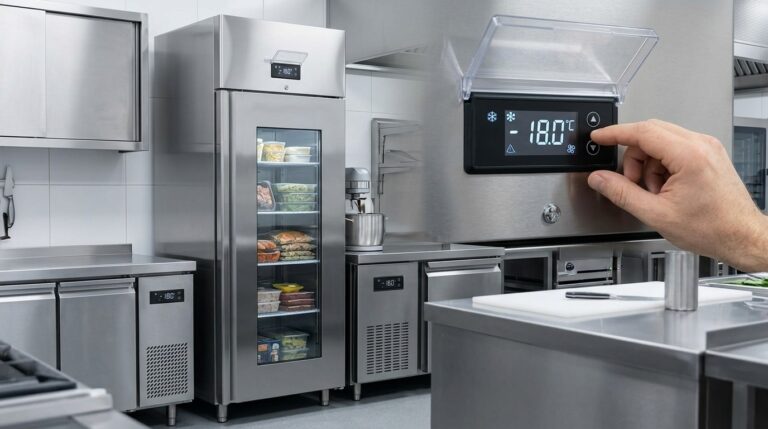
Optimising Unifrost F410SS Upright Freezer Temperature Controller Settings
Learn to adjust Unifrost F410SS freezer settings for optimal use in Ireland's hospitality sector. Improve efficiency and compliance.
Read guide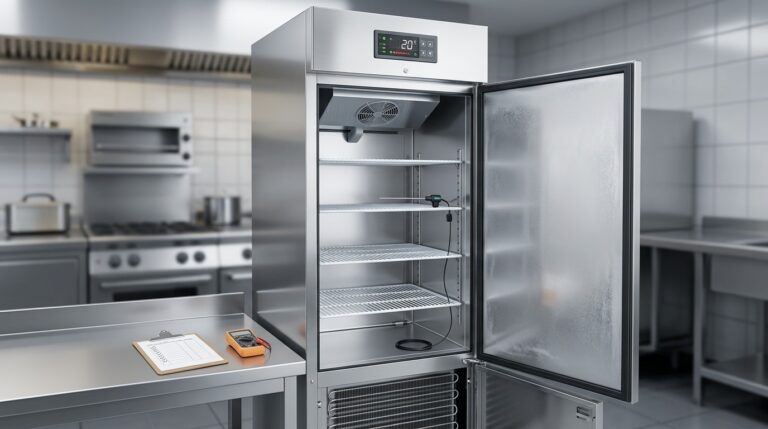
Unifrost F410SS Upright Freezer Temperature Troubleshooting Guide
Troubleshoot your Unifrost F410SS freezer's temperature issues with our expert guide for Irish kitchens. Practical, step-by-step support.
Read guide
Unifrost Counter Fridge Prep Counter Saladette Manuals and Installation Support
Manuals, controller guidance, setup checks and troubleshooting help for Unifrost counter fridges, prep counters and saladettes.
Read guideCompare Unifrost freezer options on Caterboss
For current product options, pricing and availability, continue to Caterboss.